

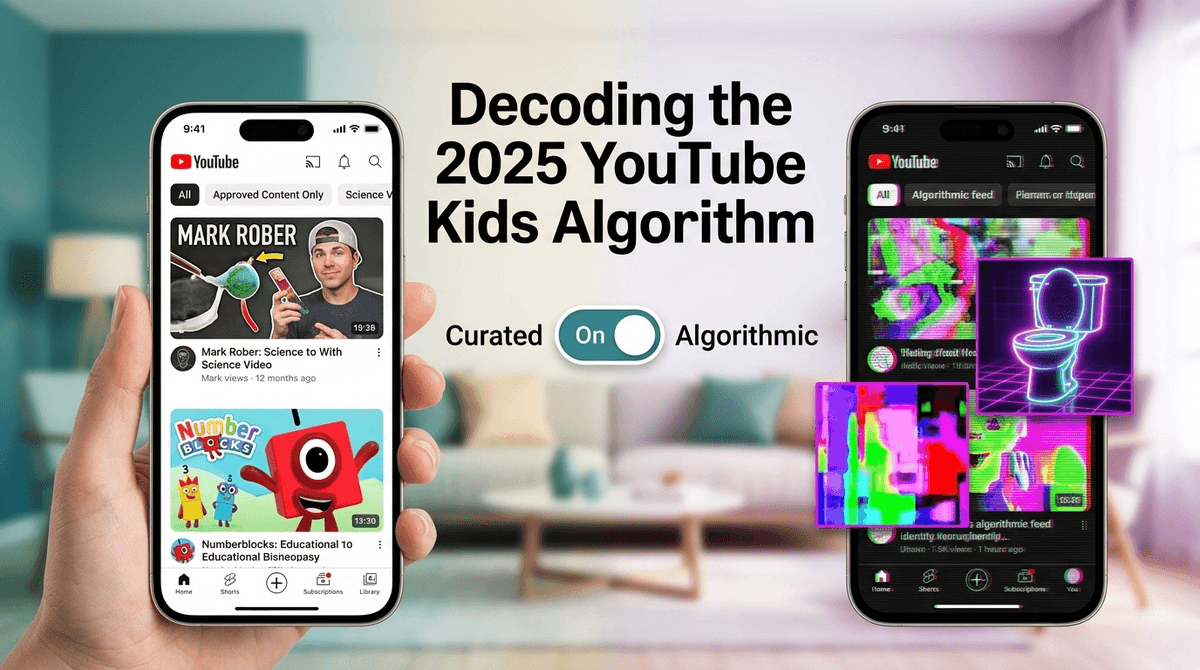
TL;DR
The YouTube Kids algorithm isn't designed to educate your child; it’s designed to keep them watching. Left unchecked, the "Next Up" feed inevitably descends into "brain rot"—high-stimulation, low-substance content like Skibidi Toilet or infinite Cocomelon loops. To protect your child’s attention span, switch from "Algorithmic" to "Approved Content Only" mode immediately.
Quick Links to Better Content:
- For Toddlers: Bluey (the gold standard) or Trash Truck.
- For Early Learners: Numberblocks or Storyline Online.
- For Elementary: Wild Kratts or Mark Rober.
We’ve all been there: you hand over the iPad so you can cook dinner in peace, and thirty minutes later, you find your kid staring blankly at a neon-colored video of a giant spider-man eating plastic syringes.
The YouTube Kids algorithm is a recommendation engine that uses your child's watch history to predict what will keep them on the platform the longest. It prioritizes "watch time" and "click-through rate" over quality. In 2026, this has birthed a phenomenon known as "content slop"—AI-generated or low-effort videos designed specifically to trigger a toddler's dopamine response.
See how the YouTube algorithm affects attention spans
The transition from "educational" to "brain rot" is a slippery slope. It usually starts with something seemingly harmless like Blippi. While Blippi is loud and arguably annoying to adults, it at least attempts to show kids real-world objects like tractors or museums.
However, the algorithm sees that your kid likes Blippi and starts recommending "similar" content. This leads to Cocomelon, which is scientifically engineered with fast cuts (scene changes every 1-3 seconds) to keep a child’s brain in a state of constant arousal. From there, it’s a short hop to Skibidi Toilet—a surreal, loud, and often mildly disturbing series of shorts that has become the poster child for "brain rot."
When kids say something is "so Ohio," they’re usually referencing the weird, nonsensical energy of this corner of the internet. It’s not that Skibidi Toilet is "evil," it’s just that it’s the digital equivalent of eating a bag of sugar for lunch.
The "Next Up" feature is the enemy of the intentional parent. When one video ends and another starts automatically, it robs the child of the "stopping cue"—that natural moment to decide to do something else.
Research suggests that high-stimulation, fast-paced media can make real-world activities (like playing with blocks or reading a book) feel boring by comparison. If a child’s brain is conditioned to expect a new visual "reward" every two seconds, sitting in a classroom or focusing on a single task becomes physically difficult.
If you're going to use YouTube, you have to be the curator. You can't let the machine do it for you. Here are the channels and shows actually worth their "Approved" status:
Ages 2-7. It’s the GOAT for a reason. It focuses on imaginative play, emotional intelligence, and realistic parenting. It’s one of the few shows that actually makes kids want to turn off the TV and go play.
Ages 3-6. This is the rare "educational" show that actually works. It teaches complex math concepts through visual storytelling. It’s high-quality, paced well, and genuinely helpful.
Ages 7+. A former NASA engineer who makes science genuinely cool. His videos are long-form, require an attention span, and encourage curiosity about the physical world.
Ages 3-8. If they’re going to be on a screen, they might as well be moving. Jaime Amor does a great job of turning storytelling into physical activity.
Ages 3-10. Celebrities reading high-quality children’s books. It’s slow, it’s intentional, and it mimics the experience of being read to.
Check out our full list of the best YouTube channels for kids
You don't have to ban the app entirely, but you do need to take the steering wheel.
- Switch to "Approved Content Only": This is the single most important thing you can do. Go into the YouTube Kids settings, select your child's profile, and change the content setting to "Approved Content Only." Now, the search bar is gone, and the only videos available are the ones you have specifically hand-picked.
- Turn Off Autoplay: Even if you aren't using "Approved Content Only," disable the "Autoplay" toggle. This forces a pause between videos, giving you a chance to intervene.
- Clear the History Regularly: If your kid does stumble into a "brain rot" hole, clear their watch and search history. This resets the algorithm so it stops recommending "Ohio" memes.
- Use Subscriptions, Not the Home Feed: Teach your older kids to go straight to their "Subscriptions" tab rather than scrolling the "Home" page, which is where the most addictive algorithmic bait lives.
- Ages 0-3: Ideally, no YouTube. The pacing is just too fast for developing brains. Stick to slow-paced media like Daniel Tiger's Neighborhood or Trash Truck on a TV, not a handheld device.
- Ages 4-7: Use "Approved Content Only" on YouTube Kids. Focus on channels that promote "active" viewing—drawing tutorials, yoga, or science experiments.
- Ages 8-12: This is the age of "YouTube proper." If they’ve graduated from the "Kids" app, use a "Supervised Account." This allows you to filter out the most egregious stuff while letting them explore interests like Minecraft tutorials or Scratch coding.
When your kid asks why they can't watch the "Skibidi" videos that everyone at school is talking about, don't just say "because it's bad." Try a "Nutrition Metaphor":
"YouTube is like a giant grocery store. Some of it is like broccoli and chicken (Mark Rober)—it helps your brain grow. Some of it is like a piece of birthday cake (MrBeast)—fun once in a while. But the algorithm keeps trying to feed you 'content slop,' which is like eating a bucket of frosting. It tastes good for a second, but it makes your brain feel sick and tired afterward. We’re going to stick to the stuff that actually makes your brain feel good."
The YouTube Kids algorithm is a business tool, not a parenting tool. Its goal is to maximize the time your child spends looking at a screen so it can serve more data to its advertisers.
In 2026, being an "intentional parent" means recognizing that the default settings of these apps are not in your child's best interest. By shifting to "Approved Content Only" and curating a library of high-quality creators, you can turn a "brain rot" machine into a genuine tool for curiosity and learning.
- Open the YouTube Kids app on your child's device right now.
- Go to Settings > [Child's Name] > Content Settings.
- Select "Approved Content Only" and add 5-10 high-quality channels (like Wild Kratts or PBS Kids).
- Notice if your child’s post-screen "meltdown" intensity changes over the next week. (Spoiler: It usually does.)