

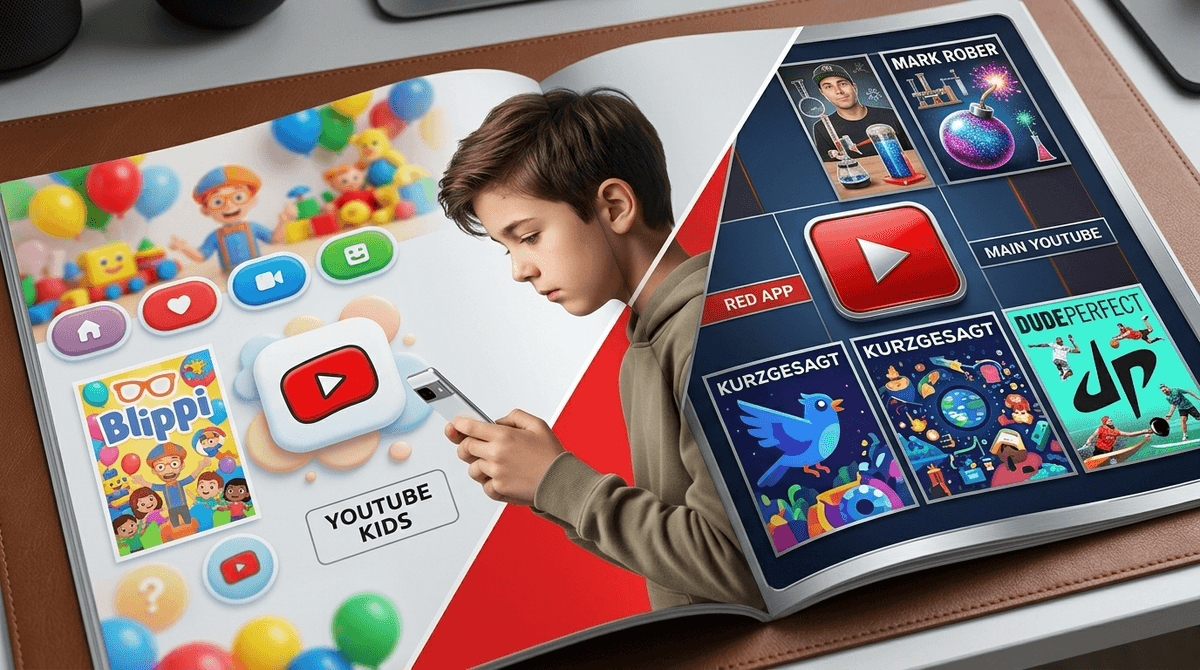
TL;DR: YouTube Kids is a walled garden for the under-8 crowd, but it eventually feels like a high-chair to a ten-year-old. YouTube Supervised Accounts are the "middle way" for tweens, offering three content tiers (Explore, Explore Plus, and Most of YouTube) that allow them to watch MrBeast without stumbling into the dark corners of the internet.
The moment happens to every parent. One day your kid is happily watching Blippi or Numberblocks on the "white app" (YouTube Kids), and the next, they’re looking at you like you’ve insulted their entire lineage because you won't let them move to the "red app."
To a tween, YouTube Kids is "babyish." It’s "Ohio." It’s a digital playpen when they want to be at the skatepark. But for parents, the main YouTube app feels like a digital cliff edge. We know what’s out there: toxic comment sections, the "Sigma" grindset influencers, and the endless, dopamine-shredding void of YouTube Shorts.
So, do you keep them locked in the playpen until they're 13, or do you hand them the keys to the kingdom? Thankfully, there’s a middle ground that most parents don't realize exists.
Think of this as a curated library. Everything here is filtered by algorithms and, occasionally, human reviewers to be "family-friendly." You have total control over age buckets (Preschool, Younger, Older) and can even set it to "Approved Content Only," where they can only watch channels you’ve hand-picked. The No-BS Take: It’s great for toddlers, but the algorithm still fails. Sometimes "ElsaGate" style weirdness creeps in, and frankly, some of the "made for kids" content is absolute brain rot that will make you want to throw the iPad out a window.
This is the "graduation" phase. It uses the main YouTube interface but filters the content based on three tiers. It also strips away features like comments, live chat, and the ability to create a channel or spend money. It’s the training wheels for the real internet.
The Wild West. Per YouTube’s terms of service, you have to be 13 to have your own account. At this level, everything is open: comments, live streams, and every weird subculture you didn’t want to know existed.
Check out our guide on the hidden dangers of YouTube comments
It isn't just about being a "big kid." It’s about social currency. If every kid at the lunch table is talking about the latest Skibidi Toilet episode or a Mark Rober science prank, and your kid can't find it because it’s blocked on the Kids app, they are socially sidelined.
Tweens use YouTube as a search engine. They want to know how to beat a level in Minecraft, how to draw a specific character, or why everyone is saying "Gyatt" (don't ask, or actually, Get explanations of Gen Alpha slang). YouTube Kids doesn't have the depth of content they’re looking for.
If you decide to move them to a supervised account, you have to pick a tier. Here is the reality of what those look like:
1. Explore (Ages 9+)
This is generally aligned with a PG rating. It includes lots of gaming videos, DIY, music, and educational content.
- The Vibe: Mostly safe, but they’ll start seeing "vlogger" culture—people living hyper-consumerist lifestyles that can be a bit much.
2. Explore Plus (Ages 13+)
This is the PG-13 tier. It opens up a lot more, including some mild profanity and more "mature" themes (think news clips or more intense gaming).
- The Vibe: This is where most tweens want to be. It includes almost everything they see their friends talking about.
3. Most of YouTube
This is essentially everything except age-restricted content (18+).
- The Vibe: Honestly? Just wait until they’re 13 for this. There’s no reason an 11-year-old needs access to "Most of YouTube."
If you’re going to let them onto the main app, guide them toward creators who actually offer something of value. YouTube doesn't have to be brain rot; it can be the best library in the world if you follow the right people.
The gold standard. Former NASA engineer makes science insanely cool with glitter bombs and squirrel obstacle courses. It’s high-quality, funny, and actually educational.
Beautifully animated videos about science, space, and philosophy. It handles big topics (like "What happens if a nuke goes off?") in a way that is fascinating rather than traumatizing.
If your kid likes sports or "trick shots," this is the peak. It’s wholesome, high-energy, and completely safe. It’s basically the modern-day version of a Saturday morning cartoon, but with real people.
Deep dives into science and engineering. This is for the kid who is always asking "Why?" It’s sophisticated enough that you’ll probably end up watching it with them.
Joe Hanson breaks down the science of the world around us. It’s smart (obviously), fast-paced, and perfect for the tween attention span.
Learn more about educational YouTube channels that aren't boring
The biggest issue with graduating to the main YouTube app isn't necessarily the long-form videos—it’s YouTube Shorts.
Shorts are YouTube’s answer to TikTok. They are highly addictive, impossible to filter effectively, and often feature "challenge" culture that can range from annoying to dangerous. Even on a supervised account, Shorts are a weak point. They bypass a lot of the mental friction of choosing what to watch, leading to that "zombie stare" we all dread.
Pro-tip: You can't "turn off" Shorts easily, but you can talk to your kids about the "scroll hole." Set a timer. If they’re on Shorts for more than 15 minutes, it’s time to switch to a long-form video or, heaven forbid, go outside.
Don't just flip a switch. Use the move from YouTube Kids to a Supervised Account as a milestone.
- The "Shared History" Agreement: Tell them they can have the account, but you will occasionally look through their watch history together. Not as a "gotcha," but to see what they’re into.
- The "Report" Rule: Show them how to report a video. If they see something that makes them feel "ick" or weird, they need to know how to flag it and come tell you without fear of getting the app taken away.
- The "Shorts" Limit: Be upfront that Shorts are designed to keep them addicted. Set a boundary early.
YouTube Kids is a great tool for little ones, but by age 9 or 10, it starts to lose its effectiveness. Instead of fighting the inevitable move to the main app, use YouTube Supervised Accounts to create a middle ground.
It’s not a "set it and forget it" solution. You still have to be the parent. You still have to listen to the annoying sounds of Skibidi Toilet occasionally. But by using supervised tiers, you’re giving them the training they need to navigate the real internet when they eventually turn 13 and the filters come off.
- Check your kid’s current YouTube settings.
- Sit down and watch one video from their favorite creator together (yes, even if it’s a gaming stream).
- Take the Screenwise Survey to see how your family's YouTube habits compare to your community.