

TL;DR
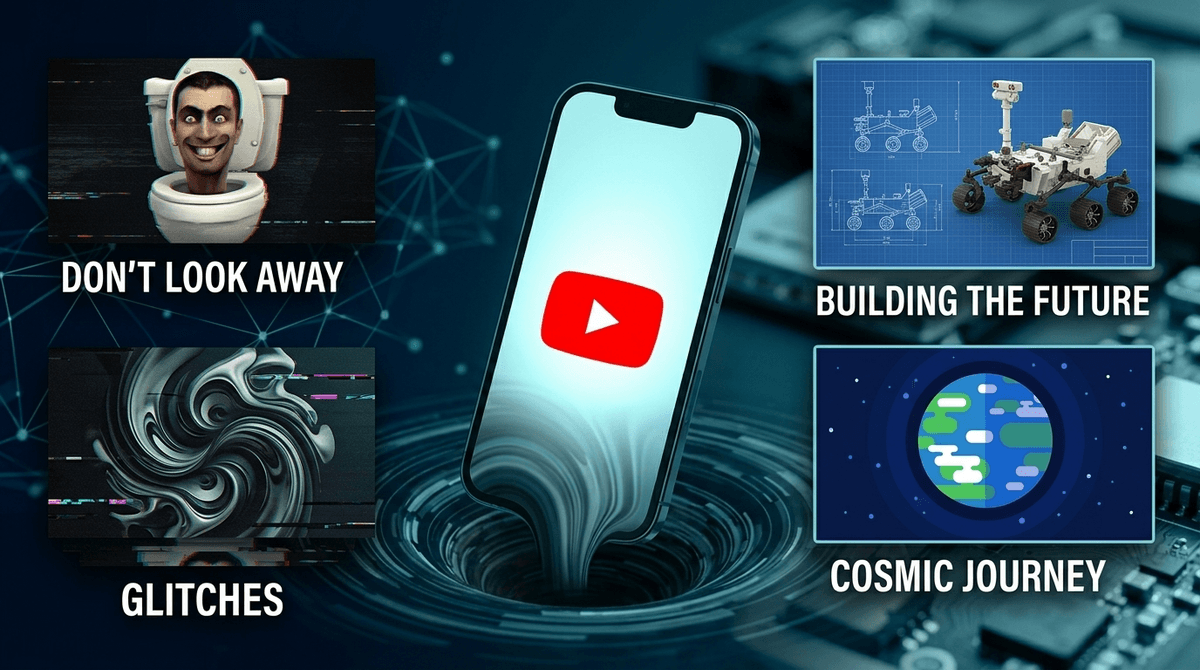
The YouTube algorithm in 2026 is a dopamine-delivery machine designed to maximize "watch time" above all else. This has led to the rise of AI Slop (low-quality, AI-generated videos with uncanny visuals) and Brain Rot (high-stimulation, nonsensical content like Skibidi Toilet). To protect your kids, move away from the "Up Next" autoplay and toward curated YouTube channels for kids.
Quick Links for Safe Viewing:
- Best for Science: Mark Rober
- Best for Curiosity: Kurzgesagt – In a Nutshell
- Best for Creativity: Art for Kids Hub
- Best for Littles: Ms. Rachel (Avoid the Cocomelon hypnotic loop if you can)
The YouTube algorithm doesn't care if your child learns their ABCs or how to build a Minecraft house. It only cares that they don't close the app. In 2026, the AI driving these recommendations has become terrifyingly efficient at identifying what keeps a specific child’s brain "locked in."
This creates a "rabbit hole" effect. A child starts watching a legitimate clip from Bluey, but the algorithm notices they lingered on a colorful thumbnail in the sidebar. Three videos later, they are watching a "Surprise Egg" unboxing video. Ten videos later, they are deep into "AI Slop"—disturbing, AI-generated stories that use familiar characters in "off" or even violent situations.
The algorithm rewards engagement, and unfortunately, "weird" and "shocking" generate high engagement.
See how to set up YouTube Supervised Accounts
If you've heard your kids talking about "Ohio," "Skibidi," or "Sigma," you're witnessing the linguistic side effects of the modern YouTube ecosystem. Parents generally categorize the "bad" stuff into two buckets:
AI Slop
This is the newest and most insidious category. These are videos created almost entirely by AI—AI scripts, AI voiceovers, and AI-generated imagery.
- Why it’s bad: It’s often "uncanny valley" material. Because a human didn't review it, the logic is broken. You might see Peppa Pig with five legs or a PAW Patrol character performing a medical procedure. It’s not necessarily "evil," but it’s cognitively confusing and often features bizarre, repetitive soundtracks designed to hypnotize toddlers.
- The Verdict: It’s pure filler. It’s the digital equivalent of eating cardboard covered in high-fructose corn syrup.
Brain Rot
This is high-energy, chaotic content that is technically made by humans but feels like a fever dream. The king of this category is Skibidi Toilet.
- Why kids love it: It’s fast, it’s a meme, and it’s "theirs." It feels like an inside joke that parents don't get.
- The Concern: While Skibidi Toilet itself is mostly just weird (heads popping out of toilets), the "Brain Rot" genre relies on extreme over-stimulation. It shortens attention spans and makes slower, educational content like National Geographic Kids feel "boring" by comparison.
While "slop" is annoying, there is content on YouTube that is legitimately dangerous. The algorithm doesn't always distinguish between a "prank" and "child endangerment."
- The "Challenge" Culture: Even in 2026, dangerous challenges go viral. Whether it’s something involving choking, fire, or property damage, the algorithm pushes these because they get clicks.
- Soft-Core "ElsaGate" 2.0: Content creators use popular characters like Roblox avatars or Minecraft skins to act out suggestive or violent themes. They bypass filters by using "clean" keywords in the title while the visual content is inappropriate.
- The Radicalization Pipeline: For older kids (ages 10-14), the algorithm can quickly move from gaming videos to "Alpha Male" influencers or extreme political content. It starts with "memes" and ends with toxic ideologies.
Learn about the risks of the 'Alpha Male' pipeline on YouTube
You don't have to ban YouTube entirely, but you should treat it like a library where you pick the books, rather than a buffet where the food is thrown at your child's face.
Mark Rober (Ages 7+)
If you want your kid to love engineering, this is the gold standard. Mark is a former NASA engineer who builds "glitter bombs" to catch porch pirates and giant science experiments. It’s fast-paced enough to compete with "Brain Rot" but actually teaches physics.
Kurzgesagt – In a Nutshell (Ages 10+)
Beautifully animated videos about space, biology, and philosophy. It handles complex topics (like "What happens if a nuke goes off?") with scientific accuracy and a stunning art style.
Art for Kids Hub (Ages 5+)
This is the ultimate "active" screen time. A dad and his kids draw characters from Pokémon or Star Wars. Your kid isn't just staring; they are drawing along.
Storyline Online (Ages 3-8)
Celebrities reading high-quality children's books. It’s slow, intentional, and literary. It is the literal antidote to AI Slop.
Ages 0-5: The "No YouTube" Zone
Ideally, kids this age shouldn't be on YouTube at all. The algorithm is too aggressive for developing brains. If they must watch, stick to YouTube Kids with "Approved Content Only" turned on. This locks them into specific channels you’ve vetted, like Sesame Street.
Ages 6-9: The Supervised Era
This is the prime age for Skibidi Toilet obsession. Use a Supervised Account on the main YouTube app rather than the "Kids" app, which they will find "babyish." Set the content filter to "Explore" (the most restrictive setting for the main app).
Ages 10-13: The Conversation Era
They are going to see weird stuff. They are going to see MrBeast and his clones. At this age, the goal is "media literacy." Talk to them about why a thumbnail looks a certain way (clickbait) and how the algorithm is trying to steal their time.
One of the best ways to "reset" the algorithm is to clear the watch history. If your child’s feed is full of garbage, go into the settings and wipe the history. Then, spend 10 minutes searching for and "liking" videos from Mark Rober, National Geographic, and Smithsonian.
You are essentially "training" the AI to show them better content.
Check out our guide on YouTube vs. YouTube Kids
When you see them watching something like Skibidi Toilet or a weird Roblox edit, don't just yell "Turn that junk off!" (even if you want to). Instead, ask:
- "What do you think the person who made this wants you to feel?"
- "Do you notice how this video never has a quiet moment? Why do you think that is?"
- "Is this video actually funny, or is it just loud?"
Helping them recognize the "hook" is the first step in helping them develop the "ick" for low-quality content.
YouTube is a tool, not a babysitter. In 2026, leaving a child alone with the autoplay feature is like leaving them alone in a room with a TV that changes channels every 30 seconds based on what makes them stare the longest.
The AI isn't evil, but it is indifferent to your child's well-being.
Move toward curated playlists, turn off Autoplay, and prioritize creators who put more effort into their scripts than their clickbait thumbnails.
- Audit the Feed: Open your child's YouTube and scroll through the first 20 recommendations. If it’s mostly "slop," clear the history.
- Turn off Autoplay: This is the #1 way to break the rabbit hole loop.
- Switch to "Approved Content Only": If your kids are under 7, use this setting in YouTube Kids.
- Explore Alternatives: Consider apps like PBS Kids or Epic! for a more curated experience.