

TL;DR
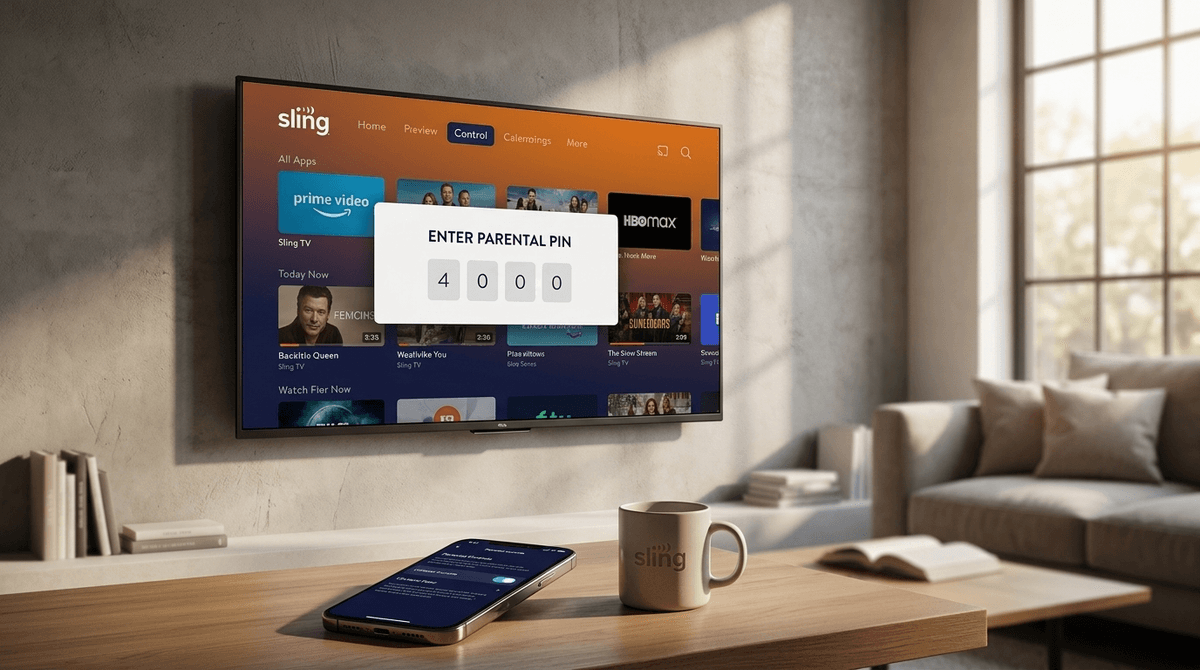
Sling TV uses a universal PIN system rather than individual user profiles. This means you set one 4-digit code to lock content by rating (G through TV-MA) and to restrict purchases. It’s effective but can be a hassle for parents who don't want to enter a code every time they want to watch the news.
Quick Links for the Family Room:
Sling TV is the "a la carte" veteran of the cord-cutting world. It’s usually the cheaper alternative to YouTube TV or Hulu + Live TV, offering packages like Sling Orange (Disney/ESPN) and Sling Blue (Discovery/Fox/Bravo).
Because it’s live TV, it brings back a challenge we mostly escaped in the Netflix era: The Channel Surf. On Disney+, your kid clicks a thumbnail. On Sling, they might be watching Mickey Mouse Funhouse and, with three clicks of the remote, end up on a pharmaceutical commercial or a TV-MA slasher movie on AMC.
Here is the no-BS reality: Sling TV does not have "Kid Profiles."
On most apps, you make a profile for your 7-year-old, and they only see Paw Patrol. On Sling, the parental controls are global. If you lock TV-14 content to keep your middle schooler away from the more intense parts of Stranger Things (if it were on cable), you—the adult—will have to type in that 4-digit PIN every single time you want to watch the local news or a PG-13 movie.
It’s a friction point. Most parents I talk to end up getting lazy and turning the PIN off because they're tired of typing it in. Don't do that. If you’re using Sling, the PIN is your only line of defense against the "Adult Swim" transition.
If your kids watch Cartoon Network, you need to be aware of the 8:00 PM flip.
Cartoon Network is great for shows like Teen Titans Go! or We Baby Bears. But at night, the channel transforms into Adult Swim. We’re talking Rick and Morty and Family Guy.
Without a rating lock PIN on your Sling account, a kid who was watching cartoons at 7:55 PM is suddenly watching deep-fried, nihilistic humor at 8:05 PM. It’s the digital equivalent of leaving a Playboy in the middle of a Highlights magazine.
To get this running, you’ll need to head to the Settings gear icon in your Sling app (it’s usually at the top or in the side menu depending on whether you're using a Roku, Apple TV, or Fire Stick).
- Select Parental Controls.
- Enable Controls: You’ll be prompted to create a 4-digit PIN.
- Lock by Rating: This is where you get surgical. You can choose to lock:
- Movies: G, PG, PG-13, R, NC-17.
- TV: TV-G, TV-PG, TV-14, TV-MA.
- Lock Purchases: Do not skip this. Sling makes it very easy to "Add-on" channels like Showtime or Starz with a single click. If your kid is button-mashing, you might find an extra $15 on your bill next month.
What ratings should you pick?
- For Kids under 8: Lock everything above TV-Y7 and G.
- For Kids 9-12: Lock TV-14 and PG-13. This allows them to see most "family" movies but keeps them out of the gritty dramas.
- For Teens: You might only lock TV-MA and R, or just use the PIN for Purchases.
If you’re looking for high-quality content on Sling that isn't "brain rot," these are the channels and shows to steer them toward:
Nick Jr. & Disney Junior (Ages 2-6)
These are the gold standard for the little ones.
- Bluey: It’s the best show on TV. Period. Even for adults.
- Spidey and His Amazing Friends: Great for the preschool Marvel fans.
Discovery Channel & Nat Geo (Ages 8+)
If you want to move away from mindless animation, these are great.
- MythBusters Jr.: Real science, real explosions, very little "junk" content.
- Secrets of the Whales: High-production-value nature docs that are actually relaxing.
Food Network (All Ages)
- Kids Baking Championship: This is the ultimate "safe" show. It’s competitive but kind, and it might actually inspire them to help you in the kitchen (or at least stop asking for Roblox for five minutes).
Sling has a section called "Freestream" which doesn't require a subscription. It’s great for the budget, but it’s the Wild West of content. It’s filled with "channels" that are basically 24/7 loops of old reality shows or niche hobbies.
The parental control PIN should still apply to Freestream content based on ratings, but the ad quality on free streaming is notoriously lower. You're more likely to see "scammy" looking ads or repetitive commercials for mobile games like Royal Match.
Even with the best PIN in the world, Sling TV is live TV. That means commercials.
Unlike Netflix or the ad-free tier of Disney+, you cannot control the ads. During a "safe" show like SpongeBob, your child will see trailers for upcoming movies. If there’s a new horror movie coming out in October, they will see the jump-scare trailer during the commercial break of their favorite cartoon.
If you have a child who is particularly sensitive to scary imagery, live TV might actually be a worse choice than a dedicated streaming app where you can curate the experience more tightly.
Don't make the PIN a "secret" that implies they're doing something wrong. Explain it as a financial tool and a filter.
"We have a code on the TV so we don't accidentally buy a $200 sports package, and to make sure the TV doesn't show us stuff that's too 'grown-up' or scary before we're ready for it."
If you have older kids (13+), the PIN can feel like a lack of trust. This is a good time to discuss why certain ratings exist. It’s not about "bad words"; it’s about themes they might not have the context for yet.
Check out our guide on how to talk to teens about media ratings
Sling TV is a solid, budget-friendly way to keep live sports and news in the house, but its parental controls are a bit "2015." The lack of profiles means the burden of security falls on the parents to constantly manage a single 4-digit PIN.
Next Steps for Intentional Parents:
- Set the PIN tonight. Don't wait for them to accidentally buy the "Lifestyle Extra" pack.
- Audit the "Adult Swim" window. If your kids watch Cartoon Network, be the one to change the channel at 8:00 PM.
- Check your bill. Every few months, make sure no "accidental" subscriptions have snuck through.
- Compare. If the PIN-entry fatigue becomes too much, look into YouTube TV, which handles individual family profiles much more gracefully.
See if Sling TV is better for your 10-year-old than YouTube TV