

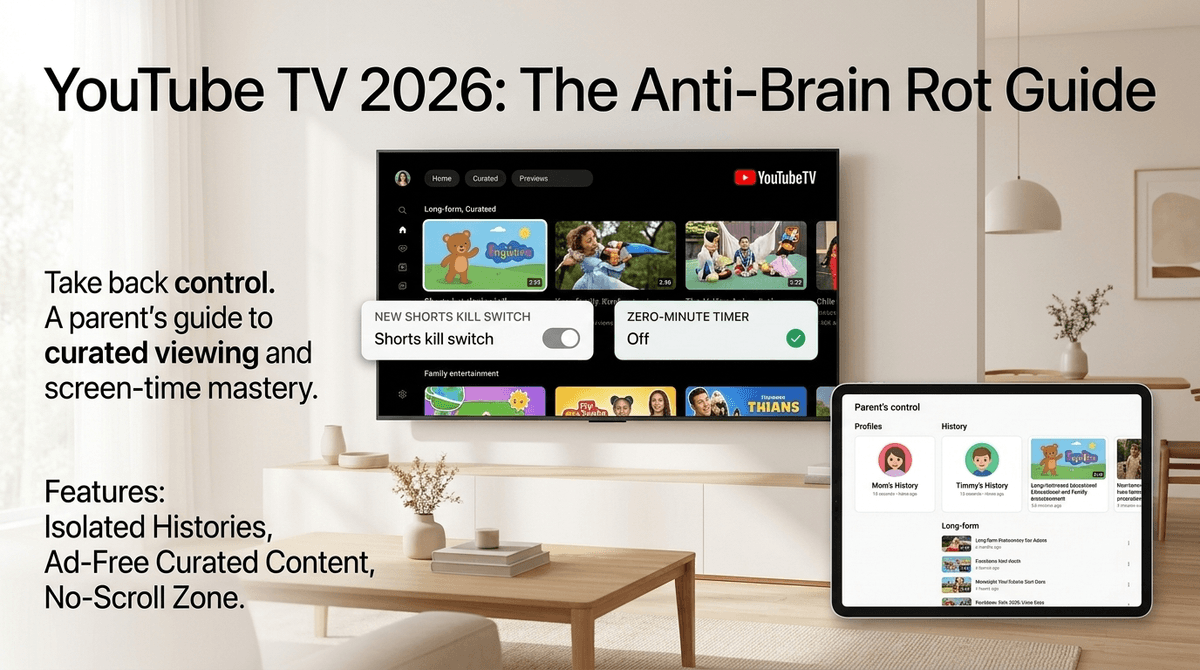
TL;DR: YouTube TV is now $83/month, but 2026 finally brought us the "Shorts Kill Switch"—a zero-minute timer that nukes infinite scrolling on the big screen. If you're tired of "brain rot" leaking into family movie night, this update is your new best friend.
Quick Links for the Intentional Parent:
- The Setup: How to set up YouTube parental controls
- The Content: YouTube vs. YouTube Kids
- The Better Stuff: PBS Kids, National Geographic Kids, and Bluey
Let’s be real: $83 a month for "cable but on the internet" feels like a lot, especially when we’re all already paying for five other streaming services. But in 2026, YouTube TV isn't just a place to watch local news and football anymore. It’s become the central hub for how our kids consume video—for better or worse.
The price hike to $83 has been a pill to swallow, but Google is finally throwing parents a bone with features we’ve been begging for since 2022. We’re talking about the "Shorts" Kill Switch.
If you’ve ever walked into the living room to find your seven-year-old staring blankly at a 60-second clip of someone flushing a CGI head down a toilet (yes, the Skibidi legacy lives on), you know that the YouTube algorithm is a dopamine-fueled freight train. The new 2026 update allows us to finally pull the emergency brake.
The biggest update this year is the Zero-Minute Timer. In the YouTube TV settings under the "Family" tab, you can now find a toggle for "Shorts Shelf Visibility."
By setting the Shorts timer to zero, the entire "Shorts" section disappears from the main interface. No more infinite scrolling on the TV. No more "Ohio" memes popping up when they’re supposed to be watching The Wild Robot.
This is huge because the "brain rot" phenomenon—that specific type of high-energy, low-substance content—thrives in the Shorts format. By removing it from the TV, you’re forcing the usage back toward "long-form" content. If they want to watch something, they have to pick a show or a movie, which requires a much higher level of intentionality than just flicking a remote every 30 seconds.

The 2026 Family Plan update expanded the number of "Home" members you can have, but more importantly, it introduced Shared Watch History Guardrails.
Previously, if your kid watched a bunch of weird Minecraft "monster school" videos on your profile, your entire recommendation feed was trashed for weeks. Now, YouTube TV allows for "Isolated History Profiles."
- Standard Family ($83): 6 accounts, unlimited DVR, and the new "Shorts" Kill Switch.
- Family Plus ($95): Adds 4K streaming and the "Community Context" feature, which shows you what other parents in your Screenwise community are letting their kids watch.
If you’re wondering if you should just stick to YouTube Kids, the answer is: it depends on the age. For the under-8 crowd, YouTube Kids is still the gold standard for safety. But for those "tween" years (ages 9-12), the main YouTube TV app with the Shorts Kill Switch enabled is often a more realistic middle ground.
Kids love YouTube because it’s the ultimate "choose your own adventure." It’s "Ohio" (weird/cringe) to watch what everyone else is watching on a schedule. They want the niche stuff—the speedruns of Zelda: Breath of the Wild or the Stardew Valley farm tours.
The problem is that the algorithm doesn't care about quality; it cares about time. It wants to keep them on the platform. This is why we see "brain rot" content—it’s designed to trigger the "just one more" reflex in a child’s developing brain.
By using the new YouTube TV parental controls, we aren't just being "strict"; we're helping them regulate their dopamine. We’re moving the experience from "passive consumption" to "active viewing."
If you’ve successfully nuked the Shorts shelf, what should they actually be watching on YouTube TV? Here are the Screenwise-approved winners for 2026:
Ages 4-7: The "Safe Zone"
At this age, the goal is high-quality animation and slow-paced storytelling.
- Bluey: Obviously. It’s the GOAT for a reason.
- PBS Kids: Use the integrated PBS channel on YouTube TV. It’s consistent, educational, and won’t melt their brains.
- Storyline Online: Great for "wind-down" time before bed.
Ages 8-12: The "Explorer Phase"
This is where they start wanting to watch other people play games.
- Avoid: Loud, screaming influencers who use bright red arrows in their thumbnails.
- Try: Mark Rober for science or National Geographic Kids for animals.
- Gaming: If they must watch gaming, steer them toward creators who focus on creativity, like Minecraft builders rather than "griefers."
Ages 13+: The "Critical Thinking" Phase
At this point, it’s about conversation. Use the YouTube TV DVR to record documentaries or news segments you can watch together.
While the Shorts Kill Switch is great, it’s not a magic bullet. Here’s what parents should still keep an eye on in 2026:
- The "Up Next" Feature: Even without Shorts, the "Up Next" autoplay can lead kids down a rabbit hole. Turn this off in the settings.
- Comments on the TV: Most YouTube TV interfaces now allow you to see comments on the side of the screen. This is a cesspool. Disable it in the "Restricted Mode" settings.
- In-App Purchases: Make sure your "Purchase Approval" is turned on. You don't want to find out your kid "tipped" a streamer $50 using your saved credit card.
When you disable Shorts, your kids will notice. They might even say it’s "mid" or "cooked." That’s okay.
Instead of saying "It's bad for your brain," try a more Screenwise approach: "I noticed that when we watch those short videos, we end up sitting here for an hour and we don't even remember what we watched. We're going to stick to the longer shows so we can actually enjoy what we're seeing and then go do something else, like play Catan or go outside."
It’s not about punishment; it’s about intentionality. We want our kids to own their tech, not the other way around.
YouTube TV in 2026 is a powerhouse, but it’s a powerhouse that needs a fence. The $83 price tag is steep, but if you actually use the Zero-Minute Timer and the Isolated History Profiles, you’re getting a much safer, more controlled environment than the "Wild West" of the standard YouTube mobile app.
If you’re still feeling overwhelmed, take the Screenwise survey. We’ll look at your family’s specific habits and tell you if you’re actually getting $83 worth of value, or if you’d be better off with a curated setup of Netflix and Disney+.
Next Steps:
- Check your settings: Open YouTube TV and find the "Family" tab.
- Enable the Kill Switch: Set the Shorts timer to zero.
- Audit the DVR: See what your kids have been recording and delete the "brain rot."
- Talk about it: Explain why you’re making the change.