

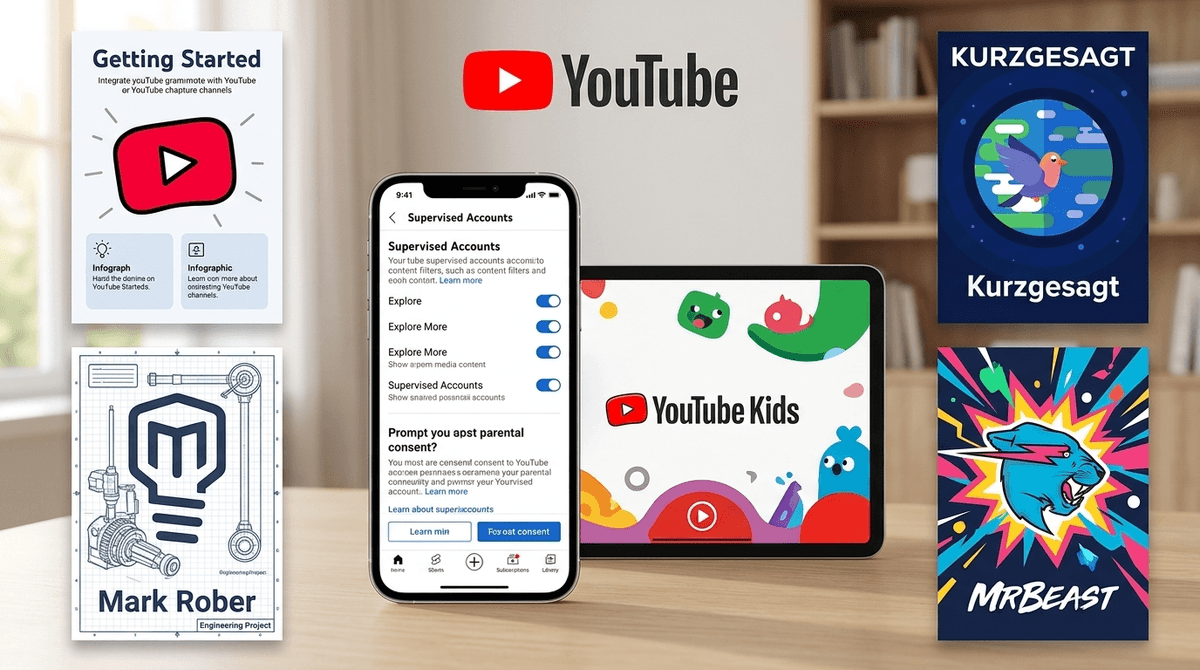
TL;DR: YouTube is the undisputed heavyweight champion of kid attention, but it’s also a wild west of "brain rot" and algorithmic rabbit holes. To keep your sanity, move beyond YouTube Kids and set up Supervised Accounts for older kids, turn off Autoplay, and curate a "whitelist" of creators like Mark Rober and Smarter Every Day.
Get a list of YouTube channels for your kid's interests
We need to stop thinking of YouTube as just a video site. For anyone under the age of 15, it is the primary search engine, the social hub, and the background noise of their lives. It’s where they learn how to build a Minecraft farm, why everyone is saying "Ohio" is the source of all evil, and unfortunately, where they encounter the bizarre fever dream that is Skibidi Toilet.
The problem isn't just "bad content"—it's the algorithm. YouTube is designed to keep eyes on the screen for as long as possible. It doesn't care if your child is learning physics or watching someone scream while opening blind bags; it just wants them to click the next video. This "rabbit hole" effect is where most parents lose the battle.
Kids love the autonomy. In a world where adults schedule their every move, YouTube offers a seemingly infinite menu of choices.
- The "Friend" Factor: Creators like MrBeast or PrestonPlayz talk directly to the camera, creating a "parasocial" relationship where kids feel like they’re hanging out with a big brother.
- The Niche Deep Dives: If your kid is obsessed with Roblox parkour or vintage train restoration, there are 10,000 videos waiting for them.
- Micro-Dopamine: YouTube Shorts are the platform's answer to TikTok, and they are pure digital candy. They’re short, high-energy, and incredibly hard to turn off.
If you’re still relying on just "Restricted Mode," you’re using a butter knife to fight a dragon. Here is the modern, Screenwise-approved approach to locking things down without being a total buzzkill.
1. The "Walled Garden": YouTube Kids (Ages 4-8)
For the little ones, this is still the safest bet. However, don't just set it and forget it.
- Use "Approved Content Only": This is the nuclear option for safety. Instead of letting the algorithm suggest videos, you hand-pick the channels they can see. If it’s not on your list, it doesn't exist.
- Turn off Search: If you want to prevent them from finding weird knock-off "Elsa and Spiderman" videos, turn off the search bar entirely.
2. The Middle Ground: Supervised Accounts (Ages 9-13)
This is the feature most parents miss. When your kid outgrows the "babyish" feel of YouTube Kids, you can create a Supervised Account linked to your own Google account. You get three levels:
- Explore: Generally fits kids 9+.
- Explore More: Fits kids 13+.
- Most of YouTube: Basically everything except age-restricted content.
The best part? You can see their watch history from your own phone. If they start watching "brain rot" content—those weird, low-effort, high-decibel videos that make your head hurt—you’ll know immediately.
3. Killing the "Rabbit Hole"
The most effective "control" isn't a filter; it's a setting.
- Disable Autoplay: This is mandatory. Autoplay is the enemy of intentionality. Force your kid to make a conscious choice to click the next video rather than letting the algorithm slide them into a trance.
- Clear and Pause History: If the recommendations are getting weird, go into the settings and clear the watch history. It "resets" the algorithm's idea of what your kid likes.
Not all YouTube is created equal. Some of it is genuinely brilliant, and some of it is... well, trash.
If you want your kid to love engineering, this is the gold standard. It’s high-production, funny, and actually teaches scientific principles. It’s the opposite of brain rot.
Beautifully animated videos about complex topics like evolution, space, and biology. It’s smart, visually stunning, and highly educational.
The biggest YouTuber on earth. Is it educational? Not really. Is it harmful? Usually not, but it can be loud, hyper-consumerist, and a bit frantic. It’s the digital equivalent of a giant bag of Skittles. Fine in moderation, but maybe not a staple diet.
Look, it’s weird. It’s heads coming out of toilets fighting camera-headed men. It’s the "weird humor" of this generation. Unless your kid is very young and getting nightmares, it’s mostly just harmlessly bizarre, though it definitely falls into the "brain rot" category of low-substance entertainment.
- Preschool (2-5): Strictly YouTube Kids with "Approved Content Only." No Shorts. No Search.
- Elementary (6-10): Transition to Supervised Accounts (Explore level). Co-watching is huge here. If they want to watch a new creator, watch three videos with them first to check the vibe.
- Middle School (11-13): Supervised Accounts (Explore More). This is the time to talk about the "Business of YouTube." Explain that creators want your time because time = money.
- High School (14+): Full YouTube, but with open conversations about the algorithm and mental health. At this point, they need to be the pilots of their own digital lives.
Instead of being the "YouTube Police," try being a "Media Critic."
Ask your kids:
- "Why do you think the algorithm showed you that video next?"
- "Do you feel better or worse after scrolling through Shorts for 30 minutes?"
- "Is this creator actually talented, or are they just loud?"
If they’re obsessed with Roblox YouTubers, ask them if the creator is actually teaching them how to be an entrepreneur (like some claim) or if they’re just trying to get them to spend more Robux.
YouTube isn't going anywhere. It’s the town square for the digital age. You can’t just block it forever, but you can—and should—curate the experience. By using Supervised Accounts, killing Autoplay, and steering them toward high-quality creators like Smarter Every Day, you turn a mindless time-sink into a legitimate tool for curiosity.
- Audit the History: Tonight, sit down with your kid and look at their "Watch History" together. No judgment, just curiosity.
- Set Up the Supervised Account: If they’re over 9, move them off YouTube Kids and onto a Supervised Account.
- Find "Your" Channel: Find one high-quality channel (like Veritasium) that you both actually enjoy and make it a "family watch" item.
Take the Screenwise survey to see how your family's YouTube habits compare to your community