

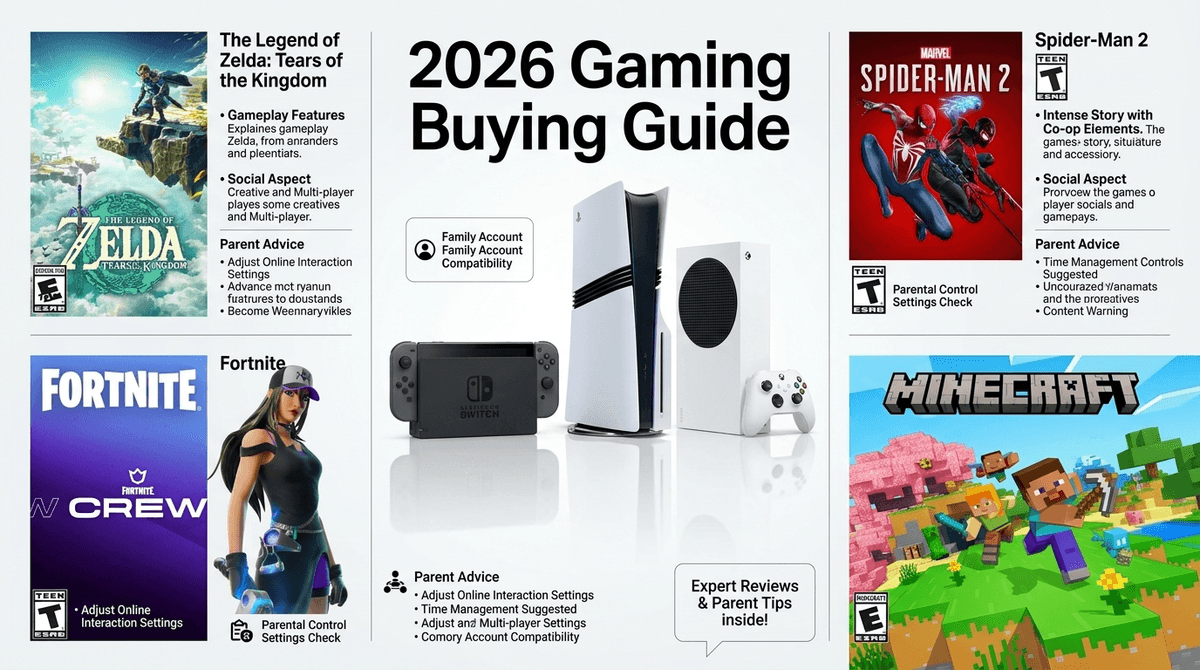
TL;DR
- Best for Families (Ages 5-12): Nintendo Switch 2 – It’s the gold standard for a reason. Portable, backwards compatible, and the best parental control app in the business.
- Best for "Serious" Gamers (Ages 12+): PlayStation 5 / PS5 Pro – High-end graphics and exclusive titles like Spider-Man 2.
- Best Value: Xbox Series S with Game Pass – The "Netflix of gaming." Low entry price, huge library including Minecraft.
- The Wild Card: Meta Quest 3S/4 – VR is huge but requires the most supervision and has strict age limits (13+ is the standard recommendation).
See which console fits your family's screen time goals
We’ve officially moved past the "console wars" of the 90s. Now, choosing a console is more like choosing an ecosystem. It’s about where their friends are, what subscriptions you’re willing to pay for, and how much "brain rot" you’re willing to filter out.
In 2026, the big news is the Nintendo Switch 2. It has finally arrived, solving the "my kid's Joy-Cons are drifting" and "why does this look like a potato" problems of the original. Meanwhile, Sony and Microsoft are leaning hard into mid-gen refreshes and subscription models.
If your kid is asking for a console because they want to play Roblox or Fortnite, the good news is that basically everything plays those. The bad news? Those are the hardest games to manage from a parental perspective.
Ages: 5 to 99 Nintendo remains the undisputed king of the living room. The Switch 2 is backwards compatible, meaning all those expensive Mario Kart 8 Deluxe and Zelda: Tears of the Kingdom cartridges you already own will still work.
Why it’s great: The Nintendo Switch Parental Controls app is actually usable. You can set time limits from your phone, and it’ll "hard lock" the console when time is up. No more "just five more minutes" for three hours.
The Downside: The online experience is still a bit clunky compared to the others, and the hardware isn't as powerful as a PS5. If your teen is into high-fidelity shooters, they might think the Switch is "for babies" (even though it's definitely not).
Ages: 10+ If your kid is obsessed with graphics or specific exclusives like Ratchet & Clank: Rift Apart or the latest Madden NFL, this is the one.
Why it’s great: The DualSense controller is genuinely immersive, and the "Activities" feature lets kids jump straight into specific levels, which can actually help shorten play sessions because they aren't wandering around menus.
The Downside: Sony’s parental controls are... fine. They’re a bit buried in menus and not as intuitive as Nintendo’s. Also, the PS5 is massive. It looks like a futuristic space heater and might not fit in your media console.
Ages: 8+ The Series S is the budget-friendly MVP. It doesn't take discs, but paired with Xbox Game Pass, it gives your kid access to hundreds of games for a monthly fee.
Why it’s great: It’s the cheapest way to get into "next-gen" gaming. If your family is already in the Microsoft ecosystem, the Xbox Family Settings app is quite robust for managing screen time and spending.
The Downside: No disc drive means you can’t buy used games at GameStop or borrow them from the library. You are locked into their digital store.
Check out our breakdown of the best games on Xbox Game Pass for kids
Ages 5-8: The "Walled Garden" Years
At this age, gaming should be a shared activity. Look for "couch co-op" games where you can play together.
- Primary Goal: Developing motor skills and following rules.
- Top Pick: Nintendo Switch 2.
- Must-Play Media: Super Mario Odyssey, Bluey: The Videogame, and Animal Crossing: New Horizons.
Ages 9-12: The Social Explosion
This is when they start saying things are "Ohio" or "Skibidi" and want to spend all day in Roblox. This is the "danger zone" for unmonitored voice chat and predatory microtransactions.
- Primary Goal: Digital citizenship and managing social pressure.
- Top Pick: Xbox Series S or Nintendo Switch 2.
- Must-Play Media: Minecraft, Rocket League, and Stardew Valley.
Ages 13+: The Performance Era
Teens want what their favorite YouTubers are playing. They care about frame rates and "the grind."
- Primary Goal: Self-regulation and balancing gaming with real-life responsibilities.
- Top Pick: PlayStation 5 or a Gaming PC.
- Must-Play Media: Fortnite, Elden Ring (for the older/mature crowd), and The Legend of Zelda: Breath of the Wild.
1. The Wallet (Spending)
Every console allows you to password-protect purchases. Do this immediately.
The biggest "drain the bank account" culprits are Roblox (Robux) and Fortnite (V-Bucks). These games use "dark patterns" to make kids feel like they need a new skin to be cool.
Learn more about how Robux is in fact real money
2. The Clock (Screen Time)
Don't be the bad guy; let the console be the bad guy. Set a "bedtime" on the console so it turns off automatically at 8:00 PM.
- Pro Tip: On the Switch, you can set "Time Played" limits or "Whitelisted" times.
- The Reality Check: Be careful with online games like League of Legends or Valorant. These matches can't be paused. If you force a shut-off mid-match, your kid might face "leaver penalties" or social suicide from their teammates. Give them a 10-minute warning.
3. The Ear (Social & Voice Chat)
Voice chat with strangers is where 90% of the problems happen.
- Default Setting: Set "Communication with Others" to "Friends Only."
- The Discord Factor: Many kids now use Discord on their phones while they play on a console. This bypasses all console parental controls. If they’re on Discord, you need a different strategy. Read our guide on Discord safety for parents
You’ll hear some parents (and Roblox marketing) claim that kids are learning to code and run businesses. The No-BS Take: While a tiny fraction of kids learn Lua and make money, 99% are just consumers in a digital mall. It’s more like "Entrepreneurship Lite" with a heavy dose of gambling-adjacent mechanics. If you want them to learn entrepreneurship, have them sell lemonade or try Scratch for actual coding logic.
Instead of "Get off that brain rot," try:
- "I noticed you've been playing a lot of Gorilla Tag. What’s the goal of that game?"
- "I see you want that skin in Fortnite. Let’s look at how many hours of chores that equals in real dollars."
- "Hey, I read that Zelda has some really cool physics puzzles. Can you show me how you solved that one?"
In 2026, the Nintendo Switch 2 is the best all-around choice for 90% of families. It strikes the best balance between fun, portability, and parental peace of mind.
If you have a teen who is "ascending" to the PS5 or Xbox, the conversation shifts from restricting to coaching. You wouldn't give a kid the keys to a car without lessons; don't give them a PS5 with an open credit card and an unmonitored headset.
- Audit your current tech: Walk through the Screenwise Digital Habits Survey to see how your family stacks up against your community.
- Set the password: Before you even wrap the console, set up the parental account and a "store password."
- Download the apps: Get the Nintendo Switch Parental Controls or Xbox Family Settings on your phone today.