

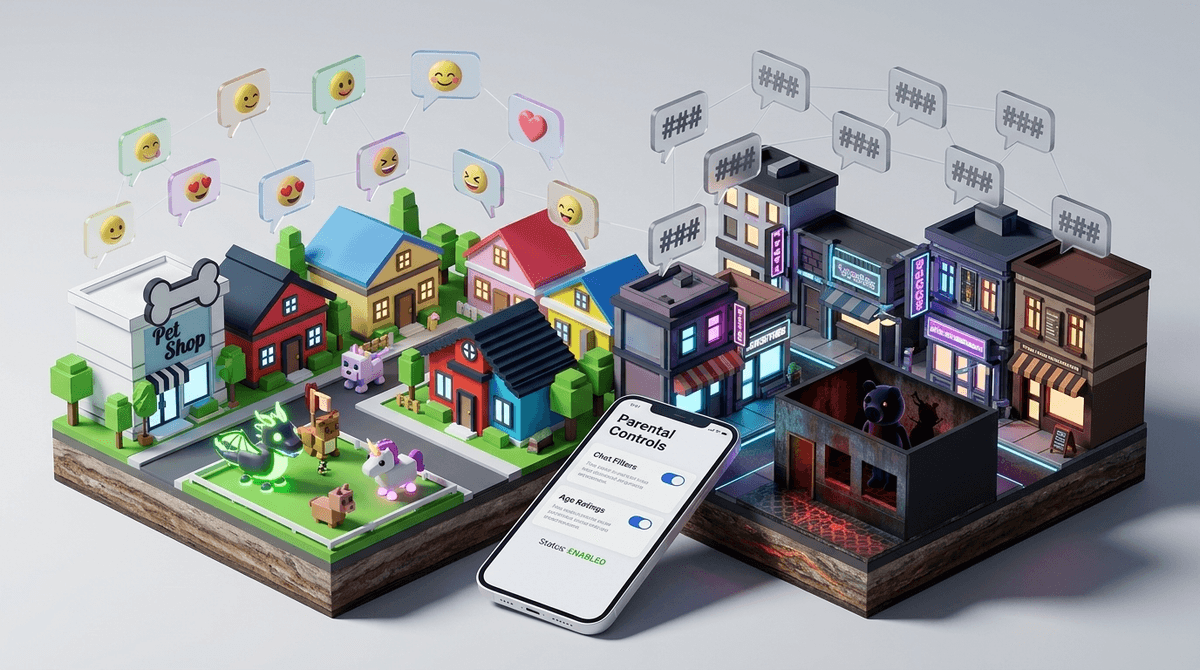
TL;DR: Roblox is a massive ecosystem where kids can build anything, but that "anything" includes some dark corners. While the platform has rolled out major 2025 safety updates—including better remote parental management and restricting "Social Hangout" games for kids under 13—the chat filter is still a game of cat-and-mouse. Kids use "leetspeak," phonetic bypassing, and "condo" games to get around the rules. Your best move is utilizing the new Roblox parental controls and keeping an eye on the "Social" settings.
We often think of Roblox as a single game, but it’s more like a digital city where anyone can build a storefront. Most of those stores are harmless—like Adopt Me! or Brookhaven. But because the content is user-generated, there’s a persistent underbelly of "crude" content that ranges from middle-school bathroom humor to predatory behavior and explicit "condo" games.
When we talk about chat getting "crude," we’re usually seeing one of three things:
- Bypassing the Filter: Kids figuring out how to say "adult" words without getting "tagged" (turned into hashtags).
- Toxic Behavior: Bullying, "rizzing" (unwanted flirting), or "Ohio" memes used to mock others.
- Condo Games: Short-lived, user-created rooms specifically designed for explicit roleplay that disappear before the moderators can nuking them.
Roblox finally listened to the collective screaming of parents and regulators. As of late 2024 and early 2025, they’ve implemented some of the most restrictive changes in the platform’s history.
- Remote Management: You can now link your parent account to your child’s account and change their settings from your phone. No more sneaking their iPad at 9:00 PM to check settings.
- Under-13 Restrictions: Kids under 13 are now restricted from "Social Hangout" games—experiences where the primary goal is just chatting or "vibing" rather than playing a specific game.
- Default Chat Settings: For kids under 13, chat is now more restricted by default, and they cannot send direct messages to other users outside of the games themselves without specific parental permission.

If you’ve ever looked over your kid's shoulder and seen a string of hashtags (#####), that’s the Roblox filter doing its job. But kids find the "tags" annoying, so they’ve developed a whole dialect to bypass them.
Leetspeak and Phonetic Bypassing
Instead of typing a banned word, they’ll use symbols or "lookalike" letters. For example, using a "v" and a "v" to make a "w," or using a zero for an "o." They might also space out letters (l i k e t h i s) or use phonetic spellings that the AI hasn't flagged yet.
The "Condo" Game Problem
"Condos" are the boogeyman of Roblox. These are games created by users with explicit, adult-themed content. They are usually titled something boring or nonsensical to avoid detection, and they often use external links to Discord to coordinate. The good news: Roblox’s 2026 update that bans under-13s from "Social Hangouts" and "Free-form 2D Drawing" games has significantly cut down on the chances of a younger kid accidentally stumbling into one of these.
Kids love the freedom of Roblox. It’s their version of the mall. They want to show off their avatars, trade items in Pet Simulator 99, and use the latest slang.
However, the "crude" side often leads to "brain rot" content—low-effort, loud, and sometimes inappropriate memes (yes, we’re talking about Skibidi Toilet references and beyond) that can make the platform feel like a toxic wasteland. For many kids, the "crude" chat isn't even the draw; it's just the tax they pay to play with their friends.
Ages 6-9: The "No Chat" Zone
At this age, there is almost zero reason for a child to be in an open chat. Use the parental controls to set the account to "Off" or "Friends Only." At this stage, they should be sticking to well-moderated, "All Ages" or "9+" rated games.
- Recommendation: Toca Life World or Minecraft (in Creative mode) are great alternatives if Roblox feels too "wild west."
Ages 10-12: The "Friends Only" Zone
This is the peak Roblox age. They want to talk to school friends. The new 2025 "Friends Only" chat settings are your best friend here. It allows them to coordinate in Piggy without being exposed to the random 17-year-old in the server who thinks being edgy is a personality trait.
Ages 13+: The "Trust but Verify" Zone
Once they hit 13, Roblox opens up more. They can see more mature content (labeled "13+"). This is when you need to have the conversation about "online vs. offline" reality. If they are seeing crude chat, they need to know how to use the "Report" and "Block" buttons—which actually do work if enough people use them.
If you see these things on your kid's screen, it’s time to intervene:
- Directing to another app: If someone in chat says "Let's move to Discord" or "Follow my TikTok," that is a massive red flag for predatory behavior.
- Asking for personal info: This includes their school, their "face reveal," or their city.
- Robux Scams: "Go to this website for free Robux." These are almost always phishing scams designed to steal their account (and your credit card info).
Read our guide on Robux scams and how to protect your wallet
Instead of being the "Tech Police," try being the "Digital Consultant."
Ask them:
- "Hey, I heard some of the games on here have been getting a bit weird lately. Have you seen anyone saying things that seemed 'off' or trying to get around the hashtags?"
- "Show me how you block someone. I want to make sure you know how to do it if someone starts being a jerk."
- "Why do people keep saying everything is 'from Ohio'? Is that still a thing or is it dead?" (Note: It’s mostly dead, but asking makes you look like you’re paying attention).
Roblox is not a "set it and forget it" app. It’s a social network disguised as a toy box. The crude chat is a byproduct of a platform that prioritizes user growth and "entrepreneurship" over iron-clad safety.
However, with the 2026 updates, parents finally have the tools to put a leash on the experience. You don't have to ban it, but you do have to curate it.
Next Steps:
- Download the Roblox app on your own phone and set up a Parent Account.
- Link your child’s account and set their "Allowed Experiences" to Age 9+ or 13+ depending on your comfort level.
- Turn off "Direct Messaging" for anyone under 13.
- Check the "Trade" history if they are into games like Adopt Me! to ensure they aren't being bullied out of their rare items.
Check out our full guide on Roblox alternatives for a safer gaming experience