

The Ultimate Guide to Family-Friendly Game Consoles
TL;DR: The Nintendo Switch is the most family-friendly console with the best parental controls and kid-appropriate game library. The PlayStation 5 and Xbox Series X/S are better for families with older kids (10+) who want cutting-edge graphics and access to mature titles with proper restrictions. All three have solid parental control systems, but they only work if you actually set them up (and we'll show you how).
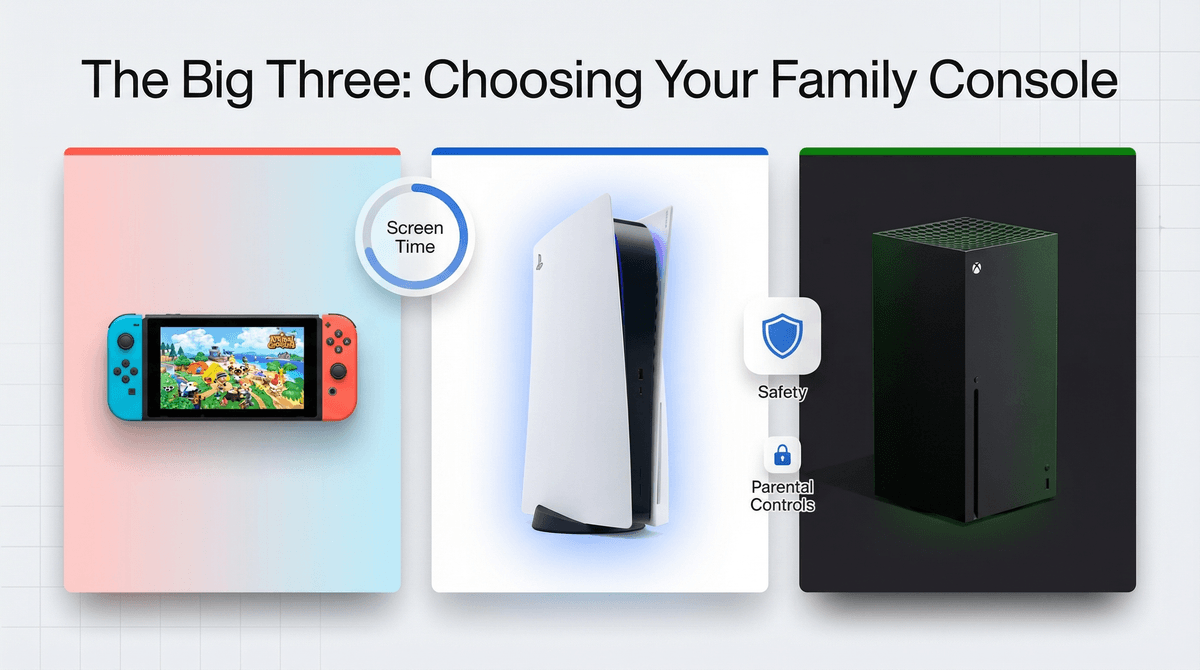
Let's cut through the marketing: there are really only three gaming consoles worth considering in 2026, and each serves a different family profile.
Best for: Families with kids ages 5-12, households that value cozy gaming, parents who want the least amount of online chaos
Price: $299 (standard), $199 (Lite), $349 (OLED)
The Switch is the minivan of gaming consoles—not the coolest, but absolutely the most practical for families. It's portable, has an enormous library of genuinely kid-appropriate games, and Nintendo has decades of experience making content that doesn't require you to explain what a "teabag" is in gaming terms.
The game library is unmatched for younger kids: Mario Kart 8, Animal Crossing: New Horizons, Minecraft, Stardew Valley, and the entire Pokémon franchise. These aren't just "safe" games—they're legitimately excellent games that adults enjoy too.
The catch: Graphics aren't as impressive as PlayStation or Xbox, and the online gaming community can still be toxic (more on that later). Also, if your kid's friends are all playing Fortnite or Call of Duty, they're playing on PlayStation or Xbox, not Switch.
PlayStation 5
Best for: Families with kids 10+, households that care about exclusive titles and cutting-edge graphics
Price: $499 (standard), $449 (digital edition)
The PS5 is the choice for families who want access to everything—including mature content with proper guardrails. Sony has the best exclusive games for older kids and teens: Spider-Man, God of War, Horizon, and The Last of Us.
The parental controls are robust (when configured), and the PlayStation Plus subscription gives you access to a catalog of games that's actually worth the money. The DualSense controller has incredible haptic feedback that makes games feel more immersive—your kid will definitely tell you about this repeatedly.
The catch: This is where the M-rated games live. If you're not comfortable with your teen eventually asking to play games with violence, strong language, and mature themes, the PS5 will be a constant negotiation. Also, the online gaming culture on PlayStation can be... intense. Voice chat is a minefield.
Xbox Series X/S
Best for: Families who want the best value, households with multiple gamers, parents who appreciate Microsoft's family safety features
Price: $499 (Series X), $299 (Series S)
The Xbox is the dark horse that often gets overlooked, but it's actually fantastic for families. Game Pass Ultimate ($16.99/month) is the Netflix of gaming—hundreds of games included, many of them family-friendly, and it's honestly the best deal in gaming. You can play on the console, PC, or even your phone.
Microsoft's family safety features are the most comprehensive of the three platforms, with detailed activity reports, screen time limits, and spending controls that actually sync across devices. If your family is already in the Microsoft ecosystem, this is seamless.
The catch: The exclusive game library isn't as strong as PlayStation's, and the Series S (the cheaper version) has less storage and lower graphics quality. Also, like PlayStation, this is a platform where Halo and Gears of War live—not exactly preschool material.
Buying the console is the easy part. Here's how to set up controls that won't be circumvented in 48 hours:
Nintendo Switch Controls
-
Set up a family group: Go to Nintendo's website (not the console) and create a Nintendo Account for yourself, then set up child accounts for your kids. This is critical—child accounts have automatic restrictions.
-
Download the Nintendo Switch Parental Controls app: Yes, a separate app on your phone. It lets you set daily play time limits, see what games they're playing, and restrict content by age rating. The app will literally pause the game when time is up.
-
Restrict eShop purchases: Set up a PIN for purchases and don't save your credit card. Kids will absolutely buy V-Bucks or Pokémon items if given the chance.
-
Disable voice chat: The Switch doesn't have native voice chat (thank god), but some games like Fortnite have their own systems. You can disable this in individual game settings.
Learn more about Nintendo Switch parental controls
PlayStation 5 Controls
-
Create family accounts: Set up your own adult account, then create child accounts for your kids. You can set age-appropriate restrictions that automatically filter content.
-
Set spending limits: You can set monthly spending limits and require approval for purchases. This is crucial because PlayStation Store sales are constant and tempting.
-
Restrict communication: Go to Settings > Family and Parental Controls and limit who can message your child. "Friends only" is the minimum; "no one" is better for younger kids.
-
Manage play time: You can set daily play time limits and restrict gaming to specific hours. The console will warn them when time is almost up.
-
Content restrictions: Set the age rating for games and block web browsing. The PS5 browser is limited, but it exists.
Learn more about PlayStation 5 parental controls
Xbox Series X/S Controls
-
Use Microsoft Family Safety: This is genuinely impressive. Set up your family group at account.microsoft.com/family and you get cross-platform controls for Xbox, Windows, and mobile.
-
Screen time limits: Set daily limits and specific gaming hours. You can even set different limits for weekdays vs. weekends.
-
Activity reports: Get weekly emails showing what games they played, how long, and who they played with. It's like a report card for gaming.
-
Content filters: Set age-appropriate game, app, and content restrictions. You can also require approval for new games before they're downloaded.
-
Communication limits: Restrict who can communicate with your child and whether they can join multiplayer games with strangers.
Every console has online multiplayer, and every online multiplayer game has the potential for your kid to encounter:
The solution isn't to ban online gaming—that's like banning the internet. Instead:
-
Start with friends-only gaming: Before they play with randoms, let them play online games with real-life friends only.
-
Disable or monitor voice chat: Text chat is bad enough; voice chat is exponentially worse. Most games let you disable it entirely.
-
Play together first: Spend a few sessions playing with them so you understand the game and community. You'll know pretty quickly if it's appropriate.
-
Have the talk: Explain that people online aren't always who they say they are, that they should never share personal information, and that they should tell you immediately if someone makes them uncomfortable.
Ages 5-7: Nintendo Switch only, with heavy parental involvement. Stick to games like Mario Kart, Kirby, and Pokémon. No online play with strangers. 30-60 minutes per day max.
Ages 8-10: Nintendo Switch is still ideal, but you can start introducing more complex games. Minecraft, Animal Crossing, and Splatoon are great. Online play with friends only. Consider alternatives to Minecraft if they're getting obsessed.
Ages 11-13: This is when PlayStation or Xbox becomes relevant. They're aware of M-rated games and their friends are probably playing them. Set clear boundaries about content ratings and stick to T-rated games for now. Fortnite is probably happening whether you like it or not—learn how to manage Fortnite safely.
Ages 14+: They're ready for more mature content, but that doesn't mean unrestricted access. Have conversations about the difference between game violence and real violence. Consider playing story-driven games together—The Last of Us and God of War are actually incredible narratives that can spark meaningful discussions.
The console price is just the beginning:
Games: $40-70 each, and kids will want new ones constantly. Budget $200-400/year minimum.
Online subscriptions:
- Nintendo Switch Online: $20/year (family plan: $35/year)
- PlayStation Plus: $80/year (Essential tier)
- Xbox Game Pass Ultimate: $204/year
Extra controllers: $50-70 each, and you'll need at least one extra for multiplayer.
In-game purchases: This is where it gets dangerous. Fortnite is "free" but kids spend hundreds on skins. Roblox runs on Robux, which is essentially a currency designed to obscure how much real money you're spending. Learn more about how Robux is actually real money .
.
Storage: Games are huge now (50-100GB each). You'll likely need to buy additional storage within the first year.
Total realistic first-year cost:
- Switch: $500-700
- PlayStation 5: $800-1,000
- Xbox: $600-800 (thanks to Game Pass value)
Buy a Nintendo Switch if: Your kids are under 12, you want the path of least resistance, and you value family-friendly content over cutting-edge graphics. It's the safest bet for most families.
Buy a PlayStation 5 if: Your kids are 10+, you want access to the best exclusive games, and you're willing to be actively involved in content management. It's the premium option with premium responsibility.
Buy an Xbox Series X/S if: You want the best value, appreciate Microsoft's family safety features, and have multiple gamers in your household. Game Pass is genuinely the best deal in gaming.
Don't buy any console if: You're not willing to set up parental controls, monitor online interactions, and have ongoing conversations about gaming habits and content. A console without guardrails is like giving your kid a smartphone with no restrictions—technically possible, but not recommended.
-
Decide which console fits your family: Age of kids, budget, and gaming preferences should drive this decision.
-
Set up parental controls on day one: Before your kid even turns it on. This is non-negotiable.
-
Create a family gaming agreement: Discuss time limits, appropriate content, online safety, and consequences for breaking rules. Learn how to create a family media plan.
-
Start with single-player or couch co-op games: Build gaming skills and habits before introducing online multiplayer.
-
Check in regularly: Gaming habits evolve quickly. What worked at 8 won't work at 12. Stay involved, stay curious, and adjust as needed.
The right console can be an incredible source of family fun, creativity, and even learning. The wrong setup—or no setup—can be a source of constant conflict and concern. Take the time to do this right, and gaming can be a genuinely positive part of your family's digital life.