

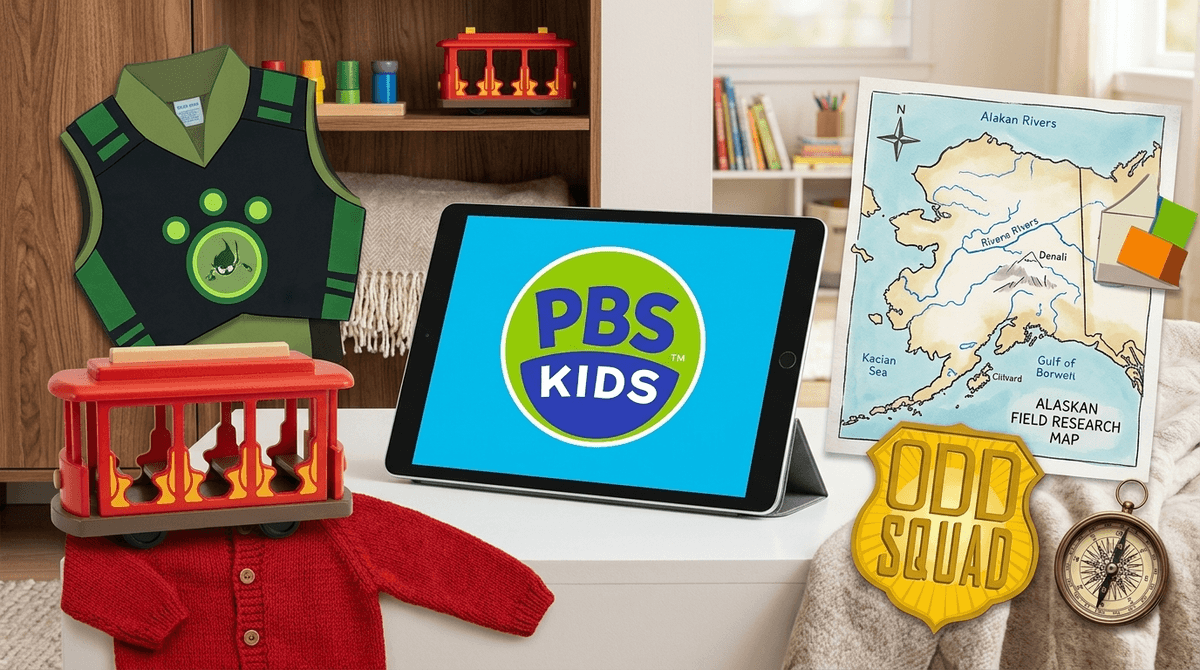
TL;DR: PBS Kids is the "safe" neighborhood of the internet, but even the best neighborhood needs a curfew. Use Daniel Tiger's Neighborhood for emotional regulation, Wild Kratts for STEM, and Molly of Denali for literacy. To avoid the "zombie stare" and the post-screen meltdown, focus on "active viewing" and using the shows' catchphrases as real-world tools.
We’ve all been there. You’re trying to get dinner on the table, the toddler is vibrating at a frequency that suggests an imminent meltdown, and you reach for the remote like it’s a life raft. In the world of "brain rot" YouTube shorts and the sensory overload of Cocomelon, PBS Kids feels like a sanctuary. It’s the gold standard. It’s the "organic, non-GMO, kale-fed" version of digital media.
But here’s the no-BS truth: even the most educational content can become a crutch. If your kid is watching four hours of Elinor Wonders Why a day, they aren’t becoming a junior scientist; they’re just becoming a very informed statue.
The goal isn't to ban the screen—it's to turn the "Daniel Tiger Effect" into a bridge between the digital world and the real one.
PBS Kids is one of the few platforms that actually follows a curriculum. Unlike YouTube Kids, which is often a Wild West of AI-generated garbage and "unboxing" videos that trigger a dopamine loop, PBS content is designed by actual educators.
Research consistently shows that kids who watch high-quality educational media like Sesame Street show improved literacy and numeracy skills. But the "fail" happens when we treat it as a passive babysitter. The "Daniel Tiger Effect" only works if the lessons leave the screen. If they learn the "When you feel so mad that you want to roar" song but you never sing it when they’re actually mad, the screen time was just a temporary distraction, not a tool.

Not all PBS shows are created equal. Some are high-energy math adventures, while others are slow-paced emotional guides. Here is how to segment your family's viewing:
Ages 2-5
This is the ultimate "parenting hack" show. It’s essentially a manual for how to be a human. It handles everything from trying new foods to the death of a pet.
- The Strategy: Use the "strategy songs" in your daily life. When it’s time to leave the park and the "Ohio-level" chaos starts, sing the "It's almost time to stop, so choose one more thing to do" song. It works better than yelling.
Ages 4-8
If your kid is obsessed with animals, this is the one. It blends animation with real-life biology. It’s high-energy, which can lead to some "zoomed out" behavior afterward, but the educational value is massive.
- The Strategy: Pair this with the Wild Kratts Baby Buddies app to turn passive watching into active caretaking gameplay.
Ages 4-8
This show is a powerhouse for "informational text" literacy. It teaches kids how to use maps, indexes, and research to solve problems. Plus, it’s a beautiful look at Indigenous Alaskan culture without being performative.
- The Strategy: After an episode, ask your kid to "research" something in the house using a book or a map.
Ages 5-9
Think Men in Black but for math. It’s genuinely funny—the kind of humor that won’t make you want to claw your eyes out as a parent. It deals with complex concepts like decimals and geometry in a way that feels like a spy mission.
- The Strategy: This is a great "bridge" show for older siblings who think they’ve outgrown PBS.
Ages 4-8
A newer addition that focuses on computational thinking and creative problem-solving. It’s great for introducing the logic behind coding without actually putting them in front of a coding environment yet.
Check out our full list of educational alternatives to YouTube
If you’re going to give them a tablet, the PBS Kids Games App is significantly better than 99% of the "educational" games on the App Store that are actually just ad-delivery systems.
- PBS Kids Website: Best for supervised "laptop time." It’s a closed loop, meaning they can’t accidentally click a link and end up watching a 40-minute video of someone playing Roblox.
- PBS Kids Video App: Great for travel, but be wary of the "Auto-play" feature. Toggling that off is the first step to maintaining a screen time balance.
- Toddlers (18-36 months): Screen time should be "co-viewing" only. You are the narrator. "Look, Daniel is sharing his toy! Do you share your blocks?"
- Preschoolers (3-5 years): This is the sweet spot for PBS. Limit sessions to 30-45 minutes. This is where the "transition tantrum" usually lives.
- Early Elementary (6-8 years): Kids start gravitating toward Minecraft or YouTube. Use PBS shows like Cyberchase as a way to keep their digital diet balanced with actual substance.
The hardest part of PBS Kids isn't the content—it's the end of the content. We’ve all seen the "Zombie Stare." Your kid is so locked in that when you turn the TV off, it’s like you’ve physically wounded them.
- The "One More Episode" Trap: Don't negotiate in the moment. Use a visual timer or the "Daniel Tiger" transition song.
- The "Bridge" Activity: Have the next activity ready before the screen goes off. If they just watched Wild Kratts, have their animal figurines sitting on the coffee table. The goal is to move the "play" from the screen to the floor.
- Acknowledge the "Hard": "It's really hard to turn off a show we like, isn't it? Let’s take a big breath like Daniel."
According to Screenwise community data, about 65% of parents with kids under age 7 use PBS Kids as their primary video platform. However, the data also shows a sharp drop-off around 1st grade, where kids pivot hard toward "user-generated content" (influencers).
If you can keep them in the PBS ecosystem longer, you’re delaying the exposure to the more predatory algorithms of the broader internet. It’s not about being a "no-screen" parent; it’s about being a "pro-substance" parent.
PBS Kids is a tool, not a crutch. It’s the best "babysitter" in the business because it actually cares about your kid's brain. But the magic isn't in the pixels; it's in the way you integrate those lessons into your "real life" parenting.
Turn off auto-play, choose shows that match your child's current struggle (math, sharing, curiosity), and always have a "bridge" activity ready for when the credits roll.
- Audit the App: Download the PBS Kids Games App and delete one "junk" game from your child's tablet today.
- Set a Boundary: Try the "one episode, one activity" rule this weekend.
- Explore More: Check out our guide on the best podcasts for kids if you want to try an audio-only "screen time" alternative.