

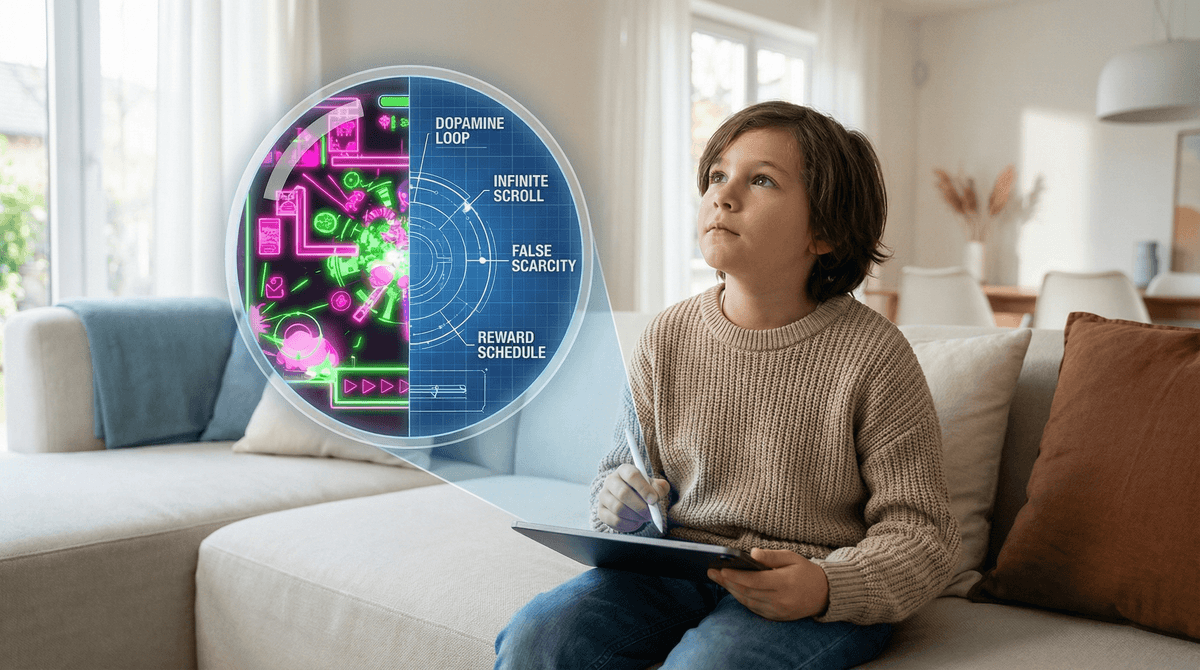
TL;DR: Most apps are designed like slot machines, not playgrounds. To help your kids avoid "brain rot" and digital manipulation, teach them to spot "dark patterns"—tricky design choices meant to keep them scrolling or spending. Start with high-quality, creative alternatives like Minecraft, Scratch, and Procreate Dreams.
Check out our guide on identifying dark patterns in mobile games See our top-rated creative apps for elementary kids
We’ve all been there. You look over at your kid and they’re deep in a YouTube Shorts rabbit hole, or they’re begging for "just five more minutes" on a game that looks like a neon fever dream. Maybe they’re talking about Skibidi Toilet or calling everything "Ohio" or "sigma," and you’re wondering if their brain is slowly turning into digital mush.
The term "brain rot" gets thrown around a lot lately, usually to describe low-quality, high-stimulation content. But the real danger isn't just the weird content—it’s the way the apps themselves are built to trap your kid’s attention and your credit card.
If we want our kids to be intentional digital citizens, we have to move beyond just saying "no" to certain apps. We have to teach them how to see the "trap" before they even hit the install button. This is about digital literacy: giving them the goggles to see the manipulative code behind the cute characters.
In the industry, we call these "dark patterns." They are UI/UX design choices specifically engineered to trick users into doing things they didn’t intend to do—like spending money, staying online longer than they planned, or giving up personal data.
For a kid, whose prefrontal cortex is still a work in progress, these patterns are almost impossible to resist without help. They aren't "addicted" because they lack willpower; they are being outmaneuvered by billionaire tech companies using Vegas-style psychology.
Common Traps to Spot:
- The "Streak" (False Loyalty): Whether it’s Snapchat or Duolingo, the "streak" creates an artificial sense of obligation. If you don't log in, you "lose" your progress. It turns a fun activity into a digital chore.
- Loot Boxes and Gacha: Used heavily in games like Genshin Impact or Roblox simulators. It’s gambling, plain and simple. You pay for a "chance" to get the cool item.
- Artificial Scarcity: "Only 2 hours left to buy this skin!" This triggers FOMO (Fear Of Missing Out) and stops a kid from thinking rationally about whether they actually want the item.
- Infinite Scroll: Used by TikTok and YouTube. There is no "natural end" to the content, which overrides the brain's "I'm done" signal.
It’s easy to judge, but let’s be real: these apps are fun. They provide instant hits of dopamine. Roblox isn't just a game; it's a digital mall where they hang out with friends. YouTube Kids is a non-stop stream of bright colors and high-energy voices.
The "brain rot" content—the weird memes and nonsensical videos—is often a way for kids to feel like they’re part of an inside joke. If they don't know why everyone is saying "fanum tax," they feel left out at the lunch table. Our job isn't to kill the fun, but to help them realize when the "fun" is actually an app trying to harvest their time.
Before your kid downloads a new app, have them run it through this "sniff test." This empowers them to make the choice rather than you just being the "Bad Cop."
- How does this app make money? If it’s free, they are the product (ads) or they’ll be nagged for in-app purchases.
- Does it have a "timer" or "streak"? Is the app trying to make you feel guilty for not playing?
- Is it a "Tool" or a "Toy"? Tools (like Procreate) let you create. Toys (like Subway Surfers) are just for consumption. Both are okay, but you need a balance.
- Does it have "Surprise" spending? Can you see exactly what you’re buying, or is it a "mystery box"?
If you’re going to steer them away from the junk, you need to provide the "organic produce" of the digital world. These are apps that encourage creativity, logic, and genuine skill.
Minecraft (Ages 7+)
The gold standard. It’s digital LEGOs. Whether they are building a scale model of their school or learning about logic gates with Redstone, Minecraft is the ultimate "anti-brain-rot" game. It requires patience and planning.
Scratch (Ages 8-16)
Created by MIT, this is a coding community where kids can build their own games and animations. Instead of just playing a platformer, they learn the logic of why the character jumps. It’s empowering and totally free of dark patterns.
Procreate Dreams (Ages 10+)
If your kid has an iPad and an Apple Pencil, this is a pro-level animation tool. It’s a steep learning curve, but it turns "screen time" into "studio time."
Toca Life World (Ages 4-9)
For the younger set, Toca Boca apps are fantastic. They are "digital dollhouses" with no high scores, no losers, and no stress. While they do have in-app purchases for new locations, the core gameplay is pure imagination.
Sky: Children of the Light (Ages 10+)
A beautiful, social game that focuses on cooperation and giving rather than combat and competition. It’s a great "middle ground" for kids who want a social gaming experience that isn't as toxic as a Fortnite lobby.
Not every app on this list is "bad," but they are "high-maintenance" for parents. They require active monitoring and frequent conversations.
It’s a powerhouse. It can teach entrepreneurship if a kid learns to make their own games, but 99% of kids are just there to spend Robux on virtual pets in Adopt Me!. It is riddled with dark patterns and "pay-to-win" mechanics. Read our full guide on Roblox safety and spending
This is a dopamine machine disguised as a classic board game. It uses every psychological trick in the book—near-misses, daily rewards, and aggressive social pressure—to keep players rolling the dice. It’s basically a gateway to slots.
The algorithm is arguably the most "addictive" piece of software ever written. For teens, it’s the center of the cultural universe, but the "For You Page" is designed to keep them scrolling until their eyes bleed.
Ages 5-8: The "Walled Garden" Phase
At this age, kids shouldn't have an App Store password. Every download should be a conversation. Focus on "pay-once" apps or subscription services like Epic! that provide high-quality books and videos without ads. Check out our list of best ad-free apps for preschoolers
Ages 9-12: The "Co-Pilot" Phase
This is when the social pressure starts. They’ll want Roblox and YouTube. This is the time to introduce the "Sniff Test." Let them try an app, but check in after a week. Ask: "Do you feel like you're playing this because you want to, or because the app is making you feel like you have to?"
Ages 13+: The "Consultant" Phase
You can’t control their phone 24/7 anymore. Your role shifts to being a consultant. Talk about the business side of tech. Explain how Instagram makes money. When they see a "sponsored" post or a manipulative ad, point it out. Make it a game to see who can spot the dark pattern first.
Don't be the "Screen Police." Be the "Tech Critic."
Instead of: "That game is trash, delete it." Try: "I noticed this game asks you to watch an ad every time you lose. That feels like they're just trying to use you for money, right? Does that actually make the game more fun, or just more annoying?"
Instead of: "No more TikTok, it's rotting your brain." Try: "The TikTok algorithm is literally designed to keep you from putting your phone down. Let's set a 'finish line' timer so you can enjoy it without getting sucked into the void."
Digital literacy isn't about avoiding technology; it's about understanding it. When we teach our kids to spot the "trap" in an app, we're giving them a superpower. We're moving them from being passive consumers of "brain rot" to being intentional users who know when they're being played.
The goal isn't a "perfect" digital life. There will be Skibidi Toilet marathons. There will be wasted Robux. But if your kid can look at a screen and say, "Oh, they're just doing that to make me stay on longer," you've already won.
- Audit the Home Screen: Sit down with your kid and look at their most-used apps. Run the "Sniff Test" together.
- Set Up "Ask to Buy": Ensure no apps or in-app purchases can happen without your approval on iOS or Android.
- Swap One "Toy" for One "Tool": Challenge your kid to find one app where they make something this week.
Find apps based on your kid's interests
Check out our guide on setting healthy boundaries without the drama