

TL;DR
Apple TV is the "premium" choice for families who want to escape the cluttered, ad-heavy interfaces of Roku or Fire TV. The hardware is fast, the Apple TV+ content is high-quality (if a bit sparse), and Apple Arcade is the absolute best way to let your kids play games without being harassed by microtransactions. The new 2026 Kids Profiles finally solve the "Up Next" nightmare.
Quick Recommendations:
- Best for Preschoolers: Bluey (Disney+ via Apple TV app) or Sago Mini Friends.
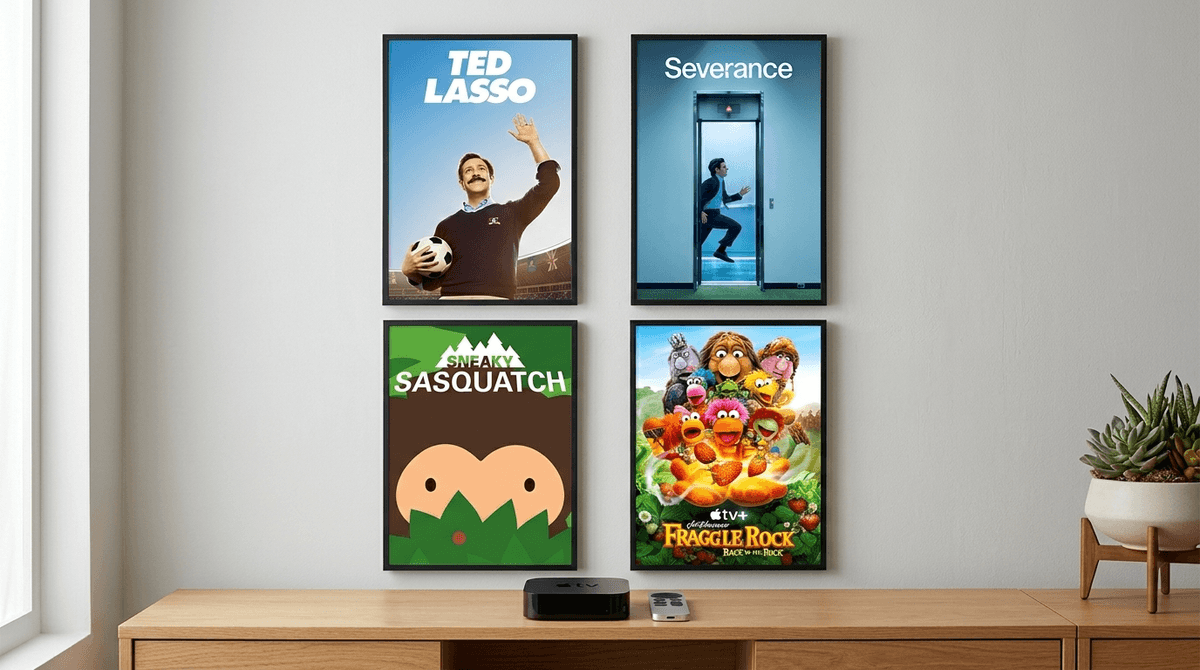
- Best for Big Kids: Ghostwriter or Fraggle Rock: Back to the Rock.
- Best for Teens: Severance (with you) or The Morning Show.
- Best "Safe" Game: Sneaky Sasquatch on Apple Arcade.
If you’re confused about what "Apple TV" actually is, you aren't alone. Apple’s naming convention is a disaster. Let's break it down:
- The Apple TV (The Box): This is the physical hardware you plug into your TV. It’s the fastest, cleanest streaming device on the market. In 2026, the latest 4K model is basically a mini-gaming console.
- The Apple TV App: This is the software "hub." It lives on the Box, but also on your iPhone, iPad, and even on other devices like a Roku or Samsung TV. It pulls in shows from Disney+, Max, and Hulu so you can see everything in one place.
- Apple TV+ (The Service): This is the subscription ($9.99/mo) that gives you Apple’s original shows like Ted Lasso or Wolfboy and the Everything Factory.
Why this matters for parents: You don't need the Box to watch the shows, but the Box offers the best parental controls and the most "walled garden" experience for your kids.
Get a comparison of streaming devices
For years, the biggest complaint about Apple TV was that if your toddler watched Blippi on your profile, your "Up Next" queue would be a chaotic mix of construction vehicles and Slow Horses.
The 2026 update finally introduced True Kids Profiles. When you switch to a kid’s profile now:
- The Interface Changes: It becomes simplified, with larger icons and a focus on characters they like.
- The "Up Next" Stays Separate: Your "prestige dramas" won't be contaminated by Cocomelon.
- Hard Ratings Caps: You can set a profile to "Ages 9 and under" and the device will literally hide any app or movie that exceeds that rating. No more accidentally clicking on Deadpool because the thumbnail looked "cool."
If you are tired of your kids asking for "just five more dollars" for Robux in Roblox, Apple Arcade is your new best friend.
It’s a subscription service ($6.99/mo, or included in Apple One) that gives you 200+ games with zero ads and zero in-app purchases. It is the most "intentional" way to let kids play mobile-style games without the predatory dopamine loops found in Fortnite or Candy Crush.
Top Apple Arcade Picks for Families:
-
This is the "killer app" of Apple Arcade. You play as a Bigfoot who sneaks around a campsite stealing food. It’s hilarious, non-violent, and teaches basic "entrepreneurship" as Sasquatch has to earn money for upgrades. It’s what Roblox should be.
Sneaky Sasquatch (Ages 6+)
-
Think of this as a slightly more accessible version of Animal Crossing: New Horizons. It’s cozy, social (in a safe way), and visually stunning.
Hello Kitty Island Adventure (Ages 5+)
-
A farming sim with a great story and diverse characters. It’s a "cozy game" that handles mature themes like grief and community with a lot of grace.
Wylde Flowers (Ages 10+)
Check out our full guide to the best Apple Arcade games
Unlike Netflix or YouTube, which use algorithms to keep you scrolling forever, Apple TV+ content feels curated. They don't have 10,000 shows; they have about 50, and most of them are actually good.
For the Little Ones (Ages 3-6)
Apple has leaned heavily into "gentle" media. You won't find the hyper-kinetic, loud screaming of Skibidi Toilet here.
- Based on the classic books, this is slow-paced, beautifully animated, and focuses on friendship and emotional intelligence. It's the opposite of "brain rot."
- Based on the books by Mac Barnett and Jon Klassen. It’s dry, funny, and respects a child’s intelligence.
For the Middle Years (Ages 7-12)
- A reimagining of the 90s classic. It encourages reading and literature through a mystery-solving lens. It’s smart and actually engaging for parents to watch, too.
- (Ages 12+) A bit more "high-concept" sci-fi lite. It’s great for sparking conversations about destiny and what "potential" really means.
For the Teens (Ages 13+)
- If you have a teen who likes Stranger Things, they will love this. It’s a dark, weird look at work-life balance. Note: It’s TV-MA for language and some intensity, so definitely a "watch together" show.
- Based on the Wool series, this is top-tier dystopian sci-fi.
Learn more about navigating TV-MA content with your teen
The Apple TV hardware has the best "Screen Time" integration of any device. If you use an iPhone, you can manage your kid’s TV time directly from your phone.
- Restrict the App Store: This is the #1 mistake parents make. By default, anyone can download any app (like YouTube or TikTok). Go to Settings > General > Restrictions and turn off "Installing Apps."
- The "Siri" Factor: You can disable Siri on the remote if you're worried about kids asking for things they shouldn't see. Or, better yet, the 2026 update allows "Safe Search" for Siri, which filters results to age-appropriate content only.
- Color Tinting: If your kid is sensitive to "blue light" before bed, Apple TV has a "Reduce White Point" and "Color Filters" setting in Accessibility that can make the screen much warmer and less stimulating in the evening.
Apple TV is great because it works perfectly with your iPhone and AirPods. You can watch a movie with two pairs of AirPods connected so you don't wake the baby—that’s a parent win.
However, the "trap" is that it makes it very easy to buy movies. The "Store" tab is right next to the "Home" tab. A child with a remote and no passcode can easily rack up a $200 bill on digital rentals of Paw Patrol: The Mighty Movie. Always set a "Require Password for Purchases" in the settings.
Apple TV is the "intentional" choice. It’s for the parent who wants to curate their family's digital diet rather than letting a random algorithm decide what's next.
It’s not perfect—the remote is still small enough to disappear into the couch abyss for weeks at a time—but in terms of privacy, quality of content, and the sanity-saving Apple Arcade, it’s the gold standard for 2026.
Next Steps:
- Audit your "Up Next": Create those 2026 Kids Profiles tonight.
- Try Apple Arcade: Download Sneaky Sasquatch and play it with your kid.
- Set a Purchase Passcode: Do this before your toddler "buys" every season of Peppa Pig.
Check out our guide on setting up the perfect Apple TV parental controls