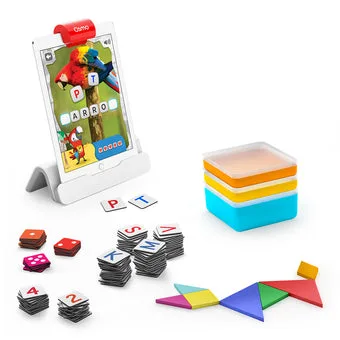
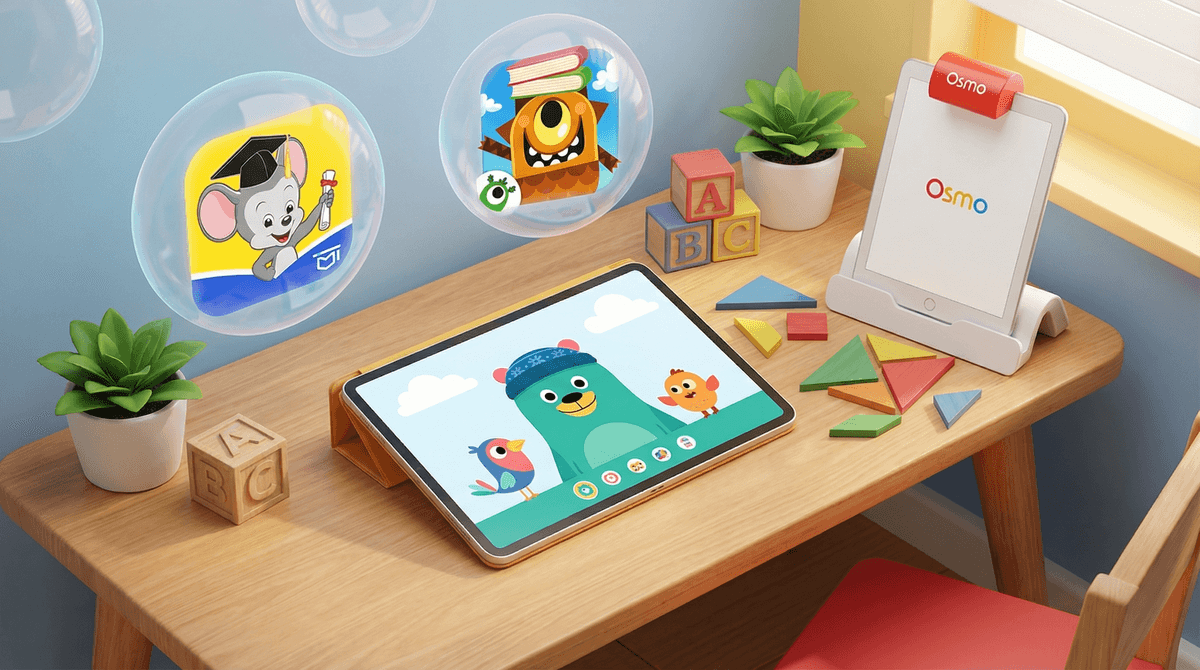
Osmo is one of the few 'educational' tech products that actually lives up to the hype. It solves the biggest parental gripe with tablets—the 'zombie stare'—by forcing kids to look down at their hands and interact with the physical world.
It’s not cheap, and the hardware compatibility can be a headache if you upgrade your iPad frequently, but the sheer quality of the learning modules makes it a worthwhile investment. It’s the kind of thing that makes you feel like the 'smart parent' for five minutes while your kid accidentally learns the fundamentals of physics.
Age Fit
Perfect for the 4-10 window. While they have 'Little Genius' sets for 3-year-olds, the sweet spot is kindergarten through 3rd grade when the 'magic' of the technology still outweighs the lure of more complex video games.
WISE Breakdown
Wholesome
95
It is the gold standard for turning screen time into something that feels like 'real' play. The tone is encouraging, the characters are friendly, and it actively promotes cooperation if you have two kids sitting at the table together.
Imaginative
88
While some modules are more about 'right or wrong' answers (like math or spelling), the creative kits like Masterpiece and Monster allow kids to draw physical objects that then come to life on screen, which feels like actual magic.
Safe
98
Extremely safe. It's a closed ecosystem with no social features or unmoderated chat. The physical pieces are high quality, though you'll want to watch the small bits around toddlers who still put things in their mouths.
Enriching
96
This is the core of the product. It covers everything from basic literacy and numeracy to logic-based coding and physics. It provides instant feedback without a parent needing to hover.
Parent Info
✓
Why It Might Be Great
Tactile feedback: Kids actually move physical tiles and blocks, which is way better for motor skills than just swiping a glass screen.
Self-correcting: The 'Reflective AI' tells them immediately if a piece is wrong, allowing for independent play while you're making dinner.
Broad subject matter: You can swap from Tangram puzzles to basic coding to multiplication just by changing the app and the box of pieces.
Grows with the kid: The 'Little Genius' kits start at age 3, but the 'Math Wizard' series keeps 10-year-olds actually engaged.
⚠
What to Watch For
Lighting is everything: If the room is too dark or there's a heavy glare on the table, the reflector will get 'blind' and frustrate your kid.
The Storage Struggle: Each kit comes with its own containers, but after six months, you'll likely have a 'junk drawer' of mixed-up red tiles and coding blocks.
Case Compatibility: You usually have to take your iPad out of its protective 'rugged' case to fit it into the Osmo base, which is a nerve-wracking 30 seconds for any parent.
Conversation Starters
"Which was harder: figuring out the pattern or getting the iPad to see the pieces?"
"How did you know how to solve that without me helping?"
"If we could make a physical piece for any game, what would it be?"
"Do you like drawing on the paper or seeing it show up on the screen more?"