

Keeping Kids Learning at Home: A Parent's Guide to Educational Screen Time
Look, we've all been there. Snow day number five. A stomach bug that's keeping everyone home. Or maybe you're homeschooling by choice, or your kid's doing hybrid learning, or honestly it's just summer and you're trying to keep those brain cells from completely atrophying.
The phrase "educational screen time" can feel like an oxymoron when you're watching your kid click through yet another Khan Academy video at 2x speed without absorbing a single word. But here's the thing: learning at home with screens can actually work — it just requires a different approach than hoping Netflix's "educational" tag is doing the heavy lifting.
When school comes home, everything changes. There's no bell schedule, no teacher physically present to redirect attention, and definitely no social pressure to stay on task when your Roblox friends are online.
The biggest challenge? Motivation disappears when structure does. A worksheet that takes 20 minutes in a classroom can somehow expand to fill three hours at the kitchen table, punctuated by seventeen snack breaks and a sudden urgent need to reorganize their bookshelf.
And screens make this worse AND better simultaneously. Worse because distractions are one click away. Better because when used right, digital tools can make learning actually engaging instead of a war of attrition.
Let's be honest about something: most content labeled "educational" is either genuinely good OR it's just regular entertainment with a thin veneer of learning slapped on top to make parents feel better.
Bluey? Teaches emotional intelligence and creative play. Actually educational in meaningful ways.
Those "learning" apps that are basically just dressed-up slot machines with math problems? Not so much.
The difference is active vs. passive engagement. Watching a YouTube video about volcanoes isn't learning unless there's something happening with that information. Taking notes, building a model, explaining it to someone else — that's when the learning actually sticks.
Ages 5-8: Structure is Everything
Little kids need tight boundaries and high engagement. Twenty-minute blocks work better than hour-long sessions. Physical activity between screen learning sessions isn't optional — it's required for their brains to actually process anything.
Good tools for this age:
- Khan Academy Kids — genuinely well-designed, actually free, no dark patterns
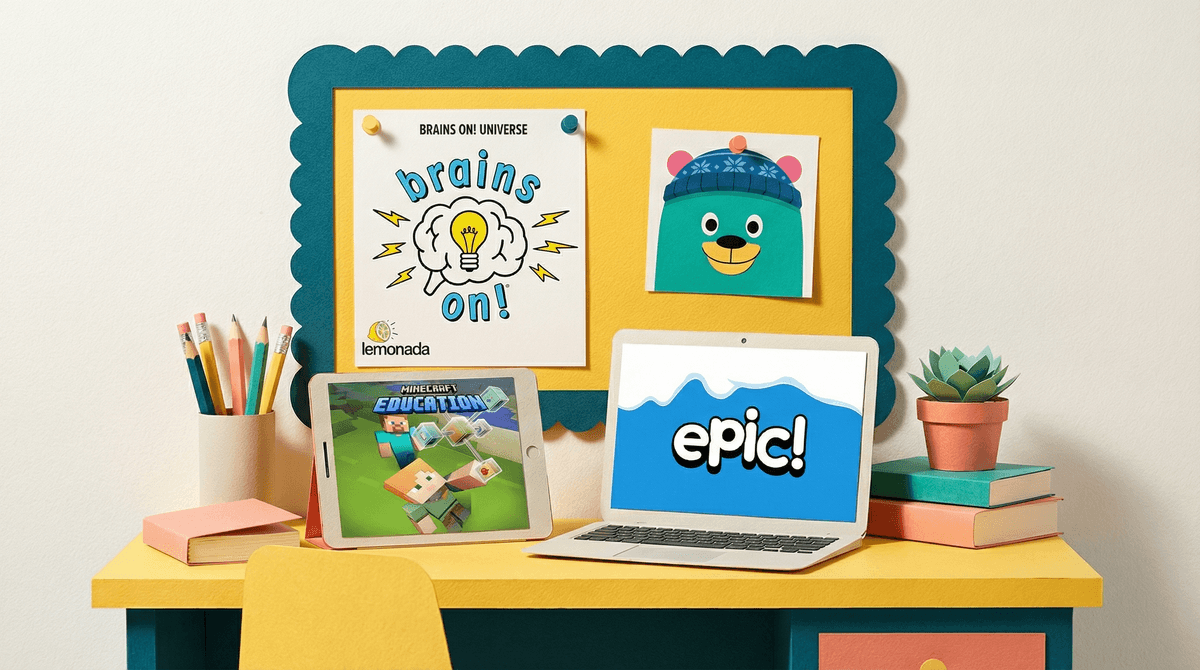
- Epic! for reading (though watch out for the upsells)
- Osmo if you want something that bridges physical and digital
Ages 8-12: Building Independence (Slowly)
This is the age where kids can start to self-direct, but they're also masters of looking busy while learning absolutely nothing. You need accountability without hovering.
Set up systems: learning logs, daily check-ins, output-based goals rather than time-based ones. "Finish this math module" works better than "do math for 45 minutes."
Solid options:
- Minecraft Education Edition for project-based learning (yes, it's actually different from regular Minecraft)
- Duolingo for languages, though the gamification can be a double-edged sword
- Crash Course on YouTube for middle schoolers who need content that doesn't talk down to them
Ages 13+: The Negotiation Years
Teens need autonomy but also still need guardrails. The goal here is teaching them to manage their own learning and attention, because honestly, that's a skill they'll need forever.
This is where you shift from "monitor everything" to "spot check and have conversations." They should be setting their own schedules, tracking their own progress, and honestly, dealing with their own consequences when they blow off work to watch TikTok for three hours.
1. Output Over Input
Stop measuring screen time for learning. Start measuring output. Did they write something? Build something? Explain something? Create something? That's learning. Passive consumption is not.
2. Mix Digital and Physical
The best home learning combines screens with hands-on work. Watch a video about the water cycle, then build a terrarium. Use Scratch to learn coding, then use those concepts to create a physical game with cardboard.
3. Embrace Weird Interests
Your kid is obsessed with Genshin Impact? Cool, that's a gateway to learning about Chinese mythology, game design, and gacha economics. Into Bluey still at age 10? Perfect opportunity to discuss storytelling structure and emotional intelligence.
Learning doesn't have to look like school. Sometimes the best educational screen time is when kids don't even realize they're learning.
4. Create Social Accountability
Learning at home is lonely. Set up video calls with friends where they work together. Join online clubs. Find Discord servers for specific interests (with appropriate supervision for younger kids). Check out how to navigate Discord safely if you're going this route.
Here's what you need to hear: you don't have to recreate school at home.
Some days will be great. Your kid will be engaged, learning will happen, you'll feel like a competent human. Other days, they'll watch The Magic School Bus for four hours and you'll call it science class and that's fine.
The goal isn't perfection. It's maintaining some forward momentum while also preserving everyone's sanity.
- All input, no output — if they're just consuming content without creating or discussing anything, learning isn't happening
- Constant distraction — if every learning session involves twelve redirects back to the task, the environment needs to change
- Loss of curiosity — if they stop asking questions or showing interest in anything, something's wrong with the approach
- Physical symptoms — headaches, eye strain, irritability that goes beyond normal kid grumpiness
This Week:
-
Audit what's actually happening. Track one full day of "learning" screen time. What are they doing? Is any learning actually occurring?
-
Have a conversation with your kid about what's working and what's not. They usually know when they're just going through the motions.
-
Pick one thing to change. Don't overhaul everything. Maybe it's adding a 15-minute recap at the end of each learning session. Maybe it's switching from passive video watching to interactive content. Just one thing.
This Month:
-
Experiment with different tools and approaches. What works for one kid won't work for another. Give each new approach at least a week before deciding it's not working.
-
Build in accountability that's not you. Maybe it's a weekly call with a tutor, or a learning pod with other families, or even just a daily email to grandma about what they learned.
-
Protect the wins. When you find something that works, double down on it. If your kid loves Brains On! podcast, build learning activities around it.
Keeping kids learning at home with screens is less about finding the perfect educational app and more about building systems that work for your specific kid in your specific situation.
The screens aren't the enemy or the savior — they're just tools. The real work is in creating structure, maintaining engagement, and being honest about what's actually educational versus what's just keeping them quiet.
Some families will nail this with tight schedules and structured curriculum. Others will take a more relaxed approach and follow interests wherever they lead. Both can work. Neither is perfect.
The goal is learning that sticks, curiosity that grows, and getting through this without everyone losing their minds.
That's it. That's the bar. You've got this.
Want to dig deeper into specific tools or approaches? Find educational apps for your kid's age or explore alternatives to traditional online school platforms.