

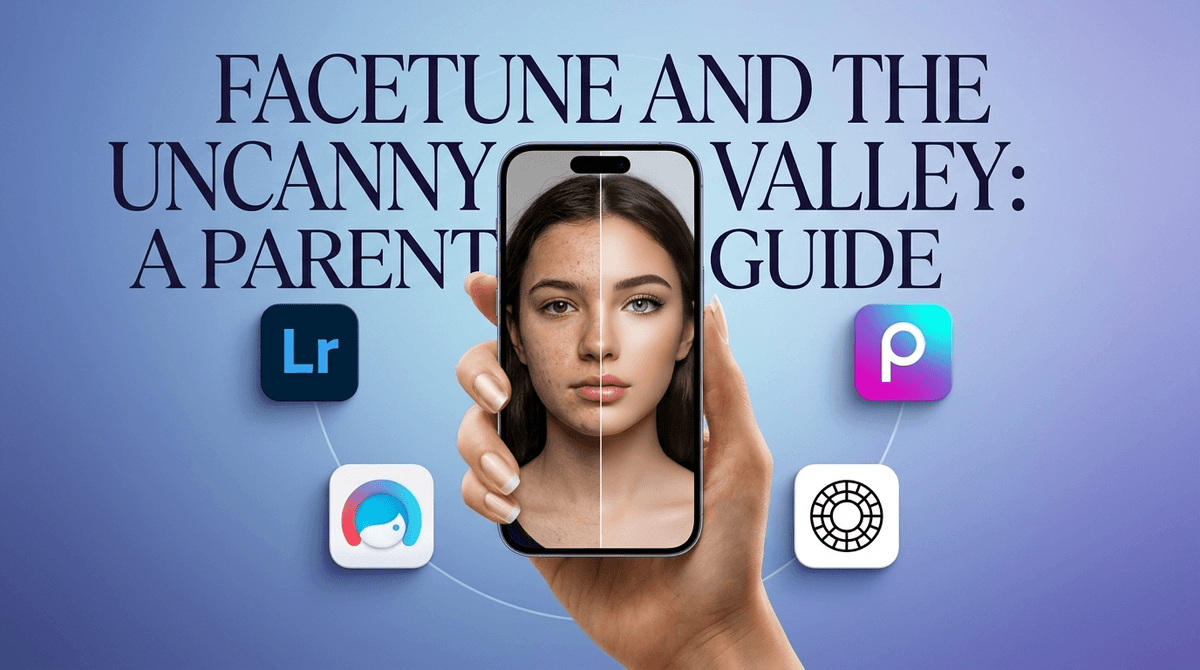
TL;DR: When your teen asks for a photo editing app, they aren't necessarily looking to "fake" their life—they’re often just trying to keep up with the hyper-polished "aesthetic" of 2025. While some apps like Adobe Lightroom or Canva are actually great for building digital design skills, others like Facetune can lead down a rabbit hole of body dysmorphia and "uncanny valley" AI enhancements. The goal isn't to ban the apps, but to move them toward creative editing rather than identity erasing.
Quick Links:
- The "Creative" Choice: Picsart
- The "Pro" Choice: Adobe Lightroom
- The "Aesthetic" Choice: VSCO
- The "Red Flag" Choice: Facetune
- Check out our guide on social media and body image
We've moved way past the "sepia filter" days of 2012. Today, photo editing for teens falls into three distinct buckets:
- Aesthetic Editing: Adjusting grain, "vibe," and color palettes to make a TikTok or Instagram feed look cohesive. (Think "Clean Girl" or "Old Money" aesthetics).
- Creative Graphic Design: Adding stickers, text, and AI-generated backgrounds. This is basically the modern version of scrapbooking.
- Body Modification: Using AI "liquify" tools to change nose shapes, waistlines, or skin texture. This is where the "Uncanny Valley" lives—where a photo looks almost human, but is actually a mathematical ideal that no real person can achieve.
If your teen is asking for an app, your first job is to figure out which bucket they’re playing in.
It’s easy to write this off as vanity, but for a teen in 2026, a photo isn't just a memory; it’s a social currency. When everything from their YouTube feed to their "For You Page" is populated by people using Lensa to turn themselves into perfect AI avatars, the pressure to "clean up" a selfie is immense.
Sometimes, it’s just about the "Ohio" of it all—everything feels a little weird and cringe if it isn't polished. They want to look "locked in." In their world, posting a raw, unedited photo can feel like showing up to school in pajamas. It’s not necessarily that they hate how they look; they just want to participate in the digital "costume party" everyone else is attending.
Not all editing apps are created equal. Here is how to navigate the current landscape:
Ages 13+ This is the gold standard for actual photography. It’s a professional tool used by real photographers. If your kid is interested in lighting, color theory, and composition, this is a "Yes." It doesn't have the "make me skinny" presets that other apps do; it’s about the art of the image.
Ages 13+ VSCO has been around forever, but it’s still the king of "vibes." It’s less about changing your face and more about making your photo look like it was taken on a 1970s film camera. It does have a social network component, which is worth keeping an eye on, but generally, it’s a safer space for creative expression. Read our full guide to VSCO safety
Ages 12+ This is basically Photoshop for the mobile generation. It’s incredibly powerful and leans heavily into "remix" culture. Kids can make stickers, collages, and weird AI art. It’s very creative, but because it’s so powerful, it does include tools to alter physical features.
Ages 13+ (But honestly, maybe wait) This is the one that gives parents the most heartburn. Facetune is specifically designed to "fix" faces. It uses aggressive AI to whiten teeth, smooth skin to a plastic-like finish, and reshape bodies. It’s the primary driver of the "Instagram Face" look. If your teen is struggling with self-esteem, this app is like pouring gasoline on a fire.
Ages 10+ If your kid says they want to edit photos for a "project" or a "business" (hello, Roblox entrepreneurs), Canva is the answer. It’s a graphic design powerhouse that teaches actual marketable skills without the focus on facial "perfection."

The biggest change in the last year is Generative AI. Apps like Snapchat and TikTok now have filters that don't just put dog ears on you—they use AI to re-render your entire face in real-time.
The danger here isn't just "lying" about what you look like. The danger is that the AI creates a version of the teen that they prefer to their real-world self. When they look in the mirror after using an "Enhanced" filter for two hours, the mirror feels like it’s lying. This is the "Uncanny Valley" effect, and it’s a major contributor to teen anxiety.
Instead of saying "You're beautiful, you don't need that," which every teen will roll their eyes at, try these angles:
- The "Special Effects" Conversation: Compare photo editing to movie CGI. "It’s cool that Marvel can make someone fly, but we know they aren't actually flying. These apps are basically special effects for your life. How do we make sure we don't forget what the real 'actor' looks like?"
- The "Digital Skill" Pivot: If they want to edit, encourage them to learn the hard stuff. "If you want to edit photos, let’s get you on Adobe Photoshop or Lightroom so you’re learning a professional skill, not just a 'make my nose smaller' button."
- The "Subscription Trap": Many of these apps (looking at you, Facetune) are notorious for "free trials" that turn into $70/year subscriptions. Use this as a lesson in digital literacy and "dark patterns" in app design.
- Middle School (Ages 11-13): Stick to creative tools. Picsart or Canva are great for making memes and school projects. Avoid body-focused editors entirely. Their sense of self is too fragile at this stage.
- High School (Ages 14-18): This is the time for professional tools. If they’re going to edit, let them do it "right" with Adobe Lightroom. Discuss the ethics of AI-generated imagery and how it impacts their friends' mental health.
Photo editing isn't inherently "bad" or "fake"—it’s the new digital literacy. However, there is a massive difference between enhancing a photo and erasing a person.
If your teen is asking for these apps, don't just hit "Approve" on the Family Link request. Sit down, open the app together, and look at the tools. If the first five tools are "Whiten," "Reshape," "Smooth," and "Thinner," it’s time for a conversation about why those tools exist and who they’re actually serving (spoiler: it’s the app’s bank account, not your kid’s self-esteem).
Next Steps:
- Check your teen's phone for "hidden" editors like BeautyPlus.
- Suggest a "Creative Design" challenge using Canva.
- Take the Screenwise survey to see how your family's app usage compares to your community