

TL;DR
Educational apps often get a "free pass" from parents, but many use "dark patterns"—like streaks, loot boxes, and flashy animations—that prioritize engagement over actual learning. If your kid is more focused on customizing their avatar than solving the math problem, they’ve moved from learning to "looping." Quick Links to Better Options:
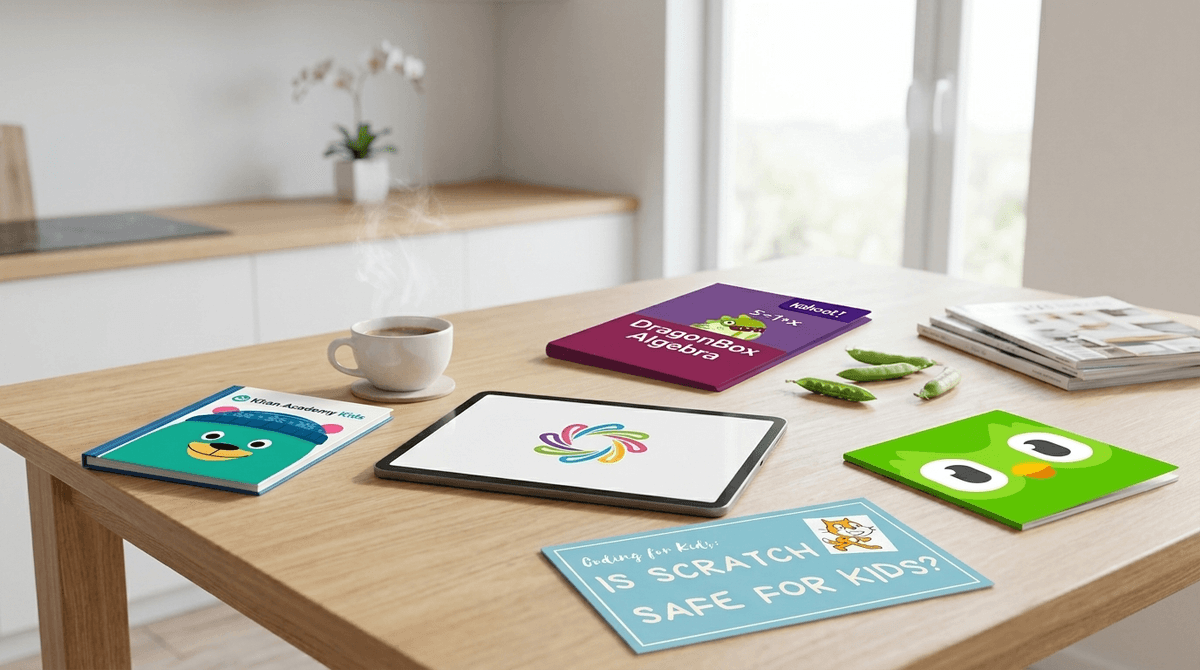
- Khan Academy Kids (Ages 2-8) - High-quality, zero fluff.
- DragonBox Algebra (Ages 5+) - Pure conceptual learning disguised as a puzzle.
- Scratch (Ages 8+) - Creative production over passive consumption.
- Duolingo (Ages 10+) - Great for vocab, but watch out for the "streak" anxiety.
We’ve all done it. You’re at a restaurant, or you’re trying to finish an email, or you just need twenty minutes of peace. You hand over the iPad, but you feel that twinge of "parent guilt." To soothe it, you steer them away from Roblox and toward something with "Academy" or "Math" in the title.
We call this the Educational Halo Effect. We assume that because an app claims to teach phonics or coding, the time spent on it is "good" screen time. But here’s the no-BS truth: a lot of modern EdTech is just Candy Crush with a thin coat of math paint.
When an app is more focused on keeping your child’s eyes glued to the screen than it is on the actual transfer of knowledge, it’s no longer an educational tool. It’s just another screen.
"Looping" happens when the gamification of an app overrides the educational content. It’s that glazed-over look kids get when they are mindlessly tapping through menus to get to the "prize" or the "pet" or the next level.
Developers use Dark Patterns—design choices intended to manipulate users into staying on the app longer—to juice their engagement metrics. In the world of kids' apps, this looks like:
- The Reward Loop: Spending 30 seconds on a math problem to earn 5 minutes of "decorating a virtual house."
- The Streak: Using the "fear of missing out" (FOMO) to force a child to log in every single day, regardless of whether they are in the mood to learn.
- The "Ding" Factor: Constant bells, whistles, and confetti for even the most basic tasks, which fries a child’s dopamine receptors and makes real-world learning feel "boring" by comparison.
Ask our chatbot how to identify dark patterns in your child's favorite apps
Kids aren't trying to avoid learning; they’re just responding to the neurological triggers these apps are designed to hit. These apps are basically "Skibidi Toilet" levels of brain-stimulating noise disguised as a classroom.
They love the sense of progression. In a classroom, mastery takes time and effort. In a gamified app like Prodigy, you get a "level up" and a cool new wizard hat every few minutes. It feels like winning, but it often doesn't feel like learning.
Let’s talk about Prodigy. It is massive in elementary schools. It’s marketed as a "Pokemon-style" math game. On paper, it’s genius. In practice? It’s often a mess.
The ratio of "playing the game" (walking around, battling monsters, customizing avatars) to "doing the math" is wildly skewed. I’ve watched kids spend 20 minutes choosing an outfit for their character and only 2 minutes actually solving equations. If your kid is obsessed with Prodigy, they aren't obsessed with math; they’re obsessed with a mediocre RPG that occasionally interrupts them with a quiz. It’s the definition of looping.
Read our full guide on whether Prodigy is actually teaching your kid math
If you want to break the loop, you have to look for apps that prioritize Active Creation or Deep Conceptual Mastery over "Tap-to-Win" mechanics.
This is the gold standard. It doesn't tell the kid they are doing algebra. It starts with a game of moving boxes around. Slowly, the boxes turn into variables. By the time the kid realizes they are solving linear equations, they’ve already mastered the logic behind it. There are no "pet shops" or "avatar skins" to distract them.
For the younger set (ages 2-7), this is arguably the best free app on the market. It’s wholesome, the pacing is gentle, and it doesn't use manipulative tricks to keep them logged in. It’s one of the few apps that feels like it was designed by educators rather than "attention economy" engineers.
If your kid is in 3rd grade or above, stop looking for "coding games" and just give them Scratch. It’s a sandbox where they actually have to build something. It’s hard. It’s frustrating. They will fail. That’s where the real learning happens. It’s the opposite of a mindless loop.
For the older kids (Ages 10+), this is Apple’s way of teaching real Swift code. It’s gamified, yes, but the "game" is actually writing the code. You can't "loop" here; if you don't understand the logic, you don't move forward.
Not sure if your child's favorite app is a teacher or a time-waster? Ask yourself these three questions:
- The "Mute" Test: If you turned off the sound and the flashy animations, would your child still want to use the app? If the answer is no, the "learning" isn't the draw—the dopamine hit is.
- The "Explain It" Test: Ask your child to explain the concept they just "learned" in the app without the screen in front of them. If they can solve the math problem on a napkin but can't explain why, the app is just teaching them to recognize patterns in a specific interface.
- The "Reward" Ratio: Look at the screen over their shoulder. Are they spending more time "spending" their earned currency than they are "earning" it? If so, they are playing a shopping simulator, not a learning app.
Check out our guide on how to talk to your kids about screen time limits
Preschool & Kindergarten (Ages 3-5)
At this age, "educational" apps should be used sparingly. Kids learn best through tactile play. If you use apps, stick to ones with zero ads and zero "in-game currency."
- Recommendation: Endless Alphabet - It’s simple, funny, and focuses entirely on letter sounds.
Elementary School (Ages 6-10)
This is the peak "looping" danger zone. This is when they start asking for Prodigy or Adventure Academy.
- The Move: Pivot them toward "Creation Tools." Instead of an app that teaches them how to draw, let them use Tayasui Sketches to actually draw.
Middle School (Ages 11-14)
By now, "educational apps" usually feel like "baby stuff" to them. They’ll gravitate toward Duolingo or Quizlet.
- The Danger: The "Streak." Duolingo is famous for its passive-aggressive owl that guilt-trips you. For some kids, this creates genuine anxiety. If they are logging in at 11:55 PM just to "save the streak," the app has become a chore, not a hobby.
Educational apps are a tool, not a babysitter. The moment an app starts using the same psychological tricks as TikTok to keep your kid engaged, it’s time to re-evaluate.
There is no "educational" app that can replace 10 minutes of you sitting next to them, asking "How did you figure that out?" If the app makes it impossible for you to interject because the "action" is too fast, it’s probably just another screen.
Next Steps:
- Audit the iPad: Delete the apps that are 90% "reward" and 10% "content."
- Trial a "Creation" App: Introduce something like Stop Motion Studio where they have to put in effort to see a result.
- Set a "Curated Only" Rule: Use the Screenwise Survey to see what other parents in your community are actually finding effective vs. what's just popular.
Ask our chatbot for a personalized list of apps based on your child's specific interests