

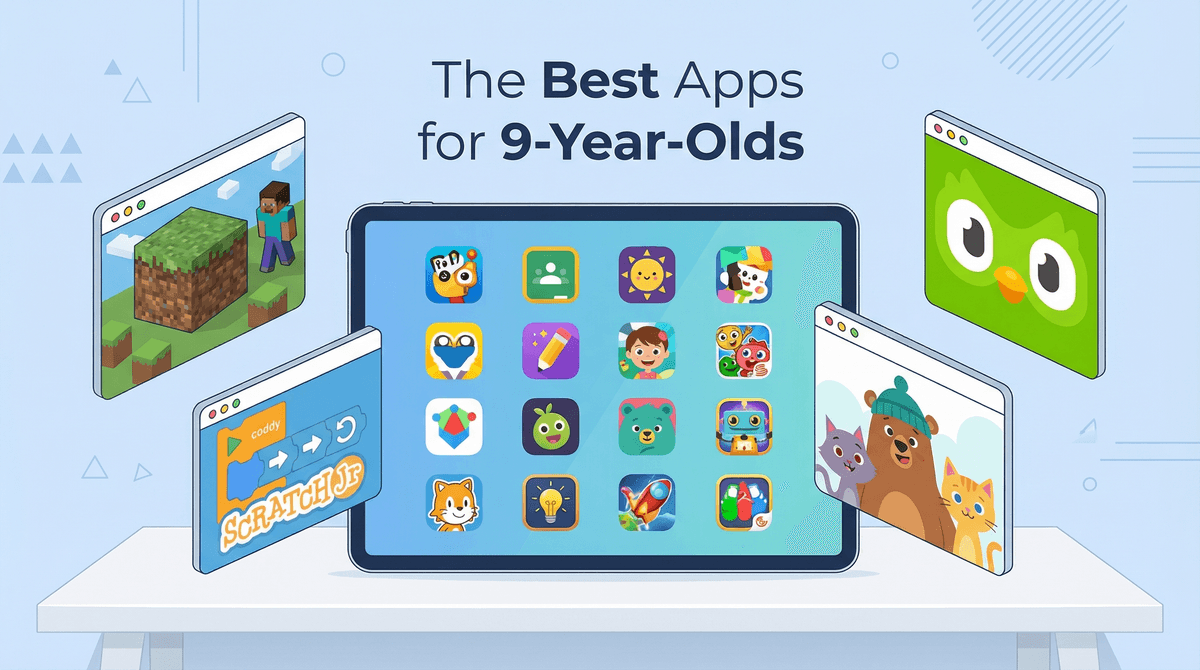
The Best Apps to Download for Your 9-Year-Old in 2026
Nine is that sweet spot where kids want independence but still need guardrails. Here are the apps actually worth the storage space:
Creative & Building:
- Minecraft (still the GOAT)
- Procreate Dreams (animation for budding artists)
- GarageBand (music creation without the noise)
Learning That Doesn't Feel Like Homework:
- Duolingo (language learning that's actually sticky)
- Khan Academy Kids (math and reading, ad-free)
- Toca Boca (open-ended play, zero pressure)
Reading & Stories:
Coding & Logic:
- Scratch Jr (intro to programming)
- CodeSpark Academy (game-based coding)
Nine-year-olds are in this fascinating developmental phase. They're past the "tap everything and see what happens" stage but not quite ready for the full internet wilderness. They're building real skills, developing interests, and—let's be honest—starting to care what their friends think.
The best apps for this age:
- Respect their growing independence without throwing them into the deep end
- Have actual educational value (but don't feel like a worksheet)
- Are ad-free or ad-light (because those "free" apps cost way more in sanity)
- Encourage creation over consumption (making stuff > watching stuff)
- Have reasonable parental controls that don't require a CS degree
Yes, it's technically a game, but at nine, Minecraft is more of a creative platform. Kids this age are building functioning cities, creating adventure maps, and learning basic circuitry through redstone. The mobile version is perfectly fine (and cheaper than the PC version), though the controls take some getting used to.
What parents should know: There's a reason this game has staying power. It teaches spatial reasoning, planning, and resource management. Set it to Creative Mode if you want pure building without the survival stress. And yes, you can disable multiplayer if you're not ready for that yet.
Cost: $6.99 one-time purchase (no subscriptions, no microtransactions in the base game)
If your kid is into drawing or animation, this is the app. It's the little sibling of Procreate (the professional illustration app), designed specifically for animation. Nine-year-olds are making surprisingly sophisticated short films with this thing.
What parents should know: There's a learning curve, but the tutorials built into the app are actually kid-friendly. Also, this is a legitimate professional tool—skills learned here transfer to real animation work.
Cost: $19.99 one-time (iPad only, but worth it if you have one)
Free on Apple devices, and legitimately powerful. Kids can create full songs, learn instruments, and experiment with sound design. The interface is intuitive enough for a nine-year-old to figure out, complex enough to grow with them.
What parents should know: Headphones are your friend. Also, this app has created more "aspiring producers" than any music class ever has. Whether that's good or bad depends on your tolerance for hearing the same four-bar loop 847 times.
Cost: Free (iOS/iPadOS only)
The gamification is real, and it works. Nine-year-olds are at the perfect age to pick up a second (or third) language, and Duolingo makes it feel like playing a game rather than studying. The streak feature is motivating without being toxic.
What parents should know: The free version is perfectly functional (just has ads). The Super version ($12.99/month) removes ads and adds offline access. Start with Spanish or French—the courses are most developed. And yes, that owl will send push notifications. You can turn them off.
Cost: Free with ads, or $12.99/month for Super
Completely free, no ads, no subscriptions, no upsells. It's funded by donations, which means the entire focus is on education. Math, reading, logic, social-emotional learning—it's all here, and it's all legitimately good.
What parents should know: This is technically for ages 2-8, but the upper end of the content works great for nine-year-olds who need practice with fundamentals. It's not going to replace school, but it's solid reinforcement.
Cost: Actually free (no catch)
Over 40,000 books, including graphic novels, chapter books, and audiobooks. It's like having a library card that never expires and never has late fees. The app tracks reading time and lets kids earn badges, which is surprisingly motivating.
What parents should know: The free version gives you one book per day. The paid version ($11.99/month) is unlimited. If you have multiple kids, one subscription covers four profiles. The recommendations algorithm is pretty good at suggesting books at the right reading level.
Cost: Free (limited) or $11.99/month (unlimited)
This is the gateway drug to programming. Kids create interactive stories and games by snapping together visual code blocks. No typing required, but the logic is real. By nine, most kids can handle the full Scratch platform (the web version), but Scratch Jr is perfect for easing in.
What parents should know: This is developed by MIT, and it's completely free. The skills learned here (sequencing, loops, conditionals) are foundational to all programming. Plus, kids are making actual things they can share, which is way more motivating than abstract exercises.
Cost: Free
Game-based coding that doesn't feel like coding. Kids solve puzzles and create games while learning programming concepts. The "no words" interface means it works for any reading level.
What parents should know: This one requires a subscription ($9.99/month), but there's a free trial. It's designed for ages 5-9, so your nine-year-old might outgrow it within a year. Consider it a stepping stone to more advanced coding platforms.
Cost: $9.99/month or $79.99/year
Look, I know. Every kid wants it. But at nine, the social dynamics can get complicated fast, and the monetization is aggressive. If you do allow it, set up parental controls immediately and have a conversation about why Robux isn't "just for fun".
Not yet. Just not yet. The algorithm is too powerful, the content too unmoderated, and nine is too young to navigate that environment. If they're begging for it because "everyone has it," they're wrong—not everyone does, and the ones who do often wish they didn't. Here's what to say when they ask.
YouTube (Regular App)
YouTube Kids is fine with supervision. Regular YouTube at nine? That's a harder sell. The recommendation algorithm is designed to maximize watch time, not child development. If you do allow it, set up restricted mode and supervised accounts.
This is technically for younger kids, but nine-year-olds still love it for open-ended creative play. It's like digital dollhouse meets world-building, with zero pressure and infinite possibilities. The base app is free with in-app purchases for additional content.
If your kid likes nature or science, this is brilliant. Take photos of plants, animals, and insects, and the app helps identify them while connecting to a global community of naturalists. It's educational, gets them outside, and has real scientific value.
Cost: Free
For the kid who wants to make movies but isn't ready for complex video editing. Create stop-motion animations using toys, drawings, or anything else. The free version is functional; the pro version ($5.99) adds more features.
What nine-year-olds can handle:
- Apps with some independence but clear boundaries
- Creative tools with complexity
- Educational content that respects their intelligence
- Limited social features (friend-only, heavily moderated)
What to wait on:
- Open social media (TikTok, Instagram, Snapchat)
- Unrestricted messaging apps
- Apps with aggressive monetization (most "free" games)
- Anything with unmoderated user-generated content
The conversation to have: Talk about why you're choosing certain apps over others. Nine-year-olds can understand "this app is designed to keep you watching as long as possible, and I want you to have more control over your time." They get it. And when they feel respected in the decision-making process, they're more likely to follow through.
Set up Family Sharing or parental controls before downloading anything. On iOS, use Screen Time. On Android, use Family Link. This lets you approve purchases, set time limits, and monitor usage without being a helicopter parent.
One-time purchases > subscriptions > "free" apps. That order. Always. "Free" apps make money somehow, and it's usually through ads or aggressive in-app purchases. A $5 app that's actually good is cheaper than a free app that nickel-and-dimes you.
Check what data the app collects. Nine-year-olds don't need apps tracking their location, contacts, or browsing history. If an app asks for permissions that seem excessive, that's a red flag.
Have a "try it for a week" rule. Download new apps on a trial basis. If your kid isn't using it after a week, delete it. This prevents app bloat and teaches them to be intentional about their digital tools.
The best apps for nine-year-olds are the ones that treat them like capable humans who are still learning. They should encourage creation, support real learning, and respect both the kid's intelligence and the parent's desire for some guardrails.
Start with 3-5 apps max. See what sticks. Nine-year-olds are developing real interests now—let those interests guide your choices. The kid obsessed with drawing needs different apps than the kid who wants to build worlds or the one who's suddenly into marine biology.
And remember: the app itself matters less than how it's used. Minecraft can be a creative powerhouse or a time-sink. Duolingo can build real language skills or become just another game to mindlessly tap through. The difference is in the conversation you have about it.
Next steps:
- Pick 2-3 apps from this list that match your kid's interests
- Set up parental controls before the first download
- Try them together for the first session
- Check in after a week to see what's working
- Explore more age-appropriate content recommendations
Need help figuring out which apps are right for your specific kid? Find the best apps for your 9-year-old about your family's needs and interests.