

TL;DR: The Roblox Safety Glow-Up
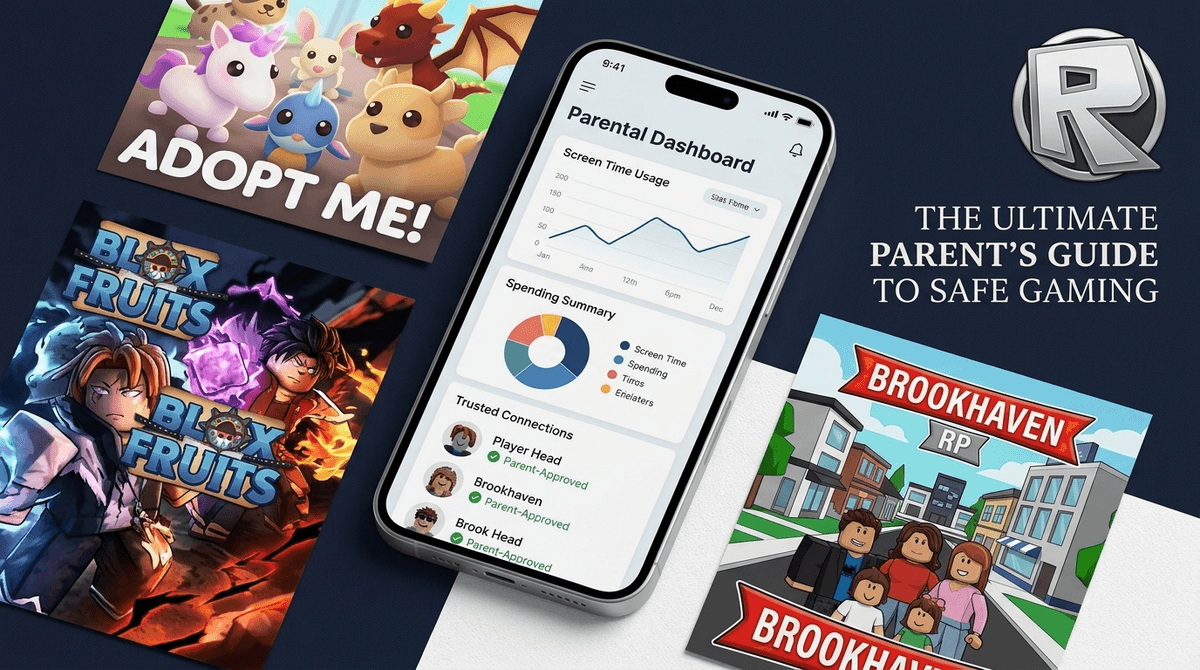
Roblox just dropped its biggest safety update in years, moving away from a "set it and forget it" model to a more active "Parental Privilege" system. The highlights:
- Remote Management: You can now link your account to theirs and see their friend list or set screen time limits from your own phone.
- Chat Lockdown: Users under 13 are now restricted from DMing people outside of games unless you specifically opt them in.
- Content Labels: "Age Ratings" are out; "Content Labels" (Minimal, Mild, Moderate, Restricted) are in.
- Facial Verification: To prove you’re an adult or to let your teen access "Restricted" content, Roblox is leaning heavily into facial age scans.
Learn how to set up the new Roblox Parental Controls
Is Roblox actually safe for 7-year-olds? Check out our review of Minecraft as a Roblox alternative
If you feel like you just finished figuring out the old Roblox settings, I’m sorry to be the bearer of news: they changed everything. But for once, the changes are actually helpful for parents who don't want to spend their Saturday nights auditing a 10-year-old’s friend list.
For years, Roblox was a bit of a Wild West. You had to physically take your kid's iPad, go into the settings, and hope they didn't change them back the second you walked away. The new system allows you to link your account to theirs. You get a dashboard on your own device that shows you their average screen time and, more importantly, who they are talking to.
The biggest "stranger danger" risk on Roblox hasn't usually been the games themselves—it’s the chat. Predators and scammers don't usually hang out in the middle of a "Skibidi Toilet" obby; they lure kids into private DMs or onto third-party apps like Discord.
Under the new rules, kids under 13 cannot send or receive direct messages outside of a specific game environment unless a parent approves it. This is a massive win. It means your 10-year-old can still play Adopt Me! and chat with people about trading pets, but a random user can’t message them privately while they’re sitting in the main menu.
Roblox used to categorize games by age (9+, 13+, etc.). They’ve realized that age is a terrible metric for maturity. Now, they use Content Labels:
- Minimal: Think Color or Die. Very little gore, no real violence, just basic fun.
- Mild: May have some "slapstick" violence or mild unrealistic blood.
- Moderate: This is where things get "Ohio" (weird/chaotic). Think Brookhaven or Berry Avenue where roleplay can get a bit mature, or games with more intense combat.
- Restricted: Only for users 17+ who have verified their age with a government ID and a facial scan. This includes strong violence, heavy blood, and "crude humor."
If your kid is under 9, Roblox will now default them to "Minimal" and "Mild" content. You have to manually go in and "unlock" Moderate content if you think they can handle it.
You might have seen a prompt asking for a "Facial Age Verification." This is Roblox’s way of trying to stop 12-year-olds from pretending they are 25.
Essentially, the app uses the camera to scan your face to estimate your age. They claim they don't store the raw biometric data, but for privacy-conscious parents, this feels a bit "Big Brother."
The No-BS Take: If you want your teen to have access to 17+ games or if you want to use the "Parental Privileges" features, you’re probably going to have to do the scan. If you’re uncomfortable with that, your kid will simply be restricted to the lower-tier content. Honestly? Most kids under 14 don't need access to anything that requires a facial scan anyway.
To us, Roblox looks like a low-res nightmare of flickering lights and screaming toddlers. To them, it’s the digital mall. It’s where they go after school to hang out.
The "Stranger" issue is real, but it’s often more about Social Engineering than "Stranger Danger." Scammers will try to convince kids to trade rare items or "Robux" (the in-game currency) by clicking links.
Roblox is rolling out a feature where parents can see exactly who their kids are friending. This is huge because "friends" on Roblox aren't always friends in real life.
Pro-tip: Sit down with your kid and look at their friend list. If they have 200 friends and they only know 5 people from school, it's time for a "digital pruning." The new dashboard makes this much easier to monitor without having to hover over their shoulder while they're trying to play Blox Fruits.
Instead of making this a "I'm spying on you" conversation, frame it as "Roblox made some updates to keep scammers out, and I need to link our accounts to make sure your Robux stay safe."
Questions to ask them:
If you’ve decided that Roblox is just too much "brain rot" or the stranger risk feels too high for your family's current stage, there are plenty of other options that offer creativity without the chaotic social baggage.
The gold standard. If you play on a private server or a local world, there are zero strangers. It’s pure entrepreneurship and engineering. Check out our guide on setting up a safe Minecraft server
For the younger crowd (Ages 5-9) who loves the roleplaying aspect of Roblox but doesn't need the online chat. It’s a closed ecosystem. Toca Life World review
If they like the "social" aspect and decorating houses, this is a much "cozier" and safer environment. Why Animal Crossing is the ultimate low-stress game
It’s basically Fortnite meets Minecraft. It has much better built-in parental controls than the standard Roblox experience.
Roblox isn't going anywhere. For most kids, it’s a foundational part of their social life. The new updates are a massive step in the right direction, giving us the tools to be "intentional" without being "overbearing."
The goal isn't to lock them in a digital bubble, but to make sure that when they are in the "digital mall," you’re the one holding the keys to the exit.
- Download the Roblox app on your own phone.
- Create your own account (if you haven't already).
- Link your account to theirs via the "Parental Controls" menu in their settings.
- Set the Content Label to "Mild" or "Moderate" based on their age.
- Turn off DMs for anyone under 13.
Get a step-by-step walkthrough of the new settings
Check out our list of the best Roblox games for kids that aren't 'brain rot'