

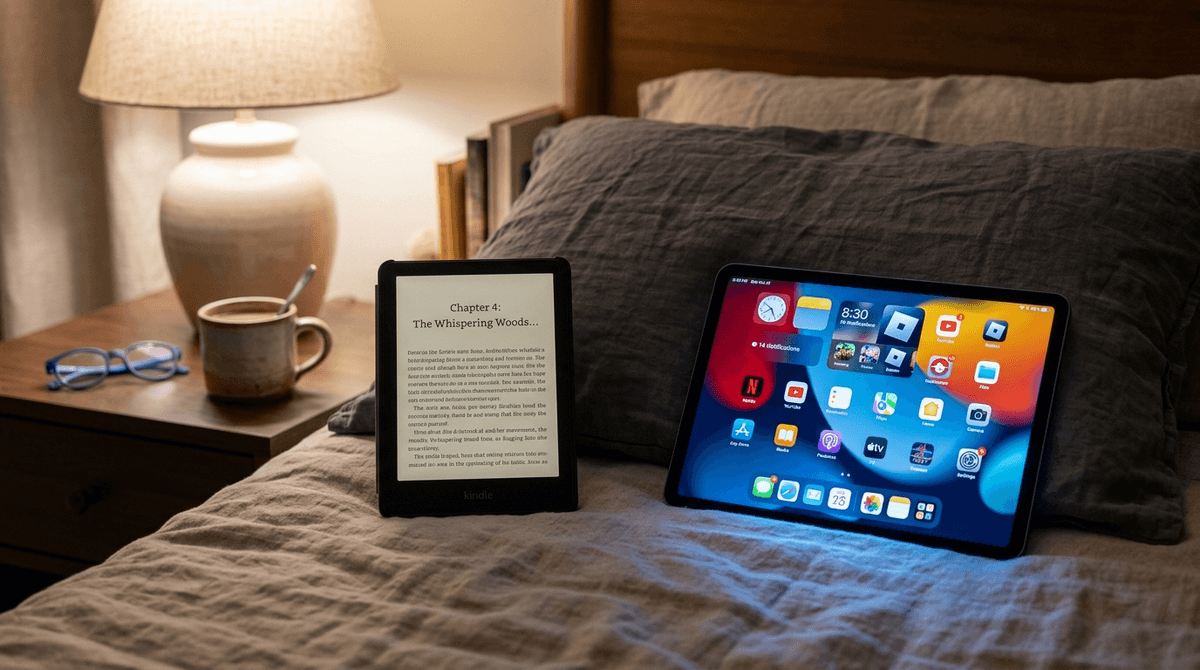
TL;DR: Reading on a Kindle is fundamentally different from "screen time" on an iPad. Because of E-ink technology and the lack of dopamine-loop distractions, most experts (and intentional parents) categorize Kindle reading as "reading," not "digital consumption." If you're looking to transition your kid away from brain rot and toward deep focus, the Kindle Paperwhite Kids is the gold standard.
Top recommendations for Kindle-ready readers:
- The Gateway Series: Percy Jackson & The Olympians
- For Graphic Novel Fans: Amulet
- The "Must-Read": The Wild Robot by Peter Brown
- The Free Resource: Libby (connects to your local library)
We’ve all been there. It’s 7:30 PM, the "screens off" rule is technically in effect, but your ten-year-old is huddled under the covers with a Kindle. Do you confiscate it? Do you count those 45 minutes against their weekend Roblox quota? Or do you do a quiet fist pump because they’re actually reading something that isn't a YouTube comment section?
The term "screen time" has become a bit of a linguistic trap. It lumps Khan Academy in with Skibidi Toilet marathons, and it treats a digital book the same way it treats Fortnite. But when we talk about digital wellness, we have to look at two things: the hardware (how it affects the body) and the software (how it affects the brain).
The biggest mistake we make is assuming a screen is a screen.
Most devices—your phone, the iPad, the TV—use LCD or OLED displays. These are essentially grids of tiny lightbulbs blasting blue light directly into your child's retinas. This light suppresses melatonin, which is why "just one more video" at 9:00 PM leads to a kid who is still bouncing off the walls at 11:00 PM.
The Kindle Paperwhite Kids, however, uses E-ink. This isn't a back-lit screen; it’s a display of tiny physical particles that move around to create text. It looks like paper because, visually, it behaves like paper. There is no blue light glare. If you turn the "front light" off, you actually need a lamp to read it, just like a physical book.
From a physiological standpoint, E-ink doesn't trigger the "alertness" response that an iPad does. It’s why you can read a Kindle for three hours without your eyes feeling like they’ve been fried in a skillet.
If the hardware is the body, the software is the soul. This is where the iPad fails as a reading device for kids.
An iPad is a dopamine slot machine. Even if your child is using the Kindle app or Epic! on a tablet, they are exactly one swipe away from YouTube, TikTok, or Minecraft. The cognitive load required to stay in a book while the entire internet is whispering in the next tab is too much for most adults, let alone a third-grader.
The Kindle (the physical device) is a "single-purpose" tool. It does one thing: it displays books. There are no notifications, no "Ohio" memes popping up, and no tempting app icons. This fosters Deep Work—the ability to focus on a single task for an extended period.
In 2026, focus is a superpower. If a Kindle helps your kid build that muscle, it’s not just "not bad"—it’s arguably the most productive piece of tech they own.
You’d think kids would find a black-and-white screen "mid" or "boring," but the Kindle Kids experience is actually pretty sticky for a few reasons:
- The "Tech" Factor: It still feels like a gadget. For a kid who is begging for a phone, a Kindle is a bridge.
- Instant Gratification: They can finish book one of Wings of Fire and have book two in thirty seconds.
- Privacy: No one can see the cover of what they’re reading. For middle schoolers who might be self-conscious about reading "baby books" or exploring niche interests, the Kindle is a safe space.
- Vocabulary Tools: They can long-press any word to get a definition. It turns reading into a low-friction learning experience without them feeling like they're in school.
If you’re ready to lean into the Kindle life, you need the right content. Here is what is actually moving the needle for kids right now:
Ages 7-12 This is the ultimate "gateway" book for the digital generation. It deals with technology, nature, and belonging. It’s poignant, beautifully illustrated (which looks great on E-ink), and recently became a major motion picture, which usually gets kids interested in the source material.
Ages 9-14 Rick Riordan is the king of the "fast-paced" read. If your kid has a short attention span because of YouTube Shorts, Percy Jackson is the antidote. The chapters are punchy, the humor is snarky, and the stakes are high.
Ages 8-12 Many parents worry that graphic novels "don't count" as reading. We disagree. Amulet is a cinematic masterpiece in book form. While graphic novels are better in color on an iPad, the high-contrast art of Amulet holds up surprisingly well on the newer Kindle Paperwhite screens.
For Parents Stop buying every single book. Install Libby on your phone, link your library card, and you can "send to Kindle" almost any ebook for free. It’s the ultimate hack for keeping a voracious reader fed without draining your bank account.
Check out our guide on the best graphic novels for reluctant readers
- Ages 5-7: Stick to physical books. The tactile experience of turning pages and the vibrant colors of picture books are crucial for early literacy. A Kindle at this age is often more of a toy than a tool.
- Ages 8-12: The Sweet Spot. This is when kids transition to chapter books. A Kindle Paperwhite Kids is a perfect birthday or holiday gift here.
- Ages 13+: At this point, they might prefer reading on their phones via the Kindle app. While not ideal (blue light, distractions), it’s better than not reading at all. Encourage the "Dark Mode" setting to save their eyes.
When you buy a Kindle Kids, it usually comes with a year of Amazon Kids+. This is a subscription service that gives them access to thousands of books.
The No-BS Take: It’s a mixed bag. While there are gems like Harry Potter and Artemis Fowl, there is also a lot of "filler" content—basically the book version of "brain rot" (think low-quality novelizations of cartoons).
Don't just set them loose. Use the Screenwise guide to curating a digital library to help them find the high-quality stuff so they don't get bored and abandon the device for the Nintendo Switch.
Is Kindle reading "screen time"? No.
In the Screenwise universe, we categorize Kindle reading as "Green Time"—it's nourishing, it builds focus, and it doesn't have the "crash" associated with high-dopamine digital play.
If your kid is reading on a Kindle, leave them alone. Let them stay up an extra 20 minutes. Let them take it to the restaurant. In a world of Roblox and TikTok, a kid lost in a book—even a digital one—is a massive win.
- Audit the Screen: If your kid is "reading" on an iPad, check the Screen Time logs. Are they actually in the Kindle app, or are they switching to Safari every five minutes?
- The Library Hack: Get a library card and download Libby today.
- Model the Behavior: If they see you scrolling Instagram while they’re supposed to be reading their Kindle, it’s a lost cause. Grab your own Kindle and join them.
Learn more about how to set up a Kindle Kids for the first time