

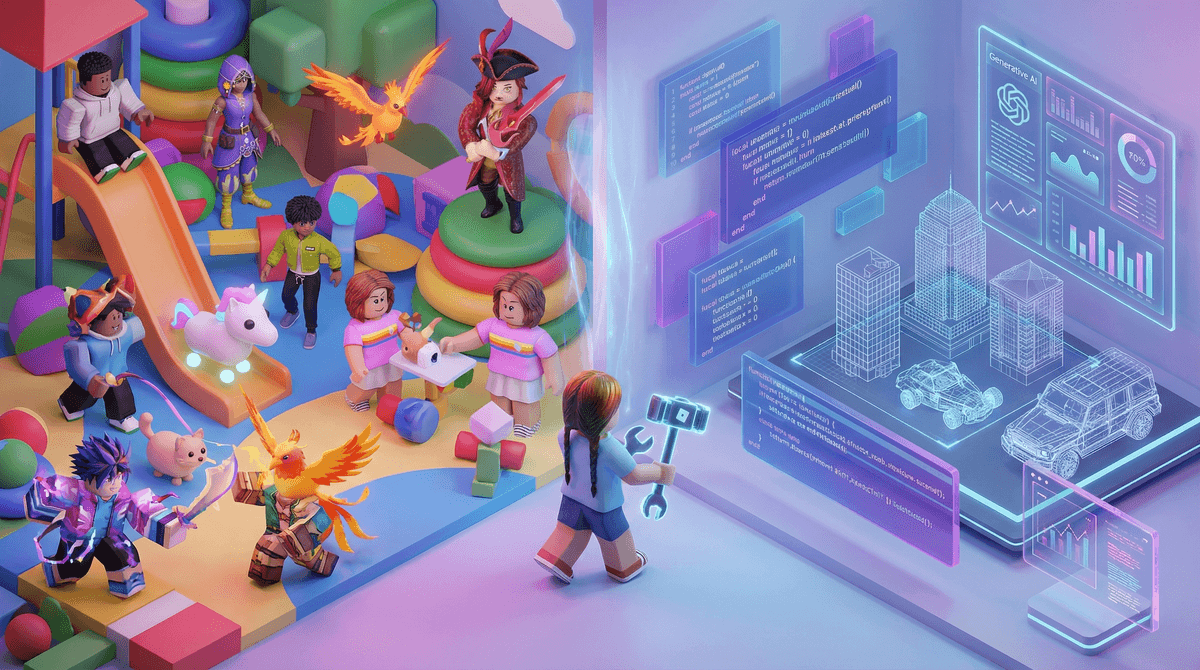
TL;DR: Roblox is both a sophisticated game engine and a digital shopping mall. If your kid is just playing Blox Fruits all day, it's a game (and a pricey one). If they are opening Roblox Studio and using the new 2025 generative AI tools to build worlds, it’s a career-starting creative tool. The goal for intentional parents is to move them from "consumer" to "creator."
Quick Links:
If you haven’t looked at Roblox since 2020, it’s time for an update. It is no longer just a collection of blocky characters jumping on platforms. In 2026, Roblox is a massive ecosystem where over 70 million people hang out daily. It’s less of a "game" and more of a "platform"—sort of like if YouTube and Minecraft had a baby that was obsessed with micro-transactions.
The platform is split into two very different experiences:
- The Client (The Player): This is what your kid sees on their iPad or PC. They browse "experiences" (games) like Brookhaven RP or Dress to Impress.
- Roblox Studio: This is the professional-grade development environment where those games are actually made.
To a kid, Roblox is the mall, the park, and the movie theater all in one. It’s where social status is built. If your kid is worried about being a "Bacon Hair" (a default, free skin), it’s because Roblox has successfully tied digital appearance to social standing.
You’ll hear them talking about Skibidi Toilet themed games or calling a glitchy game "so Ohio" (which, in 2026 internet-speak, basically means weird, cringey, or substandard). They love it because it’s infinitely varied. If they get bored of Adopt Me!, they can jump into a competitive shooter like Frontlines in two clicks.
This is the big question. Is your kid "learning to code" or just "learning to gamble"?
If your child is spending time in the Studio, the answer is a resounding yes. Roblox uses a programming language called Lua. It’s a real-world language used in professional software development. In 2026, Roblox integrated advanced Generative AI into the Studio. Now, kids can type "make a neon cyberpunk skyscraper with a working elevator" and the AI helps generate the code and 3D models.
- The Pro: This lowers the barrier to entry. A 10-year-old can now prototype a game idea in an afternoon.
- The Con: It can lead to "lazy building" where they don't actually understand the underlying logic.
Entrepreneurship or Exploitation?
Roblox loves to tout stories of teenagers making millions of dollars. While technically possible, it’s about as likely as your kid becoming an NBA star. The "Roblox Economy" is heavily weighted in favor of the platform. Roblox takes a massive cut (up to 70%) of the Robux earned before a developer can even think about "Cashing Out" for real USD.

For 90% of kids, Roblox is just a high-octane consumption engine. Many of the most popular games are designed with "dark patterns"—psychological tricks used to keep kids playing and spending.
Blox Fruits (Ages 9+)
This is one of the biggest games on the platform. It’s based on anime and involves a lot of grinding (doing the same task over and over) to level up. It’s "brain rot" in the sense that it doesn't require much critical thinking, but it’s highly addictive because of the constant dopamine hits from leveling up.
Adopt Me! (Ages 7+)
On the surface, it’s about raising cute pets. In reality, it’s a high-stakes trading simulator. The pressure to get a "Legendary Neon Dragon" can lead to kids getting "scammed" by other players in trades, which is often a child's first experience with digital heartbreak.
Dress to Impress (Ages 8+)
A massive hit in late 2024 and 2025, this game is all about fashion and voting. It’s creative in a "styling" sense, but it also reinforces heavy focus on aesthetics and social approval.
The "Right" age for Roblox is a moving target, but here is the Screenwise breakdown:
- Ages 5-7: Generally not recommended. The social interface is too chaotic, and the moderation—while better than it used to be—still misses things. If they must play, stick to PBS Kids or Scratch Jr.
- Ages 8-10: The sweet spot. This is when they want to play what their friends are playing. Strict parental controls are a must. You should disable the "Chat" feature entirely at this age.
- Ages 11-13: This is the age to introduce Roblox Studio. If they want Robux, tell them they have to try to build a simple "Obby" (obstacle course) first.
- Ages 14+: They are likely moving on to more complex games like Fortnite or Valorant, but they might still use Roblox as a hangout spot.
Roblox has faced significant heat regarding child safety, and to their credit, they’ve implemented "Allowed Experiences" (age ratings) and improved chat filters. However:
- The "Predator" Risk: It’s still a social network. Predators don't usually hang out in the games; they try to move kids from Roblox chat to Discord. Rule #1: Never move the conversation to another app.
- The Content Risk: "Condo games" (user-generated maps with adult content) pop up and get deleted within hours. Your kid might stumble upon one if they are looking for them.
- Financial Risk: It is incredibly easy for a kid to spend $100 in ten seconds. Never link your credit card directly to the account. Use gift cards or the "Request to Buy" feature on Apple/Google.
Instead of saying "Get off that junk," try to engage with the logic of the game.
- Ask: "Why is that pet so rare?"
- Ask: "How do you think the person who made this game earns money?"
- The Pivot: "I saw this cool 3D building tool in Roblox Studio. Do you think we could make a version of this game that’s better?"
If your kid is obsessed with the "aesthetic" or "preppy" side of Roblox, talk about how digital clothes are designed. This can lead to an interest in Canva or actual fashion design.
Is Roblox a creative tool? It has the potential to be the best game design school on earth. Is it just a game? For most kids, it’s an expensive, noisy, and occasionally "brain rot" filled distraction.
The difference lies in how they use it. If they are just "playing," keep the time limits tight and the wallet closed. If they are "building," give them all the resources they need.
Next Steps
- Audit the "Played" list: Look at what games your kid has played in the last week. Are they all "Obbies" and "Tycoons" (low effort)?
- Install Roblox Studio: If they have a laptop or PC, install the Studio and watch a YouTube tutorial on "How to make your first Roblox game" together.
- Set a Robux Budget: Stop the "can I have $5" pestering. Set a monthly allowance and when it's gone, it's gone.