

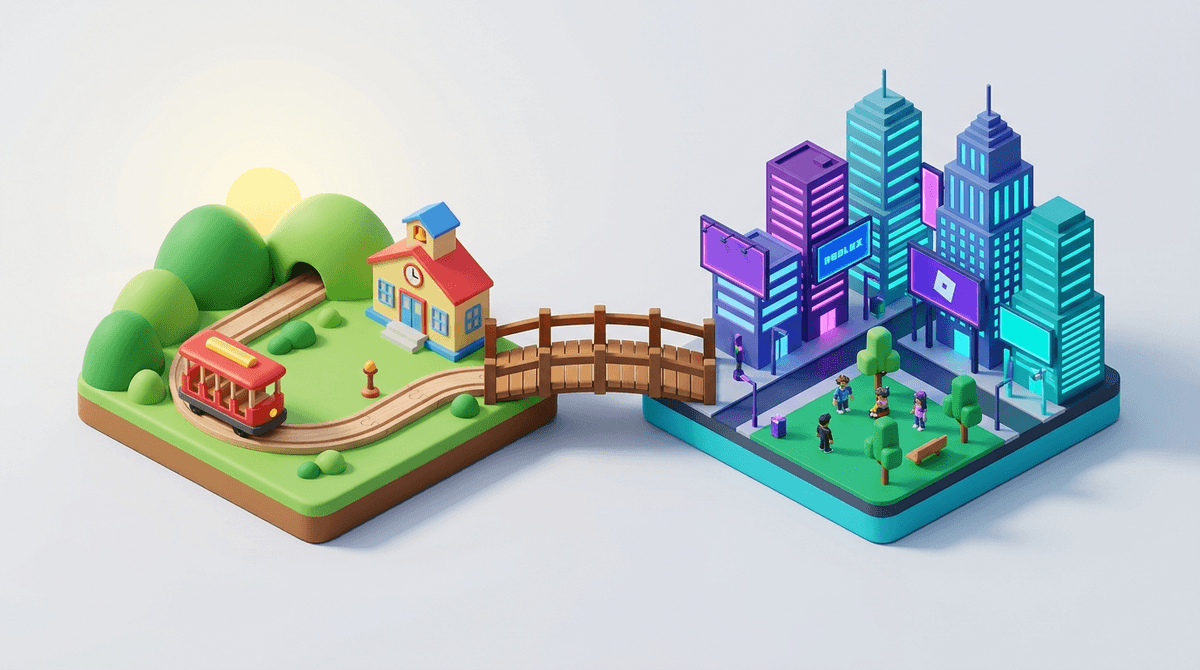
TL;DR: Moving from the curated safety of PBS Kids to the sprawling universe of Roblox is the digital equivalent of moving from a padded playroom to a massive, unmonitored city. It’s a huge jump in agency, social complexity, and risk. To bridge the gap, we recommend "training wheels" games like Toca Life World, Sago Mini World, and Minecraft in Creative Mode before diving into the deep end of user-generated chaos.
One day you’re watching your kid learn about emotional regulation with Daniel Tiger's Neighborhood or exploring biology with Wild Kratts. The next, they’re asking you for "Robux" so they can buy a virtual neon unicorn in Adopt Me! and telling you that your kitchen is "so Ohio" (which, for the uninitiated, basically means it’s weird or cringe).
The transition from "educational media" to "social gaming" usually happens between ages 6 and 9, and it can feel like a total loss of control. On PBS Kids, every click is safe, every character is a mentor, and the "curriculum" is vetted by experts. On Roblox, the content is made by anyone from a professional studio to a random 14-year-old in his basement.
It’s a jump from a walled garden to the Wild West. Here is how to navigate that transition without losing your mind—or your bank account balance.
When kids play on the PBS Kids Games website, they are consumers of a pre-set experience. They are learning math with Peg + Cat or problem-solving with Odd Squad.
Roblox is fundamentally different. It isn’t a "game"—it’s a platform. It’s more like YouTube, but instead of videos, people upload interactive experiences. This shift matters because:
- It’s Social: Kids aren't just playing; they are hanging out.
- It’s Creative: They aren't just following a story; they are building their own.
- It’s Economic: There is a real-world cost to "fitting in" via digital skins and items.
If you jump straight from Donkey Hodie to the public servers of Brookhaven RP, your kid is going to encounter some "brain rot" content or potentially "sus" (suspicious) chat interactions before they have the maturity to handle them.
Instead, look for "bridge" media that introduces agency and digital creativity without the intense social pressure of a massive multiplayer environment.
Toca Life World (Ages 5-8)
This is the ultimate "training wheels" app for Roblox. It’s essentially a digital dollhouse. Kids can move characters around, decorate houses, and "play pretend." There is no public chat and no one can "grief" (ruin) their world. It teaches the basic mechanics of digital world-building and character customization in a safe, offline environment.
Minecraft (Ages 7+)
If Roblox is a city, Minecraft is a sandbox in your own backyard. In "Creative Mode," it’s purely about building. In "Survival Mode," it introduces light stakes and resource management. If you keep them on a private "Realm" or local play, you avoid the toxicity of public servers while letting them flex those "entrepreneurial" muscles. Check out our guide on Minecraft vs. Roblox
Sago Mini World (Ages 3-6)
For the younger end of the spectrum who are aging out of Sesame Street, Sago Mini offers open-ended play that encourages exploration without the rigid "right or wrong" of traditional educational games.
When your child finally makes the jump to Roblox, don't just hand them the iPad and walk away. The platform is flooded with "Skibidi Toilet" knock-offs and low-quality clickbait games. Start with these more structured, creative options:
This is essentially The Sims within Roblox. It actually teaches some decent lessons about work and reward—you have to "work" a job (like delivering pizzas) to earn money to build your house. It’s a much slower, more intentional pace than the chaotic "pet-trading" frenzy of other games.
This is a "grind" game, but it’s famously one of the less toxic corners of the platform. It’s mostly about collecting pollen and upgrading your bees. It’s a great way to see if your kid can handle the "I want to buy a boost" urge without the social pressure of other players seeing their "noob" status.
"Obbys" are simple platforming games. They are great for developing motor skills and patience. Just be wary of the ones that use "mega-easy" in the title but then try to sell you "skips" for real money every 30 seconds.
We aren't going to pull punches here: Roblox has a grooming problem and a gambling problem. That doesn't mean your kid shouldn't play it, but it means you can't treat it like PBS Kids.
- The Chat is the Danger Zone: Even with filters, kids find ways to bypass them. They use "leetspeak" or emojis to communicate things they shouldn't.
- The "Robux" Trap: The platform is designed to make kids feel like "noobs" (the ultimate insult) if they don't have the latest skins. This isn't just a game; it's a fashion show where the clothes cost real money.
- Privacy Settings: You can—and should—lock down the account. You can disable chat entirely or limit it to friends only. Read our guide on setting up Roblox parental controls
The transition from PBS Kids to Roblox is a great time to start having "Digital Wellness" conversations.
Instead of saying: "That game is garbage and it's rotting your brain." Try saying: "I noticed this game tries really hard to get you to spend money. Why do you think they do that? Do you think the game is still fun if you don't buy the neon pet?"
Instead of saying: "Don't talk to strangers." Try saying: "In Roblox, people can pretend to be kids when they aren't. If anyone asks you for your name, what school you go to, or wants to move the conversation to 'Discord' or another app, that's a red flag. Come tell me immediately."
Learn more about how to talk to your kids about online "stranger danger"
The jump from Daniel Tiger to Bloxburg is inevitable for most families. The goal isn't to prevent the jump, but to make sure they land on solid ground.
Start with creative, closed-loop apps like Toca Life World. Move to Minecraft to teach them how to handle a 3D world. And when they finally get to Roblox, stay involved. Sit next to them while they play. Ask them to show you their house.
If they start saying everything is "from Ohio" or talking about "Skibidi," don't panic. It’s just the new language of the playground. As long as you’re keeping an eye on the chat and the credit card bill, they’ll be just fine.
- Audit the Apps: Check if your child is ready to move past PBS Kids by trying a week of Minecraft first.
- Set the Budget: If you decide to allow Roblox, set a monthly "Robux allowance." When it's gone, it's gone.
- Check the Settings: Go into the Roblox settings today and ensure "Account Restrictions" are toggled on to limit the games they can access to a curated list.