

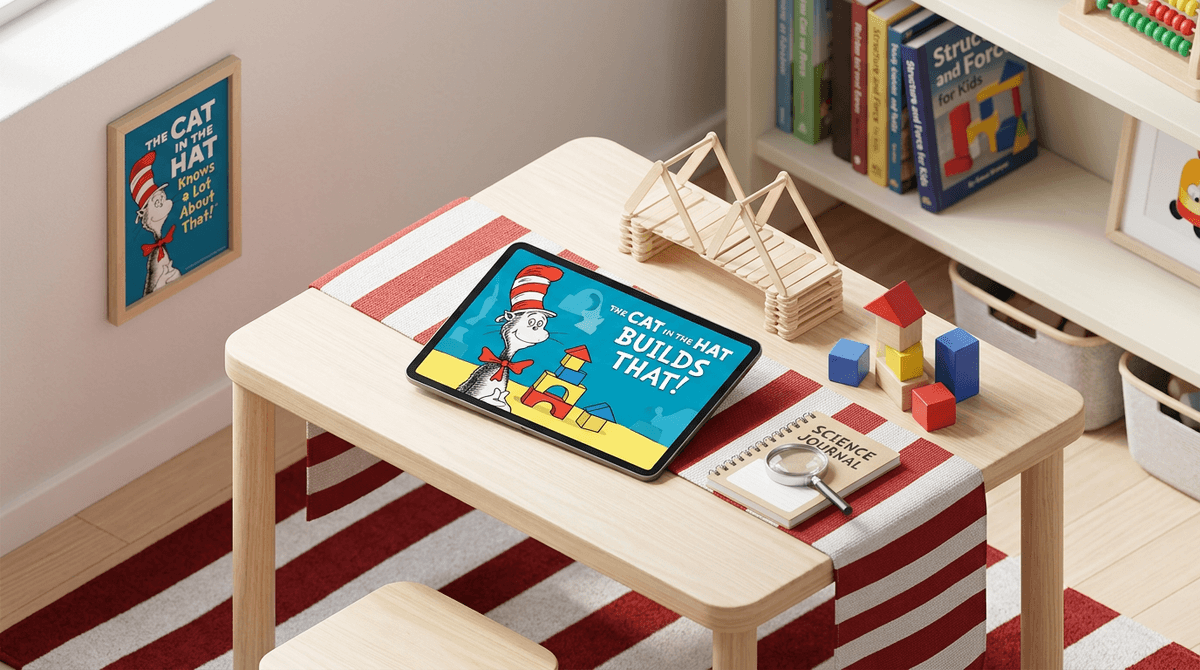
TL;DR: The Cat in the Hat Builds That! is a rare gem in the preschool app world: it’s actually educational, completely free, and contains zero ads or "accidental" $99 in-app purchases. It uses basic engineering and physics concepts to keep kids engaged without the overstimulating "brain rot" found in many toddler YouTube channels. If you need 20 minutes to drink a coffee while it’s still hot, this is the high-quality distraction you’re looking for.
Quick Links:
- The Show: The Cat in the Hat Knows a Lot About That!
- The App: The Cat in the Hat Builds That!
- Alternative: Khan Academy Kids
- Alternative: Sago Mini World
If you’ve spent any time in the PBS Kids ecosystem, you’re likely familiar with the Dr. Seuss revival. This app is the digital extension of the show The Cat in the Hat Knows a Lot About That!, voiced by Martin Short (who brings a level of chaotic energy that somehow works perfectly for STEM education).
The app isn't just one game; it’s a collection of five "building" challenges that focus on the scientific method—specifically for the 3-to-5-year-old set. We’re talking about things like:
- Bridge-a-rama: Measuring heights and testing materials to get the Thingamajigger across a gap.
- Slumber Slumber: Sorting and matching patterns to help creatures get to sleep.
- Sorta-ma-gogo: Identifying attributes (color, shape, size) to organize a chaotic room.
It’s designed to feel like a playground rather than a classroom. There are no "wrong" answers that lead to a loud buzzing sound or a sad face; if a bridge collapses, the Cat just encourages the child to try a different material. It’s low-stakes, high-reward, and surprisingly sturdy in its educational scaffolding.

Let’s be real: preschoolers love power. They love being the boss of a digital world where they can move heavy objects and make things go "zoom."
- The "Thingamajigger": The Cat’s iconic vehicle is a huge draw. Kids get to customize it and drive it through the worlds they’ve helped "build."
- The Stickers: The app uses a classic "win a sticker for your digital book" reward system. It’s a simple dopamine hit that doesn't feel as predatory as the loot boxes you'll find in Roblox.
- The Voice Acting: Having the characters talk directly to the child makes it feel like an interactive episode of the show. It’s comforting and familiar.
In a world where older siblings might be talking about "Ohio" or watching "Skibidi Toilet" (terms that, let's face it, feel like a fever dream to explain), The Cat in the Hat Builds That! feels like a safe, wholesome harbor. It’s "old school" Dr. Seuss charm meets modern educational tech.
We talk a lot at Screenwise about intentionality. Most of us aren't "no-screen" parents—we're "good-screen" parents. We want the time our kids spend on a tablet to actually do something for their brains, or at the very least, not melt them.
This app is a prime example of "active" vs. "passive" screen time.
- Passive: Watching a 10-minute video of someone opening surprise eggs.
- Active: Deciding if a bridge made of "bouncy" material will support a heavy vehicle.
The app also includes a "For Parents" section that suggests real-world activities. If your kid just finished the bridge-building game, the app might suggest you go into the kitchen and try to build a bridge out of spoons and napkins. This "bridge" (pun intended) between the screen and the physical world is exactly what digital wellness experts recommend for the preschool age group.
Ages 3-4: This is the sweet spot. They might need a little help navigating the menus at first, but the "no-fail" mechanics mean they won't get frustrated and throw the iPad across the room. It’s great for fine motor skills (tapping and dragging).
Ages 5-6: They might breeze through the levels quickly, but they’ll still enjoy the "Garden" and "Treehouse" customization features. At this age, you can start asking them why they chose a certain material for their build.
Ages 7+: Probably too babyish. If your kid is in 1st or 2nd grade, they’re likely ready for something with more complexity, like Minecraft (in Creative Mode) or Scratch Jr.
If your little builder has exhausted the Cat's world, here are a few other high-quality, parent-approved options:
The gold standard. It's 100% free, forever. It covers everything from reading to social-emotional learning. If The Cat in the Hat Builds That! is the science lab, Khan Academy Kids is the entire school.
This is a subscription-based app, but it is incredibly well-designed. It focuses more on "creative play" (digital dollhouses, basically) than strict STEM, but it shares the same gentle, non-addictive vibe.
A bit more complex and features in-app purchases (so watch out!), but it’s the ultimate digital sandbox for kids who love to build stories. Read our guide on managing Toca Boca in-app purchases
If you want the Cat but also want Daniel Tiger and Wild Kratts, this "portal" app contains dozens of mini-games from all the PBS shows. It’s a great one-stop shop.
In a word: Yes.
Because this is a PBS Kids product, it adheres to the strictest privacy standards (COPPA compliant).
- No Ads: Your kid won't be targeted by toys or junk food ads.
- No Chat: There is zero social interaction. No strangers can talk to your child.
- No Data Tracking: They aren't selling your toddler's "bridge-building preferences" to a third-party data broker.
- No In-App Purchases: You won't wake up to a $400 bill for "Seuss Coins."
The only "risk" is the usual one: eye strain and the struggle of "the transition" (that fun moment when you have to take the tablet away and they act like the world is ending).
Learn how to handle screen time transitions without a meltdown
One cool feature of The Cat in the Hat Builds That! is the camera tool. In the "Science Journal" section, kids are encouraged to take photos of things they build in real life.
Pro-tip: If you’re worried about your camera roll being filled with 400 blurry photos of a LEGO tower (we've all been there), you might want to show them how to use this specific feature so the photos stay within the app's "journal" rather than your main cloud storage.
Also, be prepared for the songs. The music is catchy in that "I will be humming this while I'm trying to fall asleep at 11 PM" kind of way. It's a small price to pay for a quiet 20 minutes.
The Cat in the Hat Builds That! is exactly what we want preschool tech to be. It’s respectful of the child’s intelligence, it’s safe, and it actually encourages off-screen play.
It’s not going to teach them to code in Python by age four, but it will teach them that failing at a build is just part of the "research" phase. In a digital world that often feels like it's designed to keep kids addicted to the next swipe, the Cat is a welcome, whimsical breath of fresh air.
Next Steps:
- Download The Cat in the Hat Builds That! on your tablet.
- Set a 20-minute timer (use the "Guided Access" feature on iPad to lock them into the app).
- Drink your coffee.
- When the timer goes off, ask them to show you their "Science Journal" and maybe build a real bridge out of couch cushions.