

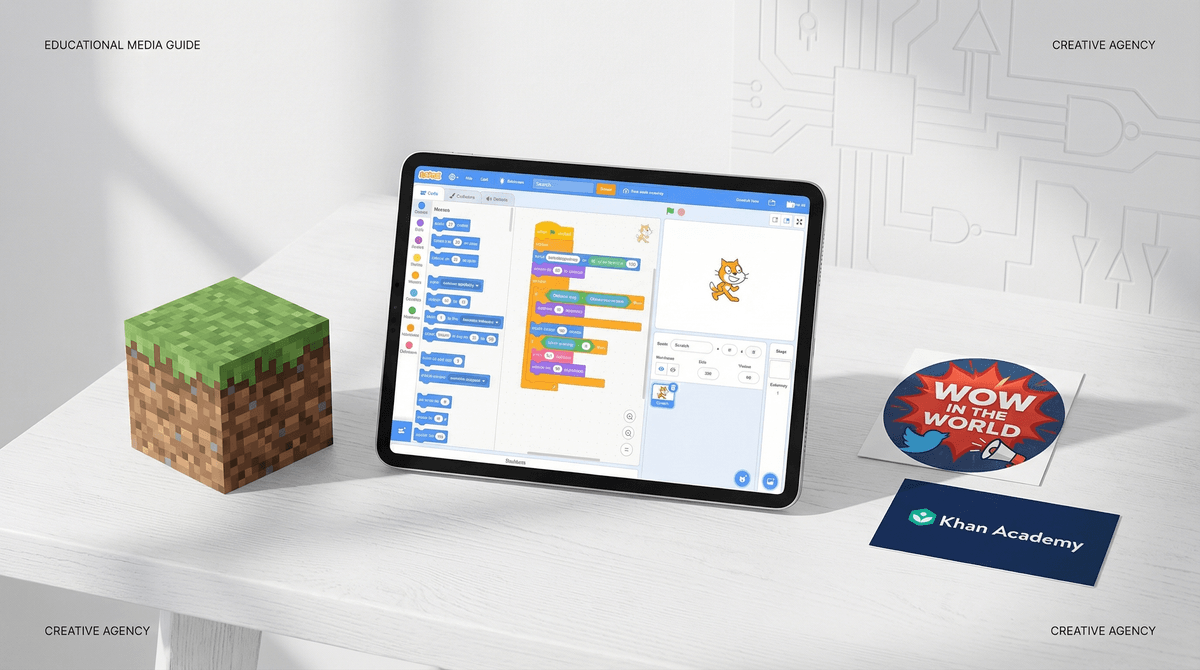
TL;DR: Most "educational" apps are just digital worksheets with better graphics. To find real value, look for platforms that prioritize creation over consumption, offer open-ended "sandbox" play, and require active problem-solving rather than just tapping a screen for a hit of dopamine.
Top Picks for Real Learning:
- Best for Coding: Scratch
- Best for Systems Thinking: Minecraft
- Best for Logic: Turing Tumble
- Best for Curiosity: Wow in the World
- Best for Academic Mastery: Khan Academy
We’ve all been there. You’re at the grocery store, your seven-year-old is starting to vibrate at a frequency that suggests an imminent meltdown, and you hand over the phone. You feel that twinge of "screen time guilt," so you steer them toward a folder labeled "Learning."
They open an app with a friendly owl or a bright green monster. There’s upbeat music, lots of gold stars, and maybe some basic addition. You think, “Great, at least they’re learning math.”
But are they? Or are they just "looping"?
In the world of digital wellness, we see a massive difference between Edutainment (content designed to keep a kid occupied under the guise of education) and Digital Agency (tools that actually build a child's brain). Most of what’s marketed to us as "educational" is actually just "pink slime" media—filler that looks like the real thing but has zero nutritional value.
A lot of popular kids' apps use the same "Skinner Box" mechanics as Las Vegas slot machines. They use bright colors, "ding" sounds, and constant rewards to keep kids in a loop.
If the "game" part of the app is just a reward for finishing a "learning" task (e.g., "Solve three math problems to play 30 seconds of a racing game"), that’s a red flag. This teaches kids that learning is a chore to be endured rather than an intrinsically rewarding process. It’s the digital equivalent of "eat your broccoli so you can have a Snickers bar."
Real educational value happens when the mechanics of the game are the learning.
When you’re vetting a new app, game, or YouTube channel, ask yourself these three questions:
1. Is it a "Sandbox" or a "Treadmill"?
A treadmill app has one path. The kid follows instructions, gets a star, and moves to the next level. A sandbox allows for "emergent play." This is why Minecraft is the GOAT. There is no "right" way to play. A kid has to set a goal (e.g., "I want to build a working elevator"), research how to do it, fail, iterate, and finally succeed. That is high-level engineering and logic, even if it looks like they're just moving blocks around.
2. Does it require "Active Creation"?
Is your child making something, or just watching something? Watching a "Life Hacks for Kids" video on YouTube is passive. Using Stop Motion Studio to actually film a movie with their LEGOs is active. We want tools that turn the iPad into a paintbrush or a laboratory, not just a portable TV.
3. Is the "Fail State" Interesting?
In "looping" apps, if you get a question wrong, you usually just get a red 'X' and try again. In high-value content, failure is part of the fun. In a game like Kerbal Space Program, when your rocket explodes, you learn why it exploded (usually physics). That’s where the real learning lives.
If you're looking to swap out the "brain rot" for something with actual substance, here are the heavy hitters we recommend for intentional parents.
-
Developed by MIT, this is the gold standard. It’s not a "game"—it’s a language. Kids use blocks to create their own games and animations. It teaches logic, variables, and community etiquette.
Scratch (Ages 8+)
-
If you want to go screen-free but keep the "digital" thinking, this is a marble-powered computer. It’s brilliant. It teaches how computers actually work at a hardware level without a single battery.
Turing Tumble (Ages 8+)
-
This is Apple’s "real" coding app. It’s beautiful, challenging, and uses the actual code (Swift) that professional developers use.
Swift Playgrounds (Ages 10+)
-
Specifically, look into "Redstone" builds. Redstone is essentially electrical engineering. If your kid is building complex Redstone circuits, they are learning logic gates (AND, OR, NOT) which are the foundation of all modern technology.
Minecraft (Ages 7+)
-
Note: I'm talking about the Studio (the creation tool), not just playing "skibidi toilet" obbys. Roblox is a double-edged sword, but the Studio teaches the Lua programming language and 3D modeling. It’s essentially a free entrepreneurship course—if they can handle the toxicity of the broader platform.
Roblox Studio (Ages 10+)
-
This is a professional-grade illustration tool. It’s not "educational" in the math sense, but it’s a powerhouse for digital literacy and artistic agency.
Procreate (Ages 9+)
-
This is the "Goldilocks" of podcasts—perfectly balanced. It’s funny enough to keep them from asking for YouTube, but scientifically rigorous enough that they’ll actually explain the "wood wide web" to you at dinner.
Wow in the World (Ages 5-12)
-
Think of this as the "Anti-Netflix." It’s all high-quality documentaries. No fluff, no "brain rot" cartoons, just deep dives into history, nature, and tech.
CuriosityStream (Ages 8+)
Preschool (Ages 3-5): Avoid "academic" apps. At this age, their brains need tactile input. If you must use a screen, go for Khan Academy Kids or PBS Kids. They are non-commercial, research-backed, and don't use manipulative "pester power" tactics.
Elementary (Ages 6-10): This is the "Golden Age" for Minecraft and Scratch. Focus on "building" rather than "consuming." If they want to watch YouTube, steer them toward "How-To" creators (like Mark Rober) rather than "Let's Play" streamers who just scream at the camera.
Middle School & Up (Ages 11+): At this point, "educational apps" are mostly over. They should be using adult-level tools. Instead of a "coding game," they should be learning Python on Codecademy. Instead of a "history game," they should be watching Crash Course on YouTube.
Check out our guide on moving from "Kid Tech" to "Real Tools"
Instead of asking "Is that game educational?" (which will make them roll their eyes so hard they might see their own brains), try these conversation starters:
- "That looks complicated. How did you figure out how to build that?"
- "What’s the hardest part of that level? Is it a logic puzzle or just a reflex thing?"
- "If you could change one rule in that game to make it better, what would it be?" (This is secretly a lesson in Game Design).
If they can't explain what they're doing—if they're just staring blankly and tapping—they aren't learning. They’re just in the loop.
Digital learning shouldn't feel like a digital worksheet. It should feel like a superpower. If an app is "easy," it’s probably not teaching much. Real learning is messy, frustrating, and requires a child to actually think their way out of a problem.
Ditch the apps that promise to "teach your toddler to read in 5 minutes" and look for the ones that give your kid the keys to the kingdom. We want them to be the people who build the future, not just the people who click the buttons.
Next Steps:
- Audit the "Learning" folder: Open your kid's favorite "educational" app. If it's 80% animations/rewards and 20% actual thinking, delete it.
- Introduce a "Creation Tool": Download Scratch Jr or Toca Boca World and see what they build when there's no "score."
- Take the Screenwise Survey: See how your family's digital habits compare to your community
