

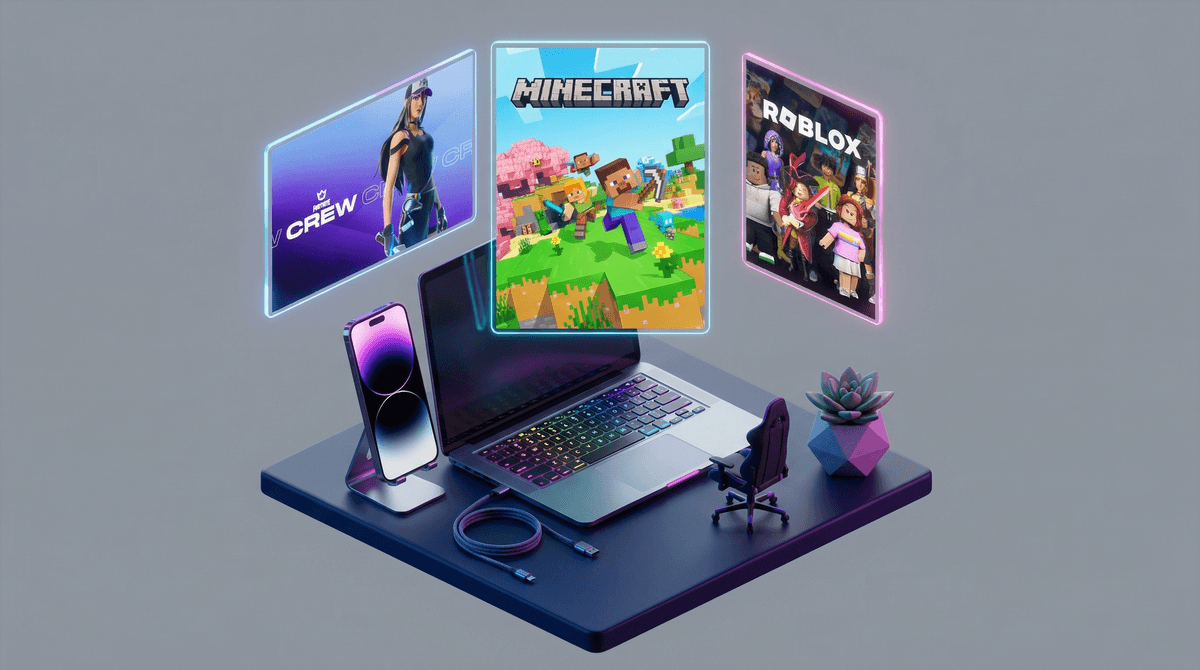
You're shopping for a new device and suddenly everything is "gaming-focused" or "designed for gamers." Gaming phones. Gaming laptops. Gaming monitors. Gaming chairs that look like race car seats. Even gaming routers, because apparently your internet needs RGB lights too.
But here's the thing: "gaming-focused" is marketing speak that means different things depending on who's selling it to you—and understanding what it actually delivers matters a lot when you're making decisions for your family.
Let's decode this.
At its core, "gaming-focused" means a device is optimized for running video games smoothly. Games—especially modern ones like Fortnite, Minecraft with heavy mods, or Roblox experiences with complex graphics—require more processing power, better graphics capabilities, faster refresh rates, and more RAM than, say, typing a Google Doc or watching Netflix.
So a "gaming laptop" typically has:
- A dedicated graphics card (GPU) instead of integrated graphics
- More RAM (16GB vs 8GB)
- A faster processor
- Better cooling systems (games generate heat)
- Higher refresh rate displays (120Hz or 144Hz vs standard 60Hz)
- More aggressive, angular designs with RGB lighting (because aesthetics)
A "gaming phone" might have:
- A more powerful processor
- Better cooling
- Higher refresh rate screen
- Larger battery
- Sometimes physical gaming triggers or buttons
- Gaming mode software that prioritizes performance
Sounds great, right? More power, better performance. What's the catch?
Here's where it gets interesting for parents: a gaming-focused device is simultaneously more capable and more expensive than your kid probably needs.
Let's be real. If your 10-year-old wants to play Minecraft, Stardew Valley, or even Fortnite on lower settings, they don't need a $1,500 gaming laptop. A $500-700 regular laptop will handle those just fine. Most popular games kids actually play are designed to run on a wide range of hardware because game companies want as many players as possible.
But here's the flip side: if you're buying a device that needs to last 4-5 years and will be used for schoolwork, creative projects, and yes, some gaming, a mid-range "gaming" device might actually be the smart investment. That extra power means:
- Better performance for video editing (school projects aren't just essays anymore)
- Smoother multitasking (Zoom school + Chrome tabs + Spotify)
- Longer useful lifespan before it feels sluggish
- Ability to run creative software like Blender, Photoshop, or coding environments
The key is understanding what you're actually paying for and whether it matches your family's needs.
Here's what bugs me about "gaming-focused" marketing: it preys on parents' fear of buying the wrong thing.
The pitch is always the same: "Your kid NEEDS this to game properly. Don't be the parent who bought the laptop that can't run anything." It's designed to make you feel like anything less than "gaming-grade" is setting your kid up for failure and social embarrassment.
But most kids aren't competitive esports players where milliseconds matter. They're playing Roblox with friends, building in Minecraft, or exploring Zelda. A solid mid-range device handles this beautifully.
Also, let's talk about gaming phones specifically. Unless your kid is a mobile gaming enthusiast playing competitive mobile games, a "gaming phone" is complete overkill. Most kids' phone usage is social media, texting, YouTube, and casual games. A regular mid-range phone does all of this perfectly well and costs hundreds less.
Instead of asking "is this gaming-focused?", ask these questions:
1. What will this device actually be used for?
- Homework and school projects? (Google Docs, presentations, research)
- Creative work? (video editing, digital art, music production)
- Gaming? (which specific games?)
- Social connection? (Discord, messaging, video calls)
2. What's the realistic lifespan?
- For a phone: 2-3 years is typical
- For a laptop: 4-5 years if you buy decent specs
- For a desktop: 5-7 years with potential upgrades
3. What's your budget—and what's the opportunity cost?
- A $1,200 gaming laptop vs a $600 regular laptop = $600 that could go toward family experiences, savings, or other priorities
- But a $600 laptop that's sluggish in 2 years vs an $800 laptop that lasts 5 years = false economy
4. Can you future-proof without overspending?
- 16GB RAM instead of 8GB: worth it
- RGB lighting and aggressive styling: not worth it
- Dedicated graphics card for moderate gaming: probably worth it
- Top-tier graphics card for 4K gaming: overkill for most kids
Ages 8-12: Most kids in this age range are playing games that run on almost anything. Minecraft, Roblox, Among Us, Animal Crossing. A standard laptop or tablet is totally fine. Gaming-focused devices are unnecessary unless you're specifically future-proofing for high school.
Ages 13-15: This is where it gets trickier. Gaming interests might get more serious. They might want to play more demanding games with friends. They're also doing more complex schoolwork. A mid-range laptop with decent specs (not necessarily marketed as "gaming") is the sweet spot. Think: good processor, 16GB RAM, maybe a basic dedicated graphics card.
Ages 16+: If they're genuinely into gaming as a serious hobby, or doing creative work like video editing or 3D modeling, investing in better hardware makes sense. But have honest conversations about cost, care, and expectations. A $1,500 laptop is a privilege, not a right.
"Gaming-focused" is marketing language that describes real hardware differences—but it's also designed to make you spend more than you might need to.
The smartest approach: Ignore the "gaming" label. Instead, look at actual specs, read reviews from sources like Wirecutter or RTINGS, and match the device to your family's actual needs and budget. A well-spec'd regular laptop often performs just as well as a flashy "gaming" laptop at a fraction of the cost.
And remember: the best device for your family is the one that fits your values, budget, and actual usage patterns—not the one with the most RGB lights or aggressive marketing.
- Make a list of what your kid actually does on their devices (be specific about games, apps, schoolwork)
- Set a realistic budget that accounts for peripherals, software, and accessories
- Research specific models based on specs, not marketing labels
- Have a conversation with your kid about care, expectations, and the difference between wants and needs
Need help evaluating a specific device or game? See if a specific laptop or phone makes sense for your family .
.