

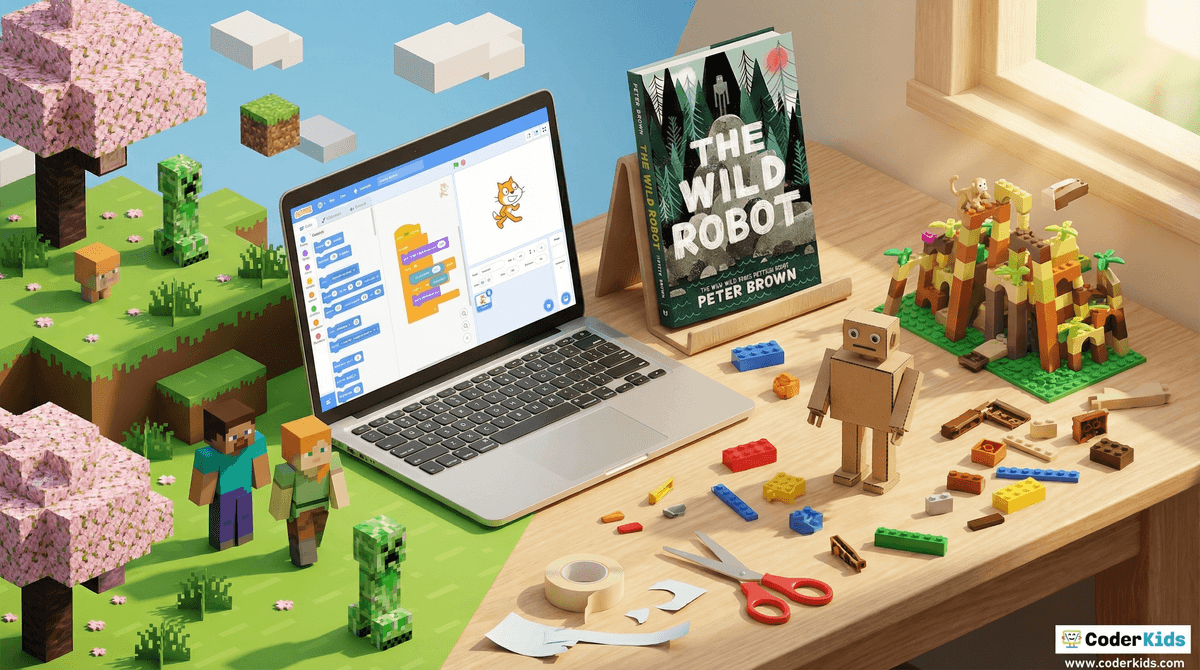
TL;DR: Passive scrolling is the enemy of imagination. To turn "brain rot" into building blocks, we need to bridge the gap between digital creation and physical making. Start with Minecraft for logic, move to Scratch for coding, and ground it all with LEGO or a home makerspace.
Quick Links for Creative Fuel:
- Best for Digital Building: Minecraft
- Best for Learning Logic: Scratch
- Best for Physical/Digital Hybrid: Stop Motion Studio
- Best for Inspiration: The Toys That Made Us
- Best for Open-Ended Narrative: The Wild Robot by Peter Brown
We’ve all seen it: the "zombie stare." It’s that look kids get when they’ve been scrolling through YouTube Shorts or TikTok for forty-five minutes, absorbing a stream of "Skibidi Toilet" memes and "Ohio" jokes that feel like they’re eroding their attention span in real-time. It’s easy to feel like the screen is a black hole for imagination—a place where creativity goes to die, replaced by passive consumption and dopamine loops.
But here’s the reality: the screen isn't the enemy; passivity is.
There is a massive difference between a kid watching a 10-minute video of someone else opening a toy and a kid spending two hours figuring out how to build a functional redstone circuit in Minecraft. One is consumption; the other is engineering.
The goal for intentional parents in 2026 isn't to go "dark" and banish tech. It’s to foster "phygital" play—the sweet spot where digital skills spark physical creation, and where the screen serves as a blueprint rather than a destination.
Before we get into the apps and tools, we have to talk about the "B" word: Boredom.
In a world of instant gratification, we’ve conditioned kids to believe that every second of "dead air" needs to be filled with a device. But boredom is actually the precursor to imagination. When a kid is bored, their brain eventually starts looking for a way out. That’s when the cardboard boxes become spaceships and the LEGO bricks come out.
If we jump in with a tablet the second they complain about being bored, we’re robbing them of the chance to flex their creative muscles. Sometimes the best "digital wellness" move is simply saying, "It’s okay to be bored. Go figure it out."
If your kids are going to be on screens, the goal is to move them into "Sandbox" environments. These are games and platforms that provide tools, not just entertainment.
Minecraft is the gold standard for a reason. It’s essentially infinite digital LEGOs. If your kid is just wandering around in Creative Mode, that’s fine, but the real magic happens when they start exploring Redstone logic. Redstone is essentially basic electrical engineering and Boolean logic.
- Ages: 7+
- The Vibe: Digital architecture and logic.
We have a love-hate relationship with Roblox. Yes, it’s full of "brain rot" simulators, and yes, the economy can feel like a predatory casino for eight-year-olds. However, Roblox Studio is a legitimate game development engine. If your kid wants to move from playing "Adopt Me" to making a game, they are learning Lua (a real programming language).
- Ages: 10+ (for the creation side)
- The Vibe: Entrepreneurship and game design.
Developed by MIT, Scratch is the best way to introduce coding without the frustration of syntax errors. It uses "block-based" coding to help kids build animations and games. It’s entirely browser-based and free.
- Ages: 8-12
- The Vibe: The "Makerspace" of the internet.
The most successful creative transitions happen when the screen inspires something in the physical world. This is "phygital" play—using tech as a tool for real-world making.
This is one of the best ways to use an iPad. Instead of watching videos, kids use the app to film their own movies using LEGO or clay figures. It requires patience, lighting, and storytelling. Suddenly, they aren't looking at the screen; they are looking at the set they built on the kitchen table.
- Ages: 6+
- Pro Tip: Buy a cheap tripod for the phone/tablet to prevent shaky footage.
If you want to blow your kid's mind, introduce them to Tinkercad. It’s a free, web-based 3D design tool. They can design a name tag or a toy, and if you have access to a 3D printer (check your local library!), they can see their digital creation become a physical object.
- Ages: 9+
Sometimes kids need to see the "why" behind their toys. This show is a fantastic look at the history of iconic toys like Barbie, LEGO, and Star Wars. It highlights the creative process, the failures, and the engineering that goes into play.
- Ages: 10+ (some mild business-world language, but mostly great).
Learn more about how to set up a home makerspace for under $50
Sometimes the best way to foster imagination is to put the screen away entirely and lean into "lit" that speaks the language of modern kids.
This book is a masterpiece for the modern kid. It deals with technology, nature, and survival in a way that feels very "Minecraft-esque" but with a deep, emotional core. It’s a great bridge for kids who love tech but need to reconnect with narrative.
- Ages: 8-12
If your kid is obsessed with world-building and lore (the kind of kids who spend hours reading the Roblox wiki), they will likely fall into the Wings of Fire rabbit hole. It’s deep, expansive, and fosters a massive amount of fan-art and creative writing.
- Ages: 9-13
Ages 5-7: Focus on "Creation over Consumption." If they are on a tablet, use apps like Toca Boca World which is basically a digital dollhouse, or PBS Kids for interactive problem-solving. Limit "auto-play" features on YouTube to prevent the scroll-hole.
Ages 8-12: This is the prime "Makerspace" age. Introduce Scratch and Minecraft. Start talking about the difference between "active" and "passive" screen time. Encourage them to follow a tutorial to build something rather than just watching a streamer play.
Ages 13+: At this stage, it’s about professional-grade tools. If they like art, get them on Procreate. If they like video, CapCut or DaVinci Resolve. Help them see their devices as a "bicycle for the mind" (as Steve Jobs put it) rather than a TV in their pocket.
A simple way to manage this without being a drill sergeant is the 1:1 Creation Rule. For every hour of passive consumption (YouTube, Netflix, scrolling), they need to spend an hour in "Creation Mode" (building, coding, drawing, or playing outside).
This doesn't feel like a punishment; it feels like a trade. It teaches them that their value isn't just in how much content they can consume, but in what they can contribute to the world.
We aren't going to win the war against screens by simply taking them away. We win by raising kids who are more interested in building worlds than just watching them. Whether it’s a redstone computer in Minecraft, a cardboard fort in the backyard, or a stop-motion epic starring a LEGO Batman, the goal is the same: move from passive to active.
Imagination isn't dead; it’s just gone "phygital." Our job is to provide the tools, set the boundaries, and then get out of the way so they can build something weird and wonderful.
Check out our full guide on the best creative apps for 2026
Next Steps:
- Audit the Tablet: Look at the apps. Are they mostly "infinite runners" and video players, or are there tools like Scratch or Stop Motion Studio?
- The "Creation" Challenge: This weekend, challenge the family to make a 30-second movie or build a specific structure in Minecraft.
- Embrace the Mess: A makerspace (even just a bin of recyclables and duct tape) is messy. That’s a good thing. It means imagination is happening.