

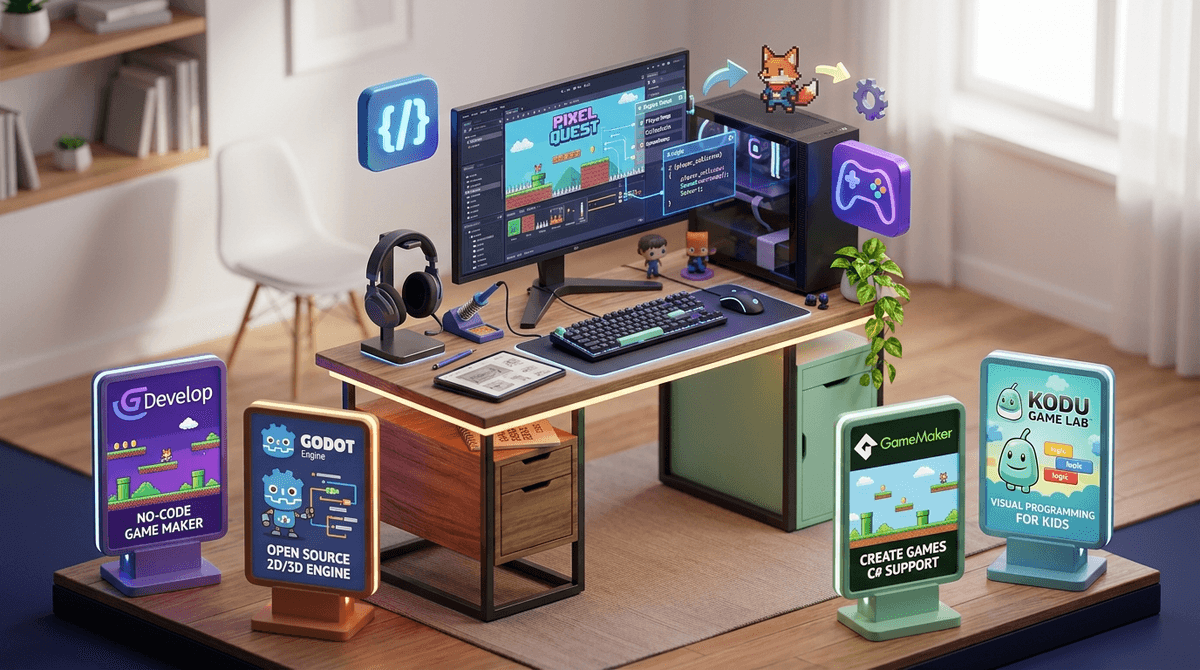
Beyond Minecraft and Roblox: The 4 Best Creation Games for Young Developers
Discover the top platforms that help your child graduate from playing games to building them with professional tools and real coding skills.
If your kid has maxed out what they can do in Minecraft and is starting to feel like Roblox Studio is either too limiting or too chaotic, there are genuinely excellent alternatives that will actually teach them something — and we're not talking about dumbed-down "learning games." We're talking real tools that real developers use, wrapped in experiences kids actually want to spend time in.
TL;DR: The four best creation platforms beyond Minecraft and Roblox are Godot, [GameMaker](https://screenwiseapp.com/media/gamemaker-app, Kodu Game Lab, and [GDevelop](https://screenwiseapp.com/media/gdevelop-app — each offering progressively more professional toolsets that grow with your child. If your kid is between 8 and 14 and has already burned through Minecraft creative mode and Roblox Studio, one of these platforms is almost certainly their next move. They're free or low-cost, they teach transferable coding skills, and none of them come with the stranger-danger social layer that makes Roblox such a parenting headache.
Here's some context that might reframe how you're looking at this: according to Screenwise community data, 55% of families report their kids are actively gaming, and a full 60% of kids using Roblox are playing on public servers — meaning they're out there in the wild, interacting with strangers. Only 15% are playing offline.
That's not a scare tactic — it's just useful information. Because when a kid transitions from playing Roblox to building in Roblox Studio, something genuinely shifts. They start thinking like creators, not consumers. And the platforms below take that instinct and supercharge it with tools that don't have Roblox's social risks baked in.
Understand the difference between Roblox playing and Roblox building
1. [GDevelop](https://screenwiseapp.com/media/gdevelop-app
Best for: Ages 9–14 | No coding required to start, real code underneath
GDevelop is the sleeper hit of this list. It's free, open-source, and uses a visual event-based system that lets kids build actual 2D games without typing a single line of code — but the logic they're learning maps directly to how real programming works. When they're ready, they can peek under the hood at the JavaScript.
What makes it special for this age group is the low floor and high ceiling. A 9-year-old can make a working platformer in an afternoon. A motivated 13-year-old can build something genuinely impressive. There's a growing library of tutorials, and the community is overwhelmingly made up of actual developers rather than the chaotic social scene you get on Roblox.
No subscription fees. No in-app purchases. No strangers DMing your kid. It runs in a browser or as a desktop app, which matters if you're one of the 45% of families in our community whose kids are working on a laptop (and the 18% on a desktop).
Learn more about GDevelop for kids
2. Godot Engine
Best for: Ages 12+ | The real deal, free and open source
Godot is what you recommend when a kid is serious. It's a professional-grade, fully open-source game engine — the kind of tool indie developers actually ship games with. It uses its own scripting language called GDScript, which is Python-like and genuinely approachable, and it supports both 2D and 3D game development.
This isn't a toy. If your 12-year-old is telling you they want to make games for a living someday, Godot is where that conversation gets real. There are thousands of free tutorials on YouTube (channels like GDQuest are excellent), and the Godot community is one of the more welcoming corners of the internet for learners.
The learning curve is steeper than GDevelop, so it's not a great fit for younger kids or casual interest. But for a motivated tween or teen? This is legitimately one of the best free pieces of software on the planet for learning how games are actually made.
Explore Godot tutorials and resources for young developers
3. [GameMaker](https://screenwiseapp.com/media/gamemaker-app
Best for: Ages 11–16 | Industry roots, accessible entry point
[GameMaker](https://screenwiseapp.com/media/gamemaker-app has a legitimately impressive pedigree — Undertale, Hotline Miami, and Hyper Light Drifter were all built in it. That's not a small thing to tell a kid who's into games. When they find out that Undertale — one of the most beloved indie games of the last decade — was made by one person in this exact tool, something clicks.
GameMaker has a free tier that's genuinely usable for learning, and its GML (GameMaker Language) is a solid introduction to real programming syntax. It's more structured than Roblox's Lua environment and more focused than the wide-open world of Godot, which makes it a nice middle ground for kids who are ready to write actual code but aren't quite ready for a full engine.
The main caveat: the free version has some export limitations, and the paid tiers can add up if your kid gets serious. But for learning purposes, free is plenty.
Is GameMaker worth it for kids?
Best for: Ages 7–11 | The on-ramp for younger creators
Kodu is Microsoft's visual programming environment designed specifically for younger kids, and it's genuinely great at what it does. It's controller-friendly (you can build games with an Xbox controller, which is a fun hook for game-obsessed kids), and its tile-based logic system teaches cause-and-effect programming thinking without any text-based code at all.
It's not going to take a 14-year-old anywhere new. But for a 7- or 8-year-old who's watched an older sibling build things in Minecraft and wants to try making their own game? Kodu is a fantastic, low-pressure starting point that builds real computational thinking skills.
It's free, it's Windows-based, and it's been around long enough that there's solid curriculum support — some schools even use it. If you're looking for something to bridge the gap between "playing games" and "making games" for a younger child, this is your answer.
Best coding games and tools for kids under 10
To be fair to Roblox Studio: it's not a bad tool. Lua is a real programming language, the 3D environment is genuinely capable, and the fact that kids can publish games to an audience of millions is legitimately motivating. We get why it's popular.
But here's the honest tradeoff: Roblox Studio is tied to the Roblox platform, which means your kid's creative work lives inside an ecosystem with aggressive monetization, a social layer full of strangers, and a business model that's designed to keep them spending. The 30% of Roblox users playing on public servers with everyone (not just friends) is a real consideration when you're thinking about where your kid is spending their creative energy.
The platforms above are just tools. No social feed. No strangers. No pressure to monetize. Just a kid, a screen, and the experience of making something from nothing.
Learn about Roblox safety concerns and alternatives for kids
These platforms are more than just safer alternatives — they're genuine skill-builders. Some questions worth asking your kid as they explore:
- "What kind of game do you want to make first? What would make it fun for someone else to play?"
- "How did you figure out how to make that work?" (This one's gold — it surfaces their problem-solving process)
- "Have you looked up if anyone else has made something like this?"
The jump from playing games to making them is one of the most meaningful transitions a kid can make with screen time. It's the difference between consuming and creating, and the skills transfer — logic, design thinking, persistence, debugging — in ways that show up way beyond the screen.
Explore books about game design for young developers
Q: What's the best game-making tool for a kid who has never coded before?
Start with [GDevelop](https://screenwiseapp.com/media/gdevelop-app (ages 9+) or Kodu Game Lab (ages 7–11). Both use visual, drag-and-drop or event-based logic that teaches real programming concepts without requiring any typed code to get started.
Q: Is Roblox Studio good enough, or should my kid learn something else?
Roblox Studio is a real tool and Lua is a real language, so it's not wasted time. But it's tied to a platform with significant social and monetization concerns. If your kid is serious about game development, graduating to Godot or [GameMaker](https://screenwiseapp.com/media/gamemaker-app will give them more transferable, professional skills.
Q: What age is Godot appropriate for?
Godot is best suited for kids 12 and up who have some prior exposure to coding logic — even if just from Scratch or Roblox Studio. The GDScript language is approachable, but the overall environment assumes you're ready to think like a developer.
Q: Are any of these platforms free?
Yes — [GDevelop](https://screenwiseapp.com/media/gdevelop-app, Godot, and Kodu Game Lab are completely free. [GameMaker](https://screenwiseapp.com/media/gamemaker-app has a free learning tier with some export limitations, and paid tiers start around $99/year if your kid wants to publish games.
Q: My kid loves Minecraft. Is there a creation tool that feels similar?
Minecraft's Education Edition actually has some coding functionality worth exploring. But if they're ready to go beyond block-building, [GDevelop](https://screenwiseapp.com/media/gdevelop-app is the most natural next step — it has a similarly low barrier to entry with a much higher ceiling for what you can actually build.
The instinct to build something — to make a game instead of just play one — is genuinely worth nurturing. And the good news is that in 2026, the tools available to a motivated 10-year-old are legitimately impressive, free, and don't require your kid to navigate a social platform full of strangers to use them.
Start where your kid is. Younger and just curious? Kodu. Ready to actually make something? [GDevelop](https://screenwiseapp.com/media/gdevelop-app. Serious about it? [GameMaker](https://screenwiseapp.com/media/gamemaker-app or Godot. None of these are wrong answers.