

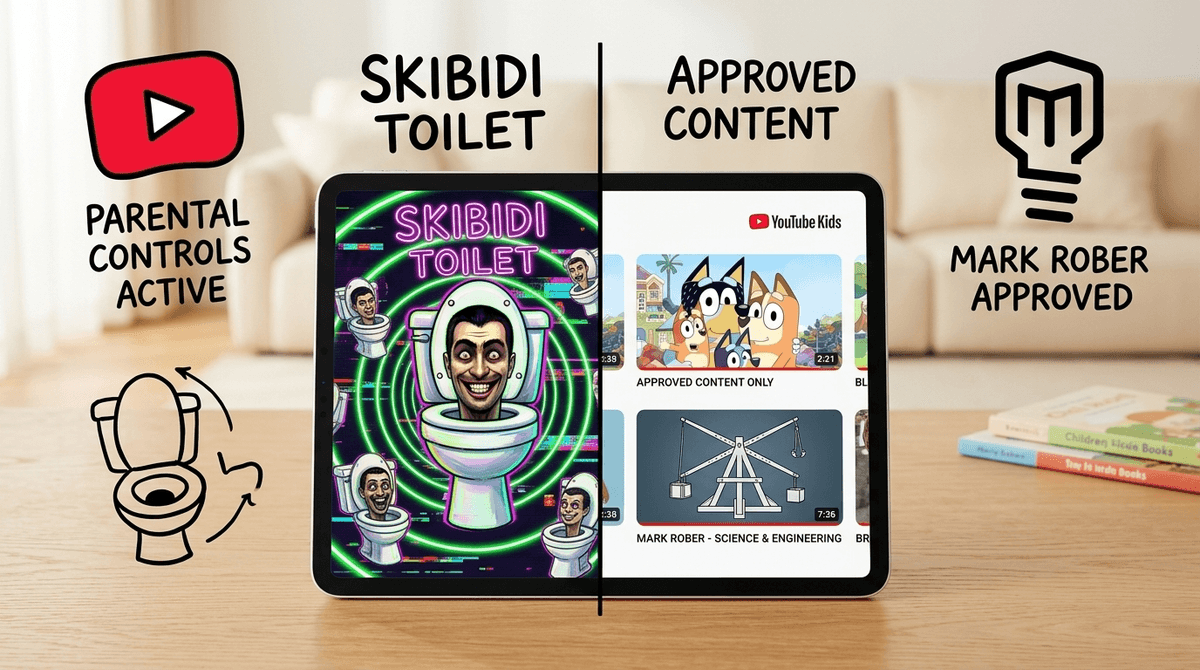
TL;DR: YouTube Kids is not a "set it and forget it" service. The algorithm is designed for engagement, not education, which often leads kids from wholesome content to "AI slop" and "brain rot" like Skibidi Toilet. The only real way to win is to turn off the "search" function and use Approved Content Only mode.
Quick Links for Quality Content:
- Best for Preschoolers: Bluey, Numberblocks, and StoryBots.
- Best for Elementary: Mark Rober, Art for Kids Hub, and Wild Kratts.
- Guide: How to set up YouTube Kids parental controls
We’ve all been there. You’re trying to cook dinner or finish an email, so you hand over the iPad with YouTube Kids pulled up. It starts with something innocent—maybe a Sesame Street clip. But thirty minutes later, you look over and your child is watching a neon-colored, AI-generated video of a generic superhero stuck in a toilet while a high-pitched voice screams "Ohio!" in the background.
This is the YouTube Kids rabbit hole.
The app isn't "bad," but its primary goal is to keep eyes on the screen. The algorithm doesn't distinguish between "high-quality educational content" and "visually overstimulating nonsense." It just knows that if your kid watched five minutes of Cocomelon, they might also like this weird, low-effort knockoff that was churned out by a content farm in three hours.

In 2026, we’re dealing with a new beast: AI Slop. These are videos generated using AI tools to create endless, nonsensical variations of popular characters. Think Mickey Mouse, but his face looks slightly "uncanny valley," or Elsa from Frozen doing something bizarrely out of character. These videos are designed to trigger the dopamine receptors of a toddler’s developing brain with bright colors and repetitive sounds, but they offer zero substance.
Then there’s Brain Rot. This is the term kids use for the hyper-fast, chaotic, and often nonsensical meme culture that dominates platforms like YouTube and TikTok.
If you haven't seen it yet, consider yourself lucky, but your kids definitely have. It started as a series of shorts featuring heads popping out of toilets singing a mashup of "Give It To Me" and "Skibidi." It’s weird, it’s loud, and it has evolved into a bizarrely complex war saga between toilet-people and camera-headed people. Is it "dangerous"? No. Is it "brain rot"? Absolutely. It’s the ultimate example of content that is technically "kids' content" because it’s animated and silly, but it’s essentially digital junk food.
Kids love the rabbit hole for the same reason we love scrolling through Instagram: variable rewards. They don't know what the next video will be, and that mystery keeps them clicking. For younger kids, the repetition of "AI slop" videos—like the "Finger Family" song played for the 400th time with different characters—is actually comforting to their brains, even if it’s making you want to throw the tablet out the window.
The problem is that this loop bypasses the "boredom" threshold. When kids are bored, they create. When kids are in the YouTube loop, they are passive consumers.
If you’re going to let them watch, you might as well curate the feed. Here are the channels that actually respect your child’s intelligence and don’t rely on "brain rot" tactics.
Ages 7+ Mark is a former NASA engineer who makes science genuinely cool. His videos are high-budget, educational, and exciting. Whether he's building a squirrel obstacle course or a glitter bomb to catch package thieves, he teaches the scientific method without it feeling like a lecture.
Ages 2-102 I will fight anyone who says Bluey is just for toddlers. It’s the gold standard of children’s media. It’s funny, it’s emotionally intelligent, and it actually models good parenting (looking at you, Bandit). If you have to have something on in the background, let it be this.
Ages 5+ This is one of the best "active" channels. A dad and his kids sit down and draw characters together. It’s slow-paced, encourages kids to follow along with real paper and markers, and builds actual skills.
Ages 3-8 If your kid asks "Why is the sky blue?" or "How do ears hear?", StoryBots has the answer. It’s fast-paced but incredibly smart and features some of the best celebrity cameos in kids' TV.
Ages 3-6 This is arguably the best math resource for young kids. It turns numbers into characters and makes complex concepts like multiplication and square roots feel like a game.
The "safe" version of YouTube Kids is still an open door to the algorithm. If you want to actually protect your kid’s attention span, you need to be surgical with the settings.
- Use "Approved Content Only": This is the nuclear option, and it’s the best one. Instead of letting YouTube recommend videos, you (the parent) hand-select the channels or videos they are allowed to watch. If it’s not on your list, they can’t see it.
- Turn Off Search: If your child is under 8, they probably don't need the search bar. Disabling search limits them to the home screen, which you can curate.
- Clear and Pause History: If your kid has already fallen into a "brain rot" hole, their recommendations are likely trashed. Go into the parent settings, clear the watch history, and "pause" it. This stops the algorithm from building a profile based on what they've watched.
- The "Timer" Feature: YouTube Kids has a built-in timer that locks the app when time is up. Use it. It makes "the tablet" the bad guy instead of you.
Check out our full guide on setting up YouTube Kids parental controls
You’re going to hear words like "Rizz," "Sigma," "Skibidi," and "Ohio."
- Ohio: Used to describe something weird or "trash." (e.g., "That lunch is so Ohio.")
- Rizz: Charisma.
- Sigma: Someone who is "cool" or a "lone wolf" (though this one can get into toxic territory if they start following "Alpha" influencers).
Don't panic when they say these things. It’s just the slang of the digital playground. The concern isn't the words; it's the volume of content they are consuming to learn them. If your kid is speaking exclusively in memes, it’s a sign they’re spending too much time in the rabbit hole and not enough time in the real world.
YouTube Kids is a high-octane engagement engine. It is not designed to help your child grow; it is designed to help Google’s ad revenue grow.
However, it’s also a repository for some of the most incredible educational content ever created. The difference between the two is parental curation. If you let the algorithm choose, your kid will end up watching Skibidi Toilet knockoffs. If you choose, they could be learning physics from Mark Rober.
Next Steps:
- Open the YouTube Kids app on your child's device right now.
- Go to settings and toggle on "Approved Content Only."
- Add 5-10 high-quality channels (like the ones mentioned above).
- Watch their behavior—you'll likely notice a lot less "zombie mode" when the infinite autoplay loop is broken.
Check out our guide on the best YouTube alternatives for kids