

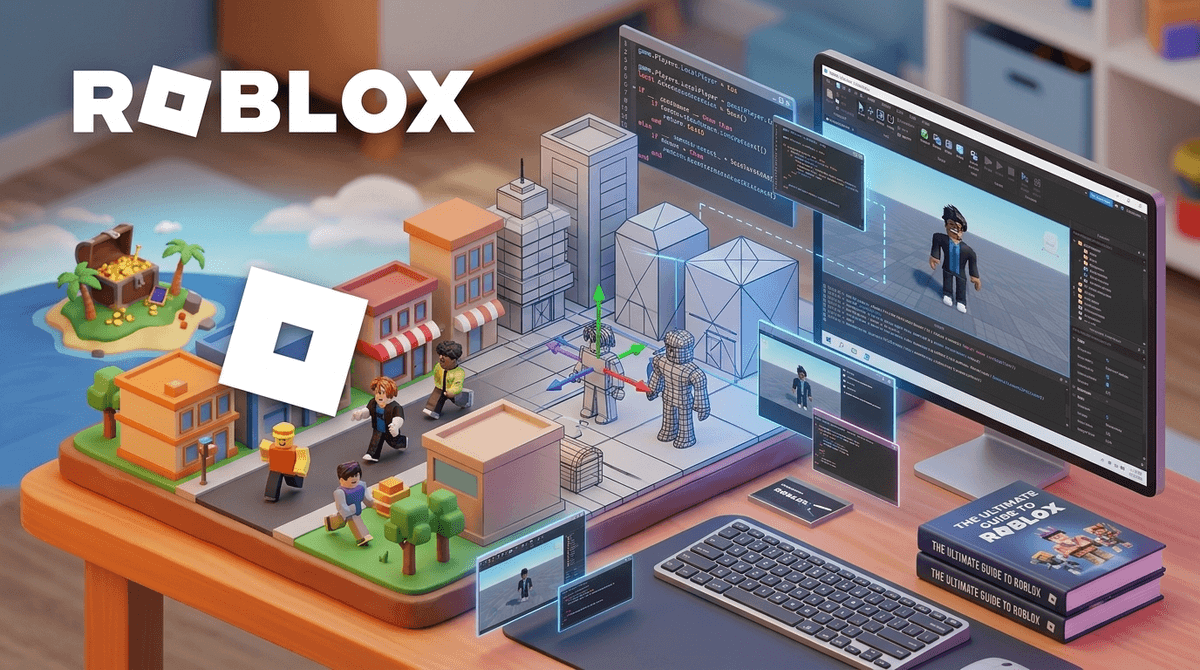
TL;DR: Your kid moving from playing Roblox to wanting to build in it is a major level-up. It shifts them from passive consumer to active creator, teaching them 3D modeling, logic, and the Lua programming language. However, it also opens doors to "hustle culture," monetization pressures, and the wild west of developer communities on Discord.
Quick Links for the Aspiring Dev:
- Roblox Studio (The actual engine they'll use)
- Scratch (The best "pre-school" for coding logic)
- Minecraft Education (Great for logic and "redstone" engineering)
- The Ultimate Guide to Roblox Games (Good for inspiration)
One day they’re obsessed with "Skibidi Toilet" memes and making their avatar look as "Ohio" as possible (don't ask, it just means weird), and the next, they’re asking you to download Roblox Studio.
When a kid decides they want to make their own games, it’s usually a "proud parent" moment mixed with a healthy dose of "oh no, what now?" You’ve probably spent the last year trying to limit their time in Roblox, and now they want to go behind the curtain.
Here is the truth: Creating on Roblox is a legitimate gateway to a career in software engineering, UI design, or digital marketing. It is also a platform that uses some pretty aggressive "young entrepreneur" vibes to keep kids hooked on a digital economy that mostly benefits Roblox Corp.
Let's break down how to navigate this transition without losing your mind—or your bank account balance.
First off, they aren't "playing" when they are in the Studio. Roblox Studio is a separate, free application available for Windows and Mac. It’s a full-blown game engine, similar to what professionals use (like Unity or Unreal Engine), but simplified for a younger audience.
Inside the Studio, kids do three main things:
- Building: Placing 3D blocks (parts) to create environments.
- Modeling: Using "meshes" and textures to make things look "aesthetic."
- Scripting: This is the big one. They use a coding language called Lua.
If your kid is actually typing lines of code to make a door open or a lava floor kill a player, they are learning real-world computer science. That’s a massive win.
Learn more about the difference between playing and creating on Roblox
The dream for most kids isn't just "making a game." It's "making a popular game." They see creators like the ones behind Adopt Me! or Bloxburg making millions of dollars (in real money) and think, "I can do that too."
This is where the entrepreneurship angle comes in. Roblox allows kids to monetize their games through "Game Passes" and "Developer Products."
- The Good: They learn about supply and demand, user experience, and basic business math.
- The Bad: The "DevEx" (Developer Exchange) system has a high threshold. You need at least 30,000 earned Robux to even think about turning it into real cash, and the exchange rate is... not in the kid's favor.
If your kid is 7 and says they want to make a game, they probably just want to move some blocks around. If they’re 12, they might be ready to actually code.
Ages 7-9: The "Builder" Phase
At this age, Roblox Studio can be frustrating.
- Recommendation: Start them on Scratch. It’s a "block-based" coding language from MIT. It teaches the logic of coding (if this happens, then do that) without the frustration of typos breaking the game.
- In Roblox: Let them play with "Free Models" in the Studio. These are pre-made items (like a car or a house) they can drop into their world. Warning: Free models can sometimes contain "malicious scripts" that break their game or show inappropriate messages. Teach them to only use highly-rated models.
Ages 10-12: The "Scripter" Phase
This is the sweet spot. They are old enough to follow YouTube tutorials.
- Recommendation: Check out AlvinBlox on YouTube or TheDevKing. They are the gold standard for teaching kids Lua.
- Alternative: If Roblox feels too overwhelming, Minecraft Education or even Code.org are great for bridging the gap.
Ages 13+: The "Full Dev" Phase
At this point, they might be looking into "commissions"—doing work for other people's games in exchange for Robux.
- The Risk: This is where they start wanting to join Discord. Roblox’s internal chat is heavily filtered. Developer communities live on Discord, which is much less moderated. This is where "predatory" business deals (kids getting scammed out of their work) and actual predators can hide.
When your kid becomes a "developer," the safety risks shift from "what are they seeing?" to "who are they talking to?"
- The Discord Trap: Most Roblox "dev studios" require Discord. If your kid is under 13, this is a hard no. If they are over 13, you need to be very involved in which servers they join.
- The "Work" Mindset: Creating a game can become an obsession. Because it feels like "work" or "learning," parents often give more slack on screen time. Watch out for burnout or the "just one more bug" cycle that keeps them up until 2 AM.
- Copyright Issues: Kids love to put copyrighted music (like Taylor Swift) or characters (like Mickey Mouse) into their games. Roblox is getting stricter about this. Their game can be deleted instantly for copyright infringement. Teach them about Creative Commons and original creation.
If you want to support this journey, here are some vetted resources that aren't "brain rot":
The ultimate "training wheels." If they can't make a cat move across the screen in Scratch, Roblox Studio will be too hard.
A game that teaches actual Python and JavaScript through a dungeon-crawler interface. It’s a great way to see if they actually like coding or if they just like the idea of being a Roblox star.
Having a physical book next to the computer can actually help kids focus better than flipping between YouTube tabs.
For the kid who is serious. This isn't "game dev," but it's the foundation they need to be actually good at it.
Let’s be real: 99.9% of kids who "create a game" on Roblox will never make a single cent. And that’s fine! The goal shouldn't be for them to become a "child entrepreneur." The goal is for them to learn that they can control technology rather than just being controlled by it.
However, be prepared for the "Robux Begging 2.0." To make a game look professional, they might ask for Robux to buy "plugins" or "advertisements" for their game.
- My advice: Treat it like a hobby budget. If they were into soccer, you’d buy cleats. If they are into game dev, a $10 monthly Robux allowance for "Studio expenses" isn't the end of the world—provided they can explain to you what they are buying and why.
Learn more about setting up Roblox parental controls for creators
Instead of asking "Are you winning?", try asking:
- "What's the hardest logic puzzle you solved in your script today?"
- "Are you using any free models, or are you building your own parts?"
- "How are you making sure your game is fair for people who don't spend Robux?" (A great lesson in ethics!)
When your kid wants to move from gamer to game dev, say yes.
It is one of the most productive uses of screen time available today. It’s challenging, it’s creative, and it’s a marketable skill. Just stay close, keep the "office" (the computer) in a common area, and make sure they know that their value isn't tied to how many "visits" their game gets.
If they get frustrated—and they will—remind them that even the creators of Fortnite started with a single line of code that probably didn't work the first time.
- Download Roblox Studio on a desktop or laptop (it doesn't work on iPads!).
- Set a "Studio Schedule" that is separate from "Playing Schedule."
- Sit with them for 20 minutes and have them show you how to change the color of a block. Being a "student" to your kid is the best way to see what they’re actually learning.