

TL;DR: The Cheat Sheet for 2026
If you only have two minutes before soccer practice starts, here is the "need to know" list for social media privacy right now:
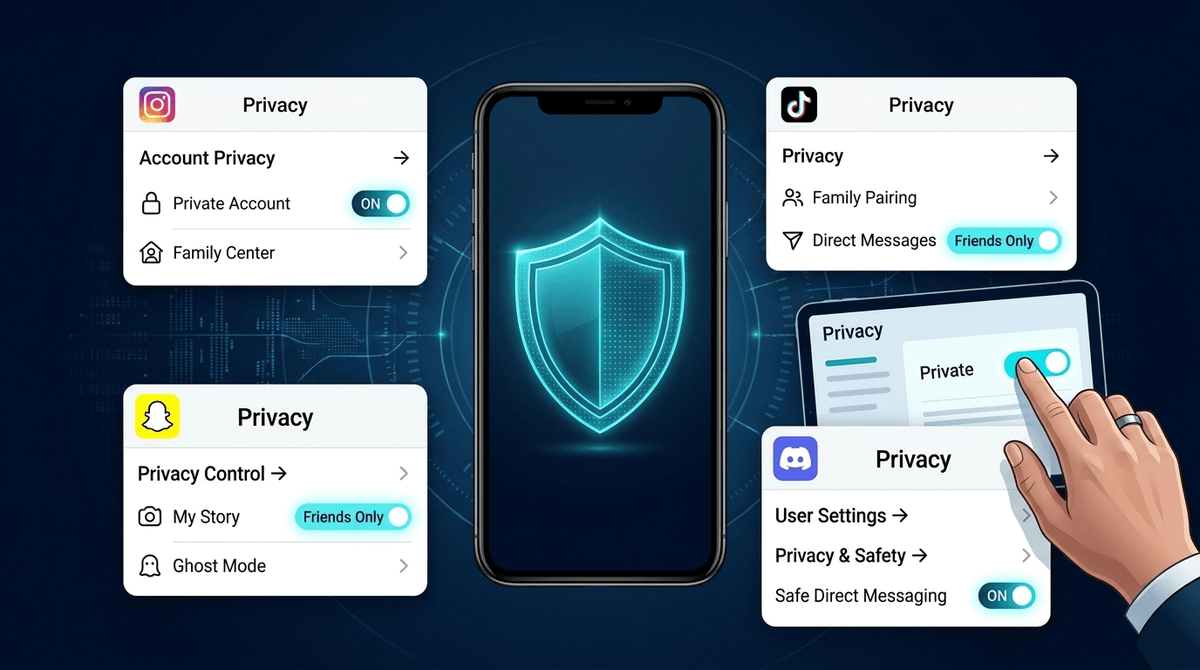
- Instagram: If your kid is under 16, they should already be moved into a "Teen Account" automatically. It defaults to private and restricts who can DM them. Check the "Sleep Mode" setting to kill notifications after 10 PM.
- TikTok: Use Family Pairing. It’s the gold standard for 2026. You link your account to theirs and can filter out "brain rot" keywords from their feed without actually reading their private DMs.
- Snapchat: The "Snap Map" is still the biggest privacy leak. Ensure they are in Ghost Mode. Also, check the new "Family Center" to see who they are talking to (it won't show the content, just the names).
- Discord: Turn on "Keep Me Safe" in the Privacy & Safety settings. This uses AI to scan and delete explicit images before your kid even sees them.
Ask our chatbot for a step-by-step walkthrough of these settings
It used to be that "privacy" just meant making sure strangers couldn't see your kid's vacation photos. In 2026, the stakes have shifted. Now, privacy is about data harvesting, AI training, and protecting your kid’s mental health from algorithms that are designed to keep them scrolling until their eyes hurt.
If your middle schooler is calling everything "Ohio" (translation: weird/cringe) or obsessing over the latest Skibidi Toilet lore, they are likely deep in the algorithmic trenches. Privacy settings aren't just about "locking doors"; they are about creating a digital fence that keeps the most aggressive parts of the internet at bay while they learn how to navigate the world.
In late 2024 and early 2025, Meta rolled out a massive update called Instagram Teen Accounts. This was a "no-BS" move to answer parental concerns, and honestly, it’s pretty good.
What You Need to Do:
If your kid is under 16, their account should have been automatically converted. If they are 16 or 17, they can opt-in, but you should probably "encourage" it.
- Private by Default: Ensure the account is set to private. This means only followers they approve can see their content.
- Messaging Restrictions: Under the new settings, teens can only be messaged by people they follow or are already connected to. This kills the "random creepy DM" problem instantly.
- Sensitive Content Control: Instagram now defaults teens to the most restrictive "Sensitive Content" setting. It limits the "suggested" junk that shows up in Reels and Explore.
Learn more about the difference between Instagram and Instagram Lite
TikTok is the king of "brain rot" content if left unchecked. One minute they are watching a science experiment, and three hours later they are watching someone eat 50 pounds of spicy noodles.
Family Pairing is Your Best Friend
Do not just "set and forget" the app on their phone. Download TikTok on your own phone and use Family Pairing.
- Content Filtering: You can add keywords like "scary," "diet," or "prank" to a list, and the algorithm will stop showing videos with those hashtags to your kid.
- Screen Time Management: You can set a hard limit (like 60 minutes). Once it’s up, they need a passcode from you to keep going.
- Search Restrictions: You can decide whether they are allowed to search for content at all, or just view what the algorithm serves them.
Snapchat is basically the "texting" app for anyone under 20. The biggest privacy concern here is the Snap Map. It is incredibly precise—it can show exactly which house your kid is in.
The Privacy Checklist:
- Ghost Mode: This is non-negotiable. It hides their location from everyone. Even if they want to share it with "Best Friends," it’s better to use a dedicated family app like Life360 for that.
- Contact Permissions: Set "Who Can Contact Me" to "My Friends." This prevents random people from finding them via phone number or "Quick Add."
- Family Center: Link your account to theirs via the Family Center. You won't see their "Snaps" (the photos/videos), but you will see who they’ve talked to in the last seven days. If you see a name you don't recognize, that’s your opening for a conversation.
Parents often forget that Roblox is a social network. Kids aren't just playing games; they are chatting, trading, and sometimes being "scammed" out of their Robux.
New 2025 Privacy Updates:
Roblox recently updated their "Parental Privileges." You can now monitor your kid’s activity from your own device.
- Communication Settings: For kids under 13, you can completely disable chat or restrict it to "Friends Only."
- Content Maturity: You can set a "Content Maturity" level. If you don't want them playing games with "mild violence" or "crude humor," you can lock it down to "All Ages."
- Spending Limits: This isn't exactly "privacy," but it's digital wellness. Set a monthly spending limit so your bank account doesn't get drained by "limited edition" digital hats.
If your kid plays Minecraft, Fortnite, or Valorant, they are probably on Discord. It’s a great app, but it’s the "Wild West" of privacy because it’s organized into servers.
How to Lock It Down:
- Safety Alerts: Enable "Safety Alerts" for DMs. Discord will now show a warning if it detects something suspicious about a person messaging your teen (like if they are much older or have been flagged before).
- Friend Request Privacy: Set "Who can add you as a friend" to "Friends of Friends" or "Server Members." Never "Everyone."
- Family Hub: Similar to Snapchat and Instagram, Discord now has a Family Hub where you can see which servers your kid has joined.
- Ages 9-12: Total lockdown. Use YouTube Kids instead of YouTube. If they are on Roblox, chat should be off. They don't need Instagram yet, no matter what they say.
- Ages 13-15: This is the "training wheels" phase. Use Family Pairing/Center features. Profiles should be private. This is the age where they start caring about "streaks" on Snapchat, which is a great time to talk about how apps use psychological tricks to keep them engaged.
- Ages 16+: Gradual autonomy. Maybe you move from "monitoring" to "checking in." They should know how to block and report people on their own.
Setting the toggles is only 50% of the job. The other 50% is the conversation. If you just grab their phone and start clicking buttons, they’ll just find a way to bypass you (kids are tech ninjas, let's be real).
Try saying this: "I'm not doing this because I don't trust you. I'm doing this because these apps make billions of dollars by keeping you hooked and selling your data. These settings are like a seatbelt—they keep you safe while you're learning to drive the internet."
Also, remind them that nothing is ever truly private. A "disappearing" Snap can be screenshotted. A "private" Instagram post can be shared. If they wouldn't want you, their grandma, or a future college admissions officer to see it, they shouldn't post it. Period.
Privacy settings in 2026 are better than they’ve ever been, but they are also more complex. The "Teen Account" updates on Instagram and Family Pairing on TikTok are huge wins for parents.
Don't feel like you have to be a coding expert to handle this. Use the tools the platforms are giving you, keep the profiles private, and keep the Snap Map off. You’re doing great.
- Audit the "Big Three": Open Instagram, TikTok, and Snapchat on your kid's phone tonight.
- Enable Ghost Mode: Check the Snap Map immediately.
- Link Your Accounts: Use the "Family" features mentioned above so you can manage settings from your own phone.
- Take the Screenwise Survey: If you want a personalized roadmap for your family’s specific apps and ages, take our 5-minute survey.
Ask our chatbot about the latest privacy controversies for any app