

TL;DR: The Quick List for 2026
If you’re in a school pickup line and just need the "cheat sheet," here’s the move for 2026:
- The Best "Training Wheels" App: Zigazoo — Think TikTok, but moderated by actual humans and no "stranger danger" comments.
- The YouTube Transition: Move from YouTube Kids to a supervised YouTube account once they hit age 9 or 10.
- The Big Three Safety Tools: Master TikTok Family Pairing, Instagram Teen Accounts, and Snapchat Family Center.
- The Secret Social Media: Roblox. It’s not just a game; it’s where they’re actually "hanging out."
Get a social media readiness plan
It’s 2026, and the "just ban it" strategy has officially left the building. We’ve all realized that by the time our kids hit middle school, being the only one without Snapchat isn't just a bummer—it's a social death sentence in their world.
But here’s the good news: the platforms actually listened (mostly because of the massive lawsuits and government pressure, let's be real). We now have "Family Pairing" and "Teen Accounts" that give us more control than we ever had five years ago.
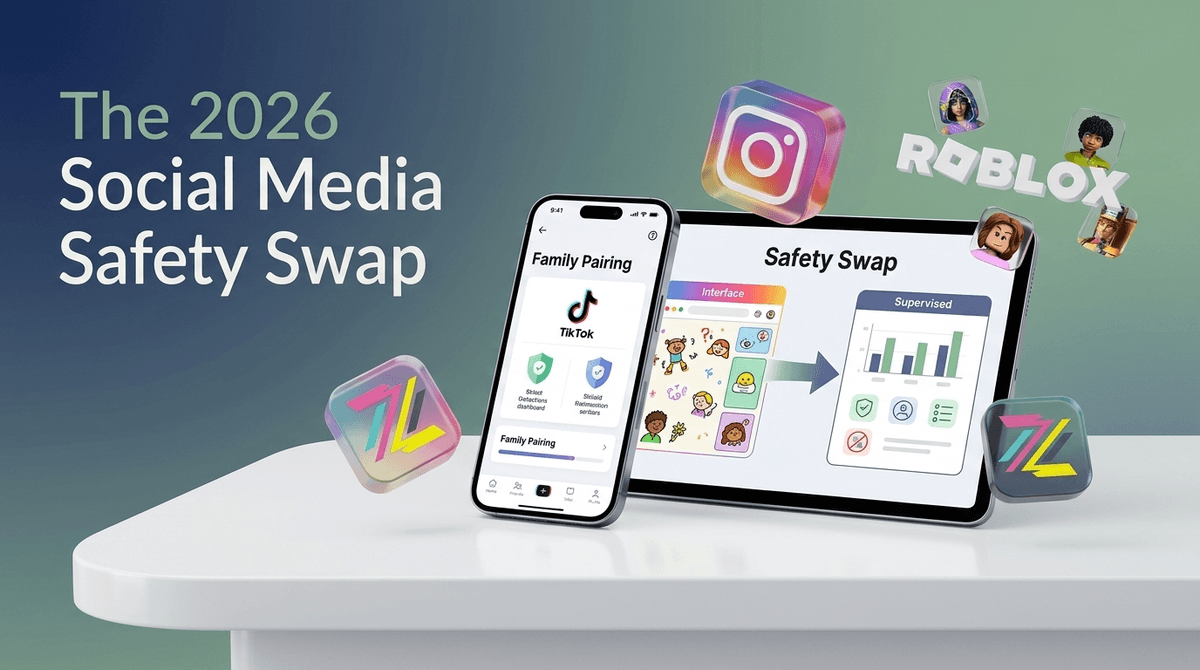
The goal for 2026 isn't total abstinence; it's the Safety Swap. We're swapping the unmonitored "Wild West" scrolling for curated, supervised environments where they can learn to be digital citizens without the 2:00 AM "anxiety scroll" or the "brain rot" content that makes them act like they've lost 40 IQ points.
Your kid is probably already asking for TikTok because they want to see the latest "Skibidi" meme or whatever weird "Ohio" trend is currently dominating the playground. They aren't looking for trouble; they're looking for connection.
However, the "For You Page" (FYP) is a dopamine slot machine. Without the right guardrails, an 11-year-old can go from watching a Minecraft tutorial to "diet culture" influencers or toxic prank videos in about three swipes. The Safety Swap is about moving them into "Supervised" modes where the algorithm is neutered and the privacy settings are cranked to the max.
Before you let them loose on the big platforms, start here. These are the apps designed for the under-13 crowd that actually work.
Zigazoo is the gold standard for "training wheels" social media. It looks and feels like TikTok, but users respond to "challenges" with short videos. The brilliance? Every single video is reviewed by a human moderator before it goes live. No bullying, no creepy comments, just kids being weird and creative. It’s perfect for ages 7-11.
I know, I know—Meta. But Messenger Kids is actually a solid tool for teaching "texting etiquette." You control the contact list entirely. They can’t talk to anyone you haven't approved. It’s a great way to let them group chat with their cousins or school friends without the public-facing risks of Instagram.
Wait, Pinterest? Yes. If your kid is into art, fashion, or Minecraft builds, Pinterest is a "social" platform that is focused on content rather than comparison. There’s no "likes" count to obsess over, and the comments are generally non-existent or ignored. It’s a low-anxiety way to explore interests.
Learn more about the best social media apps for elementary schoolers
When the time comes to move to the major platforms (usually around ages 12-13), you shouldn't just hand over the password. You use the built-in safety swaps.
If you aren't using Family Pairing, you shouldn't let your kid on TikTok. Period. It allows you to link your account to theirs so you can:
- Set a hard screen time limit (e.g., 40 minutes a day).
- Filter out keywords (like "diet," "prank," or "horror").
- Decide if their account is private (it should be) and who can comment on their videos.
In late 2024 and through 2025, Meta rolled out "Teen Accounts." These are automatically private for everyone under 16. They have "Sleep Mode" which silences notifications from 10:00 PM to 7:00 AM. As a parent, you can see who they are messaging (but not the content of the messages), which is the perfect balance of privacy and supervision.
Most 10-year-olds think YouTube Kids is for "babies." The swap here is a Supervised Account on regular YouTube. You can choose from three content levels: "Explore" (generally G-rated), "Explore More" (PG), and "Most of YouTube" (PG-13). It’s the best way to let them grow out of Cocomelon without landing on a Logan Paul vlog.
We often forget that Roblox and Fortnite are basically social media with a 3D skin.
Roblox is where the "entrepreneurship vs. bank account drain" debate happens. Is it teaching them game design? Maybe. Is it a place where strangers can chat with your kids? Absolutely. The 2026 Move: Use the new "Parent Privileges" to restrict chat to "Friends Only" and set a monthly spending limit on Robux so you don't wake up to a $400 bill for virtual hats.
Discord is the "final boss" of social media. It’s where gaming communities live. It is not for kids under 13, regardless of what their friends say. The lack of central moderation makes it a high-risk environment. If they are on it, they should only be in private servers with people they know in real life.
- Ages 5-9: Stick to PBS Kids and YouTube Kids. Social interaction should be limited to FaceTime with grandma.
- Ages 10-12: The "Training Wheels" phase. Zigazoo, Messenger Kids, and supervised Roblox play.
- Ages 13-15: The "Supervised" phase. TikTok with Family Pairing and Instagram Teen Accounts.
- Ages 16+: The "Independence" phase. Gradually loosening the restrictions as they demonstrate they can handle the "brain rot" without it affecting their sleep or grades.
Let’s be real: YouTube Kids is full of weird, low-effort "unboxing" videos that are basically commercials for plastic junk. It’s "safe," but it’s often garbage content. Don't feel guilty for hating it.
Also, "Brain Rot" is a real term kids use now. It refers to low-quality, high-stimulation content like Skibidi Toilet. It’s not necessarily "dangerous," but it’s the digital equivalent of eating a bag of sugar for lunch. If you see your kid's attention span shrinking, it's time to swap the short-form scrolls for something long-form, like a Studio Ghibli movie or a good book.
Instead of saying "Social media is bad for your brain," try: "I want you to have fun on TikTok, but the algorithm is designed to keep you scrolling until your brain feels like mush. Let's set the Family Pairing timer to 45 minutes so we both know when it's time to touch grass."
Use the term "Touch Grass." They’ll think you’re cringe, but they’ll know exactly what you mean.
The 2026 Social Media Safety Swap is about graduated autonomy. You wouldn't hand a 16-year-old the keys to a Ferrari without a learner's permit and a few months in a Honda Civic. Social media is the same.
Start with Zigazoo, move to Supervised YouTube, and eventually land on the big platforms with Family Pairing firmly engaged.
- Audit the Apps: Look at your kid's phone tonight. If they have TikTok but you haven't linked your account via Family Pairing, do it before breakfast tomorrow.
- Set the "Bedtime for Phones": Use your router or phone settings to kill the Wi-Fi for their devices at 9:00 PM. No one makes good decisions on social media after 10:00 PM.
- Take the Screenwise Survey: If you're not sure where your family stands compared to your community, walk through our survey to get a personalized roadmap.
Get a script for telling your kid you're turning on Family Pairing