

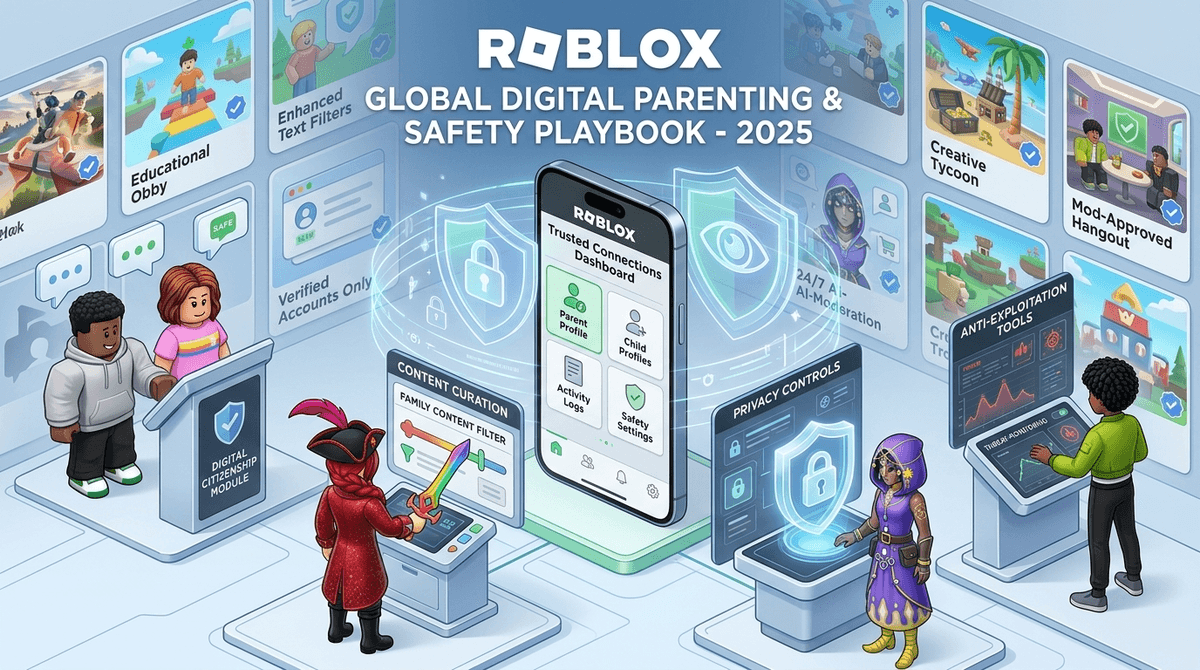
TL;DR: Roblox just dropped its biggest safety overhaul in years. The headline? Kids under 13 can no longer send direct messages outside of games without explicit parent permission, and "Trusted Connections" now lets you manage their friend list from your own phone. Plus, facial age-verification is becoming the gatekeeper for "mature" content.
Quick Links for the 2025 Roblox Meta:
- Roblox (The platform)
- Discord (Where they go when Roblox chat is too restrictive)
- YouTube (Where they watch the "Skibidi" lore they talk about in chat)
- Our Guide to Roblox Parental Controls
If you feel like you just finally figured out what "preppy" meant in Roblox only to have your kid start calling everything "Ohio" or "Skibidi," I feel you. The digital landscape for our kids moves fast, but the actual infrastructure of how they talk to each other just shifted in a massive way.
For years, Roblox was a bit of a Wild West. You could set "Account Restricts," but if your kid was tech-savvy, they could often bypass things or find themselves in chats that felt a little too "grown" for a 9-year-old. As of 2026, the platform has finally responded to the pressure (and several high-profile controversies) by rewriting the social rulebook.
This is the big one. Previously, if you wanted to see who your kid was talking to, you had to physically take their device or log into their account. Now, Roblox has introduced Trusted Connections.
Think of it like a "Digital Co-Pilot" mode. You link your parent account to theirs, and you get a dashboard on your phone. You can see:
- Who they are messaging.
- Who they are adding as friends.
- How much time they’re spending in specific "experiences" (the Roblox term for games).
The "no-BS" take? It’s about time. For kids under 13, the default is now "Restricted Chat." They can’t send DMs to people unless you’ve specifically green-lit that "Trusted Connection." It moves the burden of safety from the kid (who just wants to play) to the parent (who actually understands why talking to "FreeRobuxGuy99" is a bad idea).

You might have noticed a prompt asking for a "Face Verification." In 2026, Roblox is leaning hard into facial geometry to verify age.
How it works: The kid (or parent) takes a selfie and a photo of a government ID. Roblox uses this to unlock "17+" content or voice chat features.
The Screenwise Take: While it feels "Big Brother-ish" to give a gaming platform your ID, it’s currently the most effective way to keep 20-year-olds out of the "Adopt Me" roleplay chats and 10-year-olds out of the more "mature" (and often questionable) dating-sim style games. If your kid is under 13, there is almost zero reason for them to go through this process. Keep them in the "All Ages" or "9+" bracket.
If you’ve overheard your kid in a Roblox voice chat, you might think they’ve lost their ability to speak English.
- "That’s so Ohio": Basically means "that’s weird" or "that’s cringe."
- "Skibidi": Derived from the Skibidi Toilet videos. It’s mostly nonsense, but it’s the "lingua franca" of the current elementary school generation.
- "Rizz": Short for charisma.
Kids love Roblox not just for the games, but because it’s their version of the mall. They hang out in Brookhaven RP or Berry Avenue just to talk. The "chat" is the game.
Is Roblox teaching your kid to be the next Mark Zuckerberg, or is it just a casino for kids?
The truth is somewhere in the middle. Roblox Studio is a legitimate game development tool. If your kid is actually building games, learning Luau (the coding language), and understanding "monetization loops," they are gaining real-world skills.
However, for 95% of kids, the "social" features are designed to trigger FOMO (Fear Of Missing Out). Seeing a friend with a limited-edition "Dominus" hat in chat makes them want to buy Robux. The chat features often revolve around "trading" items, which is where most scams happen.
Parent Tip: Treat Robux like an allowance, not an open-ended credit card. Once the $10 is gone, the "trading" chat needs to stop.
Ages 6-9: The "Lockdown" Phase
At this age, kids don't have the digital literacy to spot a "groomer" or a scammer.
- Chat Settings: Use the "Trusted Connections" to turn off DMs entirely.
- Content: Stick to "All Ages" experiences.
- Social: They should only be playing with real-life friends from school.
Ages 10-12: The "Training Wheels" Phase
This is when the social pressure hits. They want to be in the "big" group chats.
- Chat Settings: Allow DMs only from "Friends," but use your parent dashboard to periodically check who those friends are.
- The Talk: Explain that "Online Friends" are different from "Real Life Friends."
- Voice Chat: I’d still recommend keeping Voice Chat OFF at this age. The moderation is better than it used to be, but it’s still a cesspool of 14-year-olds swearing.
Ages 13+: The "Independence" Phase
If they’ve verified their age, they have more freedom.
Despite the 2026 updates, Roblox still has "Condo Games" (user-created spaces with inappropriate content) that pop up and get deleted within hours. Scammers also use chat to lure kids to third-party "free Robux" websites.
The most important thing to know is that Roblox moderation is reactive, not proactive. They catch things after they’ve been reported. This means your kid might see something inappropriate before the system nukes it.
Instead of "Who are you talking to?", try these:
- "Who’s the funniest person in your Brookhaven server today?"
- "Has anyone ever tried to trade you something that seemed too good to be true?"
- "I saw Roblox added a new safety feature where I can see your friend list—let's go through it together and you can tell me who these people are."
The 2025 Roblox updates are a massive win for parents. The "Trusted Connections" feature finally gives us a seat at the table without having to hover over their shoulder.
But remember: No software is a substitute for a conversation. You can have the tightest parental controls in the world, but if your kid doesn't understand why they shouldn't give their password to a "friend" in chat, they aren't safe.
- Set up your Parent Account: Don't just use your kid's login. Create your own and link them via the "Parental Controls" tab.
- Review the Friend List: If there are 200 "friends" and your kid only knows 5 from school, it's time for a spring cleaning.
- Check the Maturity Ratings: Ensure your kid's account age is set correctly so the new 2025 content filters actually work.
Check out our full guide on Roblox alternatives like Minecraft or Terraria