

TL;DR
If your kid is obsessed with Minecraft, you’ve probably seen them staring at a mess of glowing red dust and levers. That’s Redstone. It’s not just a game mechanic; it’s a functional simulation of electrical engineering and Boolean logic. When they build an "automatic pumpkin farm," they are actually practicing systems thinking, circuit design, and debugging—skills that translate directly to computer science and engineering.
Quick Links for the Aspiring Engineer:
- The Platform: Minecraft (Available on everything)
- The Masterclass: Mumbo Jumbo on YouTube
- The Next Step: Scratch (For logic beyond the blocks)
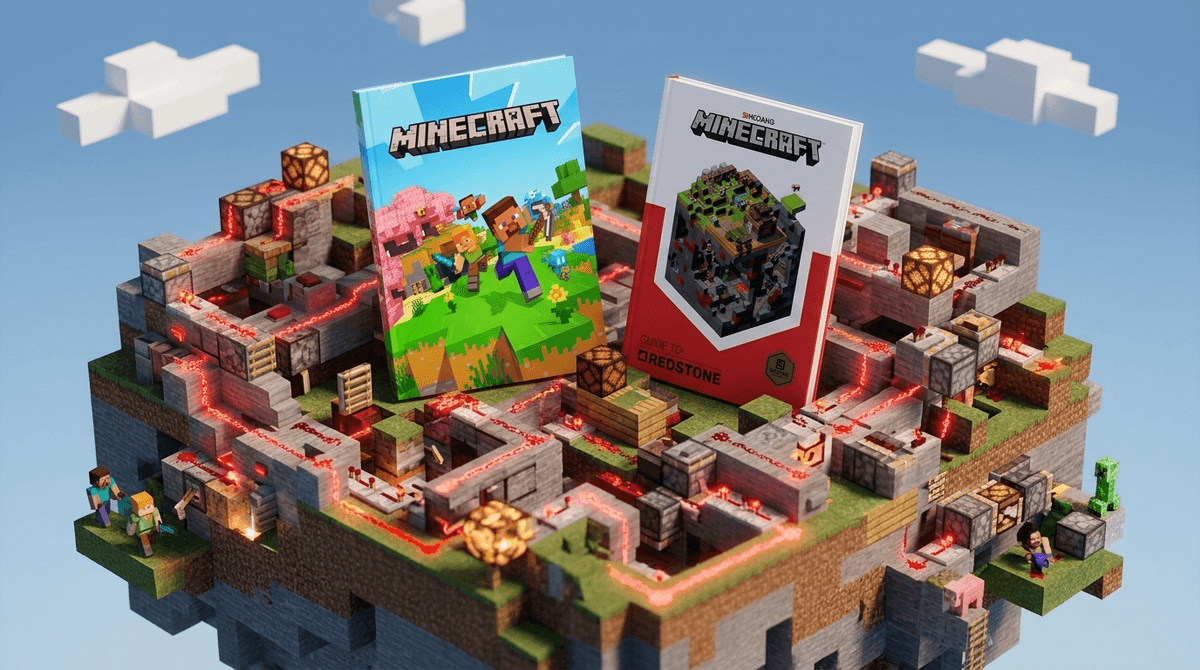
- The Deep Dive: The Minecraft Guide to Redstone
Think of Redstone as the electricity of the Minecraft world. In the game, players can mine "Redstone Ore" to get "Redstone Dust." This dust can be laid out on the floor like wires.
When you connect that dust to a power source—like a lever, a button, or a pressure plate—it carries a signal. You can then use that signal to trigger "components" like doors, pistons (which push blocks), lights, or even TNT.
On the surface, it’s how kids make "traps" for their friends or hidden basement doors. But once they get past the basics, they start building "clocks" (circuits that pulse on and off), "logic gates" (decisions like "only open this door if both levers are pulled"), and eventually, fully functioning calculators or even working computers inside the game.
Find the best Minecraft mods for learning
Most parents see Minecraft and think "digital Legos." That’s true for the building side, but the Redstone side is more like a digital breadboard.
It’s Literal Computer Science
Computers run on logic gates (AND, OR, NOT). These are the fundamental building blocks of every app, website, and AI you use. Redstone allows kids to build these exact same gates.
- AND Gate: The door only opens if Player A and Player B stand on their pressure plates at the same time.
- NOT Gate: The light stays on unless the lever is flipped (inverting the signal). If your child understands these, they’ve already passed the first three weeks of a college-level "Intro to Digital Logic" course.
The Debugging Mindset
In Redstone, things rarely work the first time. A signal might not reach far enough, or a piston might fire in the wrong order. To fix it, a kid has to "trace the line," find the failure point, and iterate. This is exactly what software engineers do all day. It builds a high tolerance for frustration and a methodical approach to problem-solving.
Automation and Efficiency
Kids are naturally "efficiently lazy." They don't want to spend three hours harvesting sugar cane. So, they build a Redstone-powered machine to do it for them. This is the "Automation Mindset." They are learning to build systems that do the work so they don't have to—a core principle of modern industrial engineering.
For the Beginner (Ages 7-9)
At this age, it’s all about cause and effect. They should focus on simple machines.
- Minecraft: Stick to "Creative Mode" so they have infinite resources to experiment without dying to a Creeper.
- The Minecraft Guide to Redstone: A physical book is actually great here so they can look at diagrams while they play.
- PBS Kids (website): For younger siblings, sites like this offer basic "if-then" logic games that prep the brain for Redstone.
For the Intermediate Builder (Ages 10-13)
This is where they start looking at "farms" and "contraptions."
- Mumbo Jumbo (YouTube): He is the gold standard of Redstone tutorials. He’s British, articulate, and focuses on the "how" and "why" rather than just "click here."
- Scratch: If they love Redstone logic, they will thrive in Scratch. It uses the same "block-based" logic to create actual games and animations.
- Code.org: Their "Hour of Code" Minecraft tutorials are a perfect bridge between game blocks and actual Javascript code.
For the Advanced Engineer (Ages 14+)
If your teen is building 8-bit computers in Minecraft, they are ready for the "real" stuff.
- Turing Complete (game): This is a game on Steam where you literally build a computer from scratch, starting with basic logic gates. It’s Redstone on steroids.
- Arduino Starter Kit: (Technically hardware, but fits the vibe). Moving from digital Redstone to real-world breadboards and LEDs is the natural evolution.
- Ages 6-8: Focus on "Creative Mode." Redstone can be frustrating in "Survival Mode" because you have to find the materials and things keep blowing up. Let them play with levers and lamps.
- Ages 9-12: This is the sweet spot. They have the cognitive ability to understand "conditional logic" (If X happens, then Y). Encourage them to watch tutorials and try to replicate them.
- Ages 13+: If they are still into it, they are likely doing very complex builds. This is a great time to introduce them to Python or Java, as the logic they’ve learned in Redstone maps perfectly to these languages.
Minecraft itself is the "good guy" of the gaming world, but there are a few things to watch:
- YouTube Rabbit Holes: While Mumbo Jumbo is safe, the "related videos" can sometimes lead to loud, clickbaity "brain rot" content. Use a shared family account or YouTube Kids if they are younger.
- Public Servers: If your kid is on a public server (like Hypixel) to see Redstone builds, they are in a live chat environment. Most are moderated, but "Internet People" will be "Internet People."
- The "Bank Account" Factor: Unlike Roblox, Minecraft (especially the Java Edition) isn't constantly hitting kids up for money. However, the "Bedrock Edition" (on consoles/phones) has a marketplace for "maps" and "skins." Keep an eye on those "Minecoin" requests.
If you want to connect with your kid over this, don't just ask "Are you winning?" (You can't really "win" Minecraft). Instead, try these:
- "Can you show me how that circuit works? What happens if you flip this lever?"
- "I heard Redstone is basically like real electricity. How do you keep the signal from dying out?" (Hint: They use "Repeaters").
- "That’s a cool automatic farm. How did you figure out the timing for the pistons?"
When you ask these, you aren't just "asking about a game"—you're asking them to explain their engineering choices. It validates the hard work they’ve put into a complex system.
Redstone is one of the few "screen time" activities that genuinely earns the "educational" label without being a boring "edutainment" app that kids hate. It’s hard, it’s complex, and it’s deeply rewarding.
If your kid is deep into Redstone, they aren't just "wasting time." They are learning the language of the future. Support it, ask them to explain their "logic gates," and maybe even buy them a physical book on the subject to give their eyes a break while they plan their next big build.
- Today: Ask your kid to show you their "coolest Redstone build." Even if it’s just a door that opens with a secret code, act impressed—it’s harder than it looks.
- This Weekend: Check out Mumbo Jumbo together and see if you can build one of his "simple" contraptions.
- Next Month: If they are flying through Redstone, look into a Scratch account to see if they can port that logic into making their own standalone games.