

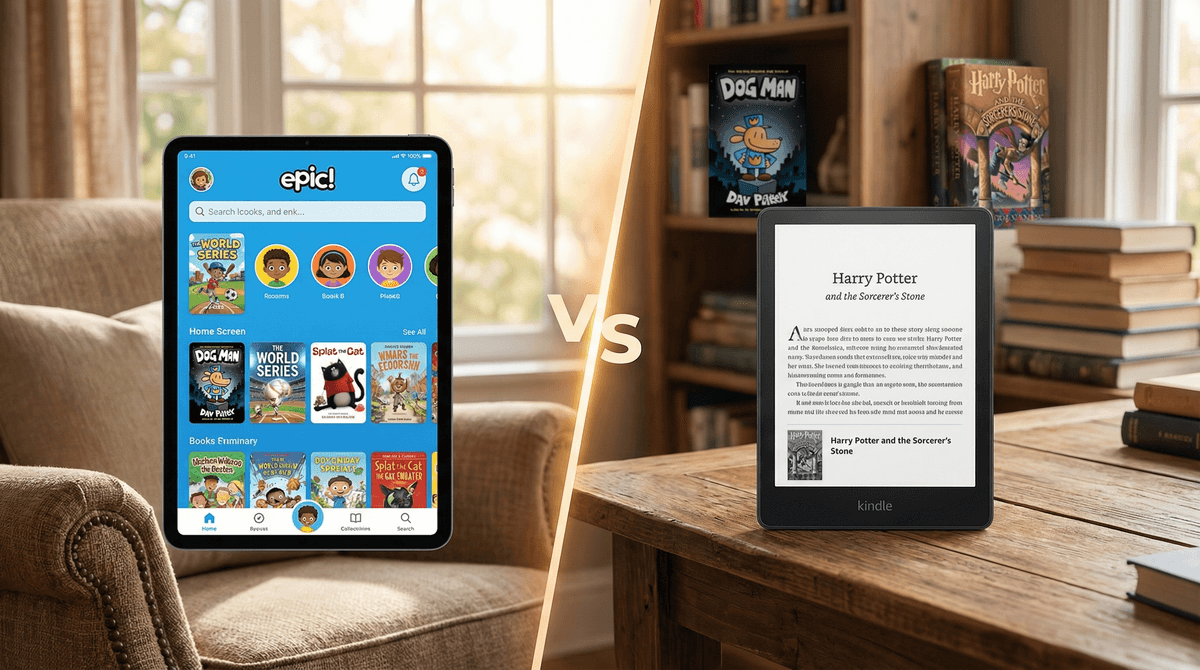
TL;DR: The Quick Verdict
If you’re staring at your kid’s tablet wondering why they’re watching a toilet with a head in it for the third hour today, you’re probably desperate to pivot them toward reading. Here’s the "too long; didn't read" on the two heavy hitters:
- Epic! is the "Netflix of Books." It’s high-energy, gamified, and lives on a tablet. It’s great for reluctant readers who need badges and "Read-to-Me" features to stay engaged, but it carries a high risk of "digital snacking" (flipping through books without actually reading).
- Kindle Kids is the "Digital Library." Whether you use the app or the dedicated E-ink device, it’s built for deep focus. It has better "real" books (think Harry Potter and Percy Jackson), fewer distractions, and is the clear winner for bedtime.
Top Media Recommendations in Context:
- For the "I Hate Reading" Kid: Dog Man on Epic!
- For the Budding Novelist: The Wild Robot on Kindle Kids
- For the Graphic Novel Obsessed: Cat Kid Comic Club (available on both)
- For the Pre-Reader: National Geographic Kids "Read-to-Me" books on Epic!
We’ve all been there. You want your kid to be a "reader," but the competition is stiff. Between the dopamine hits of Roblox and the weirdly hypnotic allure of YouTube Kids, a standard paper book can sometimes feel a bit "Ohio" (that’s kid-speak for cringe or boring, for those of us still catching up).
Enter the digital reading platforms. They promise to make reading as addictive as gaming. But not all platforms are created equal. Some are designed to keep kids clicking, while others are designed to keep kids thinking.
According to Screenwise community data, about 70% of elementary-aged kids have used Epic! at some point, mostly because it’s a staple in classrooms. Meanwhile, Kindle Kids usage tends to spike around 3rd grade when parents start looking for ways to manage "the chapter book transition" without handing over a full-blown iPad.
What Is It?
Epic! is a subscription-based digital library with over 40,000 titles. It’s accessible via a web browser or an app on tablets and phones.
Why Kids Love It
It’s basically Instagram for books. There are avatars to customize, badges to earn, and "streaks" to maintain. For a kid who is used to the reward loops of Minecraft, this feels familiar.
The "Read-to-Me" feature is a lifesaver for 4-to-6-year-olds who want independence but haven't quite mastered phonics. Plus, the library is heavy on high-interest "junk food" books—think LEGO Ninjago comics, My Little Pony stories, and endless books about Among Us.
The Reality Check
The downside? It can feel like "brain rot" disguised as education. Because Epic! tracks "pages read" and "time spent," some kids figure out how to "game" the system—clicking through a book in 30 seconds just to get the badge.
Also, Epic! includes videos. Educational videos, sure, but they are still videos. If you give a kid a choice between reading a paragraph about a penguin or watching a 3-minute video of a penguin, we all know what happens.
See if Epic! is actually helping your kid read or just click
What Is It?
Kindle Kids usually refers to the "Amazon Kids+" subscription bundled with a Kindle hardware device (like the Kindle Paperwhite Kids). It’s an E-ink screen, meaning it looks like paper, has no glare, and—crucially—no blue light to mess with their melatonin.
Why It’s a Parent Favorite
The Kindle Kids hardware has one job: reading. There is no YouTube, no TikTok, and no notifications. When a kid picks up a Kindle, they aren't negotiating for "five more minutes of [Brawl Stars](https://screenwiseapp.com/media/brawl-stars-app." They are just reading.
The Amazon Kids+ library is also arguably "classier." You’ll find the heavy hitters: Harry Potter, Chronicles of Narnia, Wings of Fire, and The Baby-Sitters Club. These are full-length novels that build stamina.
The Friction
The interface can be a little clunky compared to the slickness of an iPad. Searching for books isn't always intuitive, and the black-and-white screen means graphic novels like Smile by Raina Telgemeier lose some of their pop.
| Feature | Epic! | Kindle Kids |
|---|---|---|
| Primary Age | 4–10 | 7–14 |
| Book Quality | High-interest, lots of branded content | Classic literature, popular series, novels |
| Distraction Level | High (Videos, badges, games) | Low (Literally just books) |
| Bedtime Friendliness | Low (Tablet blue light) | High (E-ink technology) |
| School Connection | Very High (Used by most teachers) | Low (Personal device) |
The "Big Name" Problem
One thing parents should know: Epic! often lacks the "mega-hits." You won't find Harry Potter there. You will find Diary of a Wimpy Kid and Big Nate, but the library leans heavily on smaller publishers and "Epic Originals."
Kindle Kids, through the Amazon Kids+ subscription, has a more robust selection of the books your kids actually see at the Scholastic Book Fair.
Ages 4-6 (The "Emergent" Reader)
Winner: Epic! At this age, the goal is just positive associations with books. The "Read-to-Me" feature on Epic! is incredible for building vocabulary while you’re busy making dinner. Seeing words highlighted as they are spoken is a legitimate literacy tool.
Ages 7-9 (The "Transition" Reader)
Winner: Tie This is the "Graphic Novel" era. Kids are obsessed with The Bad Guys and InvestiGators. Both platforms handle these well, though the color screen of a tablet (running Epic! or the Kindle App) is better for this format than the E-ink Kindle device.
Ages 10+ (The "Stamina" Reader)
Winner: Kindle Kids Once they are reading 200-page chapter books, the gamification of Epic! becomes a distraction. A 5th grader needs to get lost in a story, not check their badge progress every ten minutes. The Kindle Paperwhite is the ultimate "grown-up" tool that makes them feel like a serious reader.
Check out our guide to the best graphic novels for 10-year-olds
Epic! Pricing
It’s often free through your kid's school, but only during school hours (usually 7 AM to 3 PM). If you want them to use it at home or on weekends, you’re looking at around $10-12/month.
Kindle Kids Pricing
If you buy the Kindle Kids hardware (usually $99-$160), it typically comes with a year of Amazon Kids+ for free. After that, it’s about $5-10/month depending on if you have Prime.
Pro-tip: You can also use the Libby App to send free library books to a Kindle, which makes the long-term cost $0. Epic! does not allow this.
If your kid is used to the "high-speed" world of Roblox, a Kindle might feel like a punishment. Don't frame it as "no more iPad." Frame it as "your own special device that doesn't run out of battery and won't hurt your eyes."
If you’re using Epic!, have a conversation about "skimming vs. reading."
- "I see you 'read' 15 books today. That’s fast! Tell me what happened in The Bad Guys?" If they can't tell you, they aren't reading; they’re just clicking for dopamine.
Learn more about digital dopamine and how it affects reading focus
If you have a reluctant reader under age 8 who needs bells and whistles to stay interested, Epic! is a fantastic bridge. It meets them where they are (on a tablet) and uses "game-speak" to encourage literacy.
If you have a distracted reader or an older child who is ready for "real" books, Kindle Kids (specifically the Paperwhite device) is the superior choice. It protects their sleep, removes the temptation of YouTube, and treats reading like the immersive, quiet activity it’s meant to be.
- Check with your teacher. If your kid already has an Epic! login from school, try the "Free" version first to see if they actually use it for reading or just for the videos.
- Look for Kindle sales. Amazon almost always drops the price of the Kindle Kids bundle during Prime Day or Black Friday.
- Audit the "Digital Snack." Spend 10 minutes sitting next to your kid while they use Epic!. Are they actually reading the words, or just hunting for the next badge?