

TL;DR: The Cheat Sheet for Busy Parents If you want the learning without the "this feels like school" eye-roll, here are the heavy hitters:
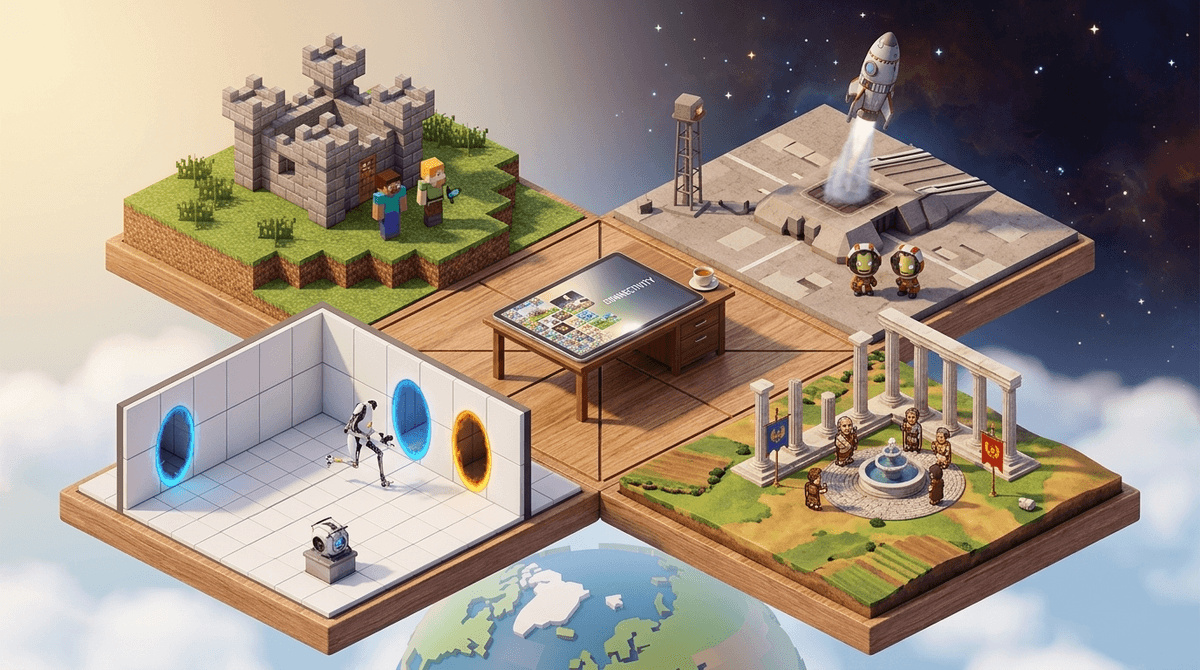
- The Creative Powerhouse: Minecraft (Ages 7+) – Architecture, logic circuits (Redstone), and even chemistry.
- The Coding Gateway: Roblox Studio (Ages 10+) – Real game design and Lua coding.
- The Math RPG: Prodigy Math (Ages 6-12) – Pokémon-style battles fueled by math problems.
- The History Epic: Civilization VI (Ages 10+) – Strategy, world history, and resource management.
- The Physics Lab: Kerbal Space Program (Ages 10+) – Actual rocket science (no, really).
Get a list of games based on your kid's interests
We’ve all been there. You buy the "educational" game with the high-fructose, neon-colored characters promising to teach your kid fractions, and within five minutes, your child has smelled the "chocolate-covered broccoli" from a mile away. They go right back to watching a giant head in a toilet on YouTube (yes, Skibidi Toilet is still a thing, and no, it’s not making them smarter).
The truth is, most "educational" apps are just digital worksheets. They’re boring. But there’s a sweet spot—Stealth Learning. These are games that kids actually want to play on a Saturday morning, where the learning is a byproduct of the fun, not a chore they have to finish to get to the fun.
Kids learn best when they have agency. In a standard classroom, they’re told what to do. In a game like Minecraft, they decide to build a functional 4-bit computer using Redstone because they want to see if they can. That’s not just "playing a game"—that’s logic, engineering, and persistence. When kids say something is "Ohio" (weird or cringey), they’re usually talking about those forced educational games. When they’re actually engaged, they don’t even realize they’re doing "work."
Minecraft is the GOAT for a reason. Beyond just surviving creepers, the game offers Minecraft: Education Edition, which includes a full chemistry set. Kids can literally combine elements to make sparklers or helium balloons.
- The Skill: Logic, spatial reasoning, and basic electrical engineering via Redstone.
- Parent Tip: If your kid is obsessed, look into Redstone tutorials on YouTube together. It’s basically digital breadboarding.
We talk a lot about whether Roblox is just a "money pit" for Robux (and let’s be real, it often is), but the developer side is a goldmine. Roblox Studio is the engine where kids build the games other kids play. It uses a coding language called Lua.
- The Skill: Scripting, 3D modeling, and entrepreneurship.
- The Reality Check: Most kids just want to play "Adopt Me!", but if you can nudge them toward the "Create" tab, they’re learning the same tools professional game devs use.
If you have a middle schooler, skip the history flashcards and let them lead Rome. You have to manage diplomacy, technology trees, and cultural growth. They’ll come to dinner asking you about the "Code of Laws" or why the Nile River was so important for irrigation.
- The Skill: Critical thinking, historical context, and complex resource management.
- Ages: 10+ (It’s a "long game" that requires patience).
This is the game for the kid who wants to be an astronaut. You build rockets for little green aliens. If your aerodynamics are off, the rocket flips. If you don’t have enough fuel, you’re stranded in orbit. It’s famously difficult, but incredibly rewarding.
- The Skill: Orbital mechanics and physics.
- Note: NASA and SpaceX engineers literally play this game. It’s the real deal.
If you're looking for browser-based options that don't require a $500 console, these are the winners:
- Scratch: Developed by MIT, this is the gold standard for block-based coding. It’s a website where kids can make their own animations and games. It’s the perfect "I’m bored" solution that isn't brain rot.
- Prodigy Math: This is one of the few "math games" that actually feels like a game. It’s a fantasy RPG where you cast spells by solving math problems. Warning: They will eventually ask you for a membership to get better "pets" in the game.
- Poly Bridge: A physics-based puzzle game about building bridges. If the bridge is too weak, it collapses when the car drives over. It’s engineering 101 disguised as a goofy puzzle.
Elementary (Ages 5-9): Focus on Scratch and Minecraft. At this age, it’s about exploration and getting comfortable with digital tools. PBS Kids is also a fantastic, safe starting point for younger kids.
Middle School (Ages 10-13): This is the prime time for Roblox Studio and Civilization VI. They have the cognitive load to handle complex systems and long-term planning.
High School (Ages 14+): They might be "too cool" for educational games, but strategy games like Cities: Skylines (urban planning) or Portal 2 (physics puzzles) still offer massive intellectual value.
Let’s talk about the elephant in the room: Robux. Games like Roblox and even Minecraft (with its Marketplace) are designed to get kids to spend money. You can be the most "intentional parent" in the world and still find a $20 charge for a digital "Legendary Dragon."
If you're going to use these as educational tools, you need to set boundaries:
- Distinguish between "Playing" and "Creating": If they want extra screen time, maybe they get it only if they’re in Roblox Studio or working on a Scratch project.
- Watch out for "Brain Rot" content: Just because a game is on an educational list doesn't mean every "mod" or "server" is good. Minecraft servers can be toxic; stick to private worlds or reputable moderated servers.
- Talk about the "Why": Ask them, "How did you get that bridge to stay up?" or "What happens if you add more Sodium to that Minecraft lab table?" making them the "expert" reinforces the learning.
Digital play isn't the enemy; passive digital play is. If your kid is sitting there zoning out to 15-second loops, that's one thing. But if they’re arguing about the structural integrity of a bridge in Poly Bridge or trying to figure out the "rizz" of a Roman diplomat in Civilization VI, they’re working.
Don't feel guilty about the screen time if the screen is a canvas or a laboratory. The goal isn't to eliminate tech—it's to trade the "brain rot" for something that actually builds a skill.
- This Weekend: Download Scratch (it’s free) and ask your kid to show you how to make a character move.
- Check the Stats: Look at your Screenwise dashboard to see how many hours are going into "Entertainment" vs. "Creativity" apps.
- The "One-for-One" Rule: For every hour of YouTube, they spend 30 minutes in a "Stealth Learning" game.