

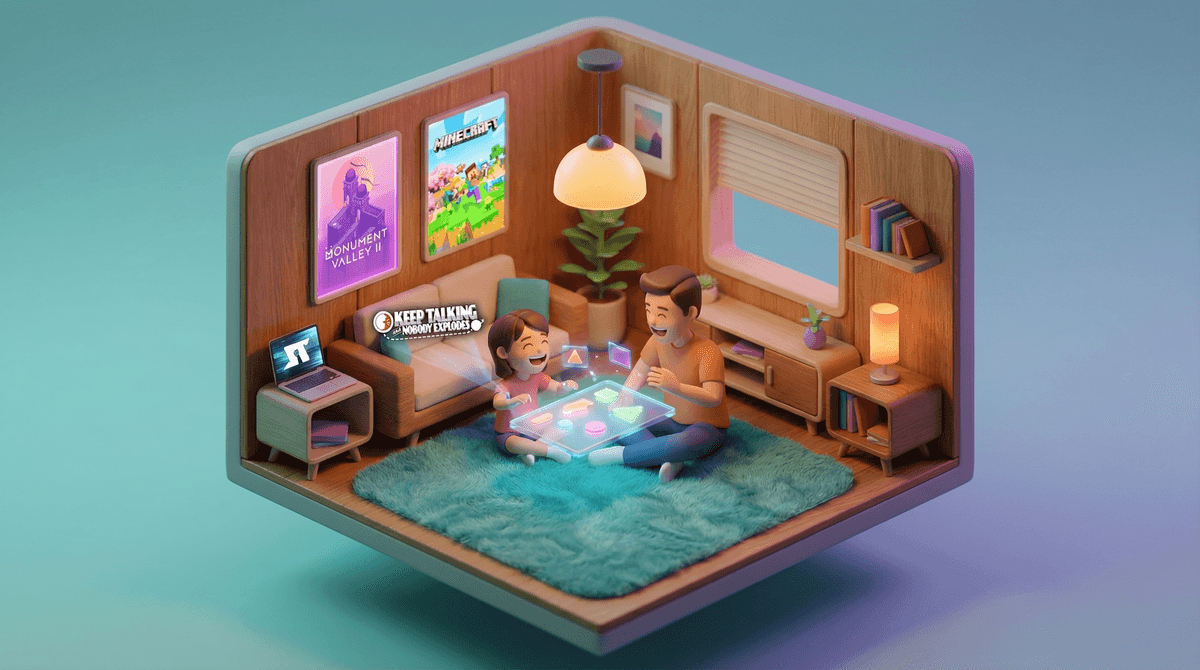
Look, we all know the difference between handing your kid the iPad to buy yourself 20 minutes of peace (no judgment, we've all been there) and actually sitting down together to do something on a screen. Co-play apps are designed for that second scenario — apps where the experience is better, more fun, or actually only works when you're playing together.
These aren't babysitters. They're digital board games, creative tools, puzzle adventures, and learning experiences that require or benefit from having an adult in the mix. Think of them as the screen time equivalent of playing Catan or doing a puzzle together, except the pieces don't end up under the couch.
Here's the thing: screen time isn't inherently bad, but passive consumption is where things get dicey. When you're actively engaged together — talking, problem-solving, laughing at the same dumb joke — that's a completely different neurological and social experience than your kid zoning out to YouTube shorts for an hour.
Co-play apps turn screen time into an activity you're doing together rather than something happening to your child while you're in another room. You get to see how they think, what frustrates them, what makes them excited. Plus, you're modeling how to engage with technology thoughtfully rather than just demonstrating that screens are isolation devices.
And honestly? Some of these apps are genuinely fun. You might actually want to keep playing after your kid loses interest.
For Little Kids (Ages 3-7)
Toca Boca apps — These are open-ended play apps (Toca Kitchen, Toca Life World, etc.) with zero pressure and no way to "lose." You can cook ridiculous meals together, create stories with characters, or just explore weird digital worlds. They're perfect for kids who need you to help narrate what's happening or come up with storylines together.
Sago Mini apps — Similar vibe to Toca Boca but slightly younger skewing. Great for toddlers and preschoolers. You're basically playing pretend together, but with adorable animations.
Endless Alphabet — Letter learning that doesn't feel like drilling flashcards. The animations are charming enough that you won't want to throw the device out the window after the 47th time through.
For Elementary Ages (Ages 6-10)
Monument Valley 1 & 2 — Gorgeous, mind-bending puzzle games where you manipulate impossible architecture. Perfect for playing together because you'll both be tilting your heads trying to figure out the perspective tricks. No timers, no pressure, just beautiful problem-solving.
Minecraft — Yes, kids can play this solo, but creative mode with a parent is genuinely delightful. Build a house together, create a farm, make pixel art of your dog. You can actually have conversations while you play, and you get to see their creative process in action. Just maybe read up on multiplayer safety if they want to play with friends online.
Osmo — This requires a physical kit (pieces that interact with the tablet camera), but it's worth mentioning because it bridges physical and digital play beautifully. You're working with tangram pieces, drawing, spelling, or solving math problems together using real objects. The screen is the feedback mechanism, not the whole experience.
Heads Up! — The Ellen DeGeneres charades app. It's basically a digital version of a classic party game, but it works great for family game night or even just two of you being silly together.
For Tweens and Up (Ages 10+)
Spaceteam — A chaotic cooperative game where everyone has different controls for the same spaceship and you have to shout instructions at each other. It's ridiculous and loud and requires at least two devices, but it's the most fun you'll have yelling "ENGAGE THE FLUXOR SHIELD" at your 11-year-old.
Keep Talking and Nobody Explodes — One person can see a bomb on screen, the other person has the manual (printed or on another device) with defusing instructions. You have to communicate clearly under time pressure. It's fantastic for working on communication skills and also discovering that your teenager is terrible at describing shapes under stress.
Ticket to Ride or Carcassonne — Digital versions of beloved board games. All the strategy, none of the setup or lost pieces. These work great for teaching game strategy and having actual conversations between turns.
Incredibox — Create music together by dragging and dropping sounds onto characters. It's surprisingly sophisticated and genuinely creative. You can make something that actually sounds good, which is satisfying for both of you.
Not every app markets itself as "co-play" but works great for it. Here's what to look for:
- Turn-based or pausable — You need time to talk, strategize, or just process what's happening
- No pressure timers — Nothing kills conversation like "HURRY MOM WE HAVE 5 SECONDS"
- Visible to both of you — Avoid apps where the kid is just tapping frantically while you watch their thumbs move
- Natural conversation prompts — "What should we do next?" or "How do we solve this?" rather than just watching cutscenes
- Actual challenge — If it's too easy for them, they won't need you. If it's too easy for you, you'll be bored.
The best co-play apps are the ones you'll both actually want to come back to. If you're dreading it or checking your phone while they play, it's not really co-play anymore.
Start with one or two apps and see what sticks. Maybe your kid loves building in Minecraft with you, or maybe they'd rather solve puzzles in Monument Valley. Maybe they're at the age where they'd rather die than play an app with you (teenagers, am I right?), and that's okay too.
The goal isn't to turn all screen time into together time. Sometimes they need to veg out, and sometimes you need them to veg out. But having a few quality options in your back pocket for when you want to actually connect? That's worth the download.
This week: Pick one app from the age-appropriate section above and download it. Set aside 20 minutes (yes, schedule it if you have to) to try it together without distractions.
Watch for: Are you both engaged? Are you talking? Are you problem-solving together or is one of you just watching? If it's not working, try a different one. Not every app will click with every family, and that's fine.
Consider: What other activities does your family enjoy together? If you love board games, try digital versions. If you're into art, try creative apps. If you're puzzle people, try puzzle games. Let us know what you're interested in and we can point you toward more specific recommendations.
The right co-play app can turn "get off that thing" into "can we play one more round?" And honestly? That's a pretty good trade.