Screenwise

Screenwise

app

4+, 2015, Utilities, Education

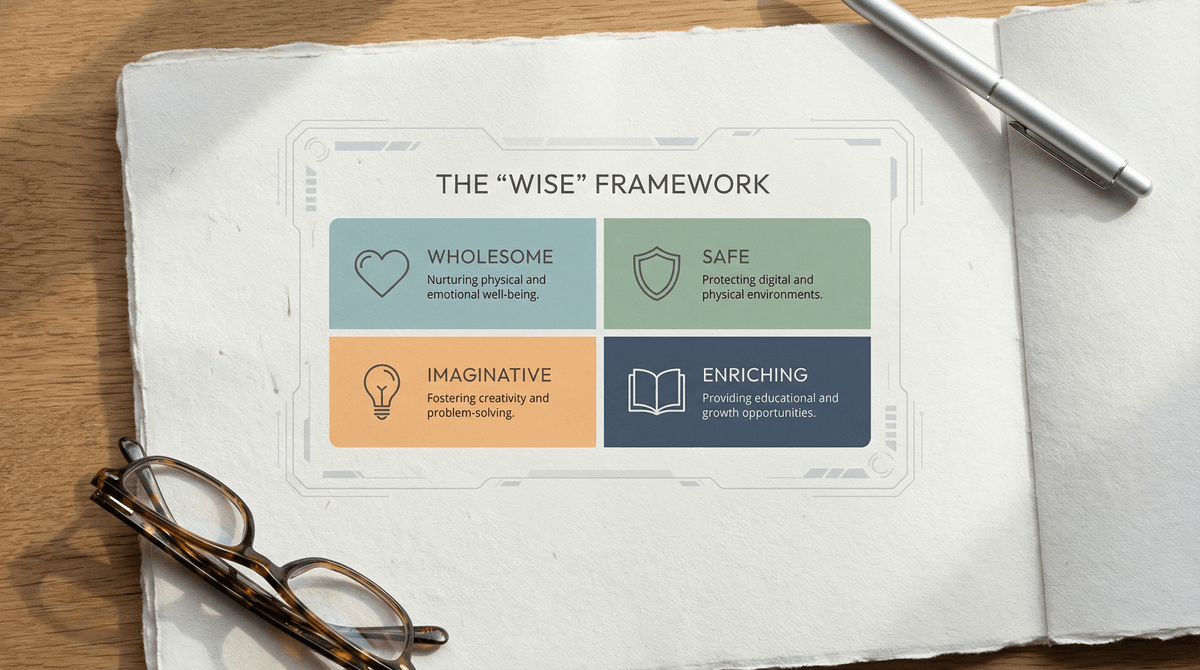
WISE
45%

WISE Score

4.3

App Store

A utility tool for home theater nerds who need to know exactly how far the couch should be from that new 85-inch screen.

Screenwise Verdict

Screenwise is a classic 'utility drawer' app. It does exactly what it says on the tin: helps you figure out if your TV is too big for your room or if your couch is too far away. It is not something a kid is going to 'play,' but if you have a teen obsessed with PC specs or home theater setups, it is a handy, safe tool to have.

Because it was built in 2015, do not expect a sleek, modern experience. It is utilitarian and a bit dated, but the math behind viewing distances hasn't changed much in a decade. It is a functional piece of software that solves a boring problem efficiently.

Age Fit

Technically safe for everyone, but realistically only interesting for teens (13+) who are building their own PC setups or parents doing home renovations.

WISE Breakdown
Wholesome
85

It is a utility tool for calculating TV dimensions and viewing distances. No hidden agendas, no toxic content, just math and pixels.

Imaginative
15

This is a calculator, not a creative sandbox. It solves a specific technical problem and nothing more.

Safe
98

No social features, no unmoderated chat, and no user-generated content. It is a standalone utility app.

Enriching
40

Provides some technical education on PPI and viewing angles, but it is too niche for general learning.

Parent Info
✓

Why It Might Be Great

  • Math-free planning for anyone setting up a living room or gaming corner.
  • Advanced specs for kids (or adults) obsessed with pixel density and display tech.
  • Visual interface that makes technical industry standards easy to understand at a glance.
⚠

What to Watch For

  • The app was released in 2015, so the UI might feel like a time capsule on a modern iPhone.
  • It is a single-use tool; once you've mounted the TV, you will probably delete it immediately.

Conversation Starters

  • "Do you think we are sitting too close to the screen for our eyes to stay comfortable?"
  • "Why do you think 4K looks better on a phone than on a giant TV if they have the same number of pixels?"
  • "If we moved the couch three feet back, would we still need a screen this big?"

Deep Dive

The 'One and Done' Utility

There are apps you keep on your home screen for years, and then there are apps like Screenwise. You download this because you are standing in an aisle at Costco or staring at a blank wall in your basement trying to justify a massive purchase. It exists to settle arguments about whether a screen is 'too big' or if the resolution actually matters at a ten-foot distance.

For most families, this is a tool for the parents. However, there is a specific type of kid—the one who spends their weekends on PCPartPicker or watching tech YouTubers—who might actually find the 'Advanced Screen Calculator' interesting. It breaks down the relationship between physical size, resolution, and pixel density. In a world where every device is a 'Retina' display, understanding the actual math of PPI (pixels per inch) is a decent, stealthy way to introduce some practical geometry and physics.

Is it fun? No. Is it useful? Yes, for exactly fifteen minutes every five years when you buy a new monitor. If you're looking for something to keep a kid occupied, this isn't it. If you're looking to verify that your kid's gaming setup isn't going to cause unnecessary eye strain, it is a solid, safe, and free way to check.

What Parents Ask

Ask Anything

Get a personalized guide on any topic