

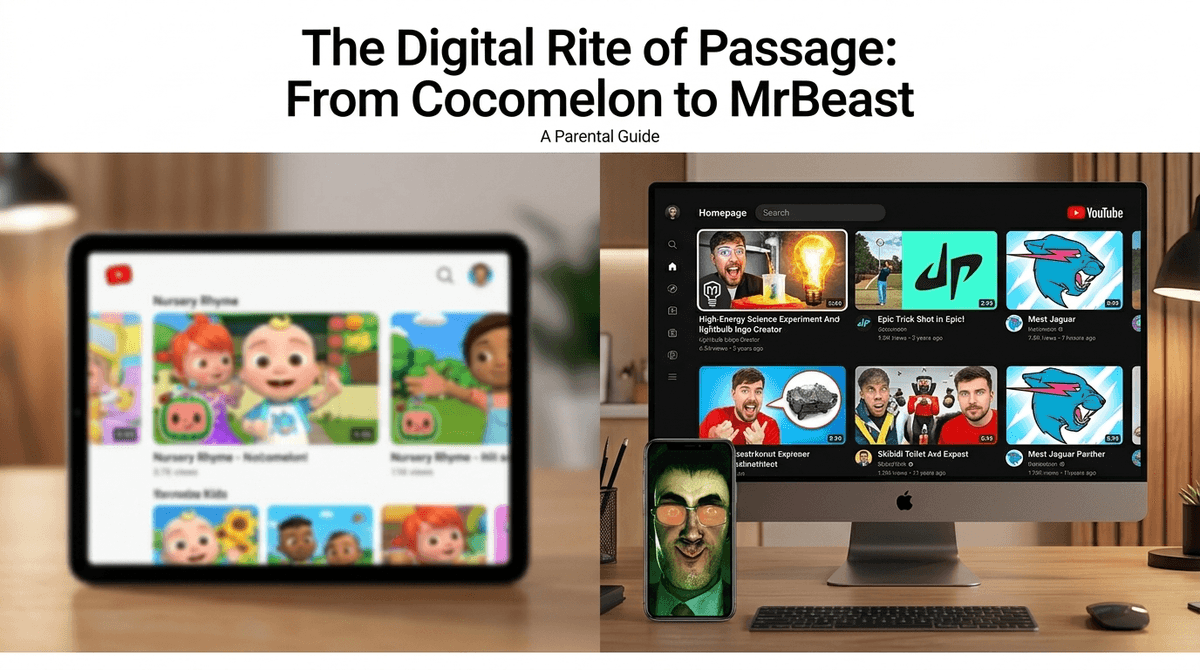
TL;DR: YouTube Kids is a walled garden designed for the preschool and early elementary set, but by age 8 or 9, most kids feel it’s "for babies." The "Real Deal" YouTube is a wild frontier of creator content, but Google’s Supervised Accounts offer a middle ground with three levels of content filtering. If your kid is begging for MrBeast and you’re tired of Cocomelon, it might be time to graduate to a supervised experience.
Check out our full breakdown of YouTube parental controls
We’ve all been there. You’re trying to make dinner, and the "Baby Shark" remix is playing for the 400th time in the background. You’re grateful for the distraction, but you also know that YouTube Kids is basically a digital playpen. It’s safe-ish, it’s colorful, and it’s very, very repetitive.
But then comes the day—usually around 3rd or 4th grade—when your kid comes home and says they’re the only one in class who hasn't seen the latest MrBeast challenge or doesn't know why everyone is saying "Ohio" is the weirdest state. Suddenly, the walled garden feels like a prison, and they want out.
Navigating the jump from the "Kids" app to the "Main" site is one of the biggest digital milestones for intentional parents. It’s the move from curated content to the algorithm. Here is the no-BS guide on how to handle the transition without losing your mind or your kid’s digital safety.
Think of YouTube Kids as a padded room. It’s a separate app and website designed to show only family-friendly content. It uses automated filters, human review, and parent feedback to keep the "weird" stuff out.
The Reality Check: Even with all those filters, "weird" stuff still gets through. You’ve probably heard of "Elsagate" or seen those bizarre, AI-generated nursery rhymes that feel a little... off. While it’s significantly safer than the main site, it’s not a "set it and forget it" tool. It’s also the land of "brain rot"—low-effort, high-sensory videos that keep kids in a zombie-like trance.
For years, it was either the "Kids" app or the full-blown, comment-section-hellscape of YouTube. Thankfully, Google introduced Supervised Accounts. This is the "training wheels" version of the main YouTube site.
When you set up a supervised account for your child (usually via Google Family Link), you choose from three content settings:
- Explore: Generally for ages 9+. It opens up vlogs, tutorials, gaming videos, and news, but keeps the "mature" stuff out.
- Explore More: Generally for ages 13+. This includes a wider range of videos and even some live streams.
- Most of YouTube: Pretty much everything except age-restricted content.
The biggest win here? No comments. The comment section of YouTube is where the real toxicity lives. Supervised accounts disable comments, live chat, and the ability to upload videos, letting your kid watch Mark Rober without being exposed to the "first" and "L" spam in the comments.
It’s not just about wanting to be "grown up." YouTube is the cultural town square for Gen Alpha. If they aren't on the main site, they’re missing out on the creators that define their social world.
At school, the "cool" factor isn't about Blippi anymore; it’s about PrestonPlayz or Unspeakable. Being "Screenwise" means recognizing that social currency is real. If we keep them in the "Kids" app too long, they’ll just find ways to sneak onto the main site on a friend’s phone or a school Chromebook.
You’ve probably heard your kid say things are "skibidi," "only in Ohio," or talk about "Gyatt" (let’s maybe save that one for later). Most of this comes from YouTube Shorts, which is YouTube’s answer to TikTok.
If you haven't seen it, it’s a series of videos about heads popping out of toilets. It sounds—and is—completely absurd. Parents often panic thinking it's "brain rot," but honestly? It’s just the modern version of the weird cartoons we watched in the 90s. It’s high-octane, weird, and annoying, but it’s not inherently "dangerous." It’s just very loud.
If you’re moving your kid to a Supervised Account, you want to point them toward high-quality creators so the algorithm doesn't immediately serve them garbage. Here are some "Gold Standard" channels for the 8-12 crowd:
The former NASA engineer who makes science genuinely cool. His "Glitter Bomb" videos are legendary, and he teaches actual engineering principles in a way that doesn't feel like school.
Clean, high-energy trick shots and "battles." It’s essentially five guys having the time of their lives. It’s wholesome, competitive, and very popular.
Beautifully animated videos explaining complex topics like evolution, space, and biology. It’s high-level thinking presented in a way kids (and adults) can actually understand.
If you want them to do something rather than just watch something, this is the one. A dad and his kids walk viewers through drawing everything from Pokemon to holiday decorations.
For the younger end of the transition (ages 6-8), this channel focuses on creative play and toy reviews without being as manic as some other "unboxing" channels.
The move to the main YouTube site (even supervised) requires a talk about three things:
- The Algorithm: Explain that YouTube is designed to keep you watching. It doesn't care if the video is good for you; it just wants your time. We call this "The Rabbit Hole."
- Influencer Marketing: Kids need to know that MrBeast isn't just a guy making videos; he’s a multi-million dollar brand. When he tells them to buy a Feastables bar, that’s an ad.
- The "Shorts" Trap: YouTube Shorts are incredibly addictive. They offer a dopamine hit every 15 seconds. It’s much harder for a kid to put down Shorts than it is to finish a 10-minute video.
Don't make the move a "reward" for good behavior, and don't make the "Kids" app a "punishment." Instead, frame it as a graduation.
"Hey, I know you’re getting older and YouTube Kids feels a bit young for you. We’re going to try a Supervised Account on the main YouTube site. It means you get to see more of the creators your friends talk about, but we’re going to keep the comments off and check in on what the algorithm is recommending to you."
YouTube Kids is great for toddlers, but by the time your kid is playing Minecraft or Roblox, they’ve outgrown it.
The jump to the "Real Deal" YouTube doesn't have to be a cliff-dive. Use Supervised Accounts as the bridge. It gives them the cultural access they crave while giving you the peace of mind that they aren't reading the comments of a political debate or a toxic gaming stream.
Next Steps:
- Open your Family Link app.
- Navigate to YouTube settings for your child.
- Select "Supervised Account" and choose the "Explore" setting.
- Sit down with them for the first 20 minutes to "prime" the algorithm by searching for high-quality creators like Mark Rober or National Geographic.