

TL;DR
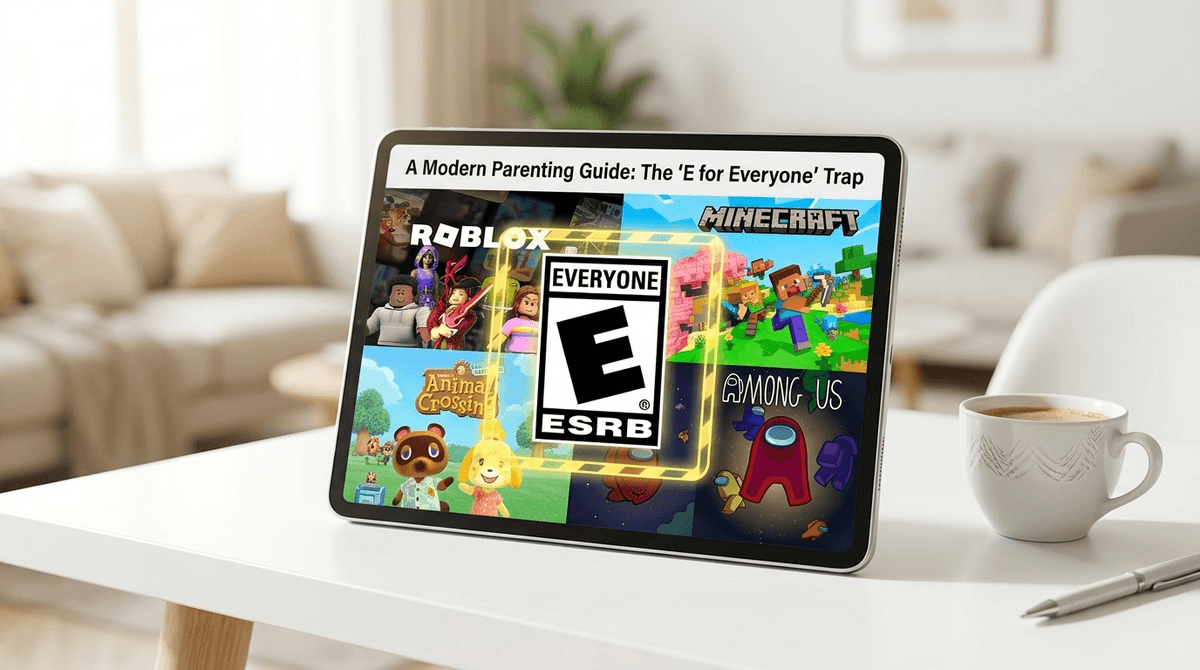
The "E for Everyone" rating tells you there’s no blood, guts, or F-bombs in the base game, but it doesn't account for the wild west of the internet. If a game has a chat box, user-generated levels, or an in-game store, the "E" rating is basically just a suggestion.
Quick Links for the "Safe" Games We’re Discussing:
- Roblox – The "everything" app that is actually a digital mall.
- Minecraft – Safe in creative mode, but public servers are a different story.
- Among Us – Rated E10+, but the social deduction (lying) and chat are the real hurdles.
- Animal Crossing: New Horizons – The ultimate "cozy" game that still allows strangers to visit your island.
- Rec Room – Like Roblox but in VR, which adds a whole new layer of "physical" personal space issues.
We’ve all been there. You’re at Target or scrolling the App Store, you see that familiar "E" logo from the ESRB (Entertainment Software Rating Board), and you breathe a sigh of relief. You think, "Great, no chainsaws, no suggestive themes, I can finally go drink my coffee in peace."
But here’s the no-BS reality: The ESRB rating only applies to the content created by the developers. It does not apply to the 14-year-old in the chat room who just learned a new slur, or the user-generated "skibidi toilet" horror map that some random person uploaded to a "safe" platform.
In 2026, a game being "E" is like a playground being "safe"—it might have plastic slides and rounded corners, but if there’s no fence and anyone can walk in and start talking to your kid, the equipment isn’t the problem.
The ESRB was designed for a world where you bought a plastic cartridge, put it in a console, and played a finished product. Today, games are "live services." They change every week.
Most "E" rated games today come with a tiny disclaimer you’ve probably ignored: "Users Interact" and "In-Game Purchases."
Those four words are doing a lot of heavy lifting. "Users Interact" means the game is a social media platform disguised as a toy. "In-Game Purchases" means the game is a casino disguised as a cartoon.
Learn more about how the ESRB rating system actually works
1. The Chat Box (The "Ohio" Factor)
You might think your kid is just building a house in Minecraft, but if they are on a public server, they are exposed to the collective "brain rot" of the internet. From kids calling everything "Ohio" (which is apparently the new word for "weird" or "cringe") to actual grooming attempts, the chat box is the biggest variable.
Even games like Among Us rely entirely on text or voice chat to play. The game itself is just little beans running around, but the experience is 100% determined by who else is in the lobby.
2. User-Generated Content (UGC)
Platforms like Roblox and Rec Room aren't actually games—they are engines. Anyone can build a game inside them. While these companies have moderators, they are playing a permanent game of whack-a-mole. Your kid might search for "Fashion Show" and end up in a room that looks fine but features "edgy" music or simulated "adult" situations.
3. Dark Patterns and the Bank Account Drain
This is the one that hurts the wallet. "E" rated games are notorious for "dark patterns"—psychological tricks designed to make kids spend money.
- Scarcity: "Only 2 hours left to buy this Sparkle Unicorn skin!"
- Confusing Currency: It’s never $5.00. It’s 400 "Gems" or "Robux." This abstraction makes it harder for a kid’s developing brain to realize they are spending real-world money.
- Social Pressure: In Roblox, being a "noob" (someone with the default, free skin) can actually lead to kids being bullied or excluded from digital hangouts.
Check out our guide on identifying dark patterns in kids' games
Is it teaching entrepreneurship? Maybe a little. If your kid is actually coding in Lua and building assets, that’s cool. But for 99% of kids, Roblox is a digital mall where they go to hang out and beg you for Robux.
The Risk: The sheer volume of content. It is impossible to vet every "experience" your kid clicks on.
The Fix: Use the "Allowed Experiences" setting to restrict them to age-appropriate content, and for the love of all that is holy, turn off the chat.
The gold standard, right? Mostly. The Risk: Public servers. If your kid joins a "Factions" or "Survival" server, they are playing with adults. Period. The language can get salty, and the competitive nature can lead to "griefing" (people destroying your kid's hard work), which leads to real-world meltdowns. The Fix: Stick to Minecraft Realms, which is a private server just for your kid and their actual, real-life friends.
It’s so cute! It’s so slow! The Risk: The "Dodo Code." To visit other islands, you need a code. Kids often find these codes on Discord or Reddit to get "rare items." Once a stranger is on your island, they can trash the place or leave inappropriate messages on the bulletin board. The Fix: Make a rule—no visiting islands unless we know the person in real life.
- Ages 5-7: Stick to offline games or games with NO social features. Toca Life World or Sago Mini World are great because they are "walled gardens."
- Ages 8-10: This is the Roblox sweet spot. This is the time to have the "Internet is Forever" talk. If you let them play online, do it in a common area of the house. No bedrooms.
- Ages 11-13: They’re going to want to play "T for Teen" games like Fortnite. Honestly? A well-moderated "T" game is often safer than a chaotic "E" game with unmoderated chat.
Find game recommendations based on your kid's age
Instead of just looking at the rating, do a quick "Vibe Check" on any new game:
- Can they talk to people I don't know? If yes, can I turn it off?
- Does the game try to sell them something every 5 minutes? If yes, is my credit card unlinked?
- Is the content "static" or "user-generated"? (Static = safe. UGC = proceed with caution).
Don't be the "Screen Police." Nobody likes that person. Instead, be the "Coach."
Try saying: "Hey, I know Roblox says it's for everyone, but sometimes people build stuff in there that's a bit too weird or scary. If you ever see something that makes you feel 'ick,' just close the tab. You won't be in trouble. I just want to make sure your brain isn't getting rotted by weirdness."
Using their language (like "ick" or "brain rot") shows you're paying attention without being "cringe." (Okay, maybe saying "cringe" is cringe, but you get it).
An "E" rating is the start of a conversation, not the end of one. In the modern digital landscape, safety is a feature, not a guarantee.
The best parental control is still you sitting on the couch for 15 minutes and watching them play. You’ll quickly see if the game is a creative outlet or just a high-pressure digital store.
- Audit the Chat: Go into the settings of your kid's top 3 games today and see who can message them.
- Check the "Recent" list: In Roblox, look at the "Recently Played" games. If you see anything with "Horror," "Bathroom," or "Survival" in the title, go take a look at it.
- Set a "Robux Budget": If you’re going to allow spending, make it a fixed monthly amount. Once it’s gone, it’s gone. No exceptions.
Check out our full guide on setting up parental controls for every major console