

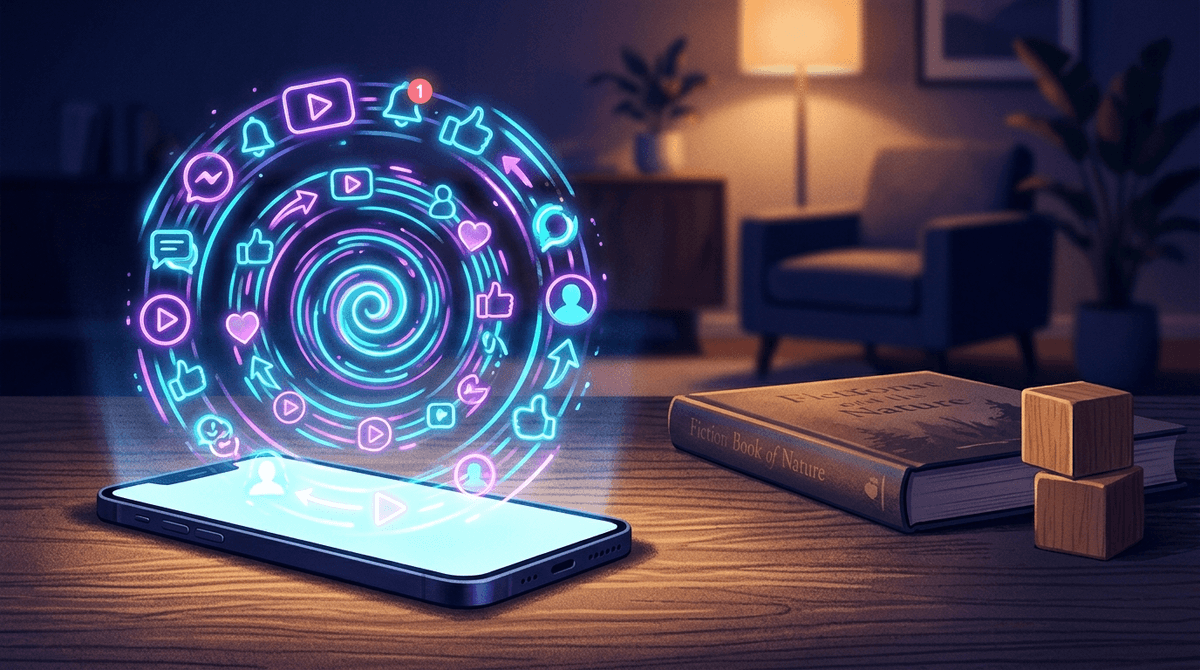
TL;DR: In 2026, "age-inappropriate content" has shifted from kids actively seeking out "bad" stuff to a passive experience where aggressive algorithms push "brain rot" like Skibidi Toilet or predatory Roblox clones into their feeds. Protecting them isn't just about filters; it's about understanding the "One-Click Slip."
Quick Links for Quality Alternatives:
- Show: Bluey (Ages 3-7) – Still the gold standard for emotional intelligence.
- Show: Hilda (Ages 7+) – Beautifully animated, sophisticated storytelling.
- Game: Minecraft (Ages 8+) – The "Lego" of our generation, mostly safe in Creative mode.
- Book: The Wild Robot by Peter Brown (Ages 8-12) – A perfect bridge to discussing AI and nature.
- Website: Scratch (Ages 8+) – Where they should go instead of just consuming "brain rot."
The digital landscape for our kids has changed. Ten years ago, if a kid saw something inappropriate, they usually had to go looking for it or click a very sketchy link in an email. Today, the "One-Click Slip" is the new reality. Your kid starts by watching a harmless Minecraft tutorial on YouTube, and within three "Up Next" videos, they are watching a hyper-stimulating, vaguely violent, and deeply weird "brain rot" video about a head coming out of a toilet.
This isn't necessarily a failure of parenting; it's the result of algorithms designed to keep eyes on screens at any cost, regardless of whether the content is actually good for a developing brain.
If you've heard your kid say things are "so Ohio" or mention "Rizz" and "Skibidi," you're witnessing the linguistic side of "brain rot." In the context of digital wellness, brain rot refers to low-effort, high-stimulation content—often found on TikTok, YouTube Shorts, and Instagram Reels—that prioritizes loud noises, bright colors, and nonsensical plots over actual substance.
The "One-Click Slip" is how they get there. Most platforms use an "Autoplay" or "Suggested" feature. Because these algorithms are trained to maximize "watch time," they often push content that is more extreme or "edgy" than what the child started with. It’s a slow slide from Peppa Pig to weird AI-generated Elsa-and-Spider-Man videos that are definitely not meant for kids.

We often think of "age-inappropriate" as meaning sex or violence. While those are still concerns, the 2026 version of inappropriate content is often developmentally inappropriate.
When a 7-year-old watches a video designed for the dopamine-seeking brain of a 15-year-old, it messes with their attention span, their ability to regulate emotions, and their perception of what is "normal" humor or behavior. It’s not just about what they see; it’s about how that content makes their brain feel—wired, anxious, and constantly needing the next "hit" of stimulation.
This is the poster child for modern age-inappropriate content. It’s a series of YouTube videos about toilets with heads. It sounds harmlessly dumb, but as the series progresses, it becomes a dark, violent war saga. It’s not "evil," but it’s definitely not for the preschoolers who are often clicking on it because of the bright thumbnails.
We need to talk about Roblox. It’s marketed as a creative platform where kids can learn entrepreneurship by making games. In reality, for 90% of kids, it’s a digital mall where they are constantly pressured to spend Robux on digital clothes. The "One-Click Slip" here happens when kids join "unmoderated" user-created rooms that feature adult themes, simulated gambling, or "dating" scenarios.
If we’re going to pull them away from the algorithmic sludge, we have to provide alternatives that are actually engaging. "Educational" doesn't have to mean "boring."
Ages 3-8 There is a reason parents love this as much as kids. It’s funny, it’s real, and it focuses on imaginative play. It’s the antithesis of brain rot. It’s slow-paced enough for young brains but smart enough to keep them from clicking away.
Ages 7-12 If your kid is aging out of "baby shows" and wants something more "epic," Hilda is a masterpiece. It deals with complex emotions, environmentalism, and folklore without the frantic editing of modern YouTube content.
Ages 8-12 If you want to transition from screen time to "green time" or just quiet time, this book by Peter Brown is essential. It’s a great way to talk about technology (AI) and nature in a way that feels modern and relevant.
Ages 8+ Instead of letting them get lost in the Roblox economy, point them toward Scratch. It’s a free coding platform from MIT. It’s interactive, creative, and has a community that is actually moderated for kids.
Ages 6-12 If they want that "RPG" feel of a video game but you want them to actually learn something, Prodigy is a math-based game that kids actually want to play. It’s a great "middle ground" for families trying to reduce brain rot.
Navigating this depends on the grade level. Here is how the community generally handles these boundaries:
- Pre-K to Grade 2: Stick to "curated" environments. Apps like PBS Kids Video or Khan Academy Kids are safe zones. Avoid the main YouTube app entirely.
- Grades 3 to 5: This is the danger zone for the "One-Click Slip." They want to watch what their friends are watching. If you allow YouTube, use "Supervised Accounts" rather than YouTube Kids (which is ironically full of weirder, low-quality AI content).
- Middle School: They are going to see the brain rot. At this age, the goal is media literacy. Ask them: "Why do you think that video was made? Why is it so loud? How do you feel after watching 30 minutes of those Shorts?"
How do you know if your kid has slipped into the "inappropriate" zone? Look for these signs:
- The "Trance": If they are scrolling and literally don't hear you call their name, they are in a dopamine loop.
- Increased Irritability: If turning off the screen leads to a nuclear meltdown every single time, the content they are consuming is likely too stimulating.
- Mimicking "Edgy" Behavior: If they start using slang they don't understand or acting out "pranks" they saw online, it’s time to check the history.
Don't be the "tech is evil" parent. It doesn't work and they'll just hide it from you. Instead, be the "tech is a tool" parent.
Try saying: "I noticed that some of the videos the YouTube algorithm is showing you are getting a little weird and aggressive. It’s not your fault—those apps are designed to trick your brain into staying on. Let’s look at your 'History' together and see if we can reset the algorithm to show you stuff you actually like, rather than just the loudest stuff."
The "One-Click Slip" is a systemic issue with how modern apps are built. In 2026, being an intentional parent means recognizing that "age-appropriate" is a moving target. It’s less about a single "bad" app and more about the stream of content.
Focus on high-quality alternatives like Toca Life World or Wingspan for family night, and keep the conversation open. If they feel like they can tell you about the "weird" thing they saw without getting their device confiscated, you’ve already won half the battle.
- Turn off Autoplay on every single app your child uses.
- Check the "History" on YouTube or TikTok once a week together.
- Set "Screen-Free Zones" (like the dinner table or bedrooms) to break the dopamine loops.
- Take the Screenwise Survey to see how your family's habits compare to other intentional parents in your community.