

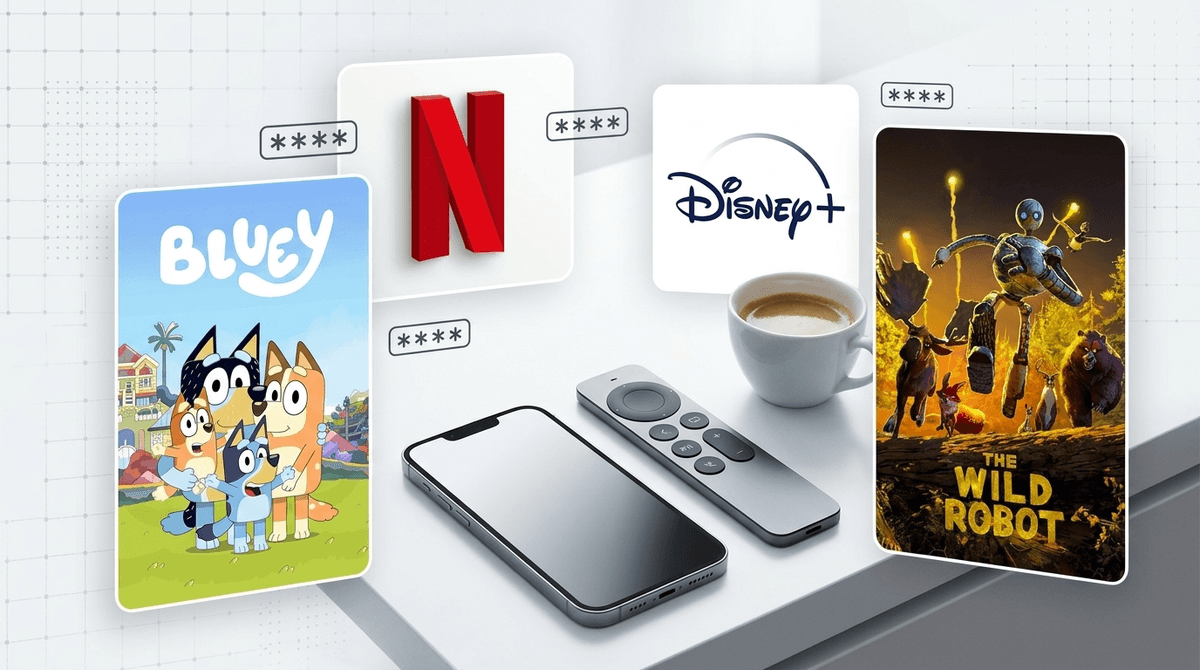
TL;DR: The Cheat Sheet
If you only have thirty seconds before someone starts screaming because the Wi-Fi cut out, here is what you need to know:
- The Disney+ / Hulu Merger is complete. Your "safe" Disney app now houses R-rated content. You must update your content ratings or your seven-year-old is one click away from American Horror Story.
- PINs are your best friend. Set a 4-digit PIN on your adult profiles so kids can't "accidentally" click into your Max queue.
- Netflix is still the king of granular control. You can block specific titles (looking at you, Cocomelon).
- Top 2026 Recommendations: If you need a win, put on The Wild Robot, Bluey, or the latest Percy Jackson season.
- The "Brain Rot" Warning: Skibidi Toilet has officially migrated from YouTube to streaming platforms. Check your filters.
Get a streaming safety plan for your kids' ages
Remember when you could just hand a kid a remote with Disney+ open and walk away? Those days are gone. With the full integration of Hulu into the Disney interface, the "Blue App" is now a one-stop shop for everything from Mickey Mouse Clubhouse to The Bear.
If you haven't touched your settings since 2023, your kids are likely seeing "General Audience" settings that might allow TV-14 or even TV-MA content to bleed into their recommendations.
The Fix: Go into "Edit Profiles," select your child’s profile, and navigate to "Content Rating." If they are under 10, set it to TV-Y7. If you don't do this, the algorithm will eventually serve them something "edgy" because it’s trending.
Learn more about the Disney+ and Hulu merger settings
Netflix remains the gold standard for parental controls because it allows you to be a surgeon rather than a butcher. Most parents know about "Kids Profiles," but the real pro move is the Title Restriction feature.
We all have that one show that makes us want to pull our hair out. Whether it’s the high-pitched chaos of Blippi or the over-stimulating loops of certain nursery rhyme channels, you can literally banish them from existence.
How to do it: You have to log in via a web browser (not the TV app). Go to Account > Profile & Parental Controls > Viewing Restrictions. Type in the name of the show, and it will never appear on that profile again. It’s the closest thing to digital peace we have in 2026.
Check out our list of the best Netflix shows that aren't brain rot
The biggest loophole in every house is "Profile Jumping." Your kid knows you have the "good" movies on your profile. If your Max or Peacock account isn't PIN-protected, your parental controls are basically a suggestion.
Most 8-year-olds are tech-savvy enough to realize that clicking "Dad’s Profile" gives them access to the stuff they aren't supposed to see.
The Fix: Enable Profile Lock. Most services now allow you to set a 4-digit PIN for specific profiles. It takes ten seconds to set up and saves you from having to explain why a certain scene in a "grown-up movie" was happening.
You’ve probably heard the term "Ohio" (meaning weird/cringe) or "Skibidi" (meaning... well, it doesn't really mean anything, it's just a vibe). In 2026, "brain rot" content—hyper-fast, nonsensical, loud videos—is the dominant currency of the playground.
The problem isn't necessarily that the content is "evil," it’s that it’s designed to be addictive. It’s like feeding your kid literal candy for every meal. They get a hit of dopamine every three seconds, and then when you ask them to watch a "slow" movie like My Neighbor Totoro, they complain they’re bored.
The Strategy: Use your parental controls to steer them toward "Long-Form" content. Shows with actual plot arcs, character development, and—heaven forbid—silence.
A masterpiece of storytelling. It’s visually stunning but has emotional depth that requires a kid to actually sit still and feel something.
Still the GOAT. Even in 2026, nothing beats Bluey for teaching emotional intelligence without being preachy. It’s the one show you won't mind "accidentally" watching for three hours.
Perfect for the 8-12 crowd. It’s a great bridge between "kid stuff" and more mature themes like mythology and identity, without the unnecessary gore of adult fantasy.
See our full guide on identifying and limiting "brain rot" content
Let’s be real: YouTube is the Wild West. Even with YouTube Kids, the algorithm can sometimes serve up weird "Elsagate" style knock-offs.
By the time kids are in 4th or 5th grade, they usually find YouTube Kids "babyish" and want the main app. If you give in, you must use "Supervised Experiences." This allows you to choose between "Explore," "Explore More," or "Most of YouTube."
If they are watching on a TV, the best move is to keep the YouTube app off the main "Kids" TV and only allow it in common areas.
Ages 2-5: The "Walled Garden" Phase
At this age, they shouldn't even know what a "search" bar is. Use PBS Kids or the curated "Kids" section on Disney+.
- Goal: Zero "unboxing" videos, zero loud toy reviews.
- Top Pick: Storyline Online where celebrities read picture books. It’s calm, educational, and high-quality.
Ages 6-9: The "Supervised Discovery" Phase
They want to start choosing their own shows. This is when the Disney+/Hulu merger becomes a risk.
- Goal: Use PINs to lock adult profiles and set hard content ratings (TV-Y7 or G).
- Top Pick: Wild Kratts or The Magic School Bus Rides Again.
Ages 10-13: The "Trust but Verify" Phase
They are going to see things. A friend will show them a clip of an R-rated movie on a phone at school.
- Goal: Move the conversation from "You're not allowed" to "Why is this show rated this way?"
- Top Pick: Avatar: The Last Airbender (the original animated series, always). It handles complex themes of war and redemption perfectly.
If you’re ever worried that your kid is bypassing your controls, every major service has a "Watch History" or "Viewing Activity" section.
- On Netflix, you can download a spreadsheet of every single thing watched on a profile.
- On Disney+, you can see the "Continue Watching" rail.
Don't use this as a "gotcha" tool, but rather as a way to stay in the loop. If you see they’ve watched five episodes of something you’ve never heard of, it’s a great opening to ask, "Hey, what’s this show about? Is it any good?"
Streaming in 2026 is more complex than it was five years ago. The apps are hungrier for our kids' attention, and the content is merging into giant, messy ecosystems.
You don't have to be a tech genius to keep your kids safe; you just have to be intentional. Spend ten minutes tonight checking your PIN settings and updating those content ratings. Your future self (the one who doesn't have to explain a "spicy" scene in a Hulu drama to a kindergartner) will thank you.
- Audit your apps: Open Netflix, Disney+, and Max.
- Set your PINs: Lock the adult profiles.
- Update Ratings: Specifically check the Disney+ ratings for each child.
- Talk to your kids: Ask them what their friends are talking about at school. If they say "Skibidi," don't roll your eyes—ask them to show you one (and then maybe suggest The Wild Robot as a palate cleanser).