

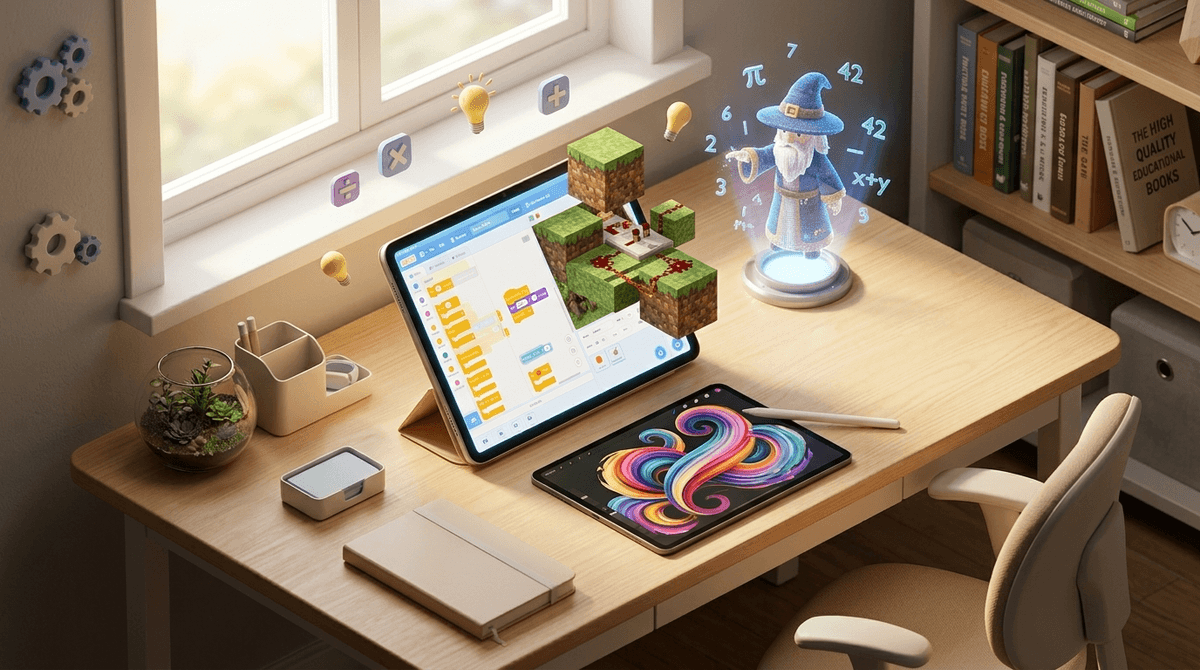
TL;DR: The STEAM Heavy-Hitters If you only have time to download three things today to turn "screen time" into "skill time," here are the winners:
- Best for Future Engineers: Minecraft (specifically for Redstone logic)
- Best for Future Developers: Scratch (the absolute gold standard for logic)
- Best for Math without the Tears: Prodigy (basically Pokémon but with long division)
- Best for Design: Tinkercad (3D modeling that isn't terrifyingly complex)
We’ve all been there. You’re trying to finish a work email or just have a single cup of coffee while it’s still hot, so you hand over the iPad. You tell yourself it’s "educational" because the app icon has a cartoon owl or a lightbulb on it. But twenty minutes later, you look over and your kid is just mindlessly tapping a screen to make a digital cat change colors, or worse, they’ve spiraled into the weird "Skibidi Toilet" depths of YouTube.
That’s the "educational app" trap. In 2026, the App Store is flooded with "brain rot" disguised as learning—apps designed by engagement engineers to keep your kid clicking buttons for dopamine hits rather than actually building neural pathways.
If we want our kids to move from being passive consumers of tech to active creators of it, we have to be intentional. STEAM (Science, Tech, Engineering, Art, and Math) isn't just a buzzword; it’s the difference between a kid who knows how to scroll and a kid who knows how the scroll works.
Coding is the new literacy, but you don't need your seven-year-old to learn C++ tonight. You want them to understand logic, loops, and variables.
Scratch (Ages 8-16)
Created by the folks at MIT, this is the undisputed heavyweight champion. It’s a website, not just an app, which is great because it encourages using a keyboard and mouse—skills that are actually disappearing in the "iPad kid" era. It uses block-based coding to let kids build games and animations. It’s free, it’s deep, and it has a massive community. Parent Tip: If your kid is younger (ages 5-7), grab ScratchJr instead.
Swift Playgrounds (Ages 10+)
If you’re an Apple household, this is the most polished way to learn real code. It teaches Swift (the language used to build actual iPhone apps) through a puzzle-solving game. It feels like a high-end video game, but they are writing actual lines of code. It’s challenging, so expect to help them through the first few levels.
Roblox (The "Creator" Side)
Wait, isn't Roblox just where kids go to say "Ohio" and spend your money on virtual hats? Mostly, yes. But the Roblox Studio is a legitimate game development engine. If your kid is obsessed with the platform, pivot them from playing to building. They can learn Lua (a real programming language) and actually earn money if their game takes off. It’s the ultimate lesson in entrepreneurship and tech.
Learn more about the difference between playing and building in Roblox
Building things digitally helps kids understand how the physical world fits together.
Minecraft (Ages 7+)
I know, it feels like "just a game," but Minecraft is essentially infinite digital LEGOs. Specifically, look into Redstone. Redstone is the game's version of electricity and logic gates. Kids are building working computers, automated farms, and complex machines inside this game. Check out our guide on how Minecraft teaches engineering
Tinkercad (Ages 10+)
If your kid wants to move past blocks and into actual 3D design, this is the place. It’s a browser-based CAD (Computer-Aided Design) tool that is incredibly intuitive. It’s owned by Autodesk (the pros), but simplified for kids. If you happen to have access to a 3D printer at a local library or school, they can actually print their designs.
Math apps usually fall into two categories: "Flashcards but on a screen" (boring) or "Video games where you occasionally do a math problem" (distracting). We want the middle ground.
Prodigy (Ages 6-12)
This is the "cheat code" for kids who hate math. It’s a fantasy RPG where you cast spells by solving math problems. Our Screenwise community data shows that kids who use Prodigy spend 40% more time on math practice voluntarily than those using traditional workbooks. Be warned: there are plenty of "membership" upsells that can be annoying, but the core math content is solid and free.
Khan Academy (All Ages)
It’s not flashy. It’s not a game. But Khan Academy is the gold standard for actual instruction. If your kid is struggling with a specific concept in school, this is the fix. For the little ones, Khan Academy Kids is hands-down the best free, ad-free educational app for the 2-7 age range. No "brain rot" here—just high-quality pedagogy.
Zearn (Ages 6-11)
Many schools use Zearn alongside their curriculum, but it’s a powerhouse for home use too. It focuses on "number sense"—understanding why math works, not just memorizing formulas. It’s the antidote to the "I'm just not a math person" mindset.
STEAM isn't complete without the "A."
Procreate (Ages 10+)
If you have an iPad and an Apple Pencil, just buy Procreate. It’s a professional-grade illustration tool, but kids pick it up instantly. It teaches them about layers, opacity, and digital composition. It’s the difference between "drawing on a screen" and "learning digital illustration."
Stop Motion Studio (Ages 7+)
This is the best way to get kids away from the screen while still using it. They use the app to film, but they use their physical toys (LEGOs, clay, action figures) to create the movie. It teaches patience, frame rates, and storytelling.
Not all STEAM apps are created equal. When you're looking at a new app, watch out for these three things:
- The "Loot Box" Loop: If the app spends more time showing your kid cool items they can buy with "gems" or "coins" than it does on the actual content, delete it. That’s not education; it’s a gambling primer.
- Passive vs. Active: If your kid is just watching videos and then clicking a "Next" button, they aren't learning; they're consuming. Look for apps that require them to build, solve, or input.
- The "Mid-Afternoon Meltdown": Pay attention to how your kid acts when the tablet goes away. High-dopamine "educational" games often lead to harder transitions. If they’re screaming after 20 minutes of a "math game," the game is likely designed with too many flashy rewards and not enough actual thinking.
- Preschool (2-5): Focus on "closed" apps like Khan Academy Kids. No ads, no social features, no "Ohio" memes. Just the basics.
- Elementary (6-10): This is the sweet spot for Minecraft and Scratch. They want to build. Give them the tools, but keep the devices in common areas.
- Middle School (11-14): Move toward professional tools like Procreate or Swift Playgrounds. This is also where the social pressure of Discord and Roblox hits hard. Check out our guide on managing Discord for middle schoolers
The goal isn't to find an app that will turn your kid into a genius while you fold laundry. The goal is to find tools that spark a curiosity that continues after the screen is turned off.
If they spend thirty minutes on Tinkercad and then spend the next hour trying to build that same structure out of cardboard boxes, you’ve won. If they play Prodigy and then start asking you to give them "math battles" at the dinner table, you’ve won.
- Audit the Tablet: Delete three "zombie" apps (the ones that are just mindless tapping) and replace them with one from this list.
- Build Together: Spend 15 minutes having your kid show you how to do something in Scratch or Minecraft. Being the "student" is a great way to see if they actually understand the logic.
- Set a "Creator" Ratio: For every 30 minutes of "consumption" (YouTube, Netflix), require 15 minutes of "creation" (Coding, Drawing, Building).