

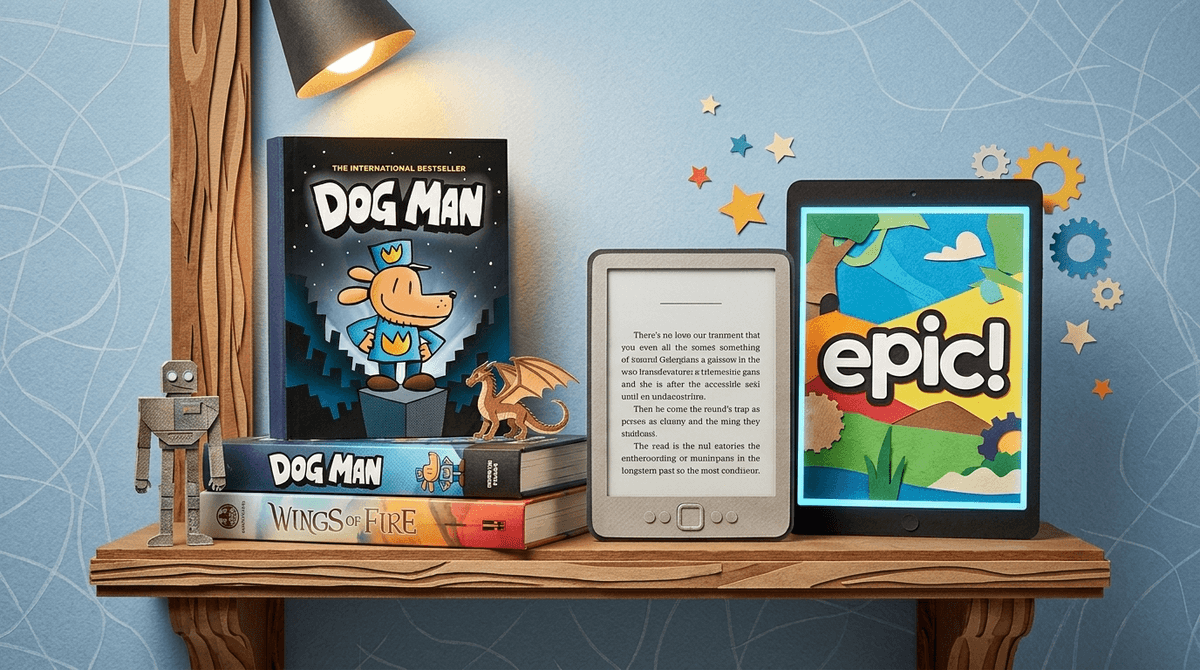
TL;DR
If you’re wondering whether a Kindle counts as "screen time" the same way Roblox or TikTok does, the short answer is: No, but the device matters more than the content. Reading on an E-ink device (like a Paperwhite) is developmentally similar to paper. Reading on a tablet (like an iPad) often triggers the "Screen Inferiority Effect," where the brain skims for dopamine instead of deeply processing the story.
Quick Picks for Digital Reading:
- Best Dedicated Device: Kindle Paperwhite Kids
- Best "Netflix for Books" App: Epic!
- Best Free Library App: Libby
- Best for Reluctant Readers: Dog Man (Graphic novels count!)
We’ve all been there. You set a "one-hour screen time" limit, and your kid spends the last ten minutes reading The Wild Robot on an iPad. Does the timer keep running? Do you snatch the tablet away because "screens are bad," or do you celebrate because they’re actually reading?
The nuance here is that not all pixels are created equal. In the parenting world, we tend to lump "screens" into one giant bucket of "brain rot," but there is a massive cognitive difference between a kid doomscrolling YouTube Shorts and a kid getting lost in the Wings of Fire series on an E-reader.
Researchers have been obsessed with this for a decade. The "Screen Inferiority Effect" is a documented phenomenon where people—both kids and adults—tend to show lower comprehension and less focus when reading digital text compared to printed paper.
Why does this happen?
- The "Shallow" Habit: We are conditioned to use screens for quick hits. We scan emails, we scroll headlines, we look for the "Skip Ad" button. When a kid opens a book on a device that also plays Minecraft, their brain stays in "scan and scroll" mode.
- Spatial Memory: When you read a physical book, your brain tracks where information is (e.g., "that part where the dragon died was at the bottom left of the page"). On a screen, the text is a floating, scrolling blob, which makes it harder for the brain to map the story.
- The Distraction Tax: If a notification for Discord pops up while they're mid-sentence, the deep work is blown. Even if notifications are off, the knowledge that Fortnite is just two clicks away creates a "cognitive load" that competes with the book.
If you want digital reading to "count" as reading time and not "screen time," you have to look at the hardware.
E-ink screens (like the Kindle or Kobo) don’t use a back-lit LCD. They use tiny magnetic particles to mimic ink on paper.
- The Pro: There’s no blue light keeping them up at night.
- The Win: Most of these devices are "single-use." You can’t easily browse the web or watch MrBeast on a Kindle Paperwhite. This forces the brain into "deep reading" mode.
- The Verdict: This is 95% as good as a physical book. In my house, E-ink reading is "off-the-clock" and doesn't count against screen limits.
Using the Kindle App or Epic! on an iPad is a different beast.
- The Con: The temptation to switch apps is massive. Even if you use "Guided Access" to lock them into the app, the screen is still refreshing at 60Hz-120Hz, which is fatiguing for the eyes and keeps the brain in a high-alert state.
- The Verdict: This is "Screen Time Lite." It’s better than Skibidi Toilet memes, but it’s not the same as a book.
If you are going to go digital, don't just give them a PDF. Use platforms designed to actually foster a love for reading.
Think of this as the "Netflix for kids' books." It’s incredible for ages 2-12. It has a massive library of "Read-to-Me" books and popular titles like Big Nate. It's a website and an app, making it very accessible.
If you have a library card, you have Libby. It allows you to borrow ebooks and audiobooks for free. The best part? You can "send to Kindle," which allows your kid to browse the library on your phone but actually read the book on their E-ink device.
Does listening count as reading? For language acquisition and vocabulary, yes. If your kid is struggling with the "crunchiness" of a book like Harry Potter, listening to the narrator can bridge the gap. It’s not "screen time" at all if the screen is off.
Ages 4-7: The "Interactive" Trap
At this age, many "reading apps" are actually just games in disguise. If the app has "mini-games" every three pages, your kid isn't learning to read; they are learning to click through the text to get to the reward. Stick to physical books or Epic! "Read-to-Me" features where the words are highlighted as they are spoken.
Ages 8-12: The Graphic Novel Golden Age
This is the age where kids often pivot to Dog Man, Smile by Raina Telgemeier, or Percy Jackson.
- Parent Hack: Graphic novels are great on tablets because of the color, but they are terrible on basic Kindles. If your kid is a graphic novel junkie, a tablet might be necessary, but be strict about the "No-App-Switching" rule.
Ages 13+: The Research Phase
For teens, digital reading is often about research or Wattpad. This is where "Digital Literacy" kicks in. Reading an article on a phone is fine, but they need to know that their retention will be lower. If they are studying for a big test, tell them to print the chapter out. It’s not "old school"—it’s science.
I like to explain screen time to kids like a bank account.
- Watching YouTube: Spending money. It’s fun, but it’s a drain on your "focus" balance.
- Playing Roblox: Spending money (and sometimes literally spending your money).
- Reading a physical book: Making a deposit. You’re building focus and vocabulary.
- Reading on a Kindle: Making a deposit.
- Reading on an iPad: It’s a wash. You’re gaining some vocabulary, but the blue light and distractions are charging you a "convenience fee."
Don't make it a battle about "rules." Make it about brain performance.
"Hey, I noticed you’re reading Wonder on your iPad. That’s a great book. But since that screen is the same one you use for Brawl Stars, your brain is probably going to get tired faster. Why don't we move that book over to the Kindle or get the hardback so you can read as long as you want without it counting as 'screen time'?"
This frames the E-reader or physical book as a privilege (unlimited time) rather than a restriction.
Digital reading does count as reading, but it usually comes with a "comprehension tax" if it's done on a multi-purpose device like a phone or tablet.
If you want to encourage digital reading without the side effects of "brain rot," invest in a dedicated E-ink device. It signals to the child’s brain: This device is for stories, not for dopamine hits.
Next Steps
- Audit the apps: Delete the "games" from the reading tablet if possible.
- Get a library card: Connect it to Libby.
- Try an E-ink device: See if the "Screen Inferiority Effect" disappears when the distractions do.
- Lead by example: If they see you reading a book (digital or physical), they’re 10x more likely to do it themselves. If they see you on your phone "reading the news," they just see you on your phone.
Learn more about building a healthy digital culture in your home