

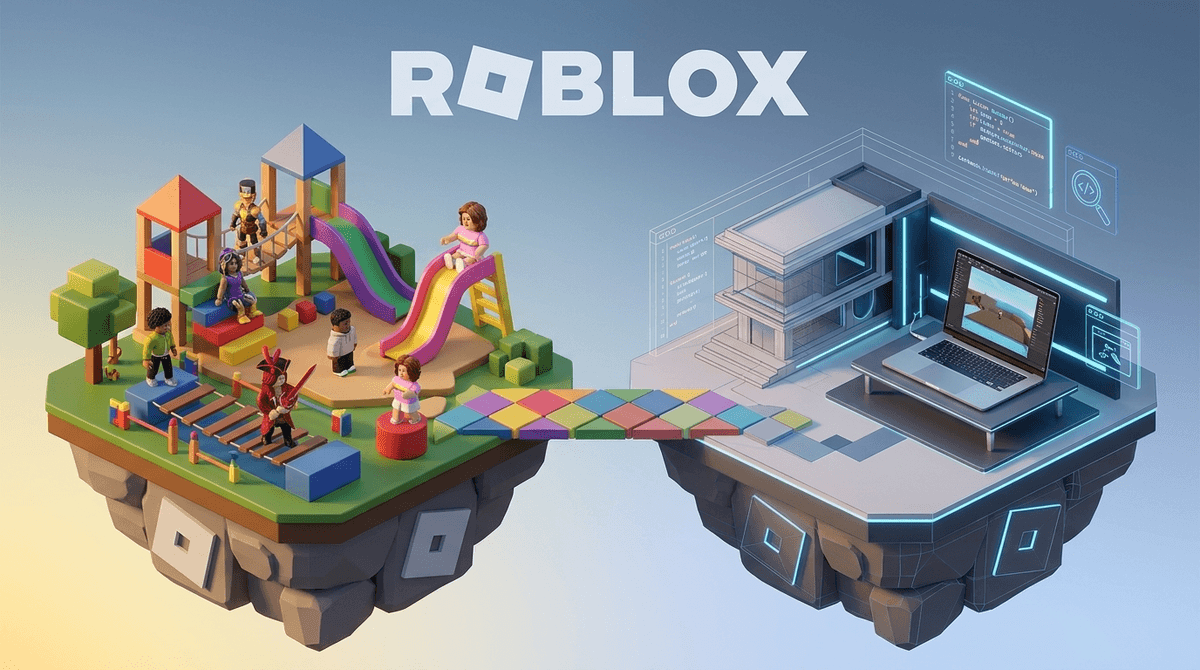
TL;DR: Roblox Studio is the professional-grade engine used to build everything on Roblox. It has evolved from a simple block-builder into a sophisticated platform using Luau coding and Generative AI. While it offers incredible STEM benefits, the 2025 safety updates are a game-changer for parents of kids under 13, and the "entrepreneurship" side requires a serious talk about digital labor.
Quick Links:
If Roblox is the mall where your kids hang out, Roblox Studio is the construction site, the architectural firm, and the marketing agency all rolled into one. It is a free-to-download desktop application that allows anyone to create "Experiences" (Roblox-speak for games).
It’s not just a "kiddie" version of a game engine. It’s a legitimate piece of software. It uses a coding language called Luau (a faster version of Lua), features complex 3D physics, and as of 2026, integrates heavy-duty Generative AI tools that can write code or create 3D textures from a simple text prompt.
When your child says they want to "make a game," they are moving from being a consumer to a creator. That sounds great on a college application, but it also opens up a new world of digital nuances that "playing Dress To Impress" doesn't cover.
Kids usually start because they want to make their own version of Adopt Me! or a "brain rot" obby (obstacle course) filled with memes. But the hook is the instant feedback loop. They can change the gravity of their world, hit "Publish," and suddenly their friends are playing in that world in real-time.
For an 11-year-old, that’s an incredible hit of dopamine and agency. In a world where they have very little control over their physical lives, they are the literal gods of their digital domain.

For years, Roblox was the "Wild West" of user-generated content. But in late 2024 and early 2025, the platform implemented its most aggressive safety overhaul yet. If your kid is using Roblox Studio, you need to know these three things:
1. The Under-13 Communication Lockdown
Kids under 13 can no longer send direct messages to others outside of a specific game environment unless parents opt-in via the new Parental Permissions dashboard. In the context of Studio, this is huge because "Dev Teams" often use Discord or external chats to collaborate. If your kid is serious about building, they will feel the "pull" to go to these unmoderated spaces. Stay firm: they don't need Discord to build a game.
2. Mandatory Content Maturity Labels
Every game created in Roblox Studio must now go through a rigorous self-rating process. If your child tries to publish a game with "unrated" content or "Social Hangout" themes, it will be restricted for younger users. This is Roblox’s way of stopping the "weird" side of the platform from reaching the younger kids.
3. AI-Assisted Safety
Roblox now uses AI to scan 3D models and textures in real-time. If a kid tries to build something inappropriate (or "Ohio" in a bad way), the system is much faster at flagging it than it was two years ago.
Is your kid actually learning to code, or are they just asking an AI to do it?
In 2026, Roblox Studio introduced Assistant, a conversational AI. A kid can type, "Make a script where the floor turns into lava every 30 seconds," and the AI will write the code.
- The Pro: It lowers the barrier to entry. Kids who would have quit in frustration are now seeing their ideas come to life.
- The Con: It can bypass the "logic" part of learning.
If you want them to actually learn the "why" behind the code, I recommend pairing Studio with resources like Code.org or specific YouTube tutorials from creators like AlvinBlox, who explain the Luau logic.
This is where we need to have a "real talk" about the bank account. Roblox runs on Robux. When a kid makes a game, they can sell "Game Passes" or items.
The Dream:
Your child makes the next Piggy and earns enough Robux to convert into real USD via the Developer Exchange (DevEx) program. Yes, some teenagers have paid for college this way.
The Reality:
The "Roblox Economy" is notoriously difficult for solo creators. Most kids end up spending more Robux on "assets" (pre-made items) or "advertising" their game than they ever earn back.
Watch out for "Dev Groups." There is a culture of older users "hiring" younger kids to do the grunt work (like building 100 different trees) for a pittance of Robux. It’s essentially unregulated digital child labor. If your kid is "working" for a Roblox studio, you need to be in the loop.
Ages 7-9: The "Play-Doh" Phase
At this age, they should stick to the built-in templates (like the "Obby" or "Racing" templates). It’s more about moving parts around than writing code.
- Recommendation: Use Scratch first to understand logic before moving to Studio.
Ages 10-12: The "Tinkerer" Phase
This is the sweet spot for learning Luau. They can start following tutorials to make "Simulators."
- Parental Move: Ensure their account is linked to your email and that you have the Parental PIN enabled to prevent them from changing safety settings.
Ages 13+: The "Dev" Phase
They might start looking at Unity or Unreal Engine for "real" game dev, but Roblox Studio is still a massive platform for them. This is where the talk about "Digital Wellness" and "Hustle Culture" becomes vital.
If you see these behaviors, it’s time to step in:
- The Discord Pivot: They insist they must use Discord to talk to their "team." (They don't; they're 12).
- The Robux Sinkhole: They are asking for $50 in Robux to "promote" their game. (This is basically gambling on an algorithm).
- The "Job" Stress: They feel pressured to "update" their game every Friday or they’ll lose their players. This is how 13-year-olds get burned out.
Roblox Studio is a phenomenal tool. It is arguably the most accessible way for a human child to learn 3D environmental design and scripting in 2026. It is miles ahead of Minecraft in terms of actual career skills.
However, it is also a commercial marketplace. If your kid is in Studio, they aren't just "playing a game"—they are participating in a global tech economy. Treat it with the same level of oversight you’d give a first job or a high-stakes competitive sport.
- Download it yourself: Open Roblox Studio on your laptop. Realize within 30 seconds how complicated it is, and give your kid some props for figuring it out.
- Set the "Project" Boundary: If they want to build a game, treat it like a science fair project. What’s the goal? When are they "done" for the day?
- Check the 2025 Settings: Log into their Roblox account and ensure the Parental Controls reflect their actual age and your comfort level with "Social Hangouts."