

TL;DR
If you’re just here for the quick fix so you can go back to folding the endless mountain of laundry, here is the "Parental Control Speedrun" for Paramount Plus:
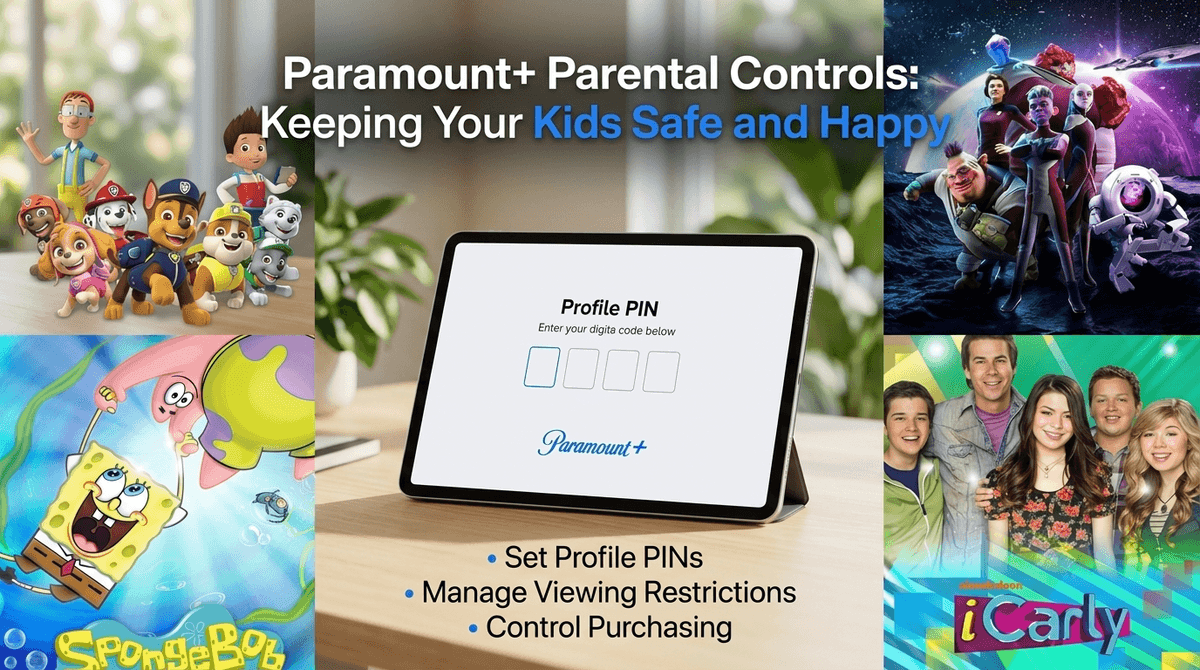
- Create a Kids Profile: Toggle the "Kids Mode" switch when creating a new profile.
- Set Maturity Ratings: Choose between "Younger Kids" (TV-Y, G) or "Older Kids" (TV-PG, PG).
- Lock Your Profile: Go to Account Settings on a web browser and turn on the Profile PIN. This stops your 7-year-old from "accidentally" clicking into your profile to see what Yellowstone is all about.
- The Showtime Factor: Remember that Paramount+ now includes Showtime content, which means there is a lot more "prestige" (read: very adult) content living right next to SpongeBob SquarePants.
Top recommendations for the kids:
- Ages 3-6: Blue's Clues & You! or Bubble Guppies
- Ages 7-11: The Loud House or Star Trek: Prodigy
- Ages 12+: Good Burger 2 or iCarly (the revival)
Get a Paramount+ watchlist for your kids' ages
Paramount Plus is essentially the digital home of the ViacomCBS empire. For parents, that means one thing: Nickelodeon. If your kid is into Paw Patrol, Dora the Explorer, or the massive SpongeBob SquarePants universe, this app is likely already a staple in your house.
But it’s also the home of CBS (sports and procedurals), MTV (teen nostalgia and reality chaos), and now Showtime. This makes it a bit of a "Jekyll and Hyde" platform. One minute you’re watching a sentient sponge flip burgers, and the next, the algorithm is suggesting a gritty crime drama where someone gets their head put in a vice.
Because Paramount+ has integrated so much adult-leaning content recently, the "set it and forget it" approach to parental controls doesn't really work here. You need a strategy.
It’s the Nickelodeon factor. For kids under 10, Nickelodeon is a massive cultural touchstone. Whether it's the high-energy (and occasionally ear-splitting) antics of The Loud House or the comforting, educational vibes of Blue's Clues & You!, there is a deep well of content here.
For older kids and tweens, Paramount+ has cornered the market on "reboot culture." They’ve got the iCarly revival and new Zoey 102 movies that appeal to kids who want to feel a bit more "grown up" without jumping straight into the TV-MA deep end.
Paramount Plus doesn't make this as intuitive as Netflix, but it’s manageable if you do it from a computer rather than trying to peck it out with a TV remote.
1. Create a Dedicated Kids Profile
When you create a profile, you’ll see a toggle for "Kids Mode." Turn it on.
- Younger Kids: Limits content to TV-Y and G. This is the safe zone for toddlers and preschoolers.
- Older Kids: Includes TV-PG and PG. This opens up most of the Nickelodeon live-action shows.
2. The Profile PIN (The Most Important Step)
The biggest flaw in most streaming apps is that a kid can just click "Switch Profile" and jump into yours. To stop this:
- Log in to Paramount+ on a web browser.
- Go to Account.
- Scroll down to Parental Controls.
- Turn the toggle to ON.
- Create a 4-digit PIN.
- Check the box that says "Lock Profile."
Now, whenever someone tries to switch to an adult profile, they’ll need that PIN. Pro tip: Don't make the PIN your birth year or "1234." Kids are basically tiny hackers when they want to see something they aren't supposed to.
Learn more about why profile PINs are the first line of defense
Ages 3-6: The "Gentle" Zone
At this age, you want to avoid "bright-fast-loud" shows that lead to post-screen-time meltdowns.
- It’s a classic for a reason. It’s interactive, well-paced, and doesn't overstimulate.
- Great for music and basic "curriculum" stuff (colors, math, social skills) without being too grating for parents.
- Look, we can debate the politics of Adventure Bay all day, but kids love these dogs. It’s formulaic, which is actually very comforting for this age group.
Ages 7-11: The "Comedy & Adventure" Zone
This is where kids start wanting "cool" shows, and Paramount+ has plenty.
- This is genuinely great TV. It’s a gateway into the Star Trek universe that focuses on teamwork and ethics. It’s visually stunning and much higher quality than your average "cartoon."
- It’s chaotic and can be a bit "sassy," but it deals with sibling dynamics in a way that feels real to kids.
- It’s the king for a reason. Just be aware that later seasons get a little more "manic" than the early ones.
Ages 12+: The "Almost Adult" Zone
- The revival is aimed at the original fans (who are now adults), but it’s still fairly safe for modern tweens who are used to YouTube/TikTok culture.
- A solid animated fantasy film that deals with mythology and responsibility.
The most important thing for parents to know about Paramount Plus in 2026 is the integration of Showtime.
Showtime content is not for kids. We’re talking about shows like Yellowjackets (cannibalism, trauma, gore) or Dexter (serial killers). If you haven't set up that Profile PIN, these shows often appear in the "Trending" or "Recommended" banners on the home screen.
Unlike Disney+, which feels like it was built from the ground up for families, Paramount+ feels like a corporate merger that happened in a boardroom. The "walls" between the kids' stuff and the adult stuff are a bit thinner.
Check out our guide on how to talk to your kids about "accidental" exposure to adult content
If you are on the "Essential" plan (the cheaper one with ads), your kids are going to see commercials. Paramount is generally good about keeping the ads age-appropriate on Kids Profiles, but "age-appropriate" often just means "commercials for toys and sugary cereal."
If you find that your kid is suddenly asking for every Transformers toy they see, the ads are the culprit. If it’s within your budget, the ad-free "Paramount+ with SHOWTIME" plan is often worth the extra few bucks just to keep the marketing machine out of your living room.
Instead of just locking the door and saying "because I said so," use the Paramount+ controls as a conversation starter about digital boundaries.
You can say: "We use a PIN on the adult profiles because some of the shows on here are for grown-ups and have things that are too scary or confusing for kids. Just like I don't let you drive the car yet, some shows are for when you're older."
If they find a way around the PIN (and they might), don't freak out. Use it as a moment to check in. Why were they trying to get into the other profile? What did they see?
Paramount Plus is a goldmine for Nickelodeon fans, but it’s a bit of a "Wild West" if you don't take ten minutes to set up the Profile PIN.
The "Kids Mode" is a great start, but the PIN is the actual lock on the door. Without it, your kid is one accidental click away from the gritty world of Taylor Sheridan’s Yellowstone universe.
Set the ratings, lock your profile, and let them enjoy the SpongeBob marathons in peace.
- Audit your profiles: Delete any old profiles you don't use.
- Set the PIN: Do it right now on your phone or laptop.
- Explore together: Sit down and watch an episode of Star Trek: Prodigy with them. It’s actually good, promise.