

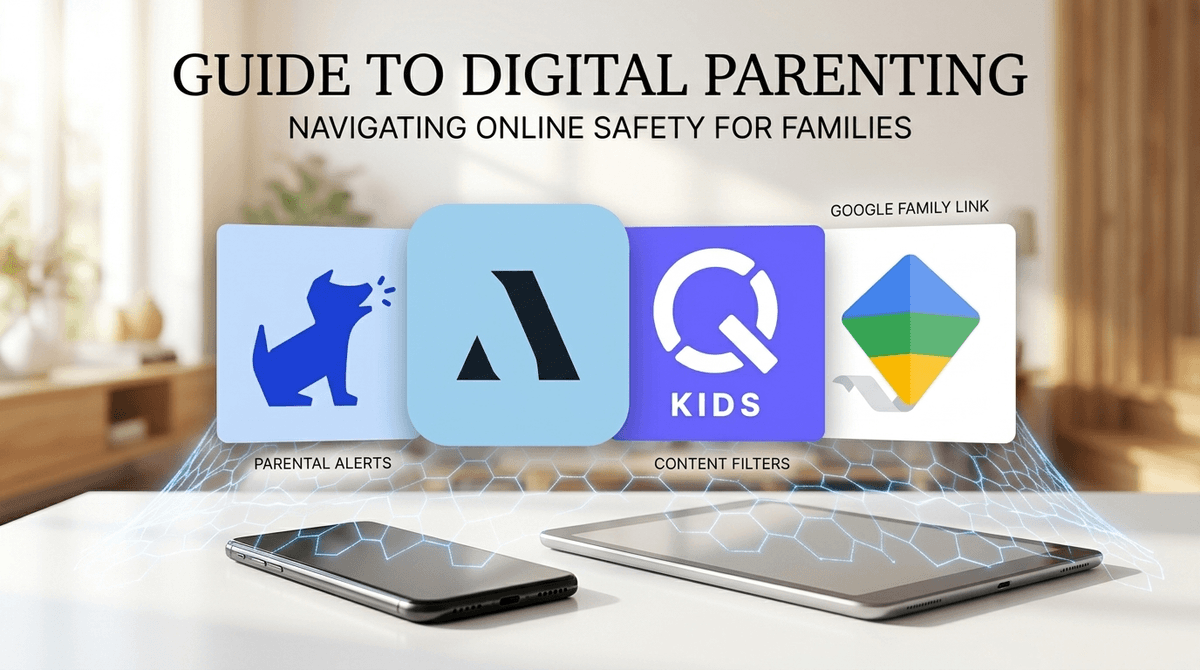
TL;DR: Monitoring apps are training wheels, not a permanent solution. Use tools like Bark or Aura to catch the "scary stuff" while focusing 90% of your energy on building a relationship where your kid actually wants to tell you why their Discord group chat just went "full Ohio."
Quick Links for the Safety Net:
- Best for AI-powered alerts: Bark
- Best for family identity & device security: Aura
- Best for hard screen time limits: Qustodio
- Best for basic (and free) Android/iOS control: Google Family Link or Apple Screen Time
There is a massive difference between being a "Safety Net" parent and a "Big Brother" parent. One is about catching a fall; the other is about preventing the person from ever learning to walk.
In the current digital landscape—where your 10-year-old might stumble onto Skibidi Toilet brain rot one minute and a predatory Discord server the next—the urge to install every monitoring app on the market is real. We want to protect them from the "weird" stuff, the "Ohio" memes, and the genuine dangers of the internet. But if we rely solely on Bark to do the parenting for us, we miss the chance to build the one thing that actually keeps kids safe in the long run: digital trust.
Monitoring apps like Qustodio or Bark are software tools that sit on your child's phone or tablet. They generally do three things:
The "No-BS" take? These apps are imperfect. Any kid with a YouTube account and ten minutes of free time can find a tutorial on how to bypass a VPN or use a "secret" browser. If your strategy is 100% surveillance, you will lose the arms race.
Think of digital independence like driving a car. You don't just hand a 16-year-old the keys and say, "Good luck with the highway!" You start with a permit, you sit in the passenger seat, and eventually, you let them go solo.
A trust-based approach means you are the passenger. You talk about why Roblox is fun but also why the "free Robux" links are scams. You explain that Snapchat isn't actually "temporary" because screenshots exist.
When you lead with trust, your kid is more likely to come to you when they see something that makes them feel "cringe" or uncomfortable. If they think you're just spying, they'll just get better at hiding.
If you're going to use tech to help, use the right tool for the right stage of development.
Bark is the "cool" monitoring app because it doesn't give parents a live feed of every single text. Instead, its AI scans for keywords related to self-harm, predators, or drugs and sends you an alert. It’s a great middle ground for middle schoolers (Ages 11-14) because it respects their privacy while keeping a "safety sensor" active.
- Best for: Parents who want to stay informed without being "creepy."
Aura is more of a "whole-house" security suite. It handles identity theft protection and VPNs, but its parental controls are solid for blocking specific sites. It’s less about "what is my kid saying" and more about "is my kid's data safe from hackers and weirdos."
- Best for: Families who prioritize overall digital security and privacy.
If you have a younger child (Ages 6-10) with an Android tablet or phone, this is a must. It’s free and lets you approve every single app they download. Want to play Minecraft? They have to ask you first. It's the ultimate "training wheels" tool.
- Best for: Younger kids and families on a budget.
This isn't for monitoring what they say, but where they are. For teens (Ages 14+), this is often the only "monitoring" app that doesn't feel like a total violation. It’s a safety tool for the physical world that happens to live on the phone.
- Best for: High schoolers who need freedom but still need a digital "check-in."
Check out our full guide on setting up a digital family contract
Ages 5-9: The Walled Garden
At this age, monitoring should be high and access should be low. They don't need a "trust-based approach" to the open web yet because they don't have the logic to navigate it. Stick to curated platforms like YouTube Kids or PBS Kids. Use Google Family Link to lock everything down.
Ages 10-13: The Scaffold Phase
This is the danger zone. They want to be on Discord and Instagram because everyone else is. This is where Bark is most effective. You give them the app, but you tell them: "I'm not reading your jokes, but I have a safety net that will tell me if things get dangerous."
Ages 14-18: The Graduation Phase
By high school, if you are still reading their texts, you are likely damaging the relationship. Shift the focus to digital wellness. Use Apple Screen Time to help them see how much time they're wasting on "brain rot" videos, but let them manage the limits.
Monitoring apps can give you a false sense of security. You might think, "Oh, I have Qustodio, my kid is safe." Wrong.
Your kid can still be bullied on a school Chromebook. They can still see inappropriate content on a friend's unmonitored phone. They can still spend $200 of your money on Robux if you haven't set up your app store permissions correctly.
These apps are not a "set it and forget it" solution. They are a conversation starter. If Bark flags a conversation about "skibidi" or "rizz," don't come in hot with a lecture. Ask them to explain the meme to you. Be the "knowledgeable friend" who knows that "Ohio" just means "weird" or "bad" right now. When they see you're not out to ruin their fun, they'll be more honest when things actually get sketchy.
When you install a monitoring app, be 100% transparent. Shadow-installing SpyBubble (which is honestly trash and invasive) is the fastest way to ensure your kid never trusts you again.
Try saying this: "I'm putting Bark on your phone. I’m not doing it because I don’t trust you. I’m doing it because the internet is a wild place and I want to make sure I can help you if something comes up that you aren't ready for. I won't be reading your everyday texts, but if the app sees something dangerous, we're going to talk about it together."
Learn more about how to talk to your kids about online predators
Monitoring apps are a scaffold, not the building. They help hold things up while your child develops their own internal compass.
If you rely only on the app, the second that scaffold comes down (college, a friend's house, their 18th birthday), the whole building might collapse. But if you use Bark or Aura as a safety net while you spend your time talking, teaching, and occasionally laughing at the absolute absurdity of modern internet culture, you’re doing it right.
- Audit your current setup: Are you using Apple Screen Time or Google Family Link? If not, start there—they're free and built-in.
- Pick your level of "eyes-on": If you need more help, check out Bark for alerts or Qustodio for strict limits.
- Have the "Why" talk: Sit down tonight and explain why you have these boundaries. Use the "driving a car" analogy. It works every time.
Take the Screenwise Survey to see how your monitoring habits compare to your community