

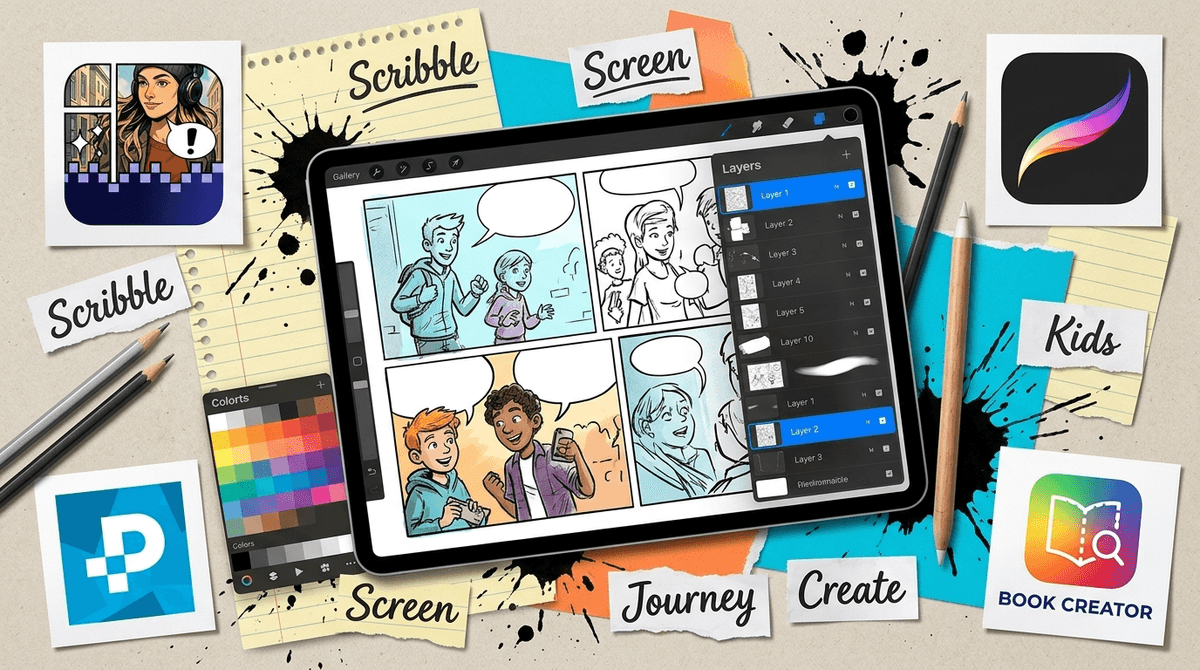
TL;DR: The Quick List for Creative Kids If you want to skip the "why" and get straight to the "how," here are the best-in-class tools for turning your kid's doodles into actual published-looking stories:
- Best for the "I can't draw" kid: Pixton — Drag-and-drop characters and poses.
- Best for the serious artist: Procreate — The industry standard for iPad drawing.
- Best for school projects and layout: Book Creator — Simple, clean, and handles text/images like a pro.
- Best for comic layouts: Comic Life — Classic "pow" and "zap" filters for photos or drawings.
- Best for collaborative storytelling: ChatGPT — Using AI as a "Co-Writer" to break writer's block.
Get a creative tech plan for your kid's age
We’ve all been there: your kid is hunched over a tablet or a notebook, and you’re wondering if they’re actually doing something productive or just descending into a "brain rot" spiral of Skibidi Toilet fan-edits.
Here is the good news: the line between "consuming" and "creating" has never been thinner. If your kid is obsessed with Dog Man or spends their time narrating Roblox adventures, they are already halfway to being a comic book creator.
The "Scribble-to-Screen" revolution is about taking that natural impulse to tell stories and giving them the digital tools to make those stories look real. When a kid sees their drawing inside a professional-looking comic panel with a sleek speech bubble, something clicks. They stop being a "kid who draws" and start being an author.
We talk a lot about "high-quality screen time" at Screenwise. Storytelling and comic creation are the literal gold standard of that category.
- Multimodal Literacy: Comics aren't "cheating" at reading. They require kids to decode text while simultaneously interpreting visual cues, pacing, and tone. It’s a high-level cognitive workout.
- The "Entrepreneur" Mindset: Creating a comic requires project management. You need a beginning, middle, and end. You need character consistency. You’re essentially teaching them how to ship a product.
- Digital Fluency: Learning how to use layers in Procreate or layout tools in Canva are actual professional skills disguised as play.
Learn more about the benefits of creative screen time
For the Visual Artist: Procreate
If you have an iPad and a kid who constantly draws on the back of their homework, just buy Procreate. It’s a one-time fee (no annoying subscriptions, thank god) and it’s what professional illustrators use.
- Ages: 9+ (it has a learning curve)
- The Vibe: High-end, powerful, and incredibly satisfying.
- Parent Tip: If the full version is too much, Procreate Kids is a streamlined version for the younger set.
For the Storyteller Who "Can't Draw": Pixton
Not every kid is a natural illustrator, and that’s okay. Pixton uses a massive library of pre-made characters, outfits, and backgrounds. Kids can change expressions, move limbs, and focus entirely on the plot.
- Ages: 7-12
- The Vibe: Like playing with digital action figures.
- The Catch: The free version is limited; they really want you to pay for the "content packs."
For the Multimedia Genius: Book Creator
This is a favorite in classrooms for a reason. It’s dead simple. You can drop in photos, draw with a stylus, record your own voice for sound effects, and even embed videos.
- Ages: 5-13
- The Vibe: Clean, intuitive, and very "school-safe."
- The Win: You can "publish" the book as an e-book and send it to Grandma. It looks great on an iPad.
For the Layout Specialist: Comic Life 3
If your kid likes taking photos of their LEGO builds or their cat, Comic Life is the move. It turns photos into "comic style" art with one click and has the best speech bubble engine in the game.
- Ages: 8+
- The Vibe: Retro comic book energy.
In 2026, we can't talk about storytelling without talking about AI. Some parents feel like using AI is "cheating," but think of it as a "Creative Partner."
If your kid has "blank page syndrome," they can use ChatGPT to brainstorm.
- The Prompt: "I want to write a comic about a detective who is a potato. Give me three funny plot ideas."
- The Result: The kid still has to do the drawing, the dialogue, and the layout, but the AI helped them get over the initial hurdle.
Check out our guide on kids using AI for school and creativity
The Early Years (Ages 5-7)
At this age, it’s all about tactile feedback. Don't ditch the paper! Use apps like ChatterPix Kids to make their physical drawings talk. It’s a low-stakes way to introduce digital storytelling.
- Focus: Narrative flow (First, Then, Last).
- Recommended: Draw and Tell by Duck Duck Moose.
The Middle Years (Ages 8-12)
This is the sweet spot for Dog Man and Wings of Fire fan-fiction. Kids at this age care about things looking "cool."
- Focus: Character development and digital art skills.
- Recommended: Sketchbook (Free and great for Android/Chromebooks).
The Teen Years (13+)
Teens are often looking for community. They might want to post their work on Webtoon or Wattpad.
- Focus: Audience engagement and sophisticated software.
- Safety Note: These platforms are essentially social media. They have "mature" content. Use with caution.
When your kid moves from "drawing for fun" to "digital storytelling," a few things change:
- Privacy: Many of these apps have galleries where kids can see other people's work. Make sure they know the "No PII" (Personally Identifiable Information) rule. No real names or school hoodies in their comics if they’re sharing them online.
- Copyright: Kids love drawing Mario or Pikachu. That's fine for home, but if they try to "publish" it on a platform like YouTube, it might get flagged. It’s a good time for a "fair use" conversation.
- The "Rabbit Hole": Digital art can be incredibly time-consuming. It’s "good" screen time, but they still need to eat and see the sun. Set a "Project Timer" rather than just a "Screen Timer."
Read our guide on setting healthy boundaries for creative projects
Instead of "What are you doing on that iPad?" try these:
- "Who is the protagonist of this story, and what do they want more than anything?"
- "Show me how you did that shading—that looks like something out of Spider-Man: Into the Spider-Verse."
- "If this was a real book, what would the back cover blurb say?"
By treating their digital hobby as a legitimate craft, you’re validating their effort. You're also subtly moving them away from passive scrolling and toward active creation.
Turning a "comic habit" into a "literacy level-up" isn't about finding the perfect app; it's about leaning into the stories they already want to tell. Whether they are using Crayola or Procreate, the goal is the same: finding their voice in a digital world.
- Audit the tools: Look at what they're already using. If they're just "doodling" in a Notes app, maybe upgrade them to Sketchbook.
- Print one out: Nothing beats the feeling of a physical copy. Use a service like Canva to print a one-page comic and put it on the fridge.
- Check the Screenwise Community: See what other parents of 4th graders are using for creative time in your dashboard.