

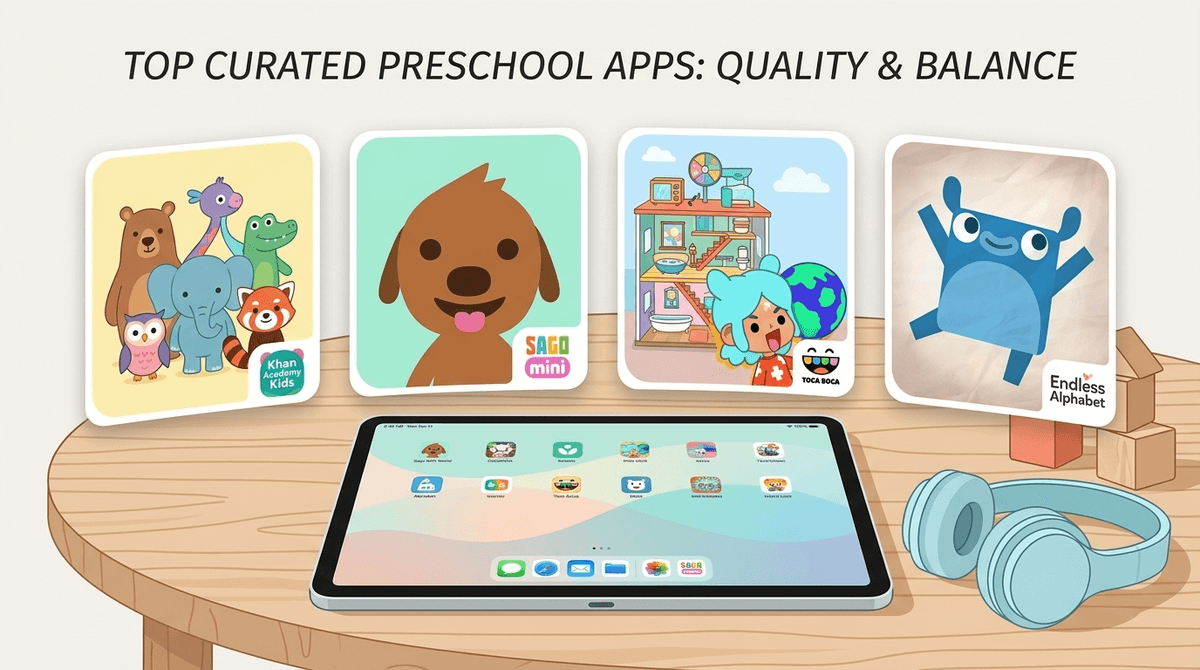
TL;DR: The Quick List If you’re in the middle of a grocery store meltdown and just need a "safe" download right now, here are the winners. No ads, no "buy more gems" pop-ups, and actual educational value:
- The Best All-Rounder: Khan Academy Kids
- The Creative Powerhouse: Sago Mini World
- Best for Phonics: Endless Alphabet
- The Digital Montessori: Pok Pok Playroom
- Best for Socio-Emotional Learning: Daniel Tiger's Storybooks
We’ve all been there. You’re trying to cook dinner, take a work call, or just have five minutes of silence, so you hand your three-year-old the iPad. Ten minutes later, you look over and they’ve somehow navigated away from the "educational" video you picked and are now deep in the trenches of a weird, AI-generated "unboxing" video or a Baby Shark remix that sounds like it was composed by a sleep-deprived demon.
The preschool years (ages 3-5) are a weird digital transition. Kids are gaining the fine motor skills to tap and swipe, but they have zero "crap detection." They don’t know that the shiny "Play" button in the corner is actually an ad for a $99-a-month subscription.
At Screenwise, we see the data: nearly 75% of preschoolers are using mobile devices daily, but most of that time is spent on "passive" consumption (YouTube) rather than "active" engagement. If we're going to use screens, let’s make them work for us. We’re looking for apps that are "low-arousal" (no flashing lights and frantic music that leads to a "screen hangover" meltdown when you turn it off) and "high-agency" (the kid is in charge, not the algorithm).
These are the apps that every parent should have in their "Digital First Aid Kit." They are high-quality, mostly free, and won't rot your kid's brain.
This is, hands down, the best free app on the market. It’s developed with experts from Stanford and covers everything from reading and writing to social-emotional skills. There are no ads, no subscriptions, and it’s genuinely fun. The characters are cute, the narrator is soothing, and it adapts to your child’s level. If you only download one app, make it this one. Read our full guide on why Khan Academy Kids is the GOAT
PBS is the OG of educational media for a reason. This app is a collection of mini-games based on shows like Wild Kratts and Daniel Tiger's Neighborhood. It’s great because your kids already know the characters, but instead of just watching them, they’re solving puzzles or learning about habitats.
Preschoolers love to "play house" or pretend. These apps act as digital dollhouses where there is no "winning" or "losing," just exploration.
Sago Mini is the gold standard for "gentle" play. The animations are slow and deliberate, and there are no high-stress timers. Kids can fly a plane, build a robot, or give a dog a bath. It’s expensive (subscription-based), but if you want an app that encourages curiosity without the overstimulation of Roblox, this is it.
Toca Boca is like the "cool older sibling" of Sago Mini. It’s a massive digital world where kids can create characters and tell stories. Warning for parents: While the base game is great, they are very good at marketing "packs" (new houses, new clothes). It can feel a bit like a "pay-to-play" trap if you don't set boundaries early. Learn how to manage in-app purchases on Toca Boca
If you’re a "wooden toys only" kind of parent, this is your app. It’s a minimalist, hand-drawn digital toy box. There are no instructions, no levels, and no talking. It’s all about cause and effect. It’s incredibly calming and perfect for kids who get easily overwhelmed by loud noises and bright colors.
Teaching a four-year-old that "C" says "kah" can be a test of patience. These apps make it feel like a game.
This app is brilliant. Little monsters run across the screen and knock over a word. Your kid has to drag the letters back into place. As they drag a letter, it makes its phonetic sound (the "S" literally hisses "ssssss"). It’s funny, it’s tactile, and kids actually learn the sounds, not just the names of the letters.
From the makers of the famous green bird, this is a free, gamified way to learn to read. It’s very structured, which is great for kids who like to "level up." It’s much better than the "brain rot" reading apps that just show flashcards.
Not all "educational" apps are created equal. Here is what to watch out for:
- The "Freemium" Trap: If an app is free but 90% of the content is locked behind a "Buy Now" button, delete it. Preschoolers don't understand that they're spending real money, and the frustration of being told "no" every 30 seconds ruins the experience.
- High-Arousal Content: If the app has constant flashing lights, "slot machine" sounds when they get a right answer, and fast-paced editing, your kid is going to have a hard time transitioning back to the real world. This is the Cocomelon effect.
- Hidden Ads: Some apps for kids are basically just delivery systems for ads for other, worse apps. If you see an ad for a "war game" inside a coloring app, get rid of it.
Even with the "best" apps, preschoolers still need boundaries. Their eyes are still developing, and their brains are learning how to regulate emotions.
- Co-Play whenever possible: Sit with them for the first 10 minutes. Ask, "What is that character doing?" or "Why did you pick that color?" It turns a passive experience into a social one.
- The "Exit Strategy": Give a "two-minute warning" before screen time ends. Preschoolers have a hard time with transitions. Using a physical timer they can see helps a lot.
- The 20-20-20 Rule: Every 20 minutes, have them look at something 20 feet away for 20 seconds. It helps prevent eye strain.
You might hear older siblings or even some "advanced" preschoolers talking about Skibidi Toilet or calling things "Ohio." Don't panic. It's just the current flavor of weird internet humor. However, most of this content is not for preschoolers. It’s fast-paced, loud, and sometimes creepy. If your kid is asking for "Skibidi," steer them back toward Bluey or Numberblocks.
Screens aren't the enemy, but they are a tool that requires a manual. For a preschooler, the goal is active engagement. We want them building, drawing, solving, and thinking—not just staring blankly at a screen while a yellow duck sings the alphabet for the 400th time.
Start with Khan Academy Kids for the "vitamins" and Sago Mini World for the "play," and you’ll find that screen time becomes a lot less stressful for everyone involved.
- Audit the iPad: Delete any app that has "pop-up" ads or requires a subscription you didn't authorize.
- Set up "Guided Access": On iPhones/iPads, this locks the child into a single app so they can't wander into your emails or the YouTube app.
- Take the Survey: Use Screenwise to see how your kid's app usage compares to other families in your community.
Learn how to set up Guided Access on your iPhone
Get an app recommendation based on your kid's interests