

The Best Android Apps for Kids in 2026: Safe, Fun, and Actually Educational
The Android app ecosystem for kids is massive, overwhelming, and filled with both gems and garbage. Here are the apps that actually deliver on safety, learning, and fun without making you feel like you need a shower after checking your kid's screen time:
Top picks:
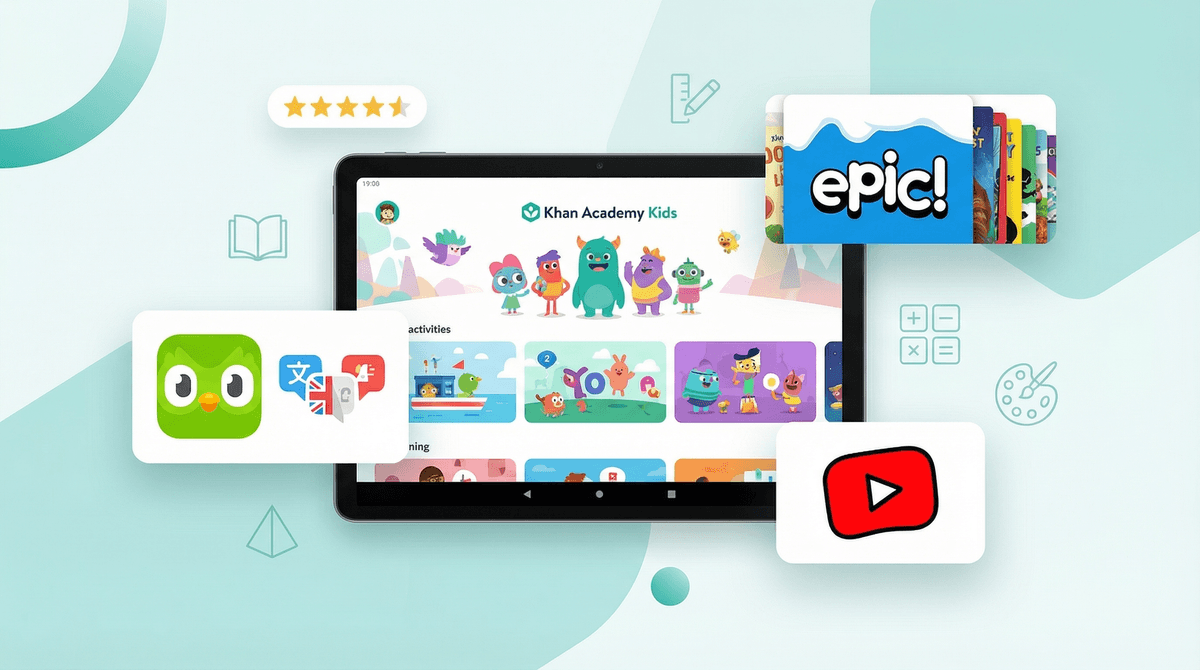
- Khan Academy Kids (Ages 2-8) - Free, ad-free, genuinely educational
- Epic! (Ages 2-12) - Digital library with 40,000+ books
- Toca Boca apps (Ages 3-9) - Open-ended play without ads or in-app purchases
- Duolingo (Ages 7+) - Language learning that doesn't feel like homework
- YouTube Kids (Ages 3+) - With heavy parental controls, it's manageable
- Prodigy Math (Ages 6-14) - Math practice disguised as an RPG
Screenwise Parents
See allBefore we dive in, let's talk about what we're looking for. Not every "educational" app is created equal, and not every fun app is rotting your kid's brain.
The non-negotiables:
- No predatory monetization - We're talking about apps that aren't constantly begging for money or pushing loot boxes
- Actual privacy protections - COPPA compliance at minimum, but ideally apps that don't collect unnecessary data
- Age-appropriate content - Either curated for kids or with robust parental controls
- Some kind of value - Whether it's learning, creativity, or genuine entertainment (not just dopamine slot machines)
The nice-to-haves:
- Offline mode for car trips and restaurants
- Multiple user profiles for siblings
- Progress tracking so you can see what they're actually doing
- Content that doesn't make you want to throw the device out the window
Ages 2-8 | Free, no ads, no subscriptions
This is the gold standard. Completely free, zero ads, and built by people who actually understand child development. It covers reading, math, social-emotional learning, and creative play through interactive activities and books.
Why it works: The app adapts to your child's level, so a 3-year-old and a 7-year-old can both use it productively. The characters are engaging without being annoying (looking at you, every other educational app mascot), and the content is genuinely educational rather than "edutainment" garbage.
Parent tip: Set up multiple profiles if you have multiple kids. The adaptive learning actually works better when it's tracking individual progress.
Ages 7+ | Free with ads, or $7/month for Super
Yes, the green owl is slightly unhinged with its passive-aggressive notifications, but Duolingo legitimately works for teaching languages. Kids respond well to the gamification, and the lessons are bite-sized enough that they don't feel like homework.
Why it works: The streak system creates genuine motivation (maybe too much motivation—you can disable notifications if it gets intense). The free version is totally usable; the paid version just removes ads and adds some convenience features.
Parent tip: Start with Spanish, French, or Mandarin for younger kids—the courses for these languages are the most polished. And maybe turn off those notifications before Duo starts sending threatening messages about your streak.
Ages 6-14 | Free with optional membership ($10-15/month)
This is basically Pokémon but you have to solve math problems to battle. Kids are shockingly willing to do multiplication tables when there's a fantasy RPG wrapper around it.
Why it works: The game is actually engaging, and the math content aligns with curriculum standards. Teachers can even assign it as homework and track progress, which means it's not just busywork.
The catch: The free version is functional but includes prompts to upgrade. The paid membership unlocks more content and removes those prompts. It's not predatory, but it exists. Whether it's worth it depends on how much your kid uses it—if they're playing daily, the membership might be worth it for your sanity alone.
Ages 2-12 | $10/month after free trial
A digital library with over 40,000 books, plus audiobooks and learning videos. If you have a kid who reads voraciously, this pays for itself immediately compared to buying books.
Why it works: The selection is massive and includes popular series like Dog Man, Diary of a Wimpy Kid, and Magic Tree House. You can set reading goals, track what they're reading, and limit screen time through the app itself.
Parent tip: Check if your local library offers free Epic! access through their digital collection before paying for it. Many do.
Ages 3-9 | $4-5 per app, one-time purchase
Toca Boca makes digital toys, not games. There are no points, no levels, no achievements—just open-ended play. Toca Kitchen, Toca Life World, Toca Hair Salon—they're all designed for kids to experiment and create without pressure.
Why it works: No ads, no in-app purchases beyond the initial cost, no data collection. Your kid can't accidentally rack up charges, and they can't "fail" at the game. It's genuinely just play.
Parent tip: Toca Life World is the hub that connects many of their other apps, so start there if you're unsure which one to try.
Ages 3+ | Free with in-app purchases
A digital art app designed for kids. Simple interface, lots of tools (stamps, stickers, brushes), and the ability to save and share creations.
Why it works: It's intuitive enough for preschoolers but has enough features to keep older kids engaged. The free version is totally usable; the in-app purchases just add more stamp packs.
The catch: Ads in the free version, but they're not aggressive. The paid version ($5) removes them entirely.
Ages 3+ | Free with ads
Yes, YouTube Kids. Hear me out.
The reality: Your kid is going to watch YouTube content. The question is whether it's going to be on regular YouTube (where one autoplay away from conspiracy theories) or YouTube Kids (where the content is at least somewhat curated).
Why it can work: With proper setup, YouTube Kids is manageable. You can approve content manually, block specific channels, set time limits, and turn off search entirely so they can only watch pre-approved videos.
Parent tip: Set it up properly from day one. Use the "Approved Content Only" mode and manually add channels you trust. Yes, it's work upfront, but it's worth it. And regularly check their watch history—you'll learn a lot about what's slipping through.
Ages 2-8 | Free
Full episodes of PBS Kids shows like Daniel Tiger, Wild Kratts, and Odd Squad. No subscription required, minimal ads.
Why it works: PBS content is consistently high-quality and actually educational. If your kid is going to zone out to a screen, these shows at least have some value.
Parent tip: The app includes games too, which are hit-or-miss in quality but generally harmless.
Ages 3+ | Included with Spotify Premium Family ($17/month)
A separate Spotify app just for kids, with curated playlists, audiobooks, and podcasts. No explicit content, no random true crime podcasts sneaking in.
Why it works: If your family already has Spotify Premium, this is included at no extra cost. The content is genuinely curated for kids, including stuff like Story Pirates and Brains On!.
Ages 2-5: Focus on apps with no reading required and simple interfaces. Khan Academy Kids, Toca Boca apps, and PBS Kids Video are your best bets. Keep sessions short (15-20 minutes) and co-view when possible.
Ages 6-9: This is the sweet spot for educational apps. Prodigy Math, Duolingo, and Epic! all work well here. You can start introducing more independence, but still check in regularly on what they're doing.
Ages 10+: Older kids can handle more complex apps and games. Consider Duolingo for language learning, Minecraft for creative building (yes, it's on Android), and Spotify Kids for music and podcasts. This is also when you might start introducing educational YouTube channels with supervision.
Android vs. iOS: The Android app ecosystem is slightly more chaotic than iOS. Google Play's review process is less strict, which means more apps slip through with questionable content or privacy practices. Always check reviews and ratings before downloading, and stick to well-known developers when possible.
Free doesn't mean safe: Many "free" kids' apps are data collection machines or ad delivery systems disguised as games. If an app is free and seems too good to be true, it probably is. Look for apps that are transparent about their business model—subscriptions, one-time purchases, or genuinely free from reputable organizations (like Khan Academy).
In-app purchases are the devil: Even "kids' apps" can have aggressive in-app purchase prompts. Some apps make it nearly impossible to play without paying. Check reviews for complaints about this before downloading. Better yet, set up parental controls on your Android device to require a password for purchases.
Screen time isn't monolithic: 30 minutes of Khan Academy Kids is not the same as 30 minutes of random YouTube autoplay. Quality matters. That said, even "educational" screen time shouldn't completely replace books, outdoor play, and face-to-face interaction.
The best Android apps for kids are the ones that respect your family's time, money, and privacy while delivering actual value—whether that's learning, creativity, or just quality entertainment.
Start with the free, high-quality options like Khan Academy Kids and PBS Kids Video. If those stick, consider paid options like Epic! or Toca Boca apps that offer more depth without the predatory monetization.
And remember: no app is a substitute for parental involvement. The best screen time is co-viewing, co-playing, and talking about what they're experiencing. Even the best app is just a tool—what matters is how your family uses it.
Next steps:
- Set up Android parental controls before downloading anything
- Start with 2-3 apps max to avoid overwhelming your kid (and yourself)
- Check in after a week—are they actually using it? Is it worth keeping?
- Talk to your kid about screen time expectations before problems develop
Need help figuring out what's right for your specific kid? Find apps for your kid about your family's situation—it's like having that knowledgeable friend at school pickup, but available at 2 AM when you're stress-downloading apps.