
Private Photo Vault

Private Photo Vault

app

Everyone, 2015, Photography

WISE
12%

WISE Score

4.8

App Store

A digital safe for photos and videos that is frequently used by minors to hide inappropriate content from their parents.

Screenwise Verdict

Private Photo Vault is a high-utility tool for adults and a massive red flag for kids. If you find this on your child's phone, it wasn't downloaded to 'organize memories.' It was downloaded to create a space where your oversight doesn't exist.

The app's features—like the decoy PIN and the intruder selfie—are sophisticated tools for maintaining secrets. While it's great for keeping a scan of your social security card safe, for a teenager, it's usually a warehouse for the exact kind of content parents worry about most.
Age Fit

This is an adult utility. There is no legitimate reason for a minor to have a vault app on their phone; if they do, it's a signal that they are likely hiding content they know violates house rules.

WISE Breakdown
Wholesome
10

This is a utility designed for concealment. While useful for adults hiding tax returns or sensitive documents, in a youth context, it is almost entirely used to bypass parental boundaries and hide behavior.

Imaginative
5

Zero creative or imaginative value; it's a digital locker with a PIN pad.

Safe
15

The app's primary function—hiding content from the device's main gallery—creates a massive blind spot for parents. Features like decoy PINs are specifically designed to deceive anyone asking to see the phone's contents.

Enriching
5

No educational or personal growth value. It serves only as a privacy tool for adults or a hiding spot for kids.

Parent Info

Why It Might Be Great

  • Strong Encryption for adults who need to store sensitive documents like ID scans or financial records securely on their phone.
  • Break-in Alerts take a photo of anyone attempting to guess the PIN, which is a solid security feature for stolen devices.
  • Cloud Backup options ensure that if the phone is lost, the encrypted data isn't gone forever.
  • Decoy Vaults allow users to set up a secondary PIN that opens a 'fake' gallery to throw off anyone pressuring them for access.

What to Watch For

  • The Decoy PIN is the biggest red flag; a kid can show you a 'clean' vault while keeping the real content behind a different code.
  • The app is often used to store sexts, self-harm images, or drug-related content that the user knows would be flagged in the main photo stream.
  • Face Down Lock allows the user to instantly exit and lock the app just by flipping the phone over if a parent walks into the room.

Conversation Starters

  • "Why would someone feel the need to have a second, secret password for their photos?"
  • "What's the difference between having privacy and having a secret that could get you in trouble?"
  • "If you feel like you need to hide something from me, is it because you're worried about my reaction or because you know it's not safe?"

Deep Dive

The 'Decoy' Problem

Most parents think checking a phone means scrolling through the camera roll and maybe checking the 'Recently Deleted' folder. Apps like Private Photo Vault make that level of checking obsolete. The most concerning feature here is the Fake PIN. You can literally ask your kid for the password, they can type in a 'decoy' code right in front of you, and the app will open to a perfectly innocent set of photos of the family dog. You’ll walk away thinking everything is fine, while the actual content remains hidden behind the real PIN.

Why Kids Use It

According to safety experts at Protect Young Eyes, vault apps are the go-to for storing 'nudes' (both sent and received) and evidence of high-risk behavior. Because these apps often don't look like 'scary' social media, they can fly under the radar during a quick device audit.

The Bottom Line

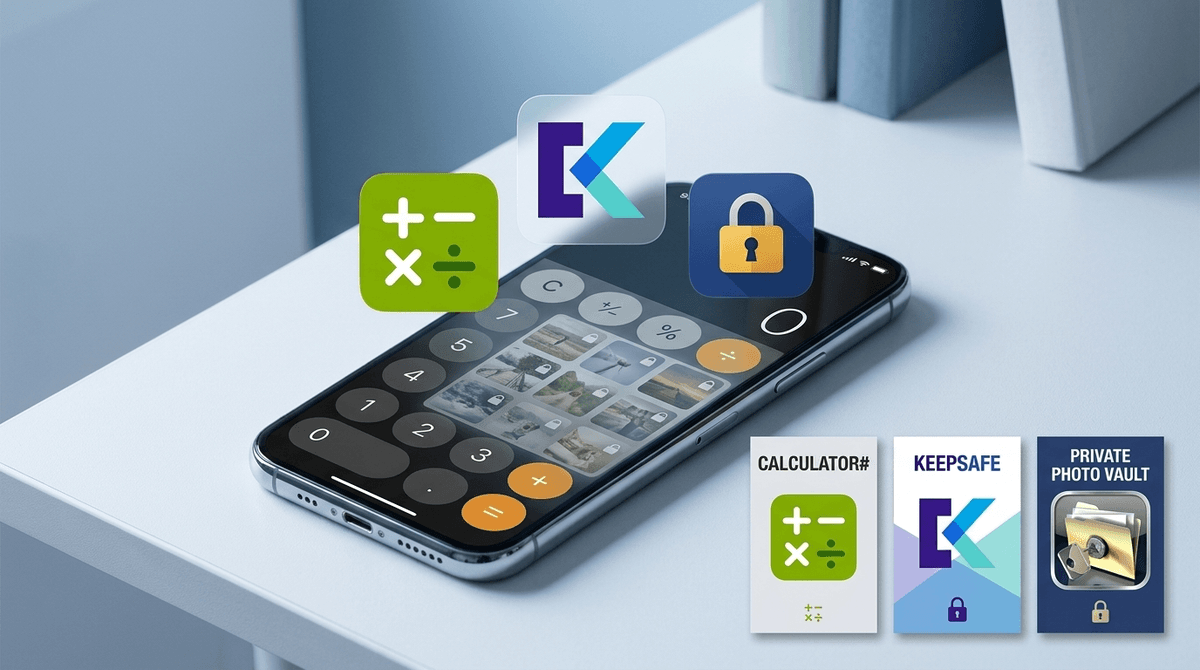
If you see an app with a lock icon, a calculator icon that seems redundant, or any 'vault' terminology, it's time for a very direct conversation. These aren't 'privacy' tools for kids; they are 'secrecy' tools. In 2026, with the prevalence of automated scanning for explicit content on mainstream platforms like iCloud and Google Photos, kids are moving their risky content to these third-party vaults specifically to avoid detection.

What Parents Ask

Ask Anything

Get a personalized guide on any topic