

TL;DR
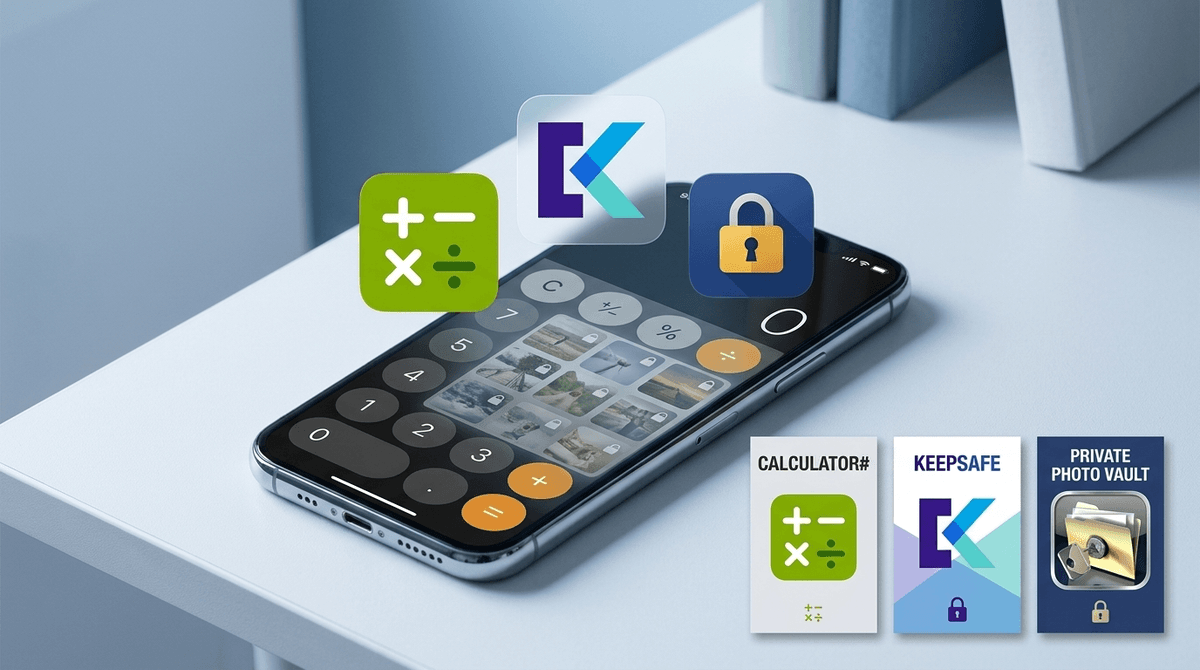
- What they are: Vault apps (or "ghost apps") are disguised as boring utilities—like calculators, notes, or compasses—but act as hidden folders for photos, videos, and messages.
- The Red Flag: If you see two calculator icons on a phone, one of them is likely a vault.
- Top Offenders: Calculator#, Keepsafe, and Private Photo Vault.
- The Strategy: Focus on the "Privacy vs. Secrecy" conversation. Use Screenwise guides on digital boundaries to set expectations before you start playing detective.
Get instructions on how to check for hidden apps on iPhone or Android
Vault apps are the digital equivalent of that hollowed-out book people used to keep on their shelves to hide cash or a flask. On the surface, they look like a standard, functional app—usually a Calculator or a Clock. But when you enter a specific PIN or pattern into the "calculator" interface, it unlocks a hidden gallery or messaging interface.
These aren't just for photos. Many of these apps include private web browsers that bypass search history, hidden contact lists, and even "decoy" vaults. A decoy vault is a secondary hidden area that shows "innocent" hidden stuff (like some memes) if a parent demands the password, while the real vault remains hidden behind a different code.
It’s clever, it’s a bit devious, and it’s incredibly common among middle and high schoolers.
It’s easy to assume the worst, but for a lot of kids, vault apps are about a desperate desire for privacy. In an age where parents can track their GPS location, see their Life360 history, and monitor their Bark alerts, a vault app feels like the only "room" in the house where the door actually locks.
However, we have to be real: they are also the primary tool for hiding "NSFW" content, "burn book" style screenshots of classmates, or access to social media apps like Snapchat or TikTok that might be officially "banned" in the household.
If you see these on a device, you need to know what you're looking at. Here is the breakdown of the heavy hitters.
This is the "Gold Standard" of vault apps. It looks exactly like a calculator. It functions as a calculator. But once you type in your secret code, it opens a file manager.
- The Danger: It has a built-in browser. This means even if you have Safari blocked or restricted, they can browse the web entirely unmonitored inside this app.
- Parent Verdict: This app has zero educational value. If your kid needs a calculator, they have a native one. There is no "innocent" reason for this specific app to be on a child's phone.
Keepsafe doesn't try as hard to hide its identity—the icon looks like a lock—but it’s incredibly effective. It’s marketed as a way to "protect your personal photos."
- The Feature: It has a "Break-In Alert" that takes a secret photo of anyone who tries to enter the wrong PIN. So, if you try to guess your kid's code, they’ll literally have a photo of your frustrated face as evidence.
- Parent Verdict: It’s "Privacy Pro" software. While less "sneaky" than the calculator clones, it’s still a fortress.
This one is popular because it allows for "Vault-in-Vault" technology. You can set up a fake password that opens a folder of pictures of your dog, while the real password opens... whatever they don't want you to see.
- Parent Verdict: The "Decoy" feature makes this a high-secrecy app. It’s designed specifically to deceive parents or partners.
There are dozens of these with nearly identical names. Most are "freemium" garbage full of ads, but they do exactly what they promise: they hide the "good stuff" from the "rents."
Check out our guide on how to spot "Ghost Icons" on a home screen
Let’s stop being polite for a second. If your 13-year-old has a hidden vault app, they are likely engaging in one of three things:
- Nudes/Sexting: This is the most common use case for vault apps in high school. It’s where they store photos they’ve received or photos they intend to send.
- Bullying/Drama: "Burn folders" filled with screenshots of texts or Instagram posts they want to use as "receipts" in social warfare.
- Bypassing You: Using the hidden browsers to watch YouTube or access Discord when you’ve told them those apps are off-limits.
None of these are "end of the world" scenarios, but they are all things that require a parent's involvement. Vault apps aren't just "digital diaries"—they are silos that prevent you from helping your kid navigate the hardest parts of growing up online.
Ages 10-12 (The "Curiosity" Phase)
At this age, kids often download these because they saw a "life hack" on TikTok about how to hide apps from your parents. They might just be hiding a game they aren't supposed to have, like Roblox or Among Us.
- Action: If you find one, don't go nuclear. Ask them why they felt they needed to hide something. Often, it’s a sign that your current restrictions feel too tight or arbitrary to them.
Ages 13-15 (The "Privacy" Phase)
This is the danger zone. This is when the "Calculator" app is most likely hiding content related to body image, dating, or social drama.
- Action: Focus on the safety aspect. "I don't need to see every meme you send, but I do need to know that you aren't storing things that could get you in legal trouble or hurt your reputation permanently."
Ages 16+ (The "Autonomy" Phase)
By this age, if they want to hide things, they’re going to find a way. Your best bet here isn't searching their phone—it's having built the trust over the previous five years so they don't feel the need to use a vault.
- Action: Discuss the legal implications of vault apps and how they are often used by predators to encourage kids to hide conversations.
Instead of saying "I found your secret calculator and you're grounded," try a more conversational approach.
"Hey, I was reading about these 'vault apps' that look like calculators. I get the appeal of having a private space, but those apps are also huge magnets for malware and predators because they know kids use them to hide things. If there’s stuff you want to keep private, let’s talk about how to do that safely using the Notes app or Google Photos locked folders, rather than these sketchy third-party apps."
Vault apps are a tool for secrecy, not just privacy. Privacy is "I want to change my clothes with the door closed." Secrecy is "I'm doing something I know is against the rules and I'm building a wall to make sure you can't stop me."
If you find a vault app:
- Don't panic. It’s a standard rite of passage for the modern "digital native."
- Check the "Purchased" list. Go to the App Store or Play Store and look at the history of downloaded apps. Even if they delete the vault app before they hand you the phone, the history doesn't lie.
- Look for duplicates. Two calculators? Two clocks? That’s your smoking gun.
- Delete and Discuss. These apps have no place on a minor's phone. Delete them, but more importantly, address the "why" behind the download.
Get a script on how to talk to your teen about vault apps
Next Steps
If you're worried about what else might be hiding under the surface, take our Screenwise Digital Habits Survey. It’ll help you see how your family’s tech use compares to other "intentional parents" in your community and give you a roadmap for setting boundaries that actually stick.